Introduction
Сатып алганыңыз үчүн рахматasing the 4DRC M5 Remote Control Helicopter. This manual provides essential information for the safe operation, setup, and maintenance of your new helicopter. Please read this manual thoroughly before use and retain it for future reference.
The 4DRC M5 is a 2.4 GHz remote-controlled helicopter designed for children, featuring gyroscopic stability control, altitude hold, two speed modes, and an LED light for enhanced visibility. It is constructed from lightweight and durable plastic materials, offering a control range of approximately 50 meters.
Пакеттин мазмуну
Before operating, please ensure all items listed below are present in your package:
- 1 x 4DRC M5 Remote Control Helicopter
- 1 x Remote Controller
- 2 x Modular Batteries (Lithium-ion)
- 1 x USB заряддоо кабели
- Spare Propeller Blades
- Колдонуучунун колдонмосу (бул документ)
Коопсуздук чаралары
Коопсуз иштөөнү камсыз кылуу жана зыян келтирбөө үчүн төмөнкү сактык чараларын сактаңыз:
- Жашы боюнча сунуш: The manufacturer recommends this product for ages 24 months to 3 years. Due to the nature of remote-controlled aircraft, adult supervision is highly recommended for all users.
- Чоңдордун көзөмөлү: Always operate under adult supervision, especially for younger users.
- Курчап турган чөйрө: Fly in open, clear areas, away from people, animals, obstacles, and water. Avoid flying in strong winds.
- Батареянын коопсуздугу:
- Батареяларды ашыкча заряддабаңыз же ашыкча разрядтабаңыз.
- Берилген заряддоо кабелин гана колдонуңуз.
- Батареяларды экстремалдык температурага же түз күндүн нуруна калтырбаңыз.
- If batteries swell or leak, discontinue use immediately.
- Пропеллер: Манжаларды, чачтарды жана кенен кийимдерди айлануучу винттерден алыс кармаңыз.
- Таасири: Кырсыктарды болтурбоо. Кайталануучу соккулар тик учакка зыян келтириши мүмкүн.
Жайгашуу
1. Тик учактын батареясын кубаттоо
The helicopter uses Lithium-ion modular batteries. Ensure they are fully charged before first use.
- Remove the battery from the helicopter (if pre-installed).
- Батареяны USB заряддоо кабелине туташтырыңыз.
- USB кубаттоочу кабелди ылайыктуу USB кубат булагына сайыңыз (мисалы, компьютердин USB порту, USB дубал адаптери).
- The indicator light on the charging cable will show the charging status (e.g., red for charging, off/green for fully charged).
- Толук заряддалгандан кийин, батареяны заряддагычтан ажыратыңыз.
Эскертүү: Батареяларды заряддалып жатканда кароосуз калтырбаңыз.
2. Тик учактын батареясын орнотуу
Carefully insert the charged modular battery into the battery compartment of the helicopter. Ensure it is securely connected and the compartment cover is closed (if applicable).
3. Алыстан башкаруу пультунун батареяларын орнотуу
The remote controller requires 2 C batteries.
- Пульттун артындагы батарея бөлүкчөсүн ачыңыз.
- Insert 2 C batteries, observing the correct polarity (+/-).
- Батарея уясынын капкагын жабыңыз.
 Image: The 4DRC M5 helicopter and its remote controller.
4. Тик учакты жана пультту жупташтыруу
Follow these steps to establish a connection between the helicopter and the remote controller:
- Тик учакты тегиз, түз жерге коюңуз.
- Turn on the helicopter's power switch. The LED lights on the helicopter will flash.
- Turn on the remote controller's power switch.
- Сол джойстикти (дроссельди) аягына чейин өйдө, андан кийин аягына чейин ылдый басыңыз.
- The helicopter's LED lights will stop flashing and remain solid, indicating successful pairing.
Иштөө нускамалары
Негизги башкаруу элементтери
- Сол жактагы джойстик (дроссель):
- Push up: Increase altitude.
- Push down: Decrease altitude.
- Right Joystick (Directional):
- Өйдө/ылдый түртүү: Алдыга/артка учуу.
- Push left/right: Fly left/right.
Бир ачкыч менен учуу/конуу
The 4DRC M5 features a one-key takeoff and landing function for ease of use, especially for beginners.
- After pairing, press the One-Key Takeoff button (refer to controller diagram if available, otherwise assume a labeled button). The helicopter will automatically ascend to a stable hovering altitude.
- To land, press the One-Key Landing button. The helicopter will slowly descend and land automatically.
 Image: Illustration of one-key takeoff and landing.
Бийиктикти кармоо функциясы
The advanced barometric pressure technology allows the helicopter to automatically hover at a certain altitude after takeoff, providing stable flight and easier control.
 Image: The helicopter maintaining a stable hover.
Ылдамдык режимдери
The helicopter offers two speed modes (high and low) to suit different skill levels and flying environments.
- Press the Speed button on the remote controller to switch between low and high speed.
- Low speed is recommended for beginners and indoor flying.
- High speed provides more agile flight for experienced users and outdoor conditions.
 Image: Visual representation of the helicopter operating in two different speed modes.
LED жарык
The helicopter is equipped with an LED light that provides directional indication and enhances visibility during flight, especially in low-light conditions.
 Image: The 4DRC M5 helicopter flying with its LED light active.
Учуу убактысы
With two powerful modular batteries included, the helicopter offers an extended flight time of up to 25 minutes.
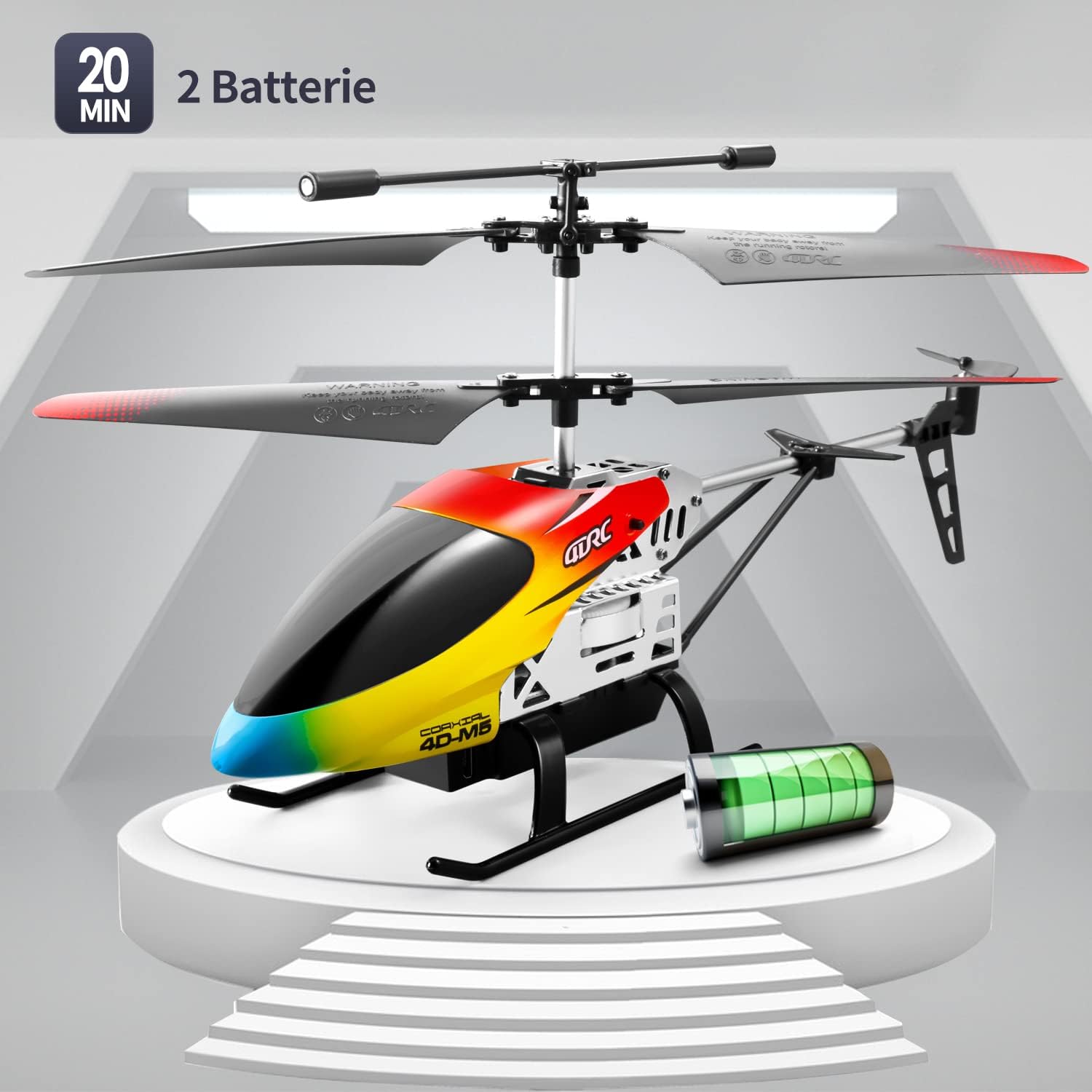 Image: The 4DRC M5 helicopter highlighting its two batteries and extended flight duration.
Видео демонстрация
Watch this video for a demonstration of the 4DRC M5 helicopter in flight.
Дагы бир видео көрсөтүүasing the helicopter's features.
Техникалык тейлөө
Тазалоо
Wipe the helicopter with a clean, dry cloth after each use. Do not use water or chemical cleaners.
Пропеллерди алмаштыруу
In case of damage, propellers can be replaced. Ensure the helicopter is powered off before attempting replacement.
 Сүрөт: деталдуу view of propeller and landing gear components, indicating ease of maintenance.
Сактагыч
Store the helicopter and remote controller in a cool, dry place, away from direct sunlight. Remove batteries from the remote controller if storing for extended periods.
Проблемаларды чечүү
| Көйгөй | Мүмкүн себеп | Чечим |
|---|---|---|
| Тик учак пультка жооп бербейт. |
|
|
| Helicopter cannot take off or flies unstably. |
|
|
| Кыска учуу убактысы. |
|
|
Техникалык шарттар
| Өзгөчөлүк | Деталь |
|---|---|
| Модель номери | M5 |
| Бренд | 4DRC |
| Продукциянын өлчөмдөрү | 25 x 5 x 12 см |
| Элемент Салмагы | 310 грамм |
| Сунушталган Жаш | 24 months - 3 years (Adult supervision recommended) |
| Batteries (Helicopter) | Литий-ион (2 камтылган) |
| Батареялар (Алыстан) | 2 C батарейкалар (кошулган) |
| Материалдын түрү | Пластик |
| Control Frequency | 2.4 ГГц |
| Башкаруу диапазону | Болжол менен 50 метр |
| Каналдар | 3 |
| Өзгөчөлүктөр | Gyroscopic Stability, Altitude Hold, 2 Speed Modes, LED Light, One-Key Takeoff/Landing |
Кепилдик жана колдоо
Specific warranty information is not provided in the product details. For warranty claims or technical support, please contact the retailer where the product was purchased or visit the official 4DRC webкардарларды тейлөө байланыш маалыматы үчүн сайт.
Өндүрүүчү: 4DRC
Биринчи жеткиликтүү датасы: 3-август, 2021-жыл


