1. Киришүү
This manual provides essential information for setting up, operating, and maintaining your VIZIO 32-inch D-Series Full HD 1080p Smart TV (Model D32f4-J01). This television features a Full Array LED backlight for enhanced contrast and uniformity, brilliant 1080p Full HD resolution, and an ultra-fast VIZIO IQ processor. It supports immersive audio pass-through for Dolby Atmos and DTS:X. The D-Series also includes the V-Gaming Engine for optimized gaming performance and the SmartCast platform with built-in apps, Apple AirPlay 2, and Chromecast.
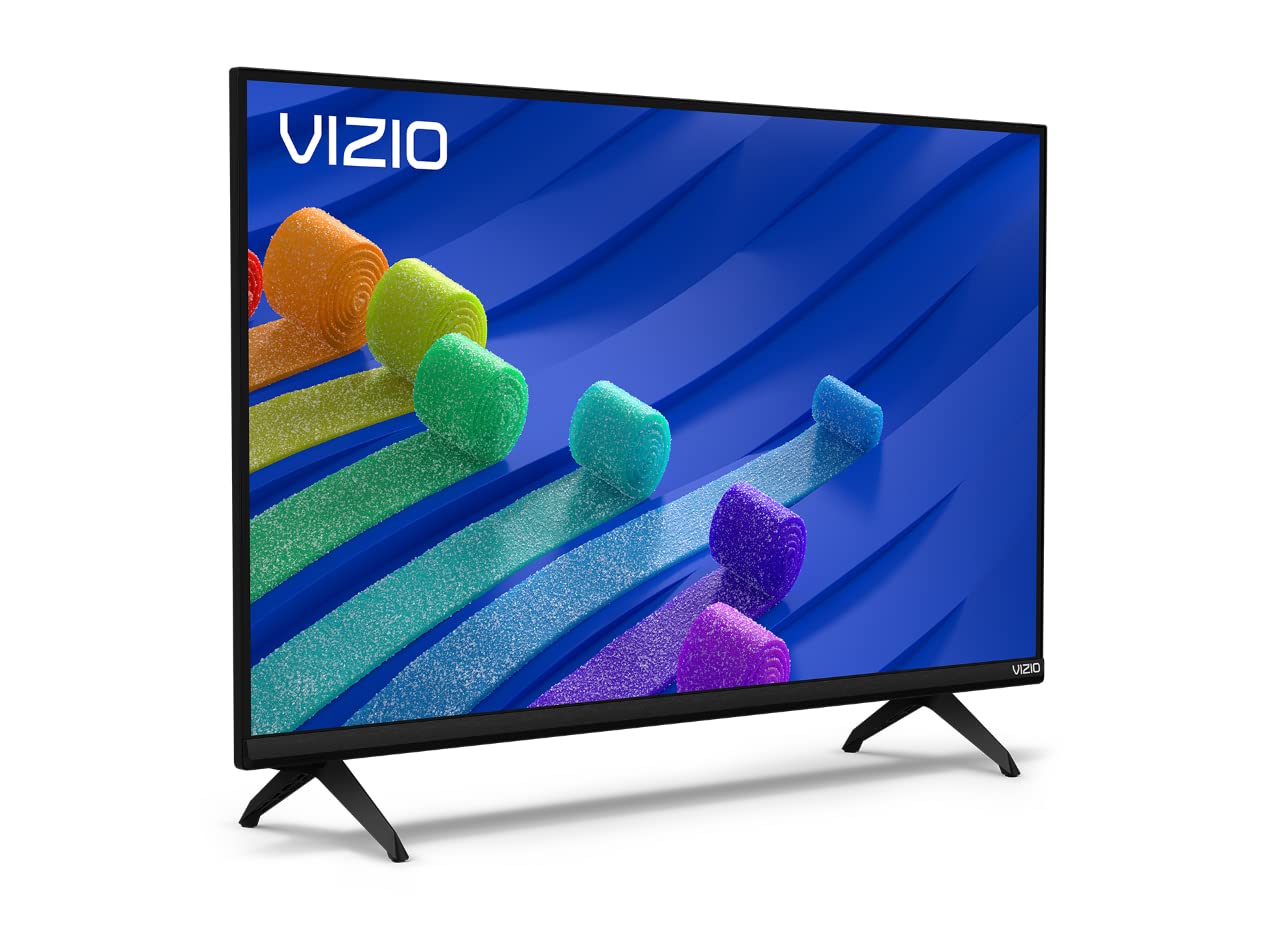
Figure 1: VIZIO 32-inch D-Series Full HD 1080p Smart TV.
2. Кутуда эмне бар
Upon unboxing your VIZIO D-Series TV, ensure all components are present:
- VIZIO D-Series Full HD Smart TV
- Электр кабели
- Алыстан башкаруу
- TV Stand (2 feet)

Figure 2: Included accessories with your VIZIO D-Series TV.
3. Орнотуу
3.1 Телевизордун отургучун бекитүү
If you plan to place your TV on a flat surface, attach the included stand feet. Ensure the TV is placed face down on a soft, clean surface to prevent screen damage.
- Carefully align each stand foot with the corresponding slots on the bottom of the TV.
- Secure each foot using the provided screws. Tighten firmly but do not overtighten.
Video 1: VIZIO D-Series Unboxing and Stand Assembly. This video demonstrates the unboxing process and how to attach the stand feet to your VIZIO D-Series TV.
3.2 Кубат туташтыруу
Connect the power cable to the TV's power input and then to a wall outlet. The power cable is typically attached to the rear of the TV.
3.3 Баштапкы орнотуу
Once powered on, follow the on-screen instructions to complete the initial setup, including language selection, network connection, and channel scanning.
4. Иштөө нускамалары
4.1 Алыстан башкаруу
The included remote control provides full functionality for navigating your VIZIO Smart TV. Insert the provided batteries into the remote control.

Figure 3: The VIZIO Mobile App can also serve as a remote control.
4.2 Негизги навигация
- Күч: Press the power button on the remote or TV to turn the TV on/off.
- Киргизүү: Use the 'Input' button to switch between connected devices (HDMI, USB, etc.).
- Көлөмү: Adjust volume using the +/- buttons.
- SmartCast Home: Press the 'Home' button to access the SmartCast platform.
5. SmartCast Features
VIZIO SmartCast provides instant access to a wide selection of built-in apps and streaming services.
5.1 Built-in Apps
Access popular streaming services like Netflix, Disney+, YouTube, HBO Max, and many more directly from your TV's home screen.

Figure 4: The VIZIO SmartCast platform offers a wide array of streaming applications.
5.2 WatchFree+
Enjoy free access to live TV and hundreds of free channels right out of the box with WatchFree+.

Figure 5: WatchFree+ provides free live TV and on-demand content.
5.3 Apple AirPlay 2 & Chromecast Built-in
Mirror content from your Apple or Android devices directly to your TV for seamless sharing of photos, videos, and apps.

Figure 6: Stream or mirror content using Apple AirPlay 2 and Chromecast.
5.4 Үн жардамчысынын шайкештиги
The VIZIO D-Series TV is compatible with popular voice assistants like Alexa, Google Assistant, and Apple HomeKit, allowing for convenient voice control.

Figure 7: VIZIO D-Series TVs integrate with various smart home ecosystems.
6. Оюн функциялары
The VIZIO D-Series is equipped with the V-Gaming Engine to enhance your gaming experience.
- V-Game Engine: Automatically optimizes picture mode for gaming.
- AMD FreeSync менен өзгөрүлмө жаңыртуу жыштыгы (VRR): Ensures smooth, tear-free gameplay.
- Автоматтык оюн режими: Reduces input lag for more responsive gaming.
Video 2: VIZIO V-Gaming Engine. This video highlights the gaming features of VIZIO TVs, including low input lag and Auto Game Mode.

Figure 8: VIZIO Gaming TVs offer features like Auto Game Mode and low input lag.
7. Байланыш
Your VIZIO D-Series TV offers various ports for connecting external devices.
- HDMI порттору: Connect high-definition devices such as gaming consoles, Blu-ray players, and cable boxes.
- USB порт: USB дисктерден медиа ойнотуу үчүн.
- Антенна/кабель киргизүү: Антеннаны же кабелдик телекөрсөтүүнү туташтыруу үчүн.
- Курама киргизүү: RCA кабелдерин колдонгон эски түзмөктөр үчүн.
- Аудио чыгаруу: Тышкы аудио системаларды туташтыруу үчүн.

9-сүрөт: Арткы панелдин туташтыруу параметрлери.
8. Техникалык тейлөө
To ensure the longevity and optimal performance of your VIZIO TV, follow these maintenance guidelines:
- Экранды тазалоо: Экранды жумшак, түксүз чүпүрөк менен акырын сүртүңүз. Кежир тактар үчүн, экранга түздөн-түз эмес, кездемеге колдонулган экранга тиешелүү тазалоочу эритмени колдонуңуз.
- Кабинетти тазалоо: Телевизордун шкафын тазалоо үчүн жумшак, кургак чүпүрөктү колдонуңуз. Абразивдүү тазалагычтардан же эриткичтерден качыңыз.
- Вентиляция: Ашыкча ысып кетүүнүн алдын алуу үчүн телевизордун желдетүү тешиктери жабылбагандыгын текшериңиз.
- Электр кабели: Электр шнурунун бузулушуна дайыма текшерип туруңуз. Бузулган шнурду колдонбоңуз.
9. Кыйынчылыктарды
If you encounter issues with your VIZIO D-Series TV, refer to the following common solutions:
- Кубат жок: Кубат кабелинин телевизорго да, иштеп жаткан дубал розеткасына да бекем туташтырылганын текшериңиз. Башка розетканы колдонуп көрүңүз.
- Сүрөт/үн жок: Verify the correct input source is selected. Check all cable connections (HDMI, antenna, etc.) are secure.
- Пульт иштебейт: Пульттагы батарейкаларды алмаштырыңыз. Пульт менен сыналгынын IR сенсорунун ортосунда эч кандай тоскоолдуктар жок экенин текшериңиз.
- Тармакка туташуу маселелери: Restart your router and modem. Check the TV's network settings to ensure it's connected to the correct Wi-Fi network.
- Сүрөттүн сапаты маселелери: Телевизор менюсунан сүрөт жөндөөлөрүн (жарыктык, контраст, курчтук) тууралаңыз. Мазмун булагынын жогорку сапатта экенин текшериңиз.
10. Техникалык шарттар
| Өзгөчөлүк | Деталь |
|---|---|
| Бренд | VIZIO |
| Модель номери | D32F4-J01 |
| Screen Size | 32 дюйм |
| Дисплей технологиясы | LCD with Full Array LED Backlight |
| Резолюция | 1080p толук HD |
| Жаңыртуу ылдамдыгы | 60 Гц |
| Өзгөчөлүктөр | Flat, SmartCast, Apple AirPlay 2, Chromecast Built-in, Alexa Compatibility, V-Gaming Engine, IQ Picture Processor |
| Байланыш технологиясы | HDMI, USB |
| Колдоого алынган Интернет кызматтары | Apple TV+, Crackle, Discovery+, Disney+, Fandango, fuboTV, HBO Max, Hulu, iHeartRadio, Netflix, Pandora, Paramount+, Peacock, Prime Video, Redbox, Sling TV, Tubi, Vudu, XUMO, YouTube, YouTube TV |
| Элемент Салмагы | 8.5 фунт |
| Продукциянын өлчөмдөрү | 28.09 x 7.1 x 16.59 дюйм |
| Түс | Кара |
11. Кепилдик жана колдоо
For warranty information and technical support, please refer to the VIZIO Quick Start Guide included with your product or visit the official VIZIO support webсайт. Ошондой эле, кошумча колдоо ресурстарын жана көп берилүүчү суроолорду онлайн режиминде таба аласыз.


