Introduction
This manual provides detailed instructions for the LOFREE Wireless Mechanical Bluetooth Keyboard. It covers setup, operation, maintenance, troubleshooting, and product specifications to ensure optimal use of your device.
This video demonstrates the LOFREE Retro Keyboard in various usage scenarios, highlighting its design and functionality.
Жайгашуу
Баскычтопту заряддоо
The keyboard is equipped with a rechargeable battery. Connect the provided USB cable to the Micro USB port on the keyboard and the other end to a power source (e.g., computer USB port, USB wall adapter).

Side view of the LOFREE keyboard, highlighting the Micro USB charging port and mode switches.
Баштапкы жупташтыруу (Bluetooth)
To pair the keyboard via Bluetooth, ensure the keyboard is charged.
- Locate the Bluetooth switch on the side of the keyboard and slide it to the "ON" position.
- Түзмөгүңүздө (компьютер, планшет, смартфон) Bluetooth'ду күйгүзүп, жеткиликтүү түзмөктөрдү издеңиз.
- Select "LOFREE Keyboard" from the list of devices to complete the pairing process.
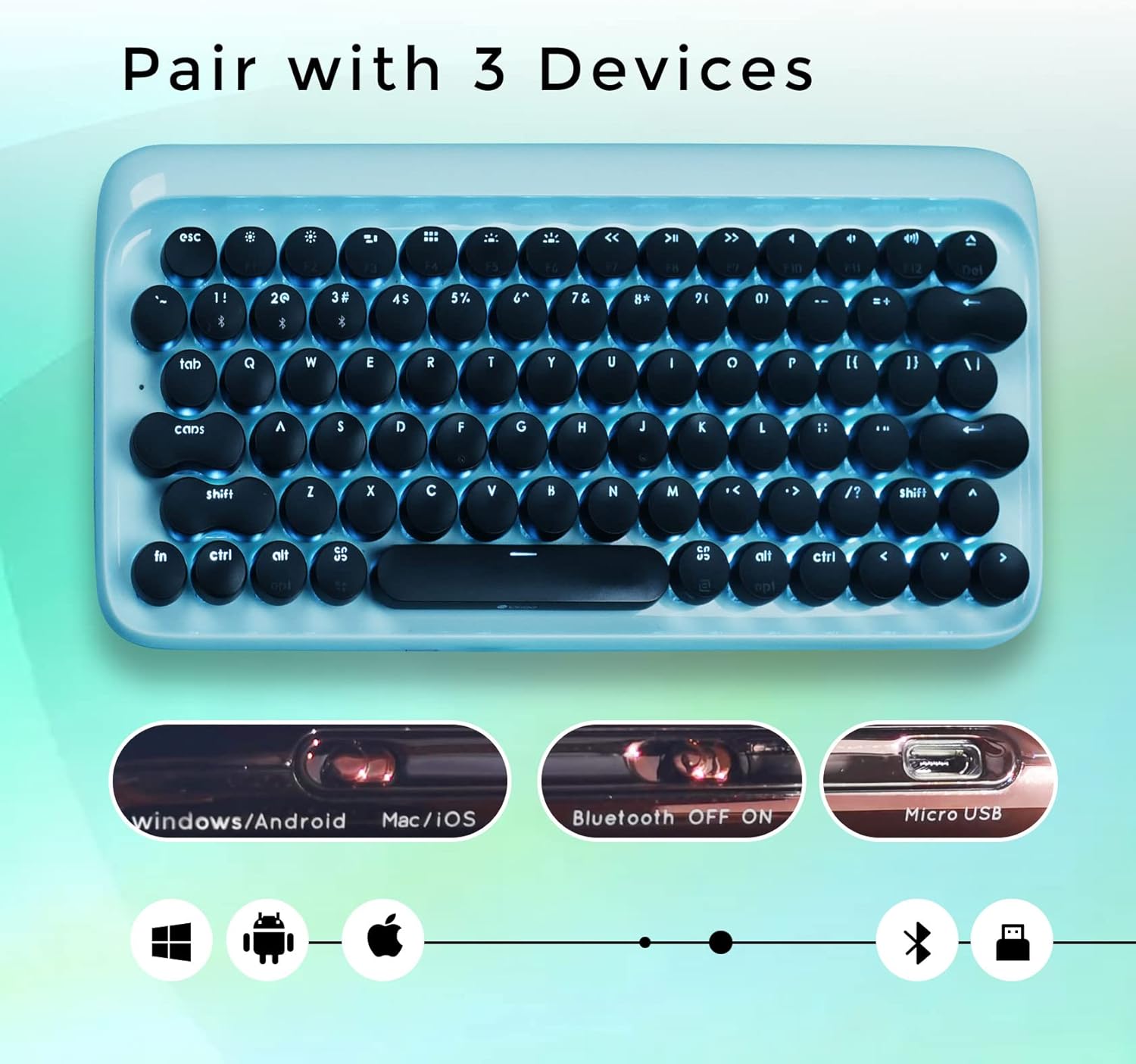
Жогорудан төмөн view of the LOFREE keyboard illustrating its ability to pair with up to three devices and showing the Bluetooth ON/OFF switch.
Иштөө нускамалары
Түзмөктөрдүн ортосунда которулуу
The LOFREE keyboard can connect to up to 3 different devices simultaneously. Use the quick switch on the keyboard to toggle between connected devices.
Зымдуу туташуу
For a wired connection, connect the USB cable directly from the keyboard to your computer. The keyboard will automatically switch to USB mode.

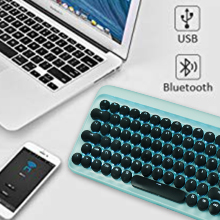
An image showing the keyboard connected via USB and Bluetooth, indicating dual connectivity options.
Арткы жарыкты тууралоо
The keyboard features adjustable white LED backlighting with 4 brightness levels. To adjust the brightness or turn off the backlight, use the dedicated function keys. Refer to the key layout for specific controls.

Жакын план view of the LOFREE keyboard highlighting the four adjustable backlight brightness levels.
Авто-Уйку режими
To conserve battery life, the keyboard automatically enters sleep mode after 10 minutes of inactivity. Press any key to wake it up.
An illustration depicting the keyboard's auto-sleep mode feature for battery conservation.
Операциялык системанын шайкештиги
The keyboard is compatible with Windows, Android, Mac, and iOS operating systems. Use the OS switch on the side of the keyboard to select the appropriate mode.

An image illustrating the LOFREE keyboard's compatibility with Windows, Apple (Mac/iOS), and Android operating systems.
Техникалык тейлөө
Тазалоо
To clean the keyboard, power it off and disconnect any cables. Use a soft, dry cloth to wipe the surface. For stubborn dirt, a slightly damp cloth can be used, ensuring no moisture enters the key switches or internal components. Avoid using harsh chemicals or abrasive materials.
Клавиатураны алып салуу
The keycaps are designed to be removable for cleaning or replacement. Gently pull the keycap upwards to remove it. Exercise caution to avoid damaging the switch mechanism.
Проблемаларды чечүү
Баскычтоп туташпай жатат
Bluetooth туташуу маселелери
- Bluetooth клавиатурада жана түзмөгүңүздө иштетилгенин текшериңиз.
- Check if the keyboard is in pairing mode.
- Баскычтопту түзмөгүңүз менен жупташтырууну ажыратып, кайра жупташтырып көрүңүз.
- Verify the keyboard battery level.
Wired Connection Issues
- USB кабели клавиатурага жана компьютериңизге бекем туташып турганын текшериңиз.
- Башка USB портун же кабелин колдонуп көрүңүз.
Арткы жарык иштебейт
- Check the battery level. Low battery can affect backlight functionality.
- Ensure the backlight is not turned off or set to the lowest brightness level.
Ачкычтар жооп бербейт
- Баскычтопту кайра заряддаңыз.
- If using Bluetooth, try switching to wired mode to rule out connection issues.
- If a specific key is not responding, gently remove the keycap and check for any obstructions.
Техникалык шарттар
Генерал
- Бренд: ЛОФРИ
- Модел: B093GR97N3
- Байланыш: Bluetooth, USB
- Ачкыч которгучтары: Көк механикалык өчүргүчтөр
- Баскыч капкактары: Ретро тегерек баскычтар
- Арткы жарык: Adjustable White LED
- Шайкештик: Windows, Android, Mac, iOS
- Батарея: 2 литий-иондук батарейкалар (кошумча)
- Элемент Салмагы: 2.74 фунт
- Пакеттин өлчөмдөрү: 14.37 x 6.61 x 1.85 дюйм

The LOFREE Wireless Mechanical Bluetooth Keyboard, showcasing its retro design and round keycaps.
Негизги которгучтар
The keyboard features Gateron Blue Mechanical Switches, known for their tactile bump and audible click, providing a satisfying typing experience reminiscent of vintagэлектрондук жазуу машинкалары.

А деталдуу view of the Gateron Blue Mechanical Switches, known for their tactile and clicky feedback.
Кепилдик жана колдоо
Кепилдик маалымат
All LOFREE products come with a 12-month warranty from the date of purchase.
Кардарларды колдоо
For any questions, technical assistance, or support needs, please feel free to contact LOFREE customer service via email. We aim to respond to all inquiries within 24 hours.
For more information and additional products, visit the LOFREE Store.


