Introduction
Welcome to the Altec Lansing NanoBuds True Wireless Earbuds instruction manual. This guide provides essential information for setting up, operating, maintaining, and troubleshooting your new earbuds. Please read this manual thoroughly to ensure optimal performance and longevity of your device.

Image: The Altec Lansing NanoBuds True Wireless Earbuds shown with their charging case.
Кутуда эмне бар
Your Altec Lansing NanoBuds package includes the following items:
- Altec Lansing NanoBuds True Wireless Earbuds (Left and Right)
- Зымсыз кубаттоо кутусу
- USB заряддоо кабели
- Multiple sizes of ear tips for a customized fit
- Quick Start Guide

Image: The NanoBuds earbuds displayed alongside their charging case.
Жайгашуу
1. Кулакчындарды жана кутуну кубаттоо
Before first use, fully charge your NanoBuds and their charging case. Place the earbuds into the charging case. Connect the USB charging cable to the charging port on the case and plug the other end into a USB power source. The indicator lights on the case will show the charging status.

Image: NanoBuds seated in the charging case, with blue indicator lights illuminated, signifying charging status.
2. Bluetooth Жупташтыруу
- Кулакчындардын кубатталганын текшериңиз.
- Кубаттоочу кутучаны ачыңыз. Кулакчындар автоматтык түрдө жупташтыруу режимине өтөт, бул күйүп-өчкөн жарыктар менен көрсөтүлөт.
- Түзмөгүңүздө (смартфон, планшет ж.б.) Bluetooth жөндөөлөрүнө өтүп, Bluetooth күйгүзүңүз.
- Select "Altec NanoBuds" from the list of available devices.
- Туташкандан кийин үн билдирүүсү ийгиликтүү жупташтырууну ырастайт.
3. Коопсуз дене түзүлүшкө жетүү
For optimal sound quality and comfort, select the ear tips that best fit your ears. The NanoBuds feature Altec Lansing Helix wings for a secure fit, especially during active use. Gently insert each earbud into your ear canal and twist slightly to lock the Helix wing into place.

Сүрөт: Жакын план view of the NanoBuds, highlighting the integrated Helix wings designed for a stable and secure fit in the ear.
Кулакчындарды иштетүү
Touch Controls
The NanoBuds feature intuitive touch controls on each earbud for managing audio playback and calls.
| Акция | Функция |
|---|---|
| Бир таптоо (Сол/Оң) | Музыка ойнотуу/тындыруу, Чалууга жооп берүү/аяктоо |
| Эки жолу таптаңыз (оңго) | Кийинки трек |
| Эки жолу таптаңыз (солго) | Мурунку трек |
| Үч жолу таптап (Сол/Оң) | Үн жардамчысын жандырыңыз |
| Басуу жана кармап туруу (2 секунд) | Чакырууну четке кагуу |
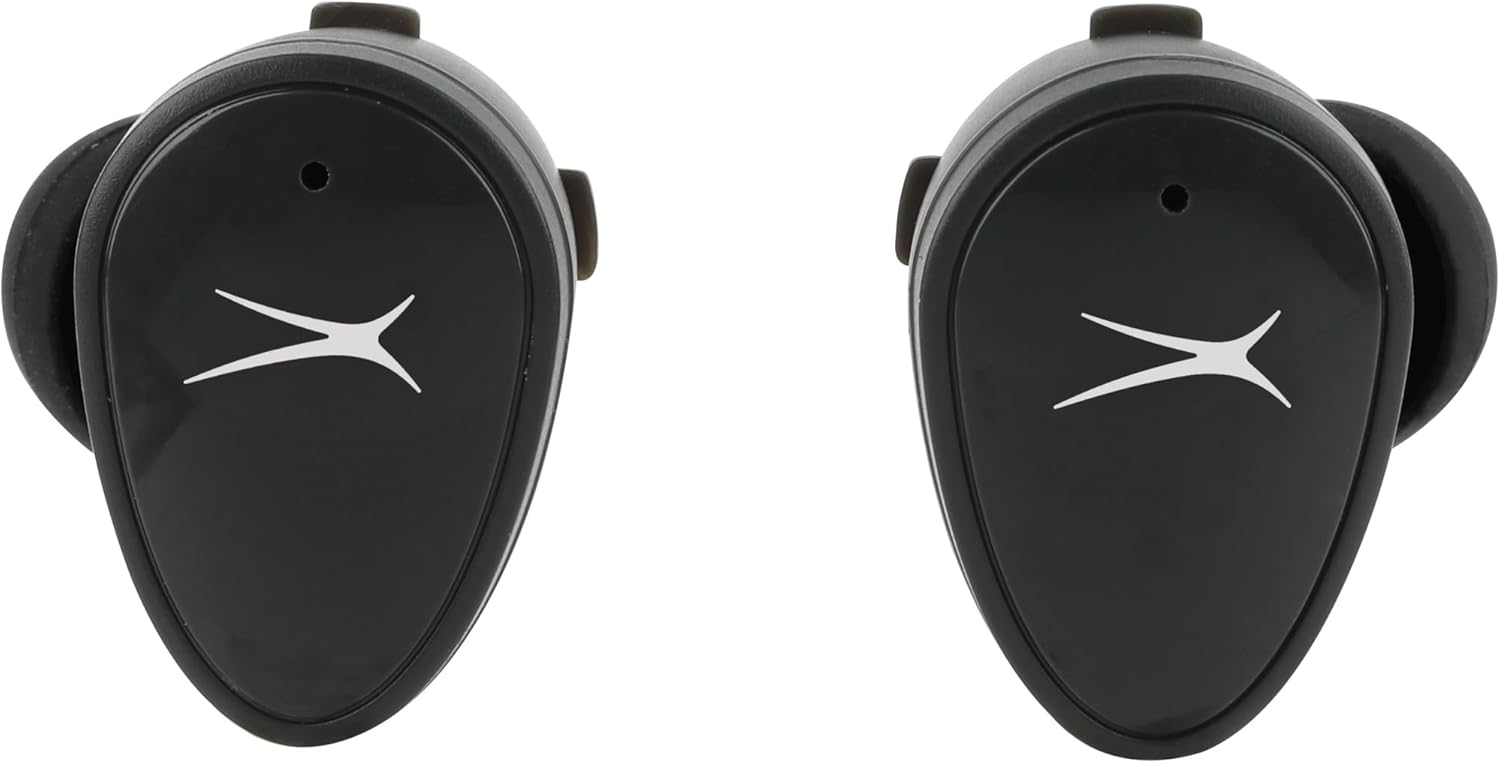
Сүрөт: алдыңкы view of the NanoBuds, indicating the touch-sensitive surface for controls.
Күйгүзүү/өчүрүү
- Күйгүзүү: Кулакчындар заряддоо кутусунан чыгарылганда автоматтык түрдө күйөт.
- Өчүрүү: Кулакчындарды автоматтык түрдө өчүрүп, кубаттап баштоо үчүн аларды кайра кубаттоочу кутуга салыңыз.
Чалууларды кабыл алуу жана кабыл алуу
The NanoBuds feature dual microphones for clear calling. Use the touch controls as described above to manage your calls.
Техникалык тейлөө
Тазалоо
Regularly clean your earbuds and charging case to maintain performance. Use a soft, dry, lint-free cloth. Do not use harsh chemicals or abrasive materials. Ensure charging contacts are free of debris.
Сууга туруктуулук (IPX4)
The NanoBuds are rated IPX4 water-resistant, meaning they are protected from splashing water from any direction. This makes them suitable for workouts and light rain. They are not designed for submersion in water.
Проблемаларды чечүү
If you encounter issues with your NanoBuds, try the following steps:
- Кубат жок: Кулакчындар жана кубаттоочу куту толук кубатталганын текшериңиз.
- Жупташтыруу маселелери: Make sure Bluetooth is enabled on your device and the earbuds are in pairing mode. Try forgetting the device in your phone's Bluetooth settings and re-pairing.
- Бир кулакчын иштебей жатат: Place both earbuds back into the charging case, close the lid, wait a few seconds, then open and try again. Ensure both earbuds are charged.
- Үн сапаты начар: Check the ear tip fit. Ensure there is no obstruction in the earbud's speaker mesh.
- No Audio During Calls: Confirm the NanoBuds are selected as the audio output device on your phone during a call.
- Кайтаруу: For persistent issues, consult the Altec Lansing support website for specific reset instructions for your model.
Техникалык шарттар
| Өзгөчөлүк | Спецификация |
|---|---|
| Модель аты | NanoBuds Sport |
| Модель номери | MZX5200 |
| Байланыш технологиясы | Зымсыз (Bluetooth 5.0) |
| Bluetooth диапазону | 15.24 метрге чейин (50 фут) |
| Сууга туруктуулук деңгээли | IPX4 (Сууга туруктуу) |
| Батареянын иштөө мөөнөтү (наушник) | Заряддоого 5 саатка чейин |
| Жалпы ойноо убактысы (Кеп менен) | Up to 30 hours (4 additional charges from case) |
| Заряддоо убактысы | Approximately 5 hours (for full system charge) |
| Noise Control | Пассивдүү ызы-чууну жокко чыгаруу |
| Башкаруу ыкмасы | тийүү |
| Жыштык диапазону | 20Гц - 20,000Гц |
| Салмагы | 5.3 унция |
Кепилдик маалымат
Altec Lansing products are designed and manufactured to the highest quality standards. For detailed warranty information, including terms, conditions, and registration, please refer to the warranty card included with your product or visit the official Altec Lansing webсайт. Кепилдик дооматтар үчүн сатып алганыңыздын далилин сактаңыз.
Кардарларды колдоо
If you require further assistance or have questions not covered in this manual, please contact Altec Lansing customer support. You can find contact information, FAQs, and additional resources on the official Altec Lansing webсайт: www.alteclansing.com.


