1. Киришүү
Продукт бүттүview
The CALEX Smart Aroma Diffuser is a versatile device designed to enhance your home environment. It functions as an aroma diffuser, humidifier, air purifier, and ambient light source. With WiFi connectivity, you can control its features, including fragrance diffusion, humidification, and RGB lighting, directly from the free Calex application on your smartphone. This manual provides comprehensive instructions for safe and effective use of your device.
Негизги өзгөчөлүктөрү:
- Smart App Control (Calex App)
- WiFi туташуусу
- Aroma Diffusion
- Нымдандыруу
- Абаны тазалоо
- Customizable RGB Ambient Lighting (100+ options)
- Programmable Timers and Scenarios
2. Коопсуздук эскертүүлөрү
Please read all safety warnings carefully before using the device.
- Суюлтулган эфир майлары менен түздөн-түз териге тийбеңиз.
- Түзмөктү жана эфир майларын балдар жана үй жаныбарлары жетпеген жерде сактаңыз.
- Ensure adequate ventilation in the area where the diffuser is used.
- Unplug the device from the power outlet when not in use or during maintenance.
- Суу толтуруунун максималдуу чегинен ашпаңыз.
- Use only clean tap water or distilled water.
- Аспап иштеп турганда же суу камтылганда аны кыйшайтып же кыймылдатпаңыз.
- Аппаратты сууга же башка суюктукка салбаңыз.
- Туман чыгуучу жерди жаап албаңыз.
3. Продукт бүтүп калдыview
Familiarize yourself with the components of your CALEX Smart Aroma Diffuser.

Сүрөт 3.1: Алдыңкы view of the CALEX Smart Aroma Diffuser, showing the wood-grain base, translucent top, and control buttons (ON/OFF, +, -, LIGHT).

Image 3.2: The CALEX Smart Aroma Diffuser in operation, emitting a fine mist, placed on a stack of magazines next to a vase of flowers.
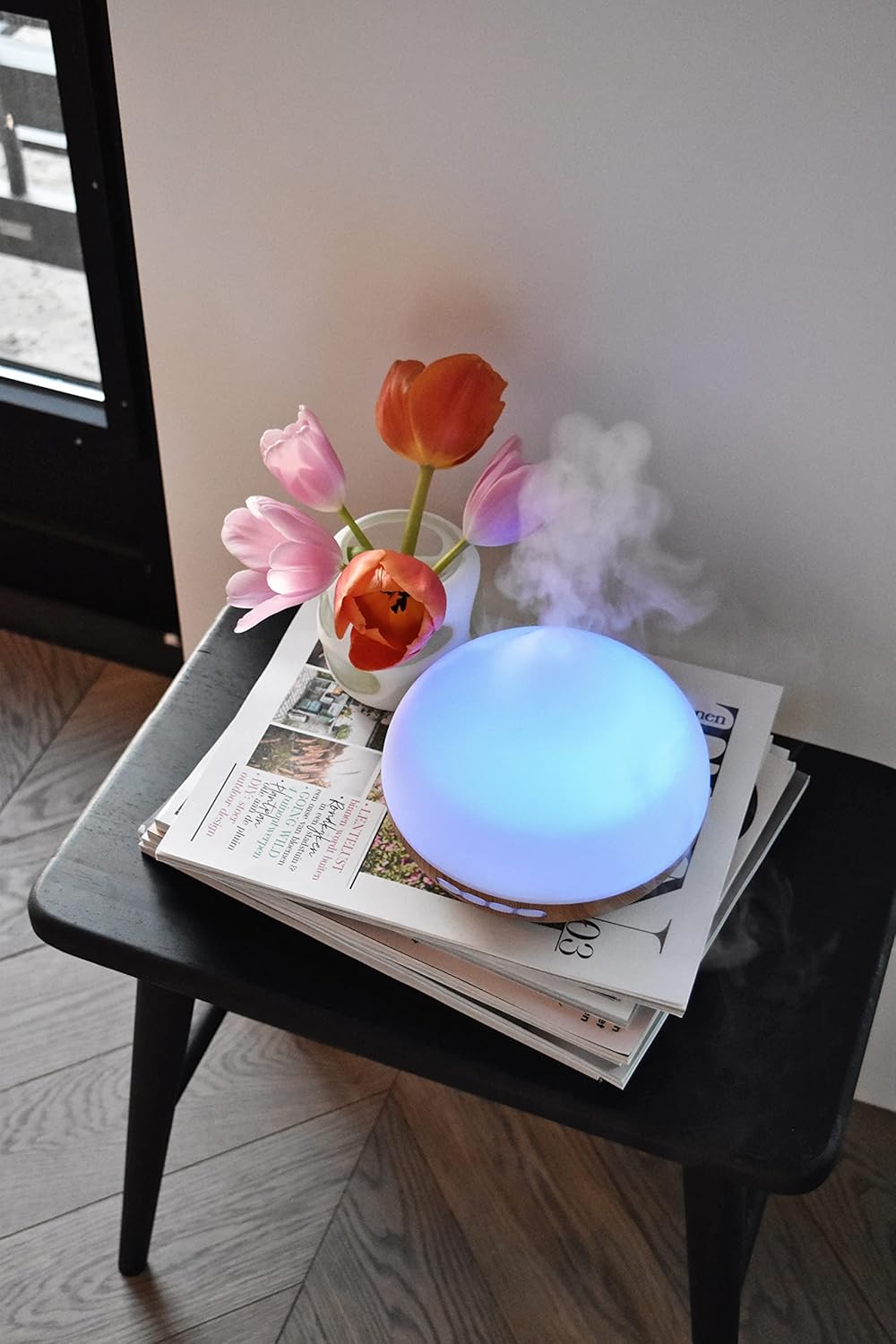
Image 3.3: The CALEX Smart Aroma Diffuser displaying a blue ambient light, placed on a table with flowers and magazines.

Image 3.4: The CALEX Smart Aroma Diffuser displaying a warm yellow ambient light, emitting mist, placed on a table with flowers and magazines.
4. Орнотуу нускамалары
- Диффузорду таңгактан чыгаруу: Бардык компоненттерди таңгактан кылдаттык менен алып салыңыз.
- Диффузорду жайгаштырыңыз: Position the diffuser on a flat, stable, and water-resistant surface.
- Туташуу кубаты: Plug the power adapter into the diffuser's power input, then plug the adapter into a standard electrical outlet.
- Суу менен толтуруу: Remove the top cover. Fill the water tank with clean tap water or distilled water up to the indicated maximum fill line (300 ml capacity). Do not overfill.
- Add Essential Oil (Optional): Add a few drops of your preferred essential oil or fragrance to the water.
- Капкакты алмаштыруу: Securely place the top cover back onto the diffuser.
- Download Calex App: Download the free Calex app from your smartphone's app store (available for iOS and Android).
- WiFi'га туташуу: Follow the in-app instructions to connect your diffuser to your home WiFi network. This typically involves putting the diffuser into pairing mode (refer to app for specific steps) and selecting your WiFi network.
5. Диффузорду иштетүү
5.1 Негизги операция
- Күйгүзүү/өчүрүү: Press the "ON/OFF" button on the diffuser or use the Calex app to turn the device on or off.
- Туманды көзөмөлдөө: Use the "+" and "-" buttons on the diffuser to adjust the mist intensity (if applicable) or control via the app.
- Жарыкты башкаруу: Press the "LIGHT" button on the diffuser to cycle through light colors or turn the light off. For full RGB control and advanced options, use the Calex app.
5.2 Smart App Control
The Calex app provides extensive control over your smart aroma diffuser:
- Алыстан башкаруу: Operate the diffuser from anywhere with an internet connection.
- Туман орнотуулары: Adjust mist output levels and set continuous or intermittent diffusion modes.
- RGB жарыктандыруу: Choose from over 100 color options, adjust brightness, and select dynamic lighting effects to match your mood or decor.
- Таймерлер жана графиктер: Set specific times for the diffuser to turn on/off, change light settings, or adjust mist output. Create personalized scenarios for different routines (e.g., "Wake Up," "Relax," "Sleep").
- Үн менен башкаруу: Integrate with smart home assistants like Amazon Alexa or Google Assistant for hands-free control (e.g., "Alexa, turn on the diffuser light").

Image 5.1: Screenshot of the Calex app displaying color and brightness controls for the smart diffuser's RGB lighting.

Image 5.2: Screenshot of the Calex app's main screen, showing the "My Home" section where connected smart devices are managed.
6. Техникалык тейлөө жана кам көрүү
Үзгүлтүксүз тазалоо оптималдуу иштешин камсыз кылат жана диффузоруңуздун иштөө мөөнөтүн узартат.
- Күнүмдүк тейлөө:
- Танктан калган сууну бошотуңуз.
- Суу идиштин ичин таза, жумшак чүпүрөк менен сүртүңүз.
- Ар бир колдонуудан мурун таза суу менен толтуруңуз.
- Жумалык тазалоо:
- Диффузорду розеткадан сууруп алыңыз.
- Үстүнкү капкакты алып салып, суу куюлган бакты бошотуңуз.
- Add a small amount of white vinegar (about 10 ml) to the water tank and let it sit for 10-15 minutes to loosen mineral buildup.
- Gently wipe the inside of the tank and the ultrasonic disc with a soft brush or cotton swab. Avoid scrubbing forcefully.
- Rinse the tank thoroughly with clean water, ensuring no vinegar residue remains.
- Диффузордун сыртын жумшак менен сүртүңүз, гamp кездеме.
- Бардык бөлүктөрүн кайра чогултуудан же сактоодон мурда толугу менен кургатууга уруксат бериңиз.
- Сактагыч: If storing the diffuser for an extended period, ensure it is clean and completely dry. Store it in a cool, dry place away from direct sunlight.
7. Кыйынчылыктарды
If you encounter issues with your CALEX Smart Aroma Diffuser, refer to the following common problems and solutions:
| Көйгөй | Мүмкүн себеп | Чечим |
|---|---|---|
| Туман жок же аз туман чыгаруу | Low water level; Water tank dirty; Ultrasonic disc blocked; Diffuser tilted. | Add water to the tank; Clean the water tank and ultrasonic disc; Ensure diffuser is on a flat surface. |
| Түзмөк күйбөй жатат | Not plugged in; Power adapter faulty; No power from outlet. | Check power connection; Try a different outlet; Contact support if adapter is faulty. |
| Колдонмого туташуу маселелери | Incorrect WiFi password; Diffuser too far from router; Router issues; App not updated. | Verify WiFi password; Move diffuser closer to router; Restart router; Update Calex app. |
| Light not working correctly | App settings; Internal fault. | Check light settings in the Calex app; Restart the diffuser. |
8. Продукттун спецификациялары
| Өзгөчөлүк | Спецификация |
|---|---|
| Бренд | КАЛЕКС |
| Модель номери | 429262 |
| Түс | White/Wood look |
| Продукциянын өлчөмдөрү (L x W x Y) | 14 x 16.8 x 14 см |
| Элемент Салмагы | 305 грамм |
| Кубаттуулугу | 300 миллилитр |
| Күч | 10 Ватт |
| Тtage | 240 вольт |
| Материал | Reeds (wood-look base) |
| Автоматтык өчүрүү функциясы | Ооба |
| Өзгөчөлүктөр | Aroma Diffuser, Humidifier, Timer |
| Камтуу аймагы | Approximately 10 square meters |
9. Кепилдик жана колдоо
For warranty information and customer support, please refer to the documentation included with your purchase or visit the official CALEX webсайт. Ар кандай кепилдик дооматтары үчүн сатып алганыңыздын далилин сактаңыз.
Онлайн ресурстар:


