1. Продукт бүтүп калдыview
The MediaCom MCI SB01 is a versatile Bluetooth soundbar designed to enhance your audio experience. It features an elegant wooden casing and comes equipped with dual microphone inputs, making it suitable for various entertainment and communication needs. With multiple connectivity options, it seamlessly integrates with a wide range of devices.
Негизги өзгөчөлүктөрү:
- Elegant wooden casing for enhanced aesthetics and sound quality.
- Two dedicated microphone inputs for karaoke or public speaking.
- 30W RMS output power for clear and robust audio.
- Bluetooth connectivity for wireless streaming from smartphones, tablets, and laptops.
- Multiple input options: Bluetooth, Optical, SD card, and AUX (RCA/3.5mm).
- Universal compatibility with various television models.
2. Коопсуздук маалыматы
Бул продуктуну колдонуудан мурун бардык коопсуздук көрсөтмөлөрүн кунт коюп окуп чыгыңыз. Келечекте колдонуу үчүн бул колдонмону сактап коюңуз.
- Кубат булагы: Белгиленген кубат адаптерин гана колдонуңуз. Voltage сиздин аймагыңызга шайкеш келет.
- Вентиляция: Эч кандай желдетүүчү тешиктерди жаап албаңыз. Өндүрүүчүнүн көрсөтмөлөрүнө ылайык орнотуу.
- Суу жана ным: Бул шайманды жамгырга же нымга тийгизбеңиз. Ваза сыяктуу суюктуктар толтурулган нерселерди аппараттын үстүнө койбоңуз.
- Жылуулук: Радиаторлор, жылуулук регистрлери, мештер же башка аппараттар (анын ичинде) сыяктуу жылуулук булактарынын жанына орнотпоңуз ampкөтөргүчтөр) жылуулукту пайда кылуучу.
- Тазалоо: Кургак чүпүрөк менен гана тазалаңыз.
- Тейлөө: Бул продуктту өзүңүз тейлөөгө аракет кылбаңыз. Бардык тейлөөнү квалификациялуу тейлөө кызматкерлерине тапшырыңыз.
3. Пакеттин мазмуну
Пакетте бардык буюмдар бар экенин текшериңиз:
- MediaCom MCI SB01 Soundbar
- Wired Microphones (x2)
- Кубаттуу адаптер
- User Manual
- Алыстан башкаруу (эгер камтылган болсо)
- Audio Cables (e.g., Optical, AUX - if included)
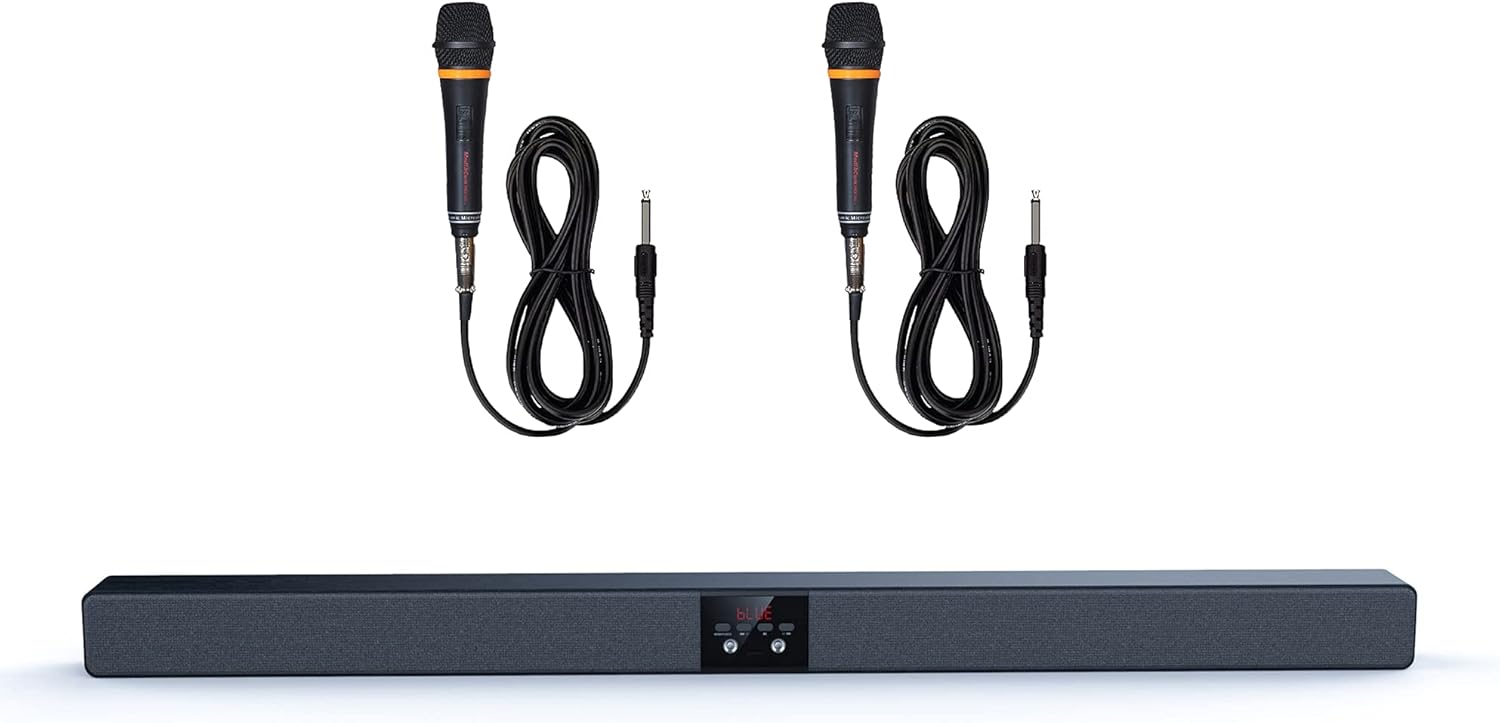
Image 1: The MediaCom MCI SB01 Soundbar shown with its two accompanying wired microphones.
4. Орнотуу
4.1 Саундбарды туташтыруу
Choose one of the following methods to connect your soundbar to a TV or other audio source:
- Оптикалык туташуу: For the best audio quality, connect an optical cable (not always included) from your TV's Optical Out port to the soundbar's Optical In port. Select 'Optical' input on the soundbar.
- AUX (RCA/3.5mm) Connection: Use an AUX cable to connect your TV's Audio Out (RCA L/R or 3.5mm headphone jack) to the soundbar's AUX In port. Select 'AUX' input on the soundbar.
- Bluetooth байланыш: Power on the soundbar and switch to Bluetooth mode. On your device (smartphone, tablet, laptop), enable Bluetooth and search for 'MCI SB01'. Pair with the soundbar.
- SD карта: Insert an SD card with audio files into the designated slot on the soundbar. The soundbar will automatically switch to SD card mode and begin playback.
4.2 Күйгүзүү
Connect the power adapter to the soundbar's DC input and then to a wall outlet. Press the Power button on the soundbar or remote control to turn it on.

Сүрөт 2: Бурчтуу view of the soundbar, highlighting its wooden top panel and front speaker grille.

Image 3: A different angled perspective of the soundbar, featuring the MediaCom brand logo on the right end.
5. Иштөө нускамалары
5.1 Негизги башкаруу каражаттары
- Кубат баскычы: Саундбарды күйгүзөт же өчүрөт.
- Киргизүү/режим баскычы: Cycles through available input modes (Bluetooth, Optical, AUX, SD).
- Үнүн жогорулатуу/төмөндөтүү: Башкы үн деңгээлин тууралайт.
- Ойнотуу/тындыруу: Controls playback in Bluetooth or SD card mode.
- Мурунку/Кийинки трек: Skips to the previous or next track in Bluetooth or SD card mode.
5.2 Using Microphones
Connect the wired microphones to the designated microphone input jacks on the soundbar. Adjust the microphone volume using the dedicated controls on the soundbar or remote (if available). Ensure the soundbar's main volume is set to a comfortable listening level before using the microphones.
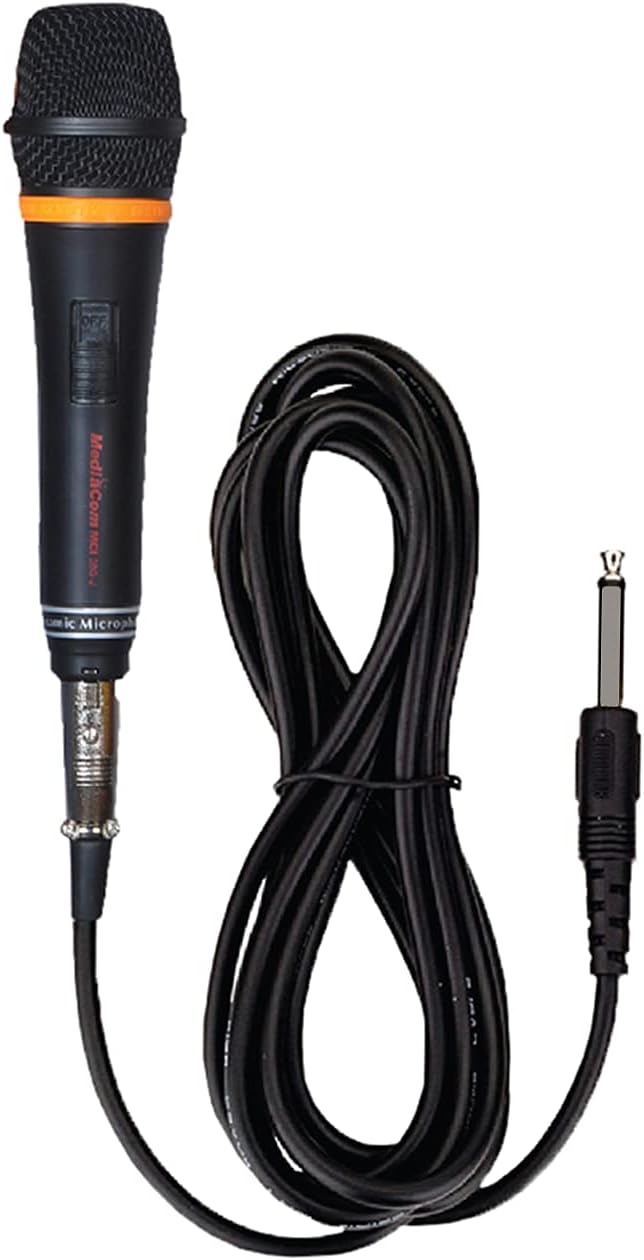
Сүрөт 4: деталдуу view of one of the wired microphones included with the soundbar, showing its cable and audio jack.
6. Техникалык тейлөө
Proper care ensures the longevity of your soundbar:
- Тазалоо: Wipe the soundbar with a soft, dry cloth. Do not use liquid cleaners or aerosol sprays.
- Сактагыч: If storing for an extended period, disconnect from power and store in a cool, dry place.
- Тоскоолдуктарды болтурбоо: Do not place objects on top of the soundbar that could block the speakers or ventilation.
7. Кыйынчылыктарды
Эгер көйгөйлөргө туш болсоңуз, төмөнкү жалпы көйгөйлөрдү жана чечимдерди караңыз:
| Көйгөй | Мүмкүн себеп | Чечим |
|---|---|---|
| Күч жок | Электр кабели туташкан эмес; розетка иштебейт | Кубат кабели коопсуз туташтырылганын текшериңиз. Башка электр розеткасын колдонуп көрүңүз. |
| Үн жок | Incorrect input mode; volume too low; cable issues | Select the correct input mode. Increase volume. Check audio cables for secure connection. |
| Bluetooth жупташтырылган жок | Soundbar not in pairing mode; device too far | Ensure soundbar is in Bluetooth mode and discoverable. Move device closer to soundbar. |
| Микрофон иштебей жатат | Microphone not connected; microphone volume low | Ensure microphone is fully plugged in. Increase microphone volume. |
8. Техникалык шарттар
Detailed technical specifications for the MediaCom MCI SB01 Soundbar:
- Модель аты: MCI SB-01
- Бренд: MediaCom
- Динамик түрү: Саундбар
- Байланыш технологиясы: Bluetooth, Optical Fiber, RCA, Auxiliary
- Динамиктин максималдуу чыгаруу күчү: 30 Ватт
- Аудио чыгаруу режими: Стерео
- Материал: Жыгач
- Монтаж түрү: Wall Mount (hardware not always included)
- Продукциянын өлчөмдөрү: 100 x 75 x 65 см
- Элемент Салмагы: 5 кг
- Өзгөчөлүктөр: Bluetooth, Integrated Speakers, Dual Microphone Inputs
- Сунушталган колдонуулар: Smartphones, Tablets, Laptops, Televisions

Сүрөт 5: Алдыңкы view of the soundbar, visually confirming key features such as dual microphone inputs, wooden construction, and speaker configuration.
9. Кепилдик жана колдоо
For warranty information and customer support, please refer to the warranty card included with your product or visit the official MediaCom webсайт. Сатып алуу квитанциясын кепилдик дооматтары үчүн сатып алуунун далили катары сактаңыз.
For technical assistance or inquiries, please contact MediaCom customer service through the contact details provided on their official webсайт же продукт таңгак.


