Introduction
The MOVSSOU E7 Active Noise Cancelling Headphones are designed to provide a superior audio experience with advanced noise cancellation, deep bass, and comfortable wear. This manual provides detailed instructions for setup, operation, and maintenance of your headphones, ensuring you get the most out of your device.
Кутуда эмне бар
Таңгакта бардык буюмдар бар экенин текшериңиз:
- 1 * MOVSSOU E7 Active Noise Cancelling Bluetooth Wireless Headphones
- 1 * Charge Cable
- 1 * Audio Cable (3.5mm)
- User Manual

Image: The MOVSSOU E7 headphones in black, along with their charging cable and audio cable, as typically found in the product packaging.
Продукт бүттүview
Familiarize yourself with the main components and controls of your MOVSSOU E7 headphones.

Image: A close-up of the headphone ear cup highlighting key features: Active Noise Cancelling, 30 Hours Playtime, and Built-in Microphone.

Сүрөт: деталдуу view of the headphone's control panel, showing buttons for power, volume, and ANC, along with ports.
Башкаруу каражаттары жана көрсөткүчтөр
- Кубат баскычы: Күйгүзүү/өчүрүү үчүн басып туруңуз.
- Үнүн жогорулатуу (+): Үнүн жогорулатуу үчүн кыска басыңыз. Кийинки трекке көпкө басыңыз.
- Үнүн төмөндөтүү (-): Үндү азайтуу үчүн кыска басыңыз. Мурунку трек үчүн көпкө басыңыз.
- Көп функциялуу баскыч: Play/Pause music, Answer/End/Reject calls.
- ANC баскычы: Activates/deactivates Active Noise Cancelling.
- LED көрсөткүчү: Кубат, жупташтыруу жана кубаттоо абалын көрсөтөт.
- 3.5 мм аудио уячасы: Зымдуу аудио туташуу үчүн.
- USB-C заряддоо порту: Наушниктерди заряддоо үчүн.
Жайгашуу
Наушниктерди заряддоо
Before first use, fully charge the headphones to ensure optimal battery performance.
- Берилген USB кубаттоо кабелин кулакчындардын кубаттоо портуна туташтырыңыз.
- Кабелдин экинчи учун USB кубат адаптерине (кошумча эмес) же компьютердин USB портуна туташтырыңыз.
- LED индикатору кубаттоо абалын көрсөтөт (мисалы, кубатталып жатканда кызыл, толук заряддалганда өчүк).
- Толук заряддоо болжол менен 4 саатты талап кылат жана 30 саатка чейин ойноо убактысын камсыз кылат.
Bluetooth Жупташтыруу
To connect your MOVSSOU E7 headphones to a Bluetooth-enabled device:
- Наушниктердин өчүрүлгөнүн текшериңиз.
- Күйгүзүү баскычын LED индикатору кезектешип көк жана кызыл түстө күйүп-өчкөнгө чейин басып туруңуз, бул жупташтыруу режимин көрсөтөт.
- Түзмөгүңүздө Bluetooth иштетиңиз жана жеткиликтүү түзмөктөрдү издеңиз.
- Select "MOVSSOU E7" from the list.
- Туташтырылгандан кийин, LED индикатору көк түскө айланат же жай күйөт.

Image: The MOVSSOU E7 headphones demonstrating Bluetooth 5.0 connectivity with a phone, tablet, laptop, desktop, and TV, highlighting versatile compatibility.
Иштөө нускамалары
Күйгүзүү/өчүрүү
- To power on, press and hold the Power button for approximately 2 seconds.
- To power off, press and hold the Power button for approximately 3 seconds.
Активдүү ызы-чууну жокко чыгаруу (ANC)
The ANC function reduces ambient noise for an immersive listening experience.
- Press the ANC button once to activate noise cancellation. The ANC indicator light will illuminate.
- Чууну жокко чыгарууну өчүрүү үчүн ANC баскычын кайра басыңыз.
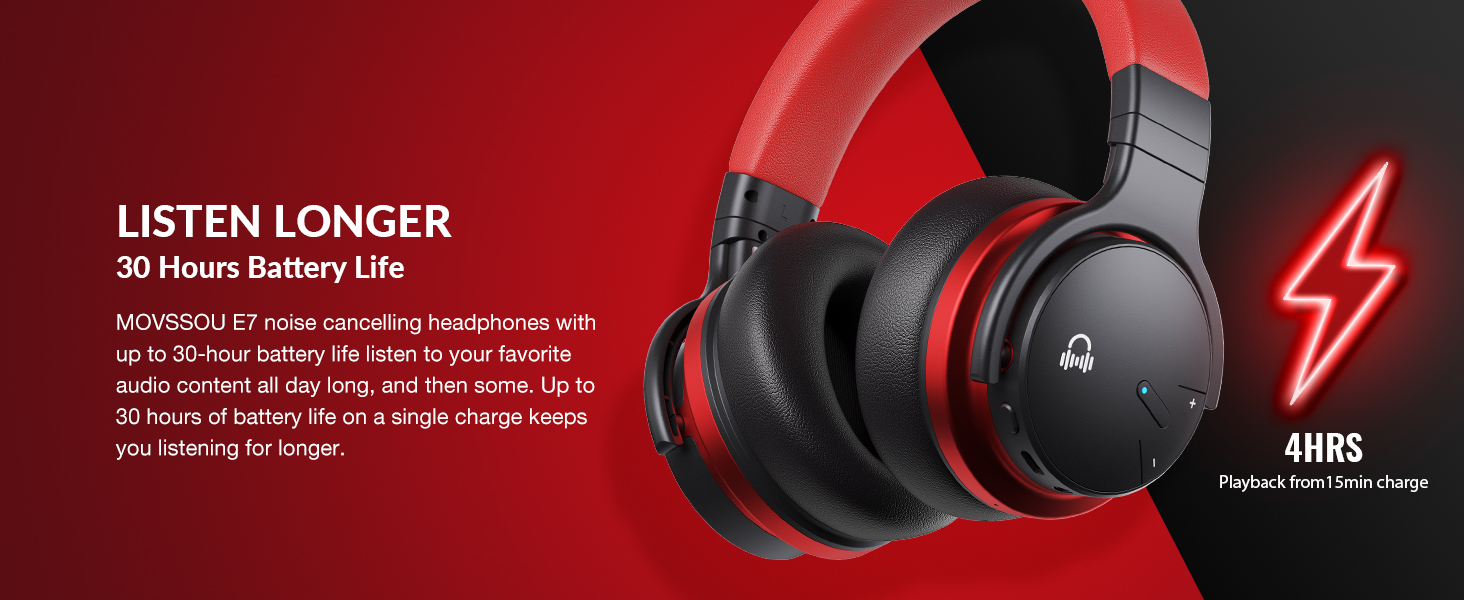
Image: A person wearing MOVSSOU E7 headphones, illustrating the activation of ANC mode with a single touch for a quieter personal audio experience.
Музыканы ойнотуу
- Press the Multi-function button once to Play/Pause music.
- Short press Volume Up (+) to increase volume.
- Short press Volume Down (-) to decrease volume.
- Long press Volume Up (+) for the next track.
- Long press Volume Down (-) for the previous track.
Чалууларды башкаруу
- To answer an incoming call, press the Multi-function button once.
- To end a call, press the Multi-function button once.
- To reject an incoming call, press and hold the Multi-function button for 2 seconds.
- To redial the last number, double-press the Multi-function button.

Image: A woman wearing MOVSSOU E7 headphones, demonstrating clear hands-free calling capabilities with the built-in microphone.
Техникалык тейлөө жана кам көрүү
Proper care will extend the lifespan of your MOVSSOU E7 headphones.
- Кулакчындарды жумшак, кургак чүпүрөк менен үзгүлтүксүз тазалап туруңуз. Абразивдүү тазалоочу каражаттарды же эриткичтерди колдонбоңуз.
- Наушниктерди экстремалдык температурага, нымдуулукка же тике күн нуруна тийгизүүдөн сактаңыз.
- Store the headphones in a cool, dry place when not in use, preferably in a protective case.
- Кулакчындарды бөлүктөргө бөлүүгө же өзгөртүүгө аракет кылбаңыз, анткени бул кепилдикти жокко чыгарат.
- Туура заряддоону камсыз кылуу үчүн заряддоо портун чаңдан жана таштандылардан таза кармаңыз.
Проблемаларды чечүү
If you encounter any issues with your headphones, refer to the table below for common problems and solutions.
| Көйгөй | Чечим |
|---|---|
| Кулакчындар күйбөйт. | Наушниктердин заряддалганын текшериңиз. Кубат булагына туташып, кайра аракет кылыңыз. |
| Түзмөк менен жупташтыруу мүмкүн эмес. | Наушниктердин жупташтыруу режиминде экенин текшериңиз (көк/кызыл күйүп). Түзмөгүңүздөгү Bluetooth'ду өчүрүп, күйгүзүңүз. Наушниктерди аппаратка жакыныраак жылдырыңыз. |
| Үн жок же үнү төмөн. | Кулакчындардын жана туташкан түзмөктүн үн деңгээлин текшериңиз. Кулакчындар туура жупташтырылганын текшериңиз. Эки түзмөктү тең өчүрүп-күйгүзүп көрүңүз. |
| АНК эффективдүү иштебей жатат. | Ensure ANC is activated. ANC is most effective for low-frequency, constant noises. Ensure earcups form a good seal around your ears. |
Техникалык шарттар
Detailed technical specifications for the MOVSSOU E7 headphones.
| Өзгөчөлүк | Деталь |
|---|---|
| Модель аты | E7 зымсыз ызы-чууну жокко чыгаруучу гарнитуралар |
| Байланыш технологиясы | Зымсыз (Bluetooth 5.0) |
| Аудио драйверинин өлчөмү | 45 миллиметр |
| Батареянын иштөө мөөнөтү | 30 саатка чейин |
| Заряддоо убактысы | 4 саат |
| Frequency Response | 20Гц - 20кГц |
| Bluetooth диапазону | 33 Фут (10 метр) |
| Noise Control | Активдүү ызы-чууну жокко чыгаруу |
| Наушник уясы | 3.5 мм Джек |
| Элемент Салмагы | 13.8 унция (0.86 фунт) |
| Продукциянын өлчөмдөрү | 7.68 x 7.2 x 2.17 дюйм |
| Материал | Пластик |
| Башкаруу түрү | Noise Control, Voice Control, Call Control, Volume Control |
Кепилдик жана колдоо
MOVSSOU products are designed and manufactured to the highest quality standards. For detailed warranty information and technical support, please refer to the warranty card included with your product or visit the official MOVSSOU webсайт.
For further assistance, you may contact MOVSSOU customer support through their official channels. Please have your product model (E7 Basic C) and purchase information ready when contacting support.


