1. Киришүү
This manual provides essential information for the safe and efficient use of your TECLAST F7 Plus3 14-inch Laptop. Please read this manual thoroughly before operating the device and retain it for future reference.

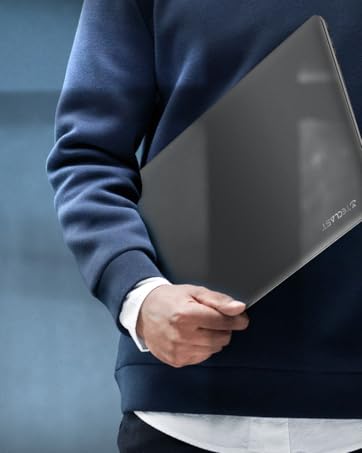
The TECLAST F7 Plus3 14-inch laptop in a closed position, showcasing анын кооз дизайны.

An overview of the TECLAST F7 Plus3 laptop's key features, including Intel N4120 processor, 2.4G+5G WiFi, 38000mWh battery, 14-inch FHD IPS display, full-size keyboard, 8GB RAM, and 256GB SSD.
2. Орнотуу
2.1 Таңгактан чыгаруу жана баштапкы төлөм
Carefully remove the laptop and all accessories from the packaging. Before first use, connect the power adapter to the laptop and a power outlet. It is recommended to charge the device for at least 30 minutes before powering it on for the first time.
Кутуга камтылган:
- TECLAST F7 Plus3 Laptop
- Кубаттуу адаптер
- Баскычтоп
- Электр кабели
2.2 Powering On and Initial Windows Setup
- Press and hold the power button located on the top right of the keyboard until the screen illuminates.
- Follow the on-screen instructions to complete the Windows 10 (or Windows 11 if upgraded) initial setup. This includes selecting your region, language, and creating a user account.
- Connect to a Wi-Fi network when prompted to enable internet access and download necessary updates.
3. Иштөө нускамалары
3.1 Laptop Overview

The TECLAST F7 Plus3 14-inch laptop with its screen open, showing a high-resolution display.
3.2 Порттор жана туташтыргычтар
The TECLAST F7 Plus3 laptop is equipped with various ports for connectivity. Refer to the image below for port locations.
This image illustrates the various ports on the TECLAST F7 Plus3 laptop, including Micro Card slot, Headphone Jack, USB 2.0, USB 3.0, DC Power input, and Mini-HDMI output.
- Micro Card Slot: For expanding storage with a MicroSD card.
- Гарнитура уячасы: Наушниктерди же тышкы динамиктерди туташтырыңыз.
- USB 2.0 порт: USB түзмөктөрүн туташтыруу үчүн.
- USB 3.0 порт: Жогорку ылдамдыктагы USB түзмөктөрүн туташтыруу үчүн.
- Туруктуу кубат киргизүү: Connect the power adapter for charging.
- Mini-HDMI Output: Тышкы дисплейге же проекторго туташтырыңыз.

The TECLAST F7 Plus3 laptop connected to multiple external monitors via its USB 3.0 and Mini-HDMI ports, demonstrating its expandability.
3.3 Баскычтоп жана сенсордук такта
The laptop features a full-size keyboard and a large, sensitive touchpad for efficient input.

Деталдаштырылган view of the full-size keyboard and large touchpad (97mm x 64mm), indicating 20mm key spacing and built-in stereo speakers.
- Баскычтоп: Full-size layout with 20mm key spacing for comfortable typing.
- Сенсордук такта: Large 97mm x 64mm sensitive touchpad for precise navigation.
3.4 Дисплей
The 14-inch Full HD (1920x1080) IPS display offers clear visuals and wide viewing angles with narrow 6mm bezels.

The laptop screen highlighting its narrow 6mm bezels and IPS display technology for wide viewing angles and 1920x1080 resolution.
3.5 Зымсыз байланыш
- Wi-Fi: Supports 2.4G and 5G dual-band Wi-Fi for stable and fast internet connections.
- Bluetooth 4.2: Наушник, чычкан жана клавиатура сыяктуу зымсыз перифериялык түзүлүштөрдү туташтыруу үчүн.

An illustration highlighting the laptop's 2.4G+5G Wi-Fi, Bluetooth 4.2, 867Mbps maximum speed, and 45.6Wh battery for reliable wireless connections and long battery life.
3.6 Операциондук система
The laptop comes with Windows 10 pre-installed and is upgradeable to Windows 11. Ensure your system is updated regularly for optimal performance and security.
4. Техникалык тейлөө
4.1 Тазалоо
- Экран: Бир аз жумшак, түксүз кездемени колдонуңуз dampсуу же экран тазалоочу менен бүттү. Катуу химиялык заттардан алыс болуңуз.
- Баскычтоп жана шасси: Use a soft, dry cloth. A can of compressed air can help remove dust from between keys.
4.2 Батареяга кам көрүү
The laptop is equipped with a 45600mWh battery. To prolong battery life:
- Ашыкча температурадан сактаныңыз.
- Батареяны бат-баттан толук зарядсыздандырбаңыз.
- If storing the laptop for an extended period, charge it to about 50-60%.

The TECLAST F7 Plus3 laptop is designed for a longer work-life balance, featuring Intel 9th UHD Graphics 600 for 4K video playback and a 45600mAh safe design battery.
4.3 Сактагычты башкаруу
The laptop includes a 256GB SSD and supports expansion up to 1TB via an SSD slot or TF Card slot. Regularly manage your files and uninstall unused applications to maintain performance.
5. Кыйынчылыктарды
This section addresses common issues you might encounter with your TECLAST F7 Plus3 laptop.
| Көйгөй | Мүмкүн чечим |
|---|---|
| Ноутбук күйбөйт. | Ensure the power adapter is securely connected and the laptop has been charged for at least 30 minutes. Try pressing and holding the power button for 10-15 seconds. |
| Charger is not charging the laptop. | Verify the power adapter and cable are not damaged. Ensure the power outlet is functional. Try a different outlet if available. |
| Wi-Fi туташуу маселелери. | Restart your router and modem. Check if other devices can connect to the Wi-Fi. Ensure Wi-Fi is enabled on the laptop (often via a function key or Windows settings). |
| Жай аткаруу. | Керексиз тиркемелерди жабыңыз. Фондук процесстерди текшериңиз. SSDде жетиштүү бош орун камсыз кылыңыз. Кесепеттүү программа үчүн системаны сканерлеңиз. |
Эгерде бул чечимдер көйгөйдү чечпесе, кардарларды колдоо кызматына кайрылыңыз.
6. Техникалык шарттар
Below are the technical specifications for the TECLAST F7 Plus3 14-inch Laptop:
| Өзгөчөлүк | Деталь |
|---|---|
| Модель аты | F7 Plus3 |
| Screen Size | 14 дюйм |
| Screen Resolution | 1920 x 1080 пиксел (FHD IPS) |
| Процессор | Intel N4120 (2.6 ГГц чейин) |
| RAM | 8 ГБ DDR4 SDRAM |
| Катуу диск | 256 GB SSD (1TB Extensible) |
| Графикалык карта | Интеграцияланган Intel UHD Graphics 600 |
| Операция системасы | Windows 10 (Windows 11 Upgradeable) |
| Зымсыз түрү | 2.4G+5G WiFi, Bluetooth 4.2 |
| Порттар | USB 3.0, USB 2.0, Mini-HDMI, Headphone Jack, Micro Card Slot, DC Power |
| Элемент Салмагы | 2.86 фунт (болжол менен 1.3 кг) |
| Продукциянын өлчөмдөрү | 12.6 x 8.6 x 0.8 дюйм |
| Батарея | 45600mWh Lithium Polymer |
7. Кепилдик жана колдоо
7.1 Продукциянын кепилдиги
Your TECLAST F7 Plus3 laptop is covered by a 1 жылдык кепилдик from the date of purchase. This warranty includes a 1-year unconditional replacement service for eligible issues.
7.2 Кардарларды колдоо
For any questions, concerns, or technical assistance, please contact TECLAST customer service. Our professional staff will respond within 1 working day.

TECLAST offers reliable support before and after purchase, with professional staff available to assist with any issues.
7.3 Расмий продукт Video
Көрүү үчүн расмий продукт видеосун көрүңүзview of the TECLAST F7 Plus3 laptop's features and design.
Расмий продукт көргөзмөсүasing the TECLAST F7 Plus3 14-inch laptop's design, features, and connectivity options.


