Introduction
This manual provides essential information for the proper use and maintenance of your Blitzwolf BW-AT2C Smartwatch. Please read these instructions carefully before using the device to ensure optimal performance and longevity. This smartwatch features Bluetooth calling, comprehensive health monitoring, various sports modes, and smart notifications.
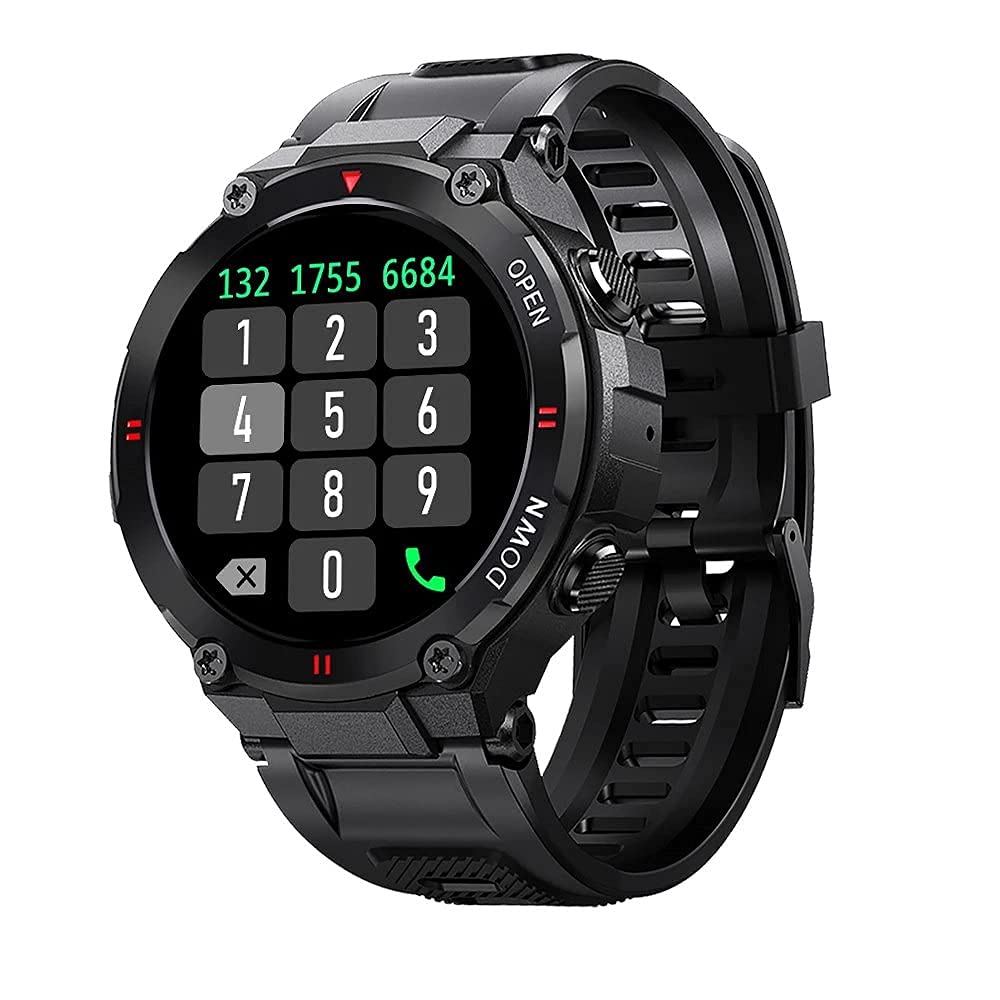
Сүрөт: алдыңкы view of the Blitzwolf BW-AT2C Smartwatch, displaying a digital watch face with time, date, battery, and step count.
Продукт бүттүview
The Blitzwolf BW-AT2C Smartwatch is designed for daily use, fitness tracking, and communication. It features a durable build and a clear display.
- Дисплей: 1.3-inch IPS full touch screen.
- Контролдоо: Full touch screen and two side buttons.
- Сенсорлор: Heart rate, blood pressure, blood oxygen, pedometer, sleep monitor.
- Байланыш: Bluetooth 5.0 for calls and data synchronization.
- Узактыгы: IP54 сууга туруктуу.

Image: The smartwatch displaying weather information, highlighting its robust design and metal buttons.

Сүрөт: Арткы view of the smartwatch, showing the optical heart rate sensor and magnetic charging contacts, along with the model number BW-AT2C.
Жайгашуу
1. Аппаратты заряддоо
Before initial use, fully charge your smartwatch. Connect the magnetic charging cable to the charging contacts on the back of the watch and plug the USB end into a power adapter (not included) or a computer's USB port. The watch screen will indicate charging status. A full charge takes approximately 2 hours.
2. Колдонмону орнотуу жана жупташтыруу
- Колдонмону жүктөп алыңыз: Издөө Смартфонуңуздун колдонмолор дүкөнүнө (Android үчүн Google Play Store же iOS үчүн Apple App Store) "Da Fit" жүктөп алып, орнотуңуз.
- Bluetooth иштетүү: Смартфонуңузда Bluetooth иштетилгенин текшериңиз.
- Da Fit колдонмосун ачыңыз: Launch the "Da Fit" application on your smartphone.
- Түзмөк кошуу: In the app, navigate to the "Device" section and select "Add Device". The app will search for available devices.
- Саатыңызды тандаңыз: Choose "BW-AT2C" from the list of found devices to initiate pairing.
- Жупташтыруу ырастоо: Follow any on-screen prompts on both your phone and watch to confirm the pairing.
- Чакыруу функциясын иштетүү: For the Bluetooth call feature, you may need to pair the watch a second time through your phone's Bluetooth settings. Look for "BW-AT2C_CALL" or similar in your phone's Bluetooth device list and connect to it.
Эскертүү: For full functionality, ensure the "Da Fit" app has all necessary permissions (e.g., location, notifications, contacts) enabled on your smartphone.
Иштөө нускамалары
Негизги навигация
- Сенсордук экран: Менюларды жана функцияларды чабыттоо үчүн солго/оңго, өйдө/ылдый сүрүңүз. Тандоо үчүн таптаңыз.
- Каптал баскычтары: The top button typically acts as a power/wake button and a back button. The bottom button may be a shortcut to sports modes or other functions, depending on customization.
- Экранды ойготуу: Raise your wrist or press a side button to wake the screen.
- Жарыктыкты жөндөө: Adjust screen brightness through the watch settings or the Da Fit app for better visibility in various lighting conditions.
- Ыңгайлаштырылган саат жүздөрү: Change watch faces directly on the watch or via the Da Fit app. You can also customize watch faces with your own photos.
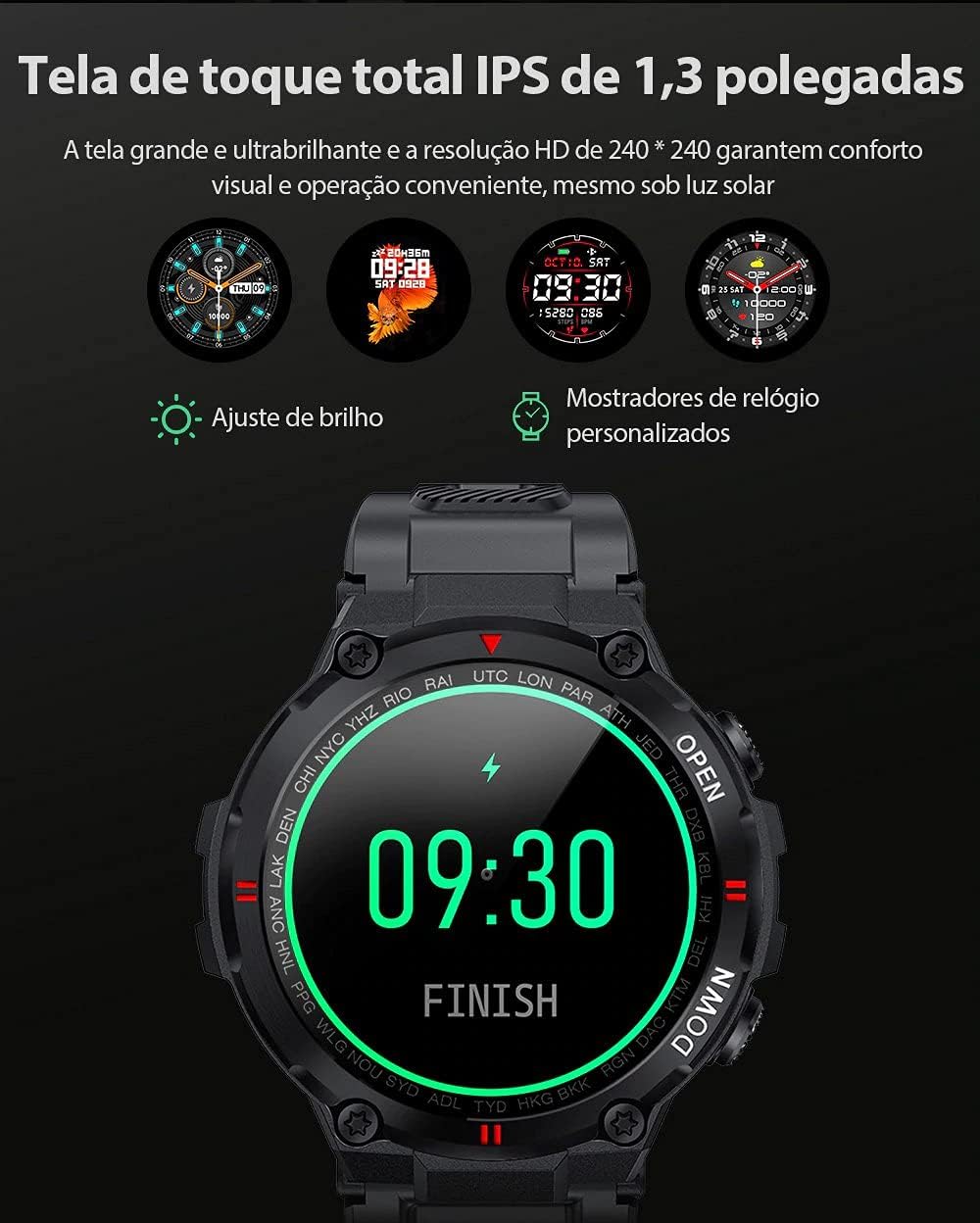
Image: The smartwatch displaying multiple customizable watch faces and options for brightness adjustment.
Чалууларды кабыл алуу жана кабыл алуу
The BW-AT2C allows you to make and receive calls directly from your wrist after successful Bluetooth pairing (including the call function pairing).
- Чалууларды кабыл алуу: Чалуу келгенде, саат чалуучунун ID'син көрсөтөт. Чалууга түз саат экранынан жооп берип же четке кагсаңыз болот.
- Чалууларды жасоо: Access the dial pad or contact list on the watch to initiate a call.

Image: A comparison showing the BW-AT2C model with its Bluetooth call function (dial pad visible) next to the BW-AT2 model without this feature.
Музыкалык башкаруу
Control music playback on your smartphone directly from your watch. Functions include play, pause, skip forward, and skip backward.
Ден соолук мониторинги
Акылдуу саат ден соолуктун ар кандай көрсөткүчтөрүн тынымсыз көзөмөлдөп турат.
- Жүрөктүн кагышы: Чыныгы убакыт режиминде жүрөктүн кагышын көзөмөлдөө. View your current heart rate and historical data in the app.
- Кан басымы: Measure your blood pressure on demand.
- Кандагы кычкылтек (SpO2): Сиздин кандын кычкылтек менен каныккан деңгээлин көзөмөлдөңүз.
- Уйкунун мониторинги: Уйку режимиңизди, анын ичинде терең уйку, жеңил уйку жана ойгонуу убакыттарын көзөмөлдөйт.
- жөө: Күнүмдүк кадамдарыңызды, аралыкты жана күйгөн калорияларды эсептейт.

Image: The smartwatch screen showing a graph of heart rate data, indicating current BPM and historical trends.
Спорт режимдери
The watch supports multiple sports modes to track your workouts accurately. Available modes include Walking, Running, Cycling, Skipping Rope, Badminton, Basketball, and Football. Select your desired mode before starting an activity to record relevant data.
Эскертмелер
Receive notifications from your smartphone directly on your watch. This includes call reminders, message alerts, and app notifications from platforms like WhatsApp, Instagram, Facebook, and Twitter. Ensure notification permissions are granted in the Da Fit app and your phone's settings.

Image: The smartwatch on a user's wrist, showing an incoming call alert and SMS reminder, indicating its notification capabilities.
Башка өзгөчөлүктөр
- Ойготкуч саат: Set up to three alarms via the app.
- Секундомер: Убакытты эсептөө үчүн орнотулган секундомерди колдонуңуз.
- Отуруучу эстеткич: The watch will alert you if you remain inactive for too long.
- Камераны алыстан башкаруу: Саатыңызды телефонуңуздун камерасы үчүн алыстан жапкыч катары колдонуңуз.
- Find Watch/Find Phone: Locate your watch or phone using the respective functions in the app or on the watch.
- Календар: Access calendar information.
Техникалык тейлөө
- Тазалоо: Саатты жана боону жумшак, кургак чүпүрөк менен дайыма сүртүп туруңуз. өжөр кир үчүн, бир аз d колдонууamp чүпүрөк жана кылдат кургатуу. Катуу химиялык заттардан алыс болуңуз.
- Сууга туруктуулук (IP54): The BW-AT2C is IP54 water-resistant, meaning it is protected against dust ingress and splashing water from any direction. It is suitable for daily use like hand washing or light rain. Do not submerge the watch in water, wear it while swimming, showering, or in saunas. Prolonged exposure to water or high-pressure water jets may cause damage.
- Заряддоо байланыштары: Keep the magnetic charging contacts clean and dry to ensure proper charging.
- Сактагыч: Колдонулбаган убакта саатты салкын, кургак жерде сактаңыз.
Проблемаларды чечүү
| Көйгөй | Чечим |
|---|---|
| Саат күйбөй жатат. | Саат толук заряддалганын текшериңиз. Аны заряддагычка кеминде 30 мүнөт туташтырыңыз. |
| Смартфон менен жупташтыруу мүмкүн эмес. |
|
| Билдирмелер алынган жок. |
|
| Чакыруу функциясы иштебей жатат. | Ensure you have paired the "BW-AT2C_CALL" device in your phone's Bluetooth settings in addition to the main watch pairing. |
| Туура эмес ден соолук маалыматы. | Ensure the watch is worn snugly on your wrist, not too tight or too loose. Keep the sensor clean. Note that this device is not a medical device and data is for reference only. |
Техникалык шарттар

Image: Diagram illustrating the dimensions of the Blitzwolf BW-AT2C Smartwatch, including watch face diameter, strap width, and total length.
| Өзгөчөлүк | Деталь |
|---|---|
| Бренд | Blitzwolf |
| Модел | BW-AT2C |
| Түс | Кара |
| Bluetooth версиясы | 5.0 |
| Шайкеш OS | Android 4.4+ / iOS 8.0+ |
| Иштөө режими | Full Touch Screen + 2 Side Buttons |
| Companion App | Da Fit |
| Суу каршылык | IP54 |
| Ден соолук мониторинги | Heart Rate, Blood Pressure, Blood Oxygen, Sleep, Pedometer |
| Спорт режимдери | Walking, Running, Cycling, Skipping Rope, Badminton, Basketball, Football |
| Screen Size | 1.3 дюймдук IPS |
| Резолюция | 240 x 240 пиксель |
| Батарея сыйымдуулугу | 400mAh |
| Күтүү убактысы | Болжол менен. 30 күн |
| Колдонуу убактысы | Approx. 4-7 days (varies by usage) |
| Заряддоо убактысы | Болжол менен 2 саат |
| Заряддоо түрү | Магниттик заряддоо |
| Боо материалы | Силикон |
| Боо туурасы | 22mm (Removable) |
| Продукциянын өлчөмдөрү | 52 x 12 mm (Watch Face) |
| Продукт Салмагы | 55 грамм |
Кепилдик жана колдоо
For warranty information and technical support, please refer to the documentation provided with your purchase or visit the official Blitzwolf webсайт. Кепилдик дооматтар үчүн сатып алганыңыздын далилин сактаңыз.
If you encounter issues not covered in the troubleshooting section, please contact customer support for assistance.


