1. Киришүү
The Dell S2722DGM is a 27-inch curved gaming monitor designed to provide an immersive visual experience. It features a QHD (2560 x 1440) resolution, a 1500R curvature, and a high refresh rate for smooth gameplay and clear visuals.
Негизги өзгөчөлүктөр төмөнкүлөрдү камтыйт:
- 165Hz жаңыртуу ылдамдыгы: Ensures fluid motion and faster reaction times.
- 1ms MPRT / 2ms Gray to Gray Response Time: Minimizes motion blur for crisp images.
- 1500R Curved QHD Display: Enhances field of vision and reduces distortion, glare, and reflection.
- Gaming Console VRR Support: Compatible with Variable Refresh Rate technologies for tear-free gaming.
- Жөнгө салынуучу стенд: Offers height and tilt adjustments for ergonomic viewing.
2. Кутуда эмне бар
Таңгакта бардык компоненттер бар экенин текшериңиз:
- Монитор
- Тирөөч жана негиз
- DisplayPort to DisplayPort cable (ver 1.2) (1.8m)
- Электр кабели
- HDMI кабели
- Ыкчам орнотуу көрсөтмөсү
- Коопсуздук/Айлана-чөйрөнү коргоо/Жөнгө салуу маалыматы
3. Орнотуу
3.1 Мониторду чогултуу
Attach the stand riser to the monitor panel, then secure the base to the riser. Ensure all connections are firm.
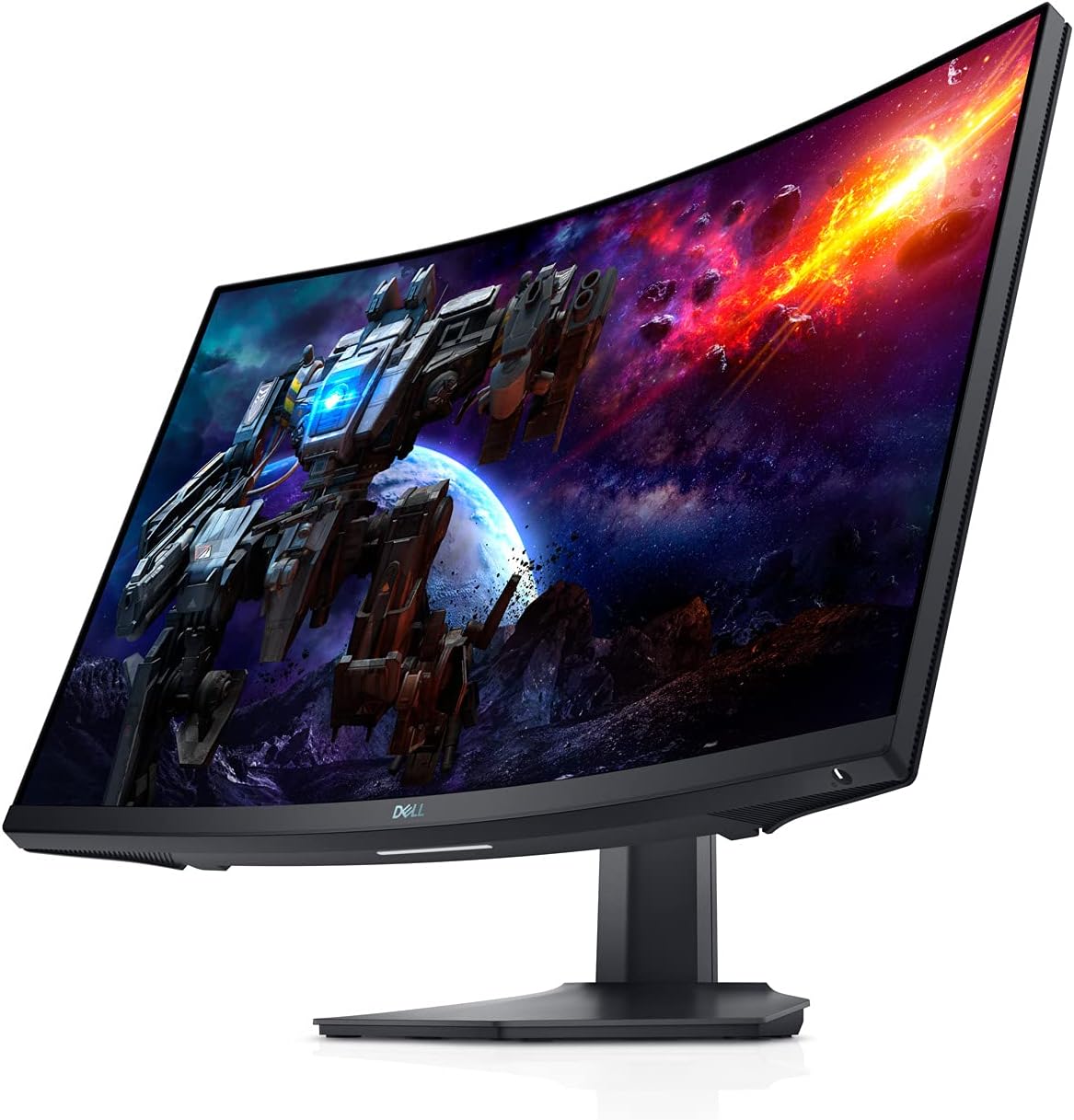
Сүрөт 3.1: Алдыңкы view of the Dell S2722DGM Curved Gaming Monitor with stand.

Figure 3.2: Monitor dimensions, showing the curved screen and stand.
3.2 Мониторду туташтыруу
Connect the power cable to the monitor and a power outlet. Use either the provided DisplayPort or HDMI cable to connect the monitor to your computer or gaming console. The monitor features multiple input ports for versatile connectivity.
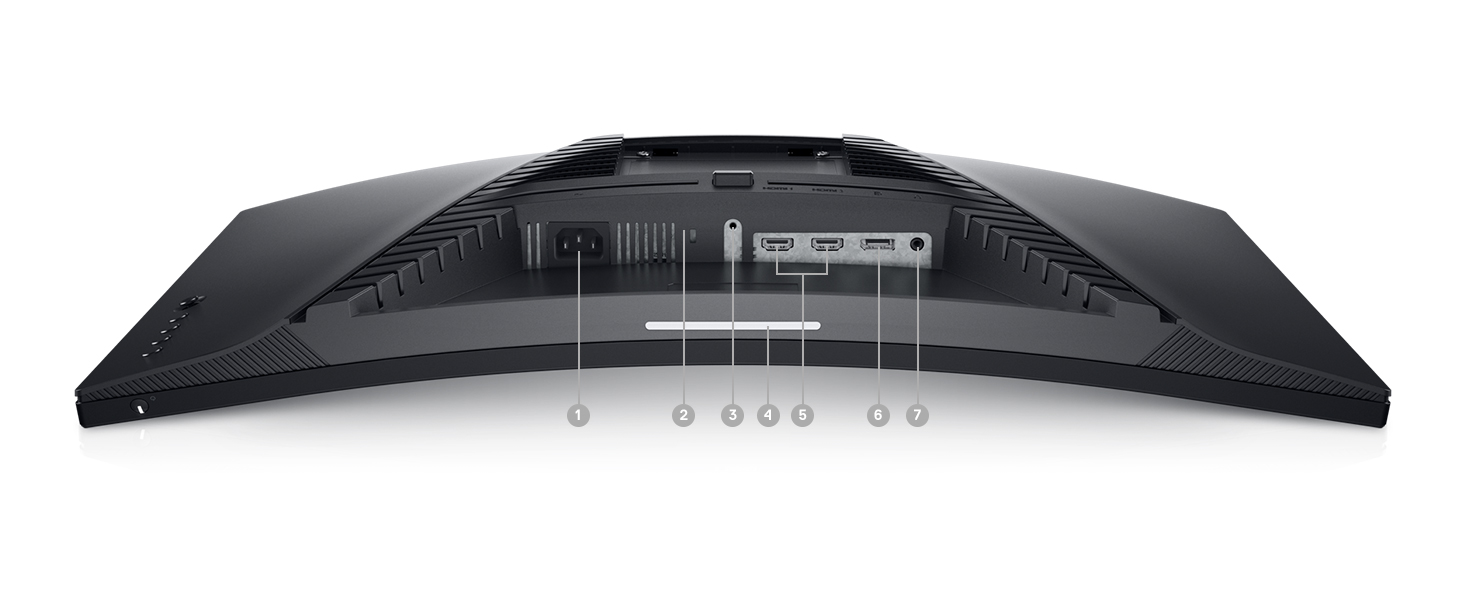
3.3-сүрөт: Арткы view of the monitor, highlighting the power input, DisplayPort, HDMI ports, and audio output.
Монитор төмөнкүлөрдү камтыйт:
- Кубат туташтыргычы
- 2x HDMI порттору
- 1x DisplayPort
- Аудио линия чыгуу порту
4. Мониторду иштетүү
4.1 Күйгүзүү/өчүрүү
The power button is located on the bottom right side of the monitor. Press it to turn the monitor on or off.
4.2 Экрандагы дисплейди (OSD) башкаруу элементтери
The OSD menu allows you to adjust various monitor settings such as brightness, contrast, color, input source, and gaming features. The control buttons are located on the back right side of the monitor. Use these buttons to navigate the menu and make selections.

4.1-сүрөт: Каптал view of the monitor, showing the OSD control buttons for menu navigation.
4.3 Стендди тууралоо
The monitor stand supports height and tilt adjustments. Gently adjust the monitor to your preferred viewing angle and height for optimal comfort.
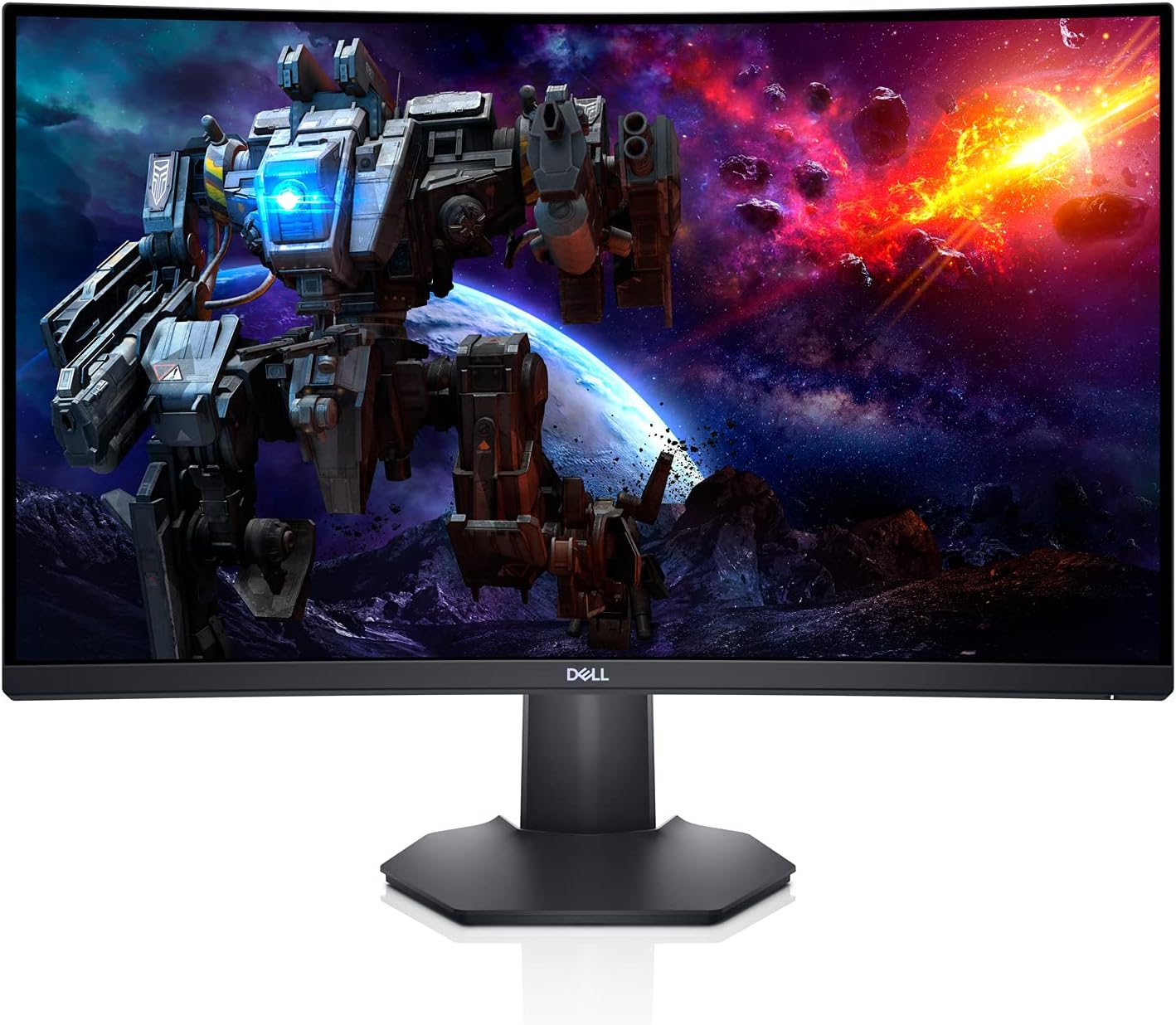
4.2-сүрөт: Side profile of the monitor, illustrating the adjustable stand.
5. Өзгөчөлүктөрү
- Immersive Curved Display: The 1500R curved screen with a 3-sided narrow border enhances your field of vision, providing a more engaging experience for gaming and media consumption.
- High Refresh Rate & Fast Response Time: Experience smooth, tear-free visuals with a 165Hz refresh rate and a rapid 1ms MPRT (Moving Picture Response Time) or 2ms Gray to Gray response time, crucial for fast-paced games.
- QHD Resolution: The 2560 x 1440 resolution offers 77% more screen content compared to Full HD, providing sharper details and more workspace.
- AMD FreeSync Premium: This technology synchronizes the monitor's refresh rate with your GPU, eliminating screen tearing and stuttering for a fluid gaming experience.
- Ambient Downlight: A subtle downlight feature provides ambient lighting during low-light gaming sessions, adding to the aesthetic and reducing eye strain.
- Жакшыртылган жылуулук диссипациясы: Uniquely designed vents located at the back of the monitor help maintain optimal operating temperatures during extended use.
Video 5.1: Official Dell S2722DGM Gaming Monitor overview, showcasing key features like refresh rate, response time, and curved display.
Video 5.2: Product feature video demonstrating the monitor's design and visual capabilities.
6. Техникалык шарттар
| Өзгөчөлүк | Спецификация |
|---|---|
| Туруктуу экранды көрсөтүү өлчөмү | 27 дюйм |
| Screen Resolution | 2560x1440 (QHD Wide 1440p) |
| Max Screen Resolution | 2560 x 1440 пиксел |
| Жаңыртуу ылдамдыгы | 165 Гц (DisplayPort) |
| Жооп убактысы | 1ms MPRT / 2ms Gray to Gray |
| Аспект катышы | 16:9 |
| Screen Surface Description | Мт |
| Байланыш | HDMI, DisplayPort |
| Элемент Салмагы | 5.76 фунт |
| Продукциянын өлчөмдөрү (LxWxH) | 23.95 x 3.79 x 14.34 дюйм |
| Түс | Кара |
7. Техникалык тейлөө
To ensure the longevity and optimal performance of your Dell S2722DGM monitor, follow these maintenance guidelines:
- Экранды тазалоо: Экранды жумшак, түксүз чүпүрөк менен акырын сүртүңүз. өжөр тактар үчүн, жеңил гampen the cloth with water or a non-ammonia, non-alcohol based glass cleaner. Avoid spraying liquid directly onto the screen.
- Тазалоо Casing: Мониторду тазалоо үчүн жумшак, кургак чүпүрөктү колдонуңуз casinг. Абразивдүү тазалагычтардан же эриткичтерден качыңыз.
- Вентиляция: Монитордун желдетүү тешиктери ысып кетүүнүн алдын алуу үчүн ачык жана тоскоолдуксуз экенин текшериңиз.
- Энергияны башкаруу: Энергияны үнөмдөө жана анын иштөө мөөнөтүн узартуу үчүн мониторду узак убакытка колдонбогондо өчүрүңүз.
8. Кыйынчылыктарды
Эгерде сиз мониторуңузда көйгөйлөргө туш болсоңуз, төмөнкү жалпы көйгөйлөрдү чечүү кадамдарын караңыз:
- Кубат жок:
- Электр кабели мониторго да, электр розеткасына да бекем туташтырылганын текшериңиз.
- Башка аспапка сайып, розетка иштеп турганын текшериңиз.
- Монитордогу кубат баскычын басыңыз.
- Сигнал жок:
- Verify that the video cable (HDMI or DisplayPort) is securely connected to both the monitor and your computer/console.
- Монитордун OSD менюсунда туура киргизүү булагы тандалганын текшериңиз.
- Башка видео кабелин же мүмкүн болсо, портту колдонуп көрүңүз.
- Дисплей көйгөйлөрү (мисалы, бүлбүлдөгөн, бурмаланган сүрөт):
- Check the video cable for damage.
- Adjust the resolution and refresh rate settings on your computer/console to match the monitor's specifications.
- Perform a factory reset through the OSD menu.
- No Audio (if using monitor's audio output):
- Ensure external speakers or headphones are properly connected to the monitor's audio line-out port.
- Check the audio settings on your computer/console and the monitor's OSD menu.
For more detailed troubleshooting, refer to the comprehensive user manual available on the Dell support webсайт.
9. Кепилдик жана колдоо
The Dell S2722DGM Curved Gaming Monitor comes with a standard limited hardware warranty. For specific warranty terms and conditions, please refer to the 'Safety/Environmental/Regulatory Information' document included in your product packaging or visit the official Dell support webсайт.
Техникалык жардам, драйверди жүктөп алуу жана кошумча колдоо булактары үчүн, кириңиз www.dell.com/support and search for your model (S2722DGM).


