1. Киришүү
The CHOETECH T524-F is a 15W fast wireless charging stand designed to efficiently charge compatible smartphones. It features high-quality induction coils for a wider charging area, allowing for flexible device placement in both portrait and landscape orientations. An intelligent control chip provides comprehensive protection for your device against various electrical hazards.
2. Пакеттин мазмуну
- 1 x CHOETECH T524-F 15W Fast Wireless Charging Stand
- Type-C кабелине 1 х USB
- 1 x User Manual
3. Продукт бүтүп калдыview
Familiarize yourself with the components of your wireless charging stand.

Сүрөт: алдыңкы view of the CHOETECH T524-F 15W Fast Wireless Charging Stand, showing the charging surface and the LED indicator at the base.
4. Орнотуу нускамалары
- Connect the provided USB to Type-C cable to the Type-C port located on the back of the charging stand.
- Connect the other end of the USB cable to a compatible power adapter (not included) with sufficient wattage. For fast charging, a Quick Charge 2.0/3.0 or Power Delivery adapter is recommended.
- Plug the power adapter into a wall outlet. The LED indicator on the stand will illuminate briefly, indicating that the stand is powered on and ready for use.
5. Иштөө нускамалары
- Place your Qi-compatible smartphone directly onto the charging surface of the stand. Ensure the phone is centered for optimal charging performance.
- The stand supports both portrait and landscape orientations for charging. You can continue to use your phone for activities such as calls, video watching, or browsing while it charges.
- The LED indicator will show the charging status. (Specific LED behavior, such as color or blinking patterns for charging, fully charged, or error, may vary and are typically detailed in a quick start guide).
- For best performance, ensure your phone case is no thicker than 5mm (0.2 inches). A thickness of 4mm (0.16 inches) is considered optimal for wireless charging efficiency.

Image: A smartphone charging vertically and horizontally on the CHOETECH wireless charging stand, illustrating flexible placement options for activities like video calls or watching movies.
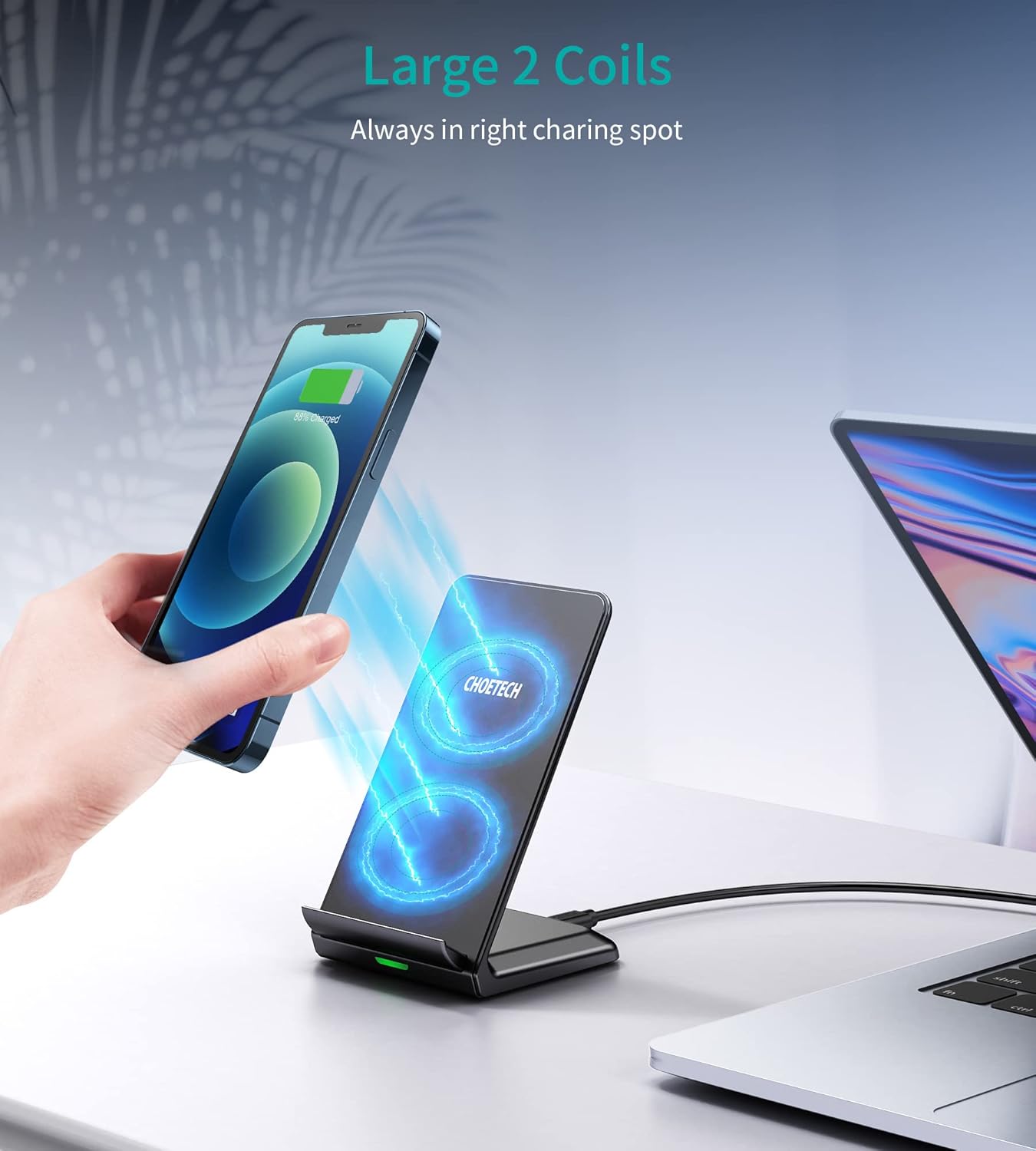
Image: A hand placing a smartphone onto the CHOETECH wireless charging stand, with blue light effects indicating the active charging coils and wireless power transfer.
6. Коопсуздук боюнча маанилүү маалымат
- Do not disassemble, modify, or attempt to repair the product yourself.
- Keep the charger away from water, moisture, and other liquids.
- Avoid using the charger in environments with extremely high or low temperatures.
- Do not drop the charger or subject it to strong impacts.
- Do not place metal objects, magnetic cards, or other foreign objects between your phone and the charging stand, as this may interfere with charging or damage the device.
- This device incorporates an intelligent control chip that provides protection against over-current, over-heat, over-voltage, and short circuit conditions.

Image: Diagram illustrating the superior safety features of the CHOETECH wireless charging stand, including Qi certification, over-heat protection, short circuit protection, over-voltage коргоо жана ашыкча ток коргоо.
7. Кароо жана тейлөө
- Always disconnect the power adapter from the wall outlet before cleaning the charging stand.
- Wipe the surface of the charging stand with a soft, dry cloth. Do not use abrasive cleaners, solvents, or harsh chemicals.
- Store the charger in a cool, dry place when it is not in use for extended periods.
8. Кыйынчылыктарды
- Түзмөк заряддалбай жатат.
- Ensure the charging stand is properly connected to a power source. Verify that your phone is Qi-compatible and correctly aligned on the charging surface. Remove any thick phone cases (over 5mm) or metal objects from the back of your phone. Try using a different power adapter and cable to rule out accessory issues.
- Жай кубаттоо.
- Ensure you are using a Quick Charge 2.0/3.0 or Power Delivery adapter for fast charging. Check that your phone supports 15W wireless charging. Thick phone cases can also reduce charging speed and efficiency.
- LED indicator blinking or showing an error.
- This may indicate foreign object detection (FOD) or an issue with the power supply. Remove your phone and any foreign objects from the charging surface, then disconnect and reconnect the power. If the issue persists, contact customer support.
9. Продукттун спецификациялары
| Өзгөчөлүк | Спецификация |
|---|---|
| Модел | T524-F |
| Киргизүү көлөмүtage | 12 вольт |
| Чыгуу күчү | 15 Вт чейин |
| Туташтыргыч түрү | USB Type-C |
| Шайкеш түзмөктөр | Qi-compatible Cellular Phones |
| Аралыкты кубаттоо | Up to 5mm (0.2 inches), optimal 4mm (0.16 inches) |
| Коопсуздук өзгөчөлүктөрү | Over-current, Over-heat, Over-voltage, Short Circuit Protection |
| Түс | Кара |
10. Кепилдик жана Кардарларды колдоо
This CHOETECH product comes with a 1-year manufacturer's warranty from the date of purchase.
For technical support, warranty claims, or further assistance, please contact CHOETECH customer service through their official webпродукт сатылып алынган сайт же сатуучу.
Сураныч, кепилдик максаттары үчүн сатып алганыңыздын далилин сактап коюңуз.


