1. Киришүү
Сатып алганыңыз үчүн рахматasing the Daewoo DIBT2122 Mini Portable Bluetooth Speaker. This manual provides essential information for the safe and efficient operation of your device. Please read it thoroughly before use and retain it for future reference.

Сүрөт 1: Алдыңкы view of the Daewoo DIBT2122 Mini Portable Bluetooth Speaker in blue, featuring a black speaker grille with the Daewoo logo and an attached carabiner clip.
2. Коопсуздук маалыматы
- Динамикти өтө жогорку температурага, түз күн нуруна же ачык отко тийгизбеңиз.
- Спикерди түшүрүүдөн же катуу таасирлерге дуушар кылуудан качыңыз.
- Аппаратты өзүңүз ажыратпаңыз, оңдобоңуз же өзгөртпөңүз. Жардам алуу үчүн квалификациялуу тейлөө кызматкерлерине кайрылыңыз.
- Keep the speaker away from water and other liquids to prevent electric shock or damage, unless specifically designed for water resistance (this model is not specified as waterproof).
- Берилген же бекитилген кубаттоо кабелин гана колдонуңуз.
- Батареяны жана түзмөктү жергиликтүү эрежелерге ылайык жок кылыңыз.
3. Пакеттин мазмуну
Сураныч, пакетте төмөнкү нерселерди текшериңиз:
- Daewoo DIBT2122 Mini Portable Bluetooth Speaker
- USB заряддоо кабели
- Сорохтор
- Metal Hanging Hook (Carabiner)
- Колдонуучунун Колдонмосу (бул документ)

Image 2: The product packaging box for the Daewoo Wireless Shower Speaker, showing the speaker image and brand logo.
4. Орнотуу
4.1 Динамикти заряддоо
- Locate the USB charging port on the side of the speaker, usually protected by a rubber flap.
- Connect the small end of the provided USB charging cable to the speaker's USB port.
- USB кабелинин чоңураак учун USB кубат адаптерине (кошулмада жок) же компьютердин USB портуна туташтырыңыз.
- The LED indicator will illuminate to show charging status. A full charge takes approximately 2.5 hours.
- Once fully charged, disconnect the cable and ensure the rubber flap is securely closed to protect the port.

Сүрөт 3: Жакын план view of the side of the speaker, showing the micro USB charging port and the SD card slot, both protected by a rubber cover.
4.2 Күйгүзүү/өчүрүү
- To power on, press and hold the Power button (usually marked with a power symbol) for a few seconds until you hear an audible prompt or see the LED indicator light up.
- To power off, press and hold the Power button again for a few seconds until the device shuts down.
4.3 Bluetooth жупташтыруу
- Ensure the speaker is powered on and within 10 meters (33 feet) of your Bluetooth-enabled device (smartphone, tablet, computer).
- Динамик автоматтык түрдө жупташтыруу режимине өтөт, бул күйүп-өчүүчү LED жарыгы менен көрсөтүлөт.
- Түзмөгүңүздө Bluetooth жөндөөлөрүнө өтүп, жеткиликтүү түзмөктөрдү издеңиз.
- Select "DIBT2122" or a similar name from the list.
- Жупташтырылгандан кийин, LED индикатору жарк этүүнү токтотуп, туруктуу бойдон калат жана сиз ырастоо үнүн угасыз.
- Эгер жупташуу ишке ашпай калса, динамик менен түзмөгүңүздүн Bluetooth'ун өчүрүп, андан кийин кадамдарды кайталаңыз.
4.4 Using the Suction Cup and Hanging Hook
- Сорулгазы: The speaker features a full-size suction cup on its back. To attach, ensure the surface is clean, smooth, and dry. Press the speaker firmly against the surface until the suction cup adheres.
- Асма илгич: Use the integrated metal carabiner hook to hang the speaker from a shower rail, backpack, or any suitable loop.
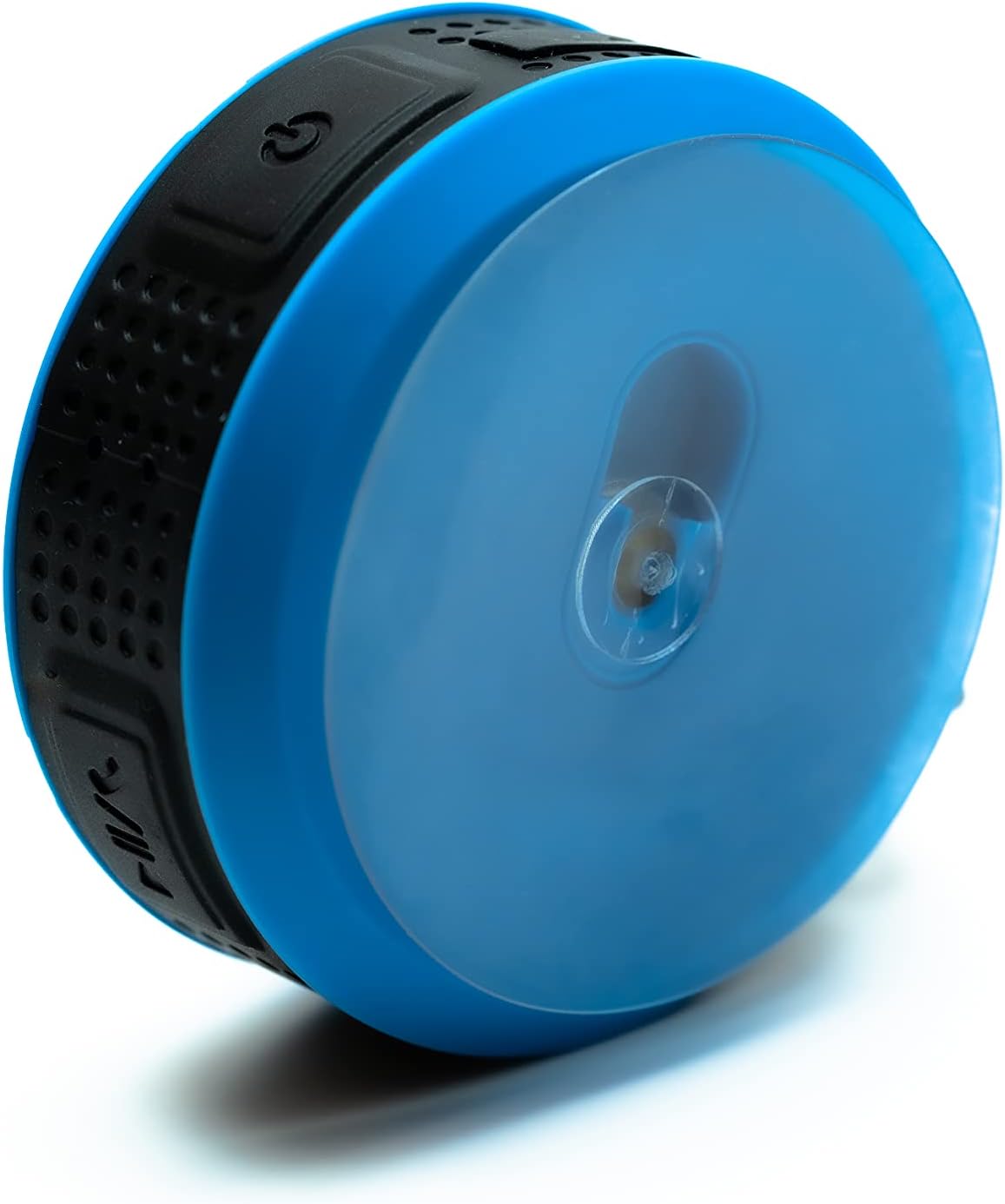
Image 4: The back of the Daewoo DIBT2122 speaker, clearly showing the large, transparent suction cup for mounting on smooth surfaces.
5. Иштөө нускамалары
5.1 Баскыч функциялары
The speaker features several control buttons, typically located on its side:
- Кубат баскычы (күйгүзүү/өчүрүү): Күйгүзүү/өчүрүү үчүн басып туруңуз.
- Ойнотуу/тындыруу баскычы: Музыканы ойнотуу же тындыруу үчүн бир жолу басыңыз.
- Үндү катуулатуу / Кийинки трек баскычы: Press once to increase volume. Press and hold to skip to the next track.
- Үндү азайтуу / Мурунку трек баскычы: Press once to decrease volume. Press and hold to go to the previous track.
- Call Button (Answer/End/Reject): Press once to answer or end a call. Press and hold to reject a call.

5-сүрөт: Бир тарап view of the Daewoo DIBT2122 speaker, highlighting the embossed control buttons for power, play/pause, volume, and track navigation.
5.2 Bluetooth музыка ойнотуу
After successfully pairing your device, open your music application and start playback. You can control volume, play/pause, and skip tracks using the speaker's buttons or your connected device.
5.3 Hands-Free чалуу
When a call comes in while connected via Bluetooth, the music will pause. Press the Call button once to answer. Press it again to end the call. Press and hold to reject an incoming call.
5.4 SD Card Playback
Insert a microSD card (not included) with MP3 audio files into the designated SD card slot. The speaker should automatically switch to SD card mode and begin playing music. Use the track control buttons to navigate your music.
6. Техникалык тейлөө
- Тазалоо: Динамикти жумшак, кургак чүпүрөк менен сүртүңүз. Абразивдүү тазалагычтарды же эриткичтерди колдонбоңуз.
- Сактагыч: When not in use for extended periods, store the speaker in a cool, dry place, away from direct sunlight.
- Батареяга кам көрүү: Батареянын иштөө мөөнөтүн узартуу үчүн, бат-баттан батарейканы толук зарядсыздандырбаңыз. Колдонулбаса дагы, динамикти дайыма заряддап туруңуз.
7. Кыйынчылыктарды
| Көйгөй | Мүмкүн себеп | Чечим |
|---|---|---|
| Динамик күйбөйт. | Батарея аз. | Динамикти кеминде 30 мүнөткө заряддаңыз. |
| Bluetooth аркылуу жупташтыруу мүмкүн эмес. | Түзмөгүңүздө Bluetooth өчүк; динамик өтө алыс жайгашкан; динамик мурунтан эле башка түзмөккө жупташтырылган. | Ensure Bluetooth is enabled on your device. Move speaker closer. Disconnect from other devices or restart speaker. |
| Үн жок. | Volume is too low; device is not playing; speaker is not connected. | Increase volume on both speaker and connected device. Ensure music is playing. Re-pair Bluetooth. |
| Үн сапаты начар. | Speaker is too far from the device; interference. | Move speaker closer to the connected device. Avoid obstacles between devices. |
8. Техникалык шарттар
- Модел: DIBT2122
- Bluetooth версиясы: 5.0
- Чыгуу күчү: 3W
- Батарея: 300 мАч Li-ion
- Заряддоо убактысы: Болжол менен 2.5 саат
- Ойнотуу убактысы: Болжол менен 1.5 саат
- Өткөрүү расстояние: 10 метрге чейин (33 фут)
- Байланыш: Bluetooth, USB (for charging), SD Card Slot
- Өлчөмдөрү: 9 x 9 x 3.5 см
- Салмагы: 140 грамм
- Өзгөчөлүктөр: Hands-free calling, SD card playback, suction cup mount, metal hanging hook, LED light.
9. Кепилдик жана колдоо
Daewoo Electronics products are designed and manufactured to the highest quality standards. For warranty information, technical support, or customer service inquiries, please refer to the warranty card included with your purchase or visit the official Daewoo Electronics website. Please have your model number (DIBT2122) and proof of purchase ready when contacting support.