Introduction
The Daewoo DIBT2626 is a compact and versatile wireless portable Bluetooth speaker designed for audio playback and hands-free communication. It features Bluetooth 5.0 connectivity, FM radio, an SD card slot for MP3 playback, a USB port, and an AUX input. The speaker is equipped with a 1200 mAh lithium-ion battery, providing up to 4 hours of playback on a 2-hour charge. Its robust design includes a metal speaker grille and protective rubber edges.
Коопсуздук маалыматы
Түзмөгүңүздүн коопсуз иштешин камсыз кылуу жана анын иштөө мөөнөтүн узартуу үчүн төмөнкүлөрдү аткарыңыз:
- Динамикти экстремалдык температурага, түз күндүн нуруна же жогорку нымдуулукка дуушар кылбаңыз.
- Спикерди түшүрүүдөн же катуу таасирлерге дуушар кылуудан качыңыз.
- Динамикти ажыратууга же өзгөртүүгө аракет кылбаңыз. Бул кепилдикти жокко чыгарат жана зыян келтириши мүмкүн.
- Динамикти суудан жана башка суюктуктардан алыс кармаңыз.
- Берилген USB кубаттоо кабелин же тастыкталган эквивалентти гана колдонуңуз.
- Динамикти жумшак, кургак чүпүрөк менен тазалаңыз. Абразивдүү тазалагычтарды же эриткичтерди колдонбоңуз.
Пакеттин мазмуну
- Daewoo DIBT2626 Wireless Portable Bluetooth Speaker
- USB заряддоо кабели
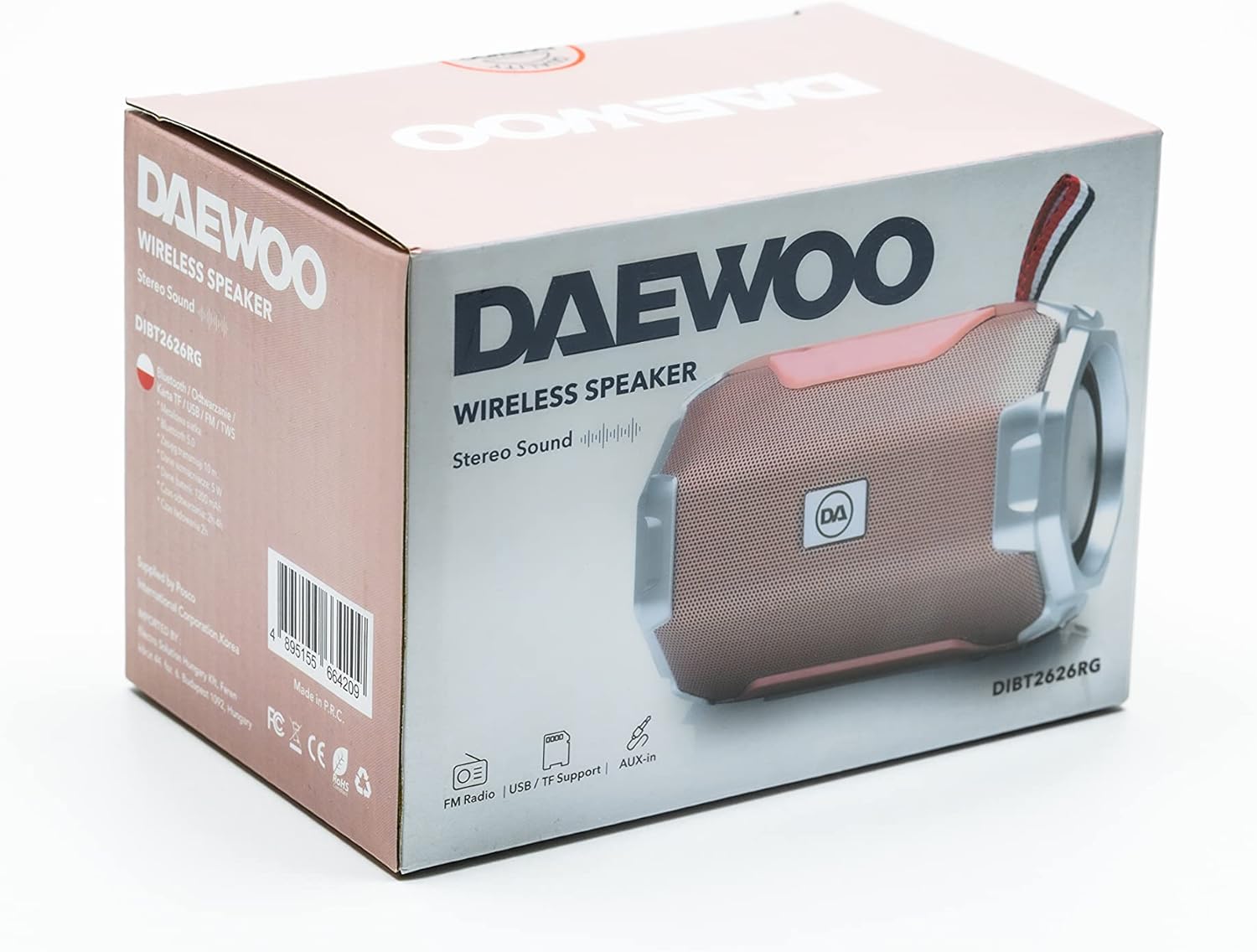
Image: The retail packaging box for the Daewoo DIBT2626 speaker, showing the product image and branding.
Продукт бүттүview
Динамиктин башкаруу элементтери жана порттору менен таанышып алыңыз.
Башкаруу панели
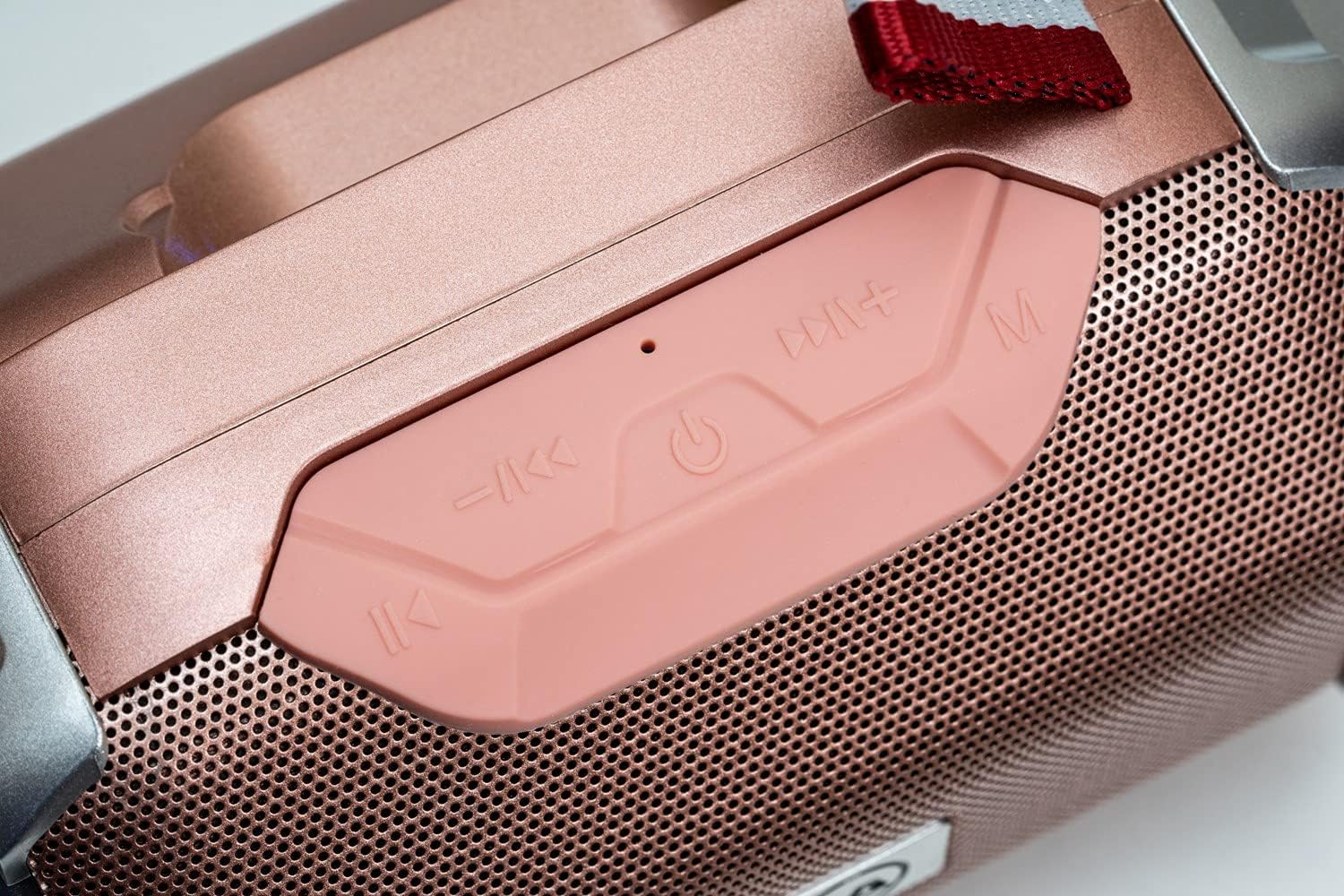
Сүрөт: жакын план view of the speaker's control panel, featuring four buttons and an LED indicator.
- Мурунку трек / Көлөмүн төмөндөтүү: Short press for previous track, long press to decrease volume.
- Күч / Ойнотуу / Тыным: Long press to power on/off. Short press to play/pause music. In call mode, short press to answer/end call.
- Кийинки Track / Volume Up: Short press for next track, long press to increase volume.
- Режим (M): Short press to switch between Bluetooth, FM Radio, SD Card, USB, and AUX modes.
- LED көрсөткүч: Indicates power status, charging, and Bluetooth pairing.
Байланыш порттору

Сүрөт: деталдуу view of the speaker's rear panel, showing the AUX, USB, TF (SD card), and DC 5V charging ports.
- AUX порту: For connecting external audio devices via a 3.5mm audio cable.
- USB порту: For playing music from a USB flash drive.
- TF Card Slot (SD Card): MP3 ойнотуу үчүн filemicroSD картасынан.
- DC 5V порт: Micro USB port for charging the speaker.

Image: The Daewoo DIBT2626 speaker in rose gold, showcasing its front grille, control panel, and fabric hook.
Жайгашуу
1. Динамикти кубаттоо
- Берилген USB кубаттоо кабелин динамиктеги DC 5V портуна туташтырыңыз.
- USB кабелинин экинчи учун USB кубат адаптерине (кошумча эмес) же компьютердин USB портуна туташтырыңыз.
- Кубаттоо учурунда LED индикатору күйөт. Толук кубаттоо болжол менен 2 саатты талап кылат.
- Once fully charged, the LED indicator may change color or turn off, depending on the model. Disconnect the charging cable.
A fully charged speaker provides up to 4 hours of playback time.
2. Күйгүзүү / Өчүрүү
- Күйгүзүү үчүн: көпкө басыңыз Күч / Ойнотуу / Тыным button until you hear an audible prompt or the LED indicator lights up.
- Өчүрүү үчүн: көпкө басыңыз Күч / Ойнотуу / Тыным button again until you hear an audible prompt or the LED indicator turns off.
Иштөө режимдери
1. Bluetooth режими
- Ensure the speaker is powered on. It will automatically enter Bluetooth pairing mode, indicated by a flashing LED.
- Мобилдик түзмөгүңүздө (смартфон, планшет, ноутбук) Bluetooth иштетиңиз жана жеткиликтүү түзмөктөрдү издеңиз.
- Select "DIBT2626" from the list of devices.
- Once paired, the LED indicator will stop flashing, and you will hear a confirmation sound.
- Эми түзмөгүңүздөгү аудиону динамик аркылуу ойнотсоңуз болот. Үндү тууралоо, ойнотуу/тындыруу жана тректерди өткөрүп жиберүү үчүн динамиктин башкаруу баскычтарын же түзмөгүңүздү колдонуңуз.
2. FM радио режими
- Динамикти иштетүү.
- басыңыз Режим (M) FM радио режимине өткөнгө чейин баскычын кайра-кайра басыңыз.
- To auto-scan and save available stations, short press the Күч / Ойнотуу / Тыным баскычы. Динамик станцияларды автоматтык түрдө сканерлейт жана сактайт.
- колдонуу Мурунку трек / Көлөмүн төмөндөтүү жана Кийинки Track / Volume Up баскычтар сакталган станциялардын ортосунда чабыттоо.
3. SD Card / USB Mode
- Insert a microSD card (TF card) with MP3 files into the TF Card slot or a USB flash drive into the USB port.
- Power on the speaker. It should automatically detect the storage device and switch to SD Card or USB mode, beginning playback. If not, press the Режим (M) туура режимди тандоо үчүн баскычты басыңыз.
- Use the speaker's control buttons to play/pause, skip tracks, and adjust volume.
4. AUX режими
- 3.5 мм аудио кабелинин бир учун (киргизилген эмес) динамиктеги AUX портуна туташтырыңыз.
- Connect the other end of the audio cable to the audio output jack of your external device.
- Power on the speaker. It should automatically switch to AUX mode. If not, press the Режим (M) AUX режимин тандоо үчүн баскычты басыңыз.
- Тышкы түзмөгүңүздөн ойнотууну жана үнүн башкарыңыз.
5. Hands Free Чалуу
- When connected via Bluetooth to your smartphone, the speaker can be used for hands-free calls.
- When an incoming call is received, short press the Күч / Ойнотуу / Тыным чалууга жооп берүү үчүн баскыч.
- To end a call, short press the Күч / Ойнотуу / Тыным кайра баскычын.
Техникалык тейлөө
- Динамикти жумшак, кургак чүпүрөк менен сүртүп, аны таза кармаңыз.
- Катуу химиялык заттарды, тазалоочу эриткичтерди же күчтүү жуучу каражаттарды колдонуудан алыс болуңуз.
- Динамикти узак убакытка колдонбогондо салкын, кургак жерде сактаңыз.
- Charge the battery periodically if the speaker is stored for a long time to maintain battery health.
Проблемаларды чечүү
| Көйгөй | Мүмкүн себеп | Чечим |
|---|---|---|
| Динамик күйбөйт. | Батарея түгөнүп калды. | Динамикти кеминде 2 саатка заряддаңыз. |
| Үн жок. | Үн өтө төмөн же үнсүз. Туура эмес режим тандалган. | Increase volume on both the speaker and the connected device. Press the Режим (M) button to ensure the correct input mode is selected. |
| Bluetooth аркылуу жупташтыруу мүмкүн эмес. | Speaker is not in pairing mode. Bluetooth is off on device. Device is too far. | Ensure speaker is powered on and LED is flashing. Enable Bluetooth on your device. Move device closer to the speaker (within 10 meters). |
| FM радиосун кабыл алуу начар. | Алсыз сигнал. | Move the speaker to a location with better reception. |
Техникалык шарттар
| Модель номери | DIBT2626 |
| Бренд | Daewoo Electronics |
| Өлчөмдөр | 14 x 9 x 9 см |
| Салмагы | 350 г |
| Динамик чыгаруу күчү | 5 Вт |
| Батарея түрү | 1200 мАч литий-ион |
| Заряддоо убактысы | Болжол менен 2 саат |
| Ойнотуу убактысы | 4 саатка чейин |
| Bluetooth версиясы | 5.0 |
| Туташуу параметрлери | Bluetooth, USB, TF (SD Card), AUX (3.5mm) |
| Шайкеш түзмөктөр | Смартфондор, планшеттер, ноутбуктар |
| Өзгөчөлүктөр | FM Radio, Hands-free Calling |
Кепилдик жана колдоо
For warranty information and technical support, please refer to the documentation provided with your purchase or visit the official Daewoo Electronics webсайт. Ар кандай кепилдик дооматтары үчүн сатып алганыңыздын далилин сактаңыз.


