1. Продукт бүтүп калдыview
The IBRIGHT Smart Wi-Fi Dimmer Light Switch (Model SS-DIM01-Y) allows you to control your lighting with advanced features such as dimming, remote access via a mobile application, voice control through Amazon Alexa and Google Home, and programmable schedules. This switch is designed for both single-pole and 3-way applications and requires a neutral wire for installation. It operates on a 2.4GHz Wi-Fi network and does not require a separate hub.

Image 1.1: IBRIGHT Smart Wi-Fi Dimmer Light Switch and its retail packaging.
2. Пакеттин мазмуну
Төмөнкү нерселер сиздин өнүм пакетиңизге кирет:
- 1 x Wall plate
- 1 x Монтаждоо алкагы
- 1 x Smart switch
- 2 x Inner frame screws
- 2 x Mounting screws (preinstalled)
3. Негизги өзгөчөлүктөрү
- Үн менен башкаруу: Handsfree иштөө үчүн Amazon Alexa жана Google Assistant менен шайкеш келет.
- Алыстан башкаруу: Manage your lights from anywhere using the IBRIGHT mobile application.
- 10%-100% Dimming Range: Adjust light brightness to create desired ambiance. Note: Requires dimmable LED or incandescent/halogen bulbs.
- График түзүү жана таймер функциялары: Automate light operation based on your daily routine.
- Жарыктык эстутум функциясы: Retains the last lighting setting after power interruption.
- Single-Pole & 3-Way Applications: Versatile installation options.
- Эч кандай хаб талап кылынбайт: 2.4 ГГц Wi-Fi тармагына түз туташат.
- Коопсуздук сертификаттары: ETL & FCC certified, featuring PC V0 flame retardant material and overheat protection.

Сүрөт 3.1: Бүттүview of the IBRIGHT Smart Switch's multifunction capabilities.
4. Орнотуу боюнча колдонмо
Маанилүү коопсуздук маалыматы: Before beginning installation, ensure the power is turned off at the circuit breaker. If you are unsure about electrical wiring, consult a qualified electrician.
This smart switch requires a neutral wire for operation. Verify the presence of a neutral wire in your switch box before installation. If a neutral wire is not present, this switch will not function.
4.1 Identifying the Neutral Wire
- Turn off power at your breaker box to the switch you intend to replace.
- Carefully remove the wall plate over your existing switch.
- Remove the screws from your switch and gently pull out the existing switch to expose the wires.
- Look for a white wire or a group of white wires. This is typically the neutral wire.
- If you do not find a neutral wire, this switch is not compatible with your current wiring.

Image 4.1: Illustration of neutral wire identification and basic wiring connections.
4.2 Электр зымдары боюнча нускамалар
Before inserting wires, ensure all screws on the side of the switch are loosened to prevent wire slippage.
- туташтыруу Live (Line) wire to the terminal marked 'AC-L'.
- туташтыруу Жүктөө wire to the terminal marked 'LOAD'.
- туташтыруу Нейтралдуу wire to the terminal marked 'AC-N'.
- туташтыруу Жер wire to the terminal marked 'GND'.
- For 3-way applications, connect the Саякатчы wire to the terminal marked 'YLRD'.
This switch supports both single-pole and 3-way configurations. For 3-way setups, it can be used with another IBRIGHT smart switch or a traditional 3-way switch.

Image 4.2: Supported wiring configurations for the IBRIGHT Smart Switch.

Сүрөт 4.3: Мисample of a 3-way installation with an IBRIGHT smart switch and a traditional switch.
5. Колдонмону орнотуу жана Wi-Fi туташуусу
To utilize the smart features of your IBRIGHT switch, you need to connect it to your mobile phone via the IBRIGHT application. Ensure your Wi-Fi network is 2.4GHz, as 5GHz networks are not supported.
- жүктөп алыңыз IBRIGHT Apple App Store же Google Play дүкөнүнөн колдонмо.
- Open the IBRIGHT app and tap "Add device" or the "+" icon to add a new smart device.
- Select "Electrician" then "Switch (Wi-Fi)" from the device list.
- Press and hold the power button on the smart switch for 5-10 seconds until the indicator light flashes quickly. This puts the switch into pairing mode.
- In the app, select your 2.4GHz Wi-Fi network and enter the Wi-Fi password.
- Wait for the connection process to complete (100%).
- Once connected, you can edit the name of your light switch for easy identification.
You can now control your IBRIGHT smart switch via the app on your phone.
6. Иштөө нускамалары
6.1 Dimming Function
The IBRIGHT smart dimmer switch offers a 10%-100% dimming range. Use the discreet slider on the switch or the app to adjust the brightness. This function is compatible with dimmable LED bulbs (up to 150 Watts) or incandescent/halogen bulbs (up to 450 Watts).

Image 6.1: Visual representation of the dimming range from 1% to 100%.
6.2 Үн менен башкаруу
Integrate your IBRIGHT smart switch with Amazon Alexa or Google Assistant for convenient voice control. Follow the instructions within the Alexa or Google Home app to link your IBRIGHT account. Once linked, you can use commands such as:
- – Alexa, бөлмөнүн жарыгын күйгүз.
- "Окей Google, уктоочу бөлмөнүн жарыгын 50% чейин азайт."
- "Alexa, turn off the kitchen light."

Image 6.2: Voice control in action with Amazon Alexa and Google Home.
6.3 Алыстан башкаруу
Control your lights from any location using the IBRIGHT app on your smartphone. This allows you to turn lights on or off, adjust brightness, or check their status even when you are away from home.

Image 6.3: Remote control of lights via the IBRIGHT mobile application.
6.4 График түзүү жана таймер функциялары
Set custom schedules and timers within the IBRIGHT app to automate your lighting. You can program lights to turn on or off at specific times, aligning with your daily routine.
- График: Set lights to turn on/off at specific times (e.g., turn on at 7:00 AM).
- Таймер: Set lights to turn off after a specified duration (e.g., auto-off after 10 minutes).

Сүрөт 6.4: Мисamples of timer and schedule settings for automated lighting.
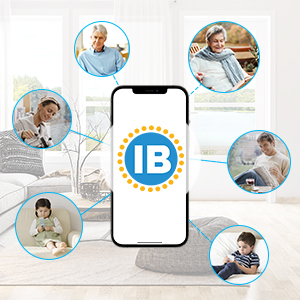
Image 6.5: Setting a schedule within the IBRIGHT app.
6.5 Топтук башкаруу жана түзмөктү бөлүшүү
The IBRIGHT app allows you to group multiple smart switches for simultaneous control. You can also share control of your devices with family members.

Image 6.6: Group control of multiple IBRIGHT smart switches.

Image 6.7: Sharing control of IBRIGHT devices with family members.
7. Шайкештик
- Лампанын түрлөрү: Compatible with dimmable LED bulbs (up to 150W) and incandescent or halogen bulbs (up to 450W).
- Шайкеш келбейт: Smart bulbs are not compatible with this product.
- Wi-Fi: Requires a 2.4GHz Wi-Fi network. Not compatible with 5GHz Wi-Fi.

Image 7.1: Bulb compatibility for the IBRIGHT Smart Switch.
8. Кыйынчылыктарды
- Которуу Жооп бербейт: Ensure power is supplied to the switch. Check your circuit breaker.
- Wi-Fi туташуу маселелери:
- Wi-Fi тармагыңыз 2.4 ГГц экенин ырастаңыз.
- Коммутатордун Wi-Fi роутериңиздин диапазонунда экенин текшериңиз.
- Колдонмого киргизилген Wi-Fi сырсөзү туура экенин текшериңиз.
- Try restarting your Wi-Fi router and the smart switch.
- Караңгылык иштебейт:
- Confirm that the connected bulbs are dimmable. Non-dimmable bulbs will not dim.
- Жалпы ватт бар-жогун текшериңизtage of connected bulbs exceeds the switch's maximum capacity (150W for LED, 450W for incandescent/halogen).
- Physical Damage During Installation: Exercise caution when connecting wires. Overtightening screws or applying excessive force can damage terminals. If damage occurs, discontinue use and contact customer support.
9. Техникалык шарттар
| Өзгөчөлүк | Спецификация |
|---|---|
| Модель номери | SS-DIM01-Y |
| Иштөө режими | КҮЙГҮЗҮҮ ӨЧҮРҮҮ |
| Учурдагы рейтинг | 1 Amps |
| Operating Voltage | 120 вольт (AC) |
| Байланыш түрү | Адатта жабык |
| Туташтыргыч түрү | Плагин |
| Терминал түрү | Бурама |
| Өлчөмдөрү (L x W x Y) | 4.52 x 1.79 x 2.75 дюйм |
| Circuit Type | 3-жол |
| Актуатор түрү | Жалпак |
| Байланыш материалы | Пластик |
| Эл аралык коргоо рейтинги | IP20 |
| Жогорку температура рейтинги | 40 градус |
| Controller Type | Amazon Alexa, Google Жардамчысы |
| Башкаруу ыкмасы | тийүү |
| Connectivity Protocol | Wi-Fi (2.4 ГГц гана) |
| Түс | Ак |
| Ватtage (Макс) | 150W (LED), 450W (Incandescent/Halogen) |
| Элемент Салмагы | 5.9 унция |
| Power Source | Электр зымдары |
| Сертификаттар | ETL, FCC |

Image 9.1: IBRIGHT brand logo.
10. Кепилдик жана колдоо
The IBRIGHT Smart Wi-Fi Dimmer Light Switch comes with a limited 2-year warranty. You may register your product for an additional 1-year warranty. For warranty claims or technical support, please refer to the contact information provided with your purchase or visit the official IBRIGHT webсайт.


