Introduction
Сатып алганыңыз үчүн рахматasing the AZATOM A2 Portable DAB/DAB+ Digital Radio. This compact and versatile device is designed to provide high-quality digital and FM radio reception, offering a superior listening experience on the go. Please read this manual carefully to understand the features and operation of your new radio.

The AZATOM A2 radio, showcasing its stylish and compact design, perfect for portability.
Кутуда эмне бар
- AZATOM A2 Portable DAB/DAB+ Digital Radio
- USB-C Cable
- Спорт наушниктери
- Колдонуучунун Колдонмосу (бул документ)
- Кепилдик картасы
Продукт бүттүview
Familiarize yourself with the buttons and ports on your AZATOM A2 radio:

Фронт view of the AZATOM A2 radio, highlighting the display and control buttons.
- КҮЧ баскычы: Радиону күйгүзөт/өчөт.
- MENU баскычы: Меню параметрлерине жетет.
- VOL+ / VOL- баскычтары: Үн деңгээлин тууралайт.
- ENTER/SCAN Button: Confirms selections or initiates station scanning.
- PRESET Buttons (1/2, 3/4): Recalls stored preset stations.
- MODE баскычы: Switches between DAB/DAB+ and FM modes.
- Наушник джек: Connects the included earphones, which also function as the antenna.
- USB-C порту: Аппаратты заряддоо үчүн.
Жайгашуу
1. Батареяны заряддоо
Before first use, fully charge the radio. Connect the supplied USB-C cable to the radio's USB-C port and the other end to a USB power adapter (not included) or a computer's USB port. The display will indicate charging status. A full charge provides up to 24 hours of playtime.

The AZATOM A2 features a long-lasting rechargeable battery for extended use.
2. Connecting Earphones (Antenna)
The included earphones serve as the radio's antenna for both DAB/DAB+ and FM reception. It is essential to connect the earphones to the 3.5mm jack before operating the radio to ensure proper signal reception.
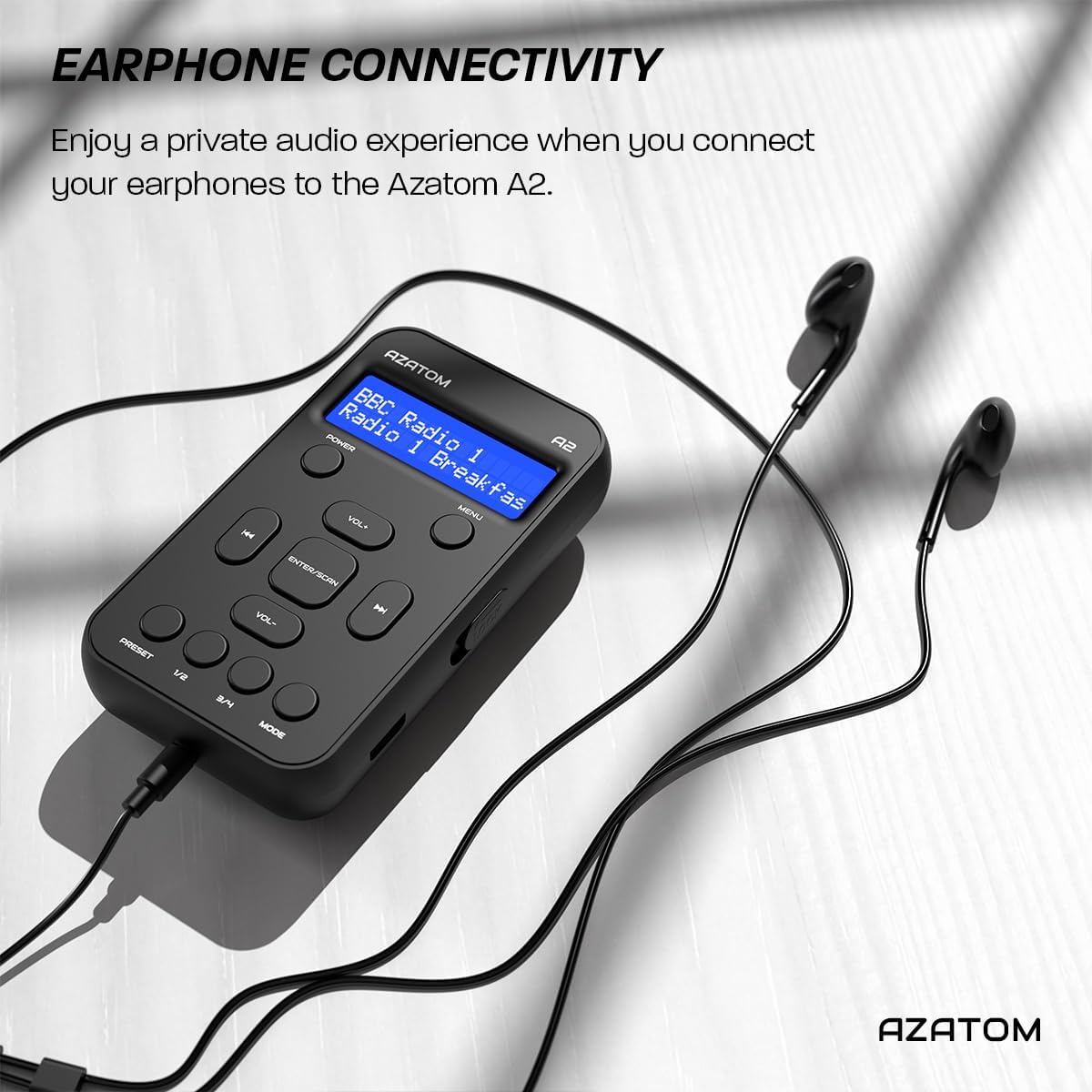
Connect the supplied earphones to the radio for optimal reception and a private listening experience.
Иштөө нускамалары
Күйгүзүү/өчүрүү
- басып, кармап туруңуз КҮЧ радиону күйгүзүү же өчүрүү үчүн баскыч.
DAB/DAB+ радио операциясы

The AZATOM A2 supports both DAB/DAB+ and FM radio technologies.
- Ensure the earphones are connected.
- басыңыз РЕЖИМ button until 'DAB' or 'DAB+' is displayed.
- The radio will automatically perform a full scan for available DAB/DAB+ stations upon first use or if no stations are found. To manually scan, press and hold the ENTER/SCAN баскычы.
- колдонуу VOL+ or VOL- buttons to navigate through the list of found stations.
- Басыңыз ENTER/SCAN бекет тандоо.
FM радиосунун иштеши
- Ensure the earphones are connected.
- басыңыз РЕЖИМ 'FM' көрсөтүлгөнгө чейин баскычын басыңыз.
- FM станцияларын автоматтык түрдө издөө үчүн, баскычын басып кармап туруңуз ENTER/SCAN баскычын басыңыз. Радио жеткиликтүү станцияларды сканерлеп, сактайт.
- Кол менен күүлдөө үчүн, баскычын кыска басыңыз VOL+ or VOL- buttons to adjust the frequency in small increments.
Алдын ала орнотууларды орнотуу жана кайра чакыртуу
The AZATOM A2 allows you to store up to 40 DAB+ and 40 FM favorite stations.

The AZATOM A2 allows for easy recall of your favorite preset stations.
Алдын ала коюлган нерсени сактоо үчүн:
- Каалаган станцияга коюңуз.
- Алардын бирин басып, кармап туруңуз АЛДЫН АЛА buttons (1/2 or 3/4) until the display shows 'Preset Store'.
- колдонуу VOL+ or VOL- каалаган алдын ала коюлган санды тандоо үчүн баскычтар (1-40).
- Басыңыз ENTER/SCAN станцияны ырастоо жана сактоо үчүн.
Алдын ала орнотууну кайра чакырып алуу үчүн:
- баскычтарынын бирин кыскача басыңыз АЛДЫН АЛА buttons (1/2 or 3/4).
- колдонуу VOL+ or VOL- buttons to navigate through your stored presets.
- Басыңыз ENTER/SCAN to select and play the desired preset station.
Үндү көзөмөлдөө
- Басыңыз VOL+ көлөмүн көбөйтүү.
- Басыңыз VOL- үнүн азайтуу үчүн.
Дисплей жарыктыгы
The XL digital display's brightness can be adjusted to your preference. Access this setting through the MENU options.

Жакын план view of the AZATOM A2's clear digital display.
Техникалык тейлөө
- Тазалоо: Радионун бетин тазалоо үчүн жумшак, кургак чүпүрөктү колдонуңуз. Абразивдүү тазалоочу каражаттарды же эриткичтерди колдонбоңуз.
- Батареяга кам көрүү: Батареянын иштөө мөөнөтүн узартуу үчүн, батареянын тез-тез толук зарядын жоготуп албаңыз. Радиону көпкө чейин колдонулбаса дагы, аны үзгүлтүксүз кубаттап туруңуз.
- Сактагыч: Радиону салкын, кургак жерде, түз күндүн нурунан жана экстремалдык температурадан алыс сактаңыз.
Проблемаларды чечүү
| Көйгөй | Мүмкүн себеп | Чечим |
|---|---|---|
| No power/Radio won't turn on. | Батарея түгөнүп калды. | Charge the radio using the supplied USB-C cable. |
| Радио кабыл алуусу начар (DAB/FM). | Earphones not connected or not fully inserted. Weak signal area. | Ensure earphones are securely connected. Try moving to an open area or near a window. Perform a new scan. |
| Үн жок. | Volume is too low or muted. Earphones not connected. | Increase the volume using VOL+. Ensure earphones are connected. |
| Radio freezes or becomes unresponsive. | Убактылуу программалык ката. | Press and hold the POWER button to force a restart. If issue persists, allow battery to fully discharge then recharge. |
Техникалык шарттар

Dimensions of the AZATOM A2 radio.
| Өзгөчөлүк | Деталь |
|---|---|
| Модел | A2 |
| Өлчөмдөрү (L x W x Y) | 9 x 4 x 11 см (болжол менен 90 мм x 50 мм x 24 мм) |
| Салмагы | 90 г |
| Радио топтору колдоого алынат | DAB, DAB+, FM |
| Алдын ала орнотуулар | 40 DAB+, 40 FM |
| Батарея түрү | Rechargeable Lithium Ion (1800mAh) |
| Оюн убактысы | 24 саатка чейин |
| Дисплей түрү | LCD |
| Байланыш | USB-C (for charging), 3.5mm Earphone Jack |
| Материал | Пластик |
Кепилдик жана колдоо
AZATOM products are designed and engineered in the UK. The AZATOM A2 comes with a premium 3-year warranty (registration required). For any questions or support, please contact our dedicated customer service team. Lifetime customer support is provided to assist you with any queries.
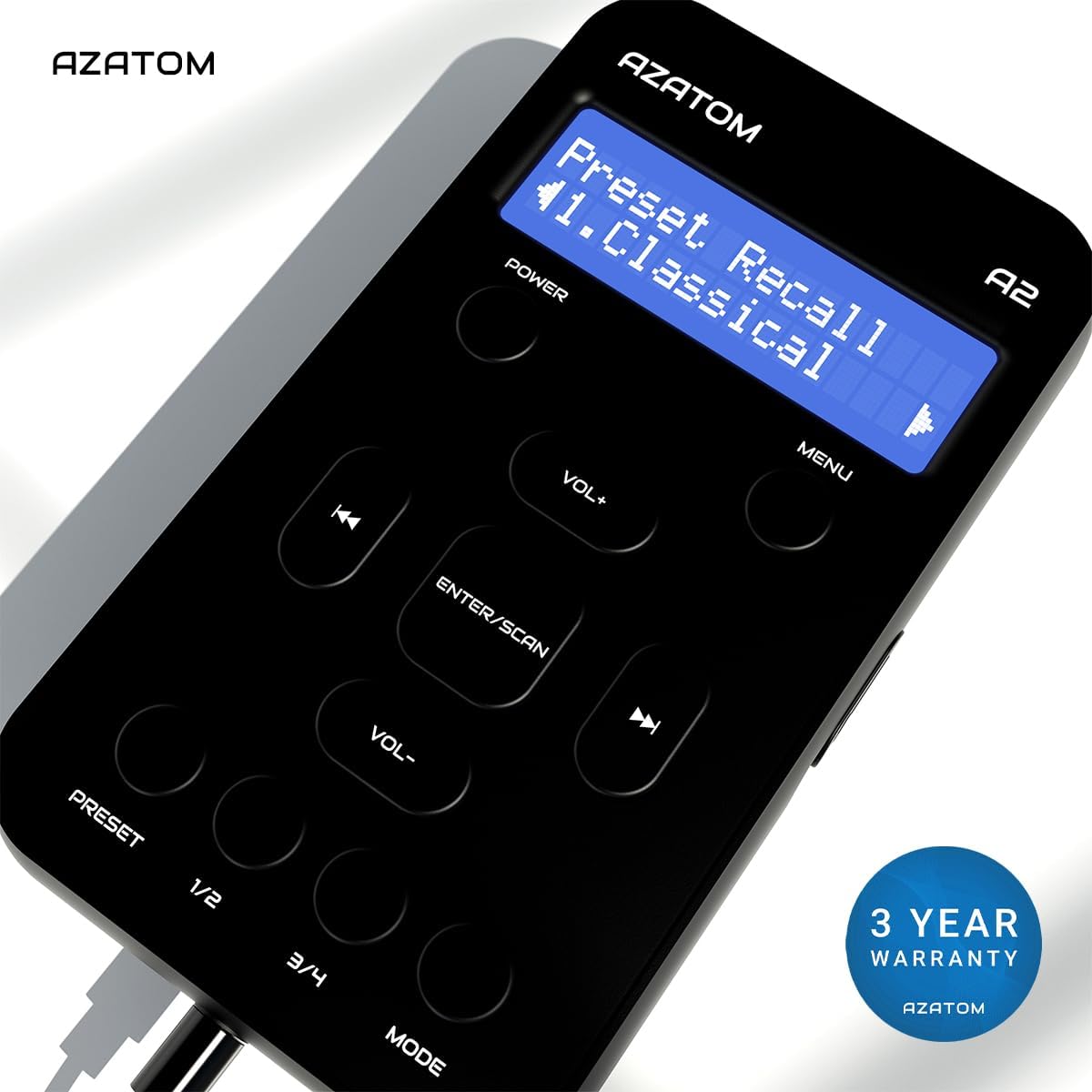
The AZATOM A2 is backed by a 3-year warranty.


