Introduction
This manual provides detailed instructions for the setup, operation, maintenance, and troubleshooting of your CHONCHOW 401J Gaming Keyboard and Mouse Combo. Please read this manual thoroughly to ensure optimal performance and longevity of your product.
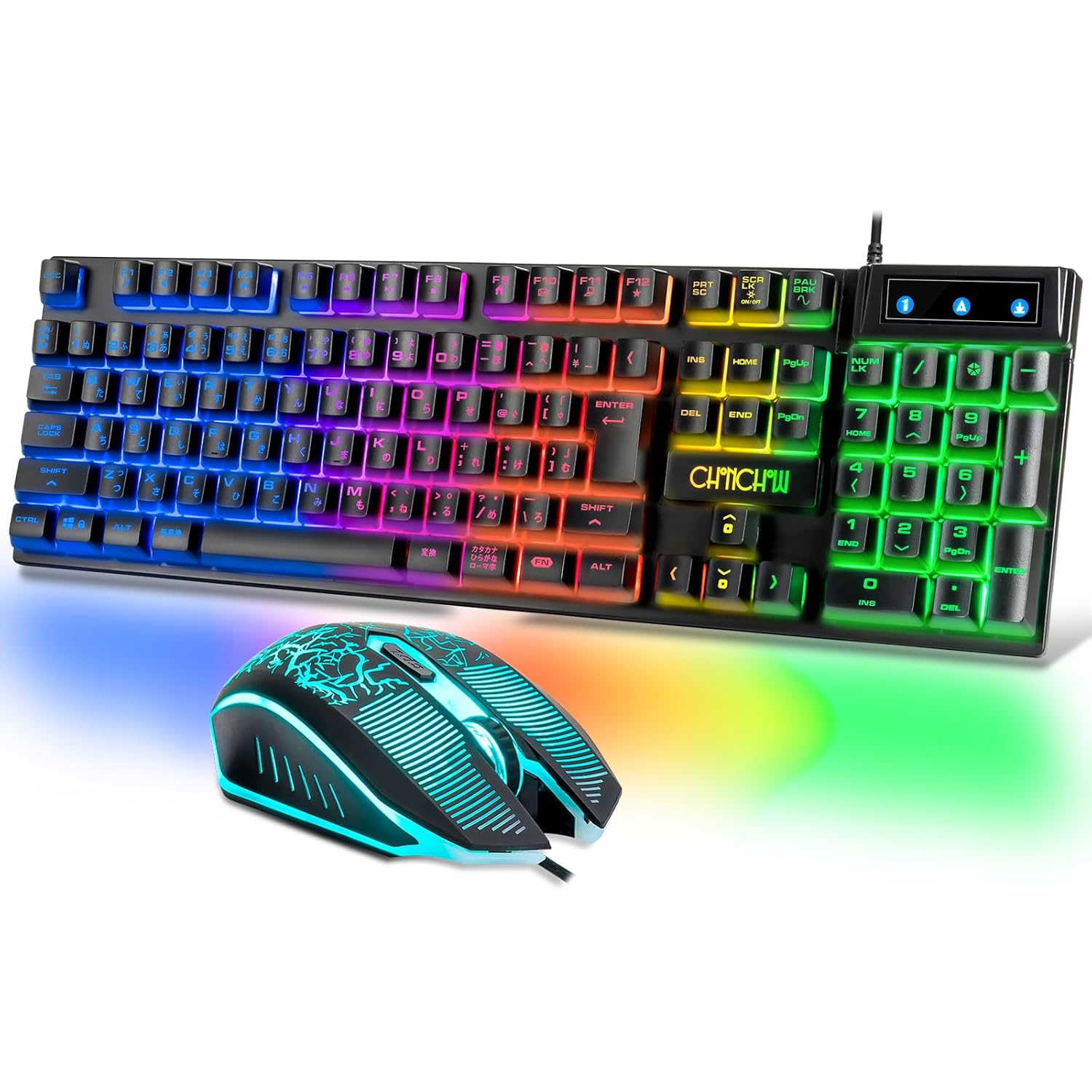
Image: The CHONCHOW 401J Gaming Keyboard and Mouse Combo, featuring a black keyboard with multi-color RGB backlighting and a matching black gaming mouse with blue LED accents.
Пакеттин мазмуну
Төмөндө тизмеленген нерселердин баары пакетиңизде бар экенин текшериңиз:
- 1 x CHONCHOW 401J Gaming Keyboard
- 1 x CHONCHOW Gaming Mouse
- 1 x USB Connection Cable (integrated)
Жайгашуу
- Түзмөккө туташуу: Plug the integrated USB cable from the keyboard and mouse into an available USB port on your computer or compatible gaming console (PS4/PS5).
- Драйверди орнотуу: The keyboard and mouse are plug-and-play devices. No additional drivers are required for Windows 10, Windows 8, Windows 7, Windows XP, Windows VISTA, or Mac OS.
- Алгачкы колдонуу: The devices should be recognized automatically by your operating system within a few seconds and will be ready for use.
Иштөө нускамалары
Баскычтоптун функциялары
- Japanese Layout: The keyboard features a standard Japanese 108-key layout, including 'No Conversion' and 'Conversion' keys for Japanese input methods.
- 19-Key Anti-Collision: Up to 19 keys can be pressed simultaneously without conflict, ensuring accurate input during intense gaming sessions.

Image: Close-up of the CHONCHOW 401J keyboard highlighting the Japanese key layout and indicating the 19-key anti-collision feature.
Мультимедиа жана Жарлык баскычтары
колдонуу FN key in combination with the F1-F12 keys for various multimedia and system shortcuts:
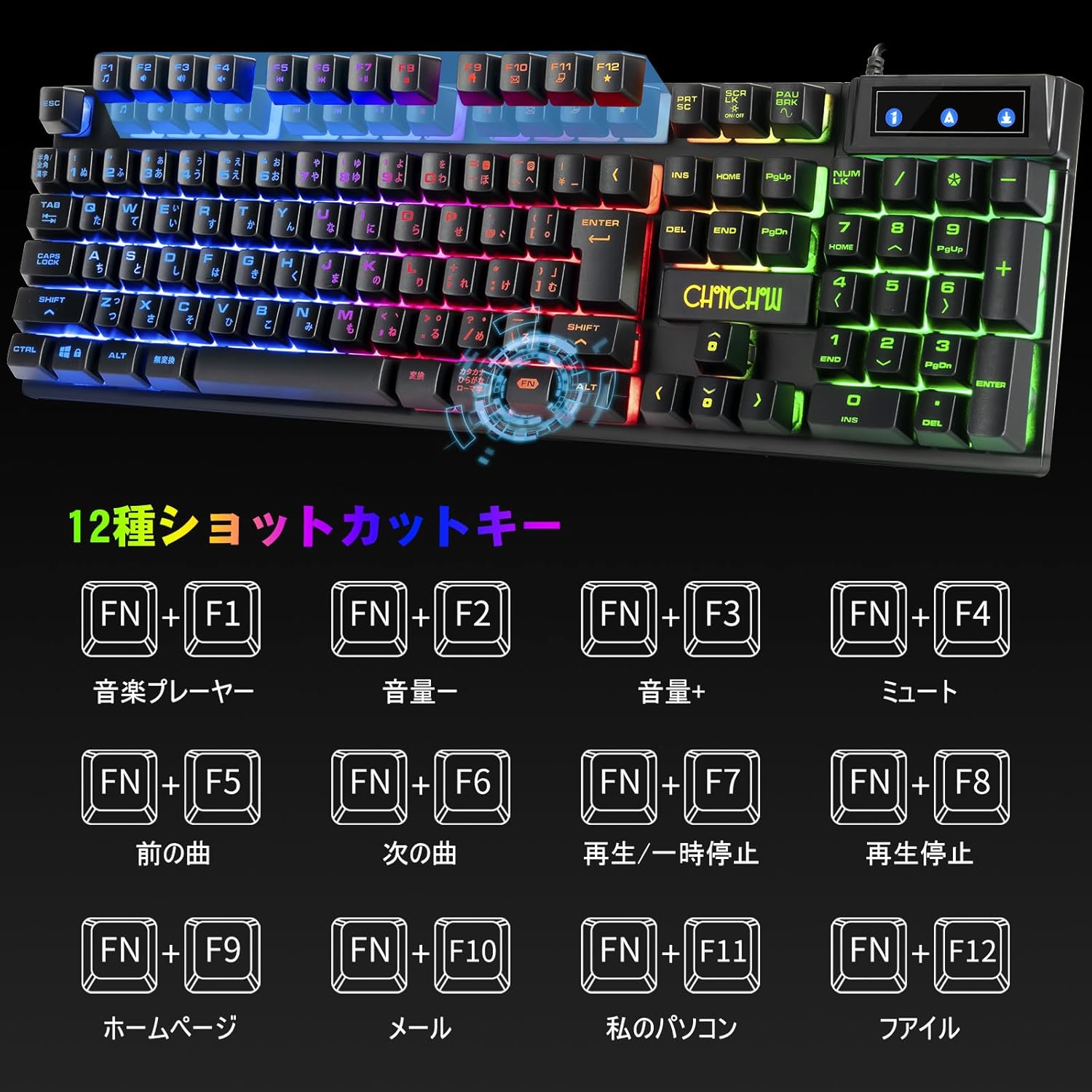
Image: Diagram illustrating the 12 shortcut key combinations on the CHONCHOW 401J keyboard using the FN key.
- FN + F1: Медиа ойноткуч
- FN + F2: Үндү төмөндөтүү
- FN + F3: Үндү көтөрүү
- FN + F4: Үнсүз
- FN + F5: Мурунку трек
- FN + F6: Кийинки трек
- FN + F7: Ойнотуу/Тыныгуу
- FN + F8: Токто
- FN + F9: Башкы бет
- FN + F10: Почта
- FN + F11: Менин компьютерим
- FN + F12: Калькулятор
Keyboard Backlight Control

Image: Diagram showing key combinations for controlling the keyboard's RGB backlight features.
- FN + PAU BRK: Toggle Breathing Mode
- FN + ↑ / ↓: Adjust Backlight Brightness (Up/Down)
- FN + ☀: Turn Backlight ON/OFF
- FN + ← / →: Change Breathing Mode Speed (Slower/Faster)
Чычкан функциялары
- Баскычтар: The mouse features 6 buttons: Left Click, Right Click, Wheel Click, DPI Cycle Button, Forward Button, and Backward Button.
- DPI жөндөө: Cycle through 4 DPI levels (800, 1600, 2400, 3200) using the DPI Cycle Button to adjust sensitivity.
- 7-Color RGB Breathing Light: The mouse features an automatic 7-color LED backlight (Red, Green, Blue, Purple, White, Orange, Navy Blue) that cycles through a breathing effect.
Өзгөчөлүктөрү
Illuminating Backlight
The keyboard offers a 16.78 million color RGB backlight with various modes and adjustable breathing effects. The mouse features a 7-color RGB breathing light, enhancing the gaming atmosphere.
Туруктуу жана суу өткөрбөйт дизайн
Constructed from high-quality ABS material, the keyboard and mouse are designed for durability, resisting shock and wear. The keycaps utilize ABS technology to prevent fading. The keyboard includes three drain holes and waterproof material to protect against accidental spills. In case of liquid exposure, simply wipe it dry.

Image: The CHONCHOW 401J keyboard with water splashing over it, demonstrating its waterproof design, and a close-up of a drain hole on the back.
Эргономикалык дизайн
Both the keyboard and mouse are ergonomically designed for comfortable use over extended periods. The keyboard features a solid stand for adjustable typing angles and a non-slip bottom for stability.
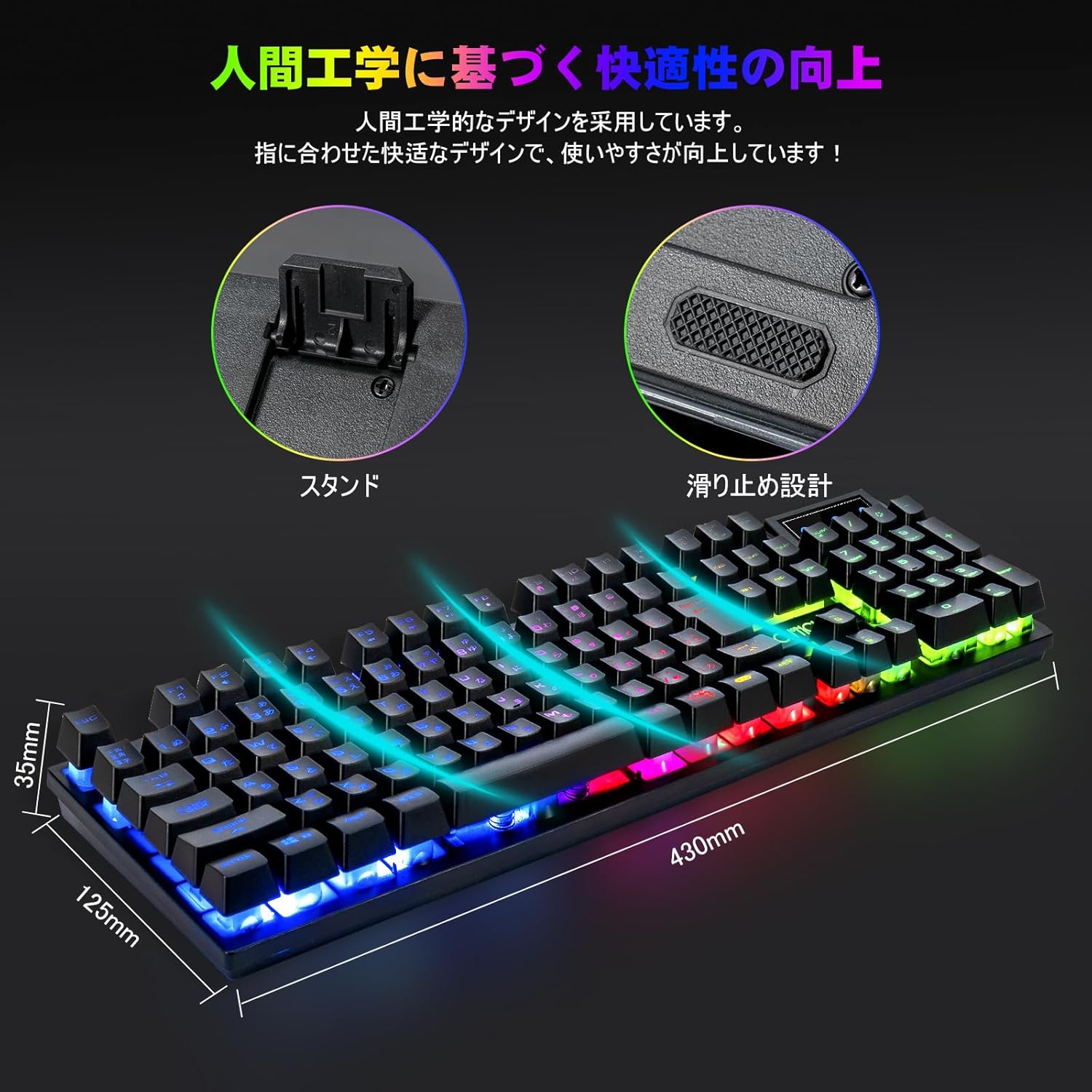
Image: Visual representation of the CHONCHOW 401J keyboard's ergonomic stand, non-slip base, and overall dimensions (430mm length, 125mm width, 35mm height).
Техникалык тейлөө
- Клавиатураны тазалоо: The keycaps are removable for easy cleaning. Use a soft brush or compressed air to remove dust and debris.
- Бетти тазалоо: Wipe the surface of the keyboard and mouse with a soft, damp кездеме. Катуу химиялык заттарды же абразивдүү материалдарды колдонуудан алыс болуңуз.
- Суюктуктар: In case of accidental liquid spills on the keyboard, disconnect it immediately, drain any liquid, and allow it to dry completely before reconnecting.
Проблемаларды чечүү
- Түзмөк жооп бербейт: Ensure the USB cable is securely connected to your device. Try plugging it into a different USB port.
- Арткы жарык иштебейт: Check the backlight control key combinations (FN + ☀ to turn ON/OFF, FN + ↑ / ↓ for brightness).
- Катталбаган ачкычтар: If specific keys are not working, try cleaning around the keycap. For persistent issues, contact customer support.
- Mouse Cursor Erratic: Ensure the mouse sensor is clean and free from obstructions. Use on a suitable mouse pad or surface.
Техникалык шарттар
| Өзгөчөлүк | Деталь |
|---|---|
| Бренд | Чончоу |
| Модель номери | 1910B (also known as 401J) |
| Байланыш технологиясы | Зымдуу USB |
| Баскычтоптун жайгашуусу | Japanese, 108 Keys |
| Keyboard Anti-Collision | 19 Ачкычтар |
| Баскычтоптун арткы жарыгы | 16.78 миллион түстүү RGB |
| Чычкандын DPI деңгээлдери | 800, 1600, 2400, 3200 |
| Чычкан баскычтары | 6 (Left, Right, Wheel, DPI Cycle, Forward, Backward) |
| Чычкандын арткы жарыгы | 7-Color RGB Breathing |
| Материал | ABS |
| Шайкештик | PC (Windows 10/8/7/XP/VISTA), Mac OS, PS4, PS5 |
| Продукциянын өлчөмдөрү (клавиатура) | 43 x 12.5 x 3.5 см |
| Элемент Салмагы | 800 г |
| USB кабелинин узундугу | 1.5 м (4.9 фут) |
Кепилдик жана колдоо
Бул продукт менен келет 12 айлык кепилдик from the date of purchase. If you encounter any issues or have questions regarding your CHONCHOW 401J Gaming Keyboard and Mouse Combo, please contact CHONCHOW customer support for assistance.


