1. Киришүү
The BirdDog PF120 is a high-performance Full HD NDI box camera designed for professional video production environments. It features an Exmor R back-illuminated sensor, 20x optical zoom, and a full color matrix, all housed within a durable all-metal chassis. This manual provides essential information for the proper setup, operation, and maintenance of your PF120 camera.
2. Пакеттин мазмуну
Төмөндө көрсөтүлгөн бардык буюмдар таңгагыңызда бар экенин текшериңиз. Эгерде кандайдыр бир буюмдар жок болсо же бузулуп калса, дароо сатуучуга кайрылыңыз.
- BirdDog PF120 Full HD NDI 20x Box Camera
- Кубат адаптери (DC 12V)
- Объективдин капкагы
- Документтер (Ыкчам баштоо колдонмосу, коопсуздук маалыматы)
3. Продукт бүтүп калдыview
The BirdDog PF120 is engineered for versatility and robust performance. Key features include:
- Full NDI support for seamless integration into IP workflows.
- 20x optical zoom for detailed close-ups.
- Exmor R back-illuminated sensor for superior low-light performance.
- Durable all-metal housing.
- Multiple connectivity options including HDMI, NDI/PoE, RS-232, and USB2.0.
3.1 Камера Views and Components

3.1-сүрөт: Алдыңкы жагы view of the BirdDog PF120 camera, showcasing the lens and the BirdDog logo on the side panel.
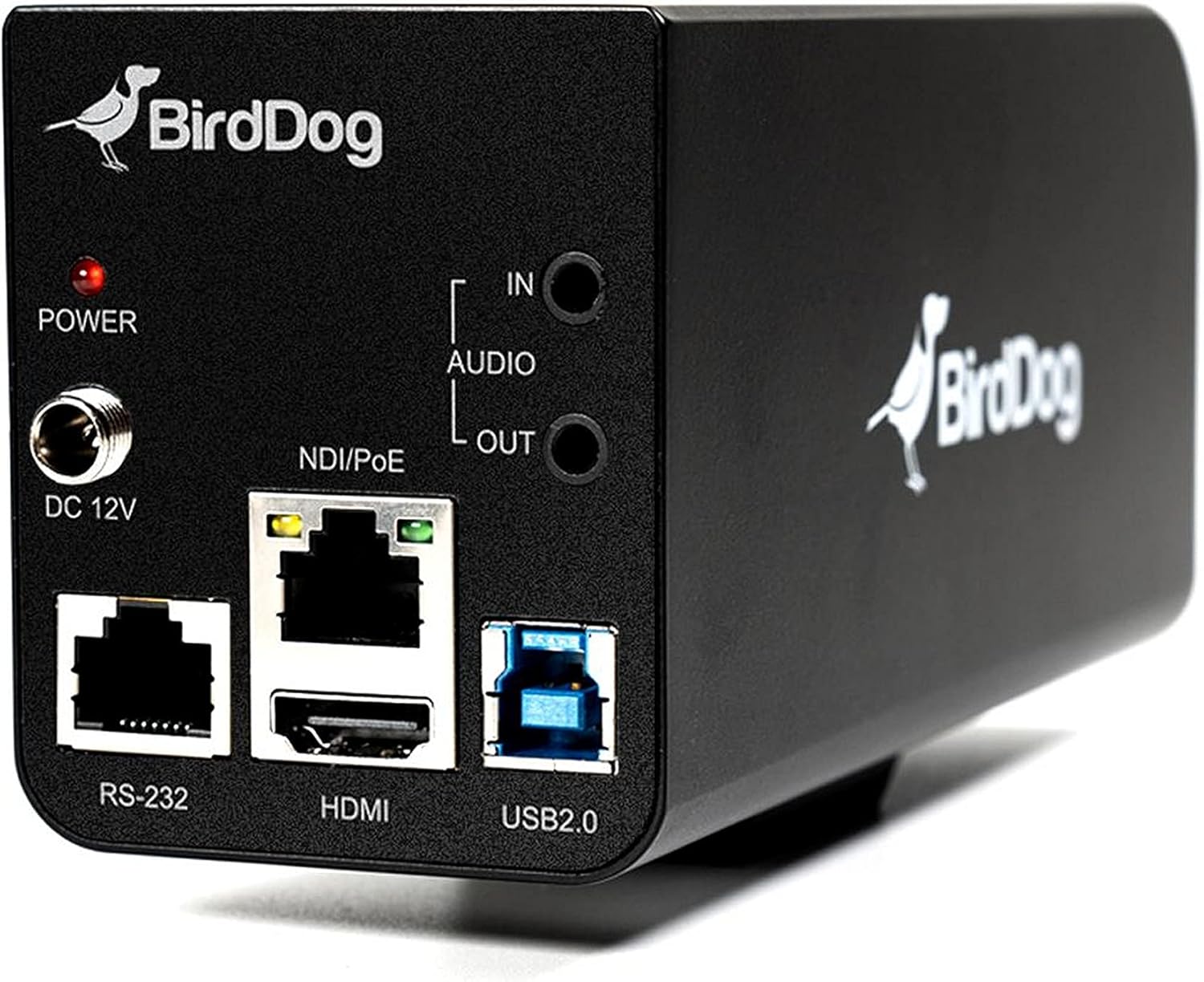
3.2-сүрөт: Rear panel of the BirdDog PF120, displaying the power input (DC 12V), audio input/output, NDI/PoE port, HDMI output, RS-232 port, and USB2.0 port.
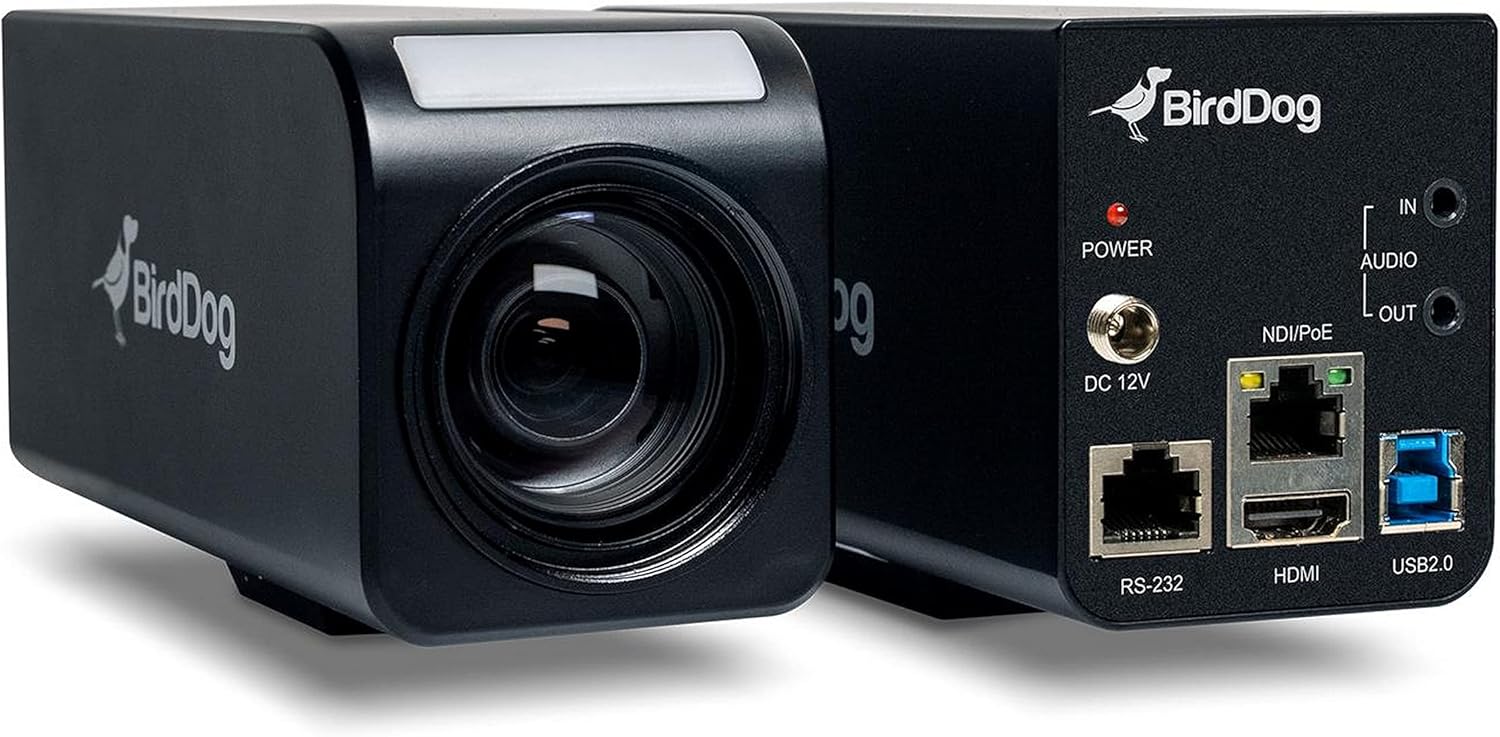
3.3-сүрөт: Комбинацияланган view of the BirdDog PF120, showing both the front lens assembly and the rear connectivity panel.

3.4-сүрөт: Жогорку view of the BirdDog PF120 camera, highlighting the sleek design and BirdDog branding.
4. Орнотуу
4.1 Күйгүзүү
- Connect the supplied DC 12V power adapter to the "DC 12V" port on the rear of the camera.
- Күч адаптерин ылайыктуу розеткага сайыңыз.
- Alternatively, if using a PoE-enabled network switch, connect an Ethernet cable to the "NDI/PoE" port. The camera will power on via Power over Ethernet.
4.2 Network Connection (NDI)
- Connect an Ethernet cable from the "NDI/PoE" port on the camera to your network switch or router.
- Ensure your network is configured to support NDI protocols.
- The camera will obtain an IP address automatically via DHCP. For static IP configuration, refer to the BirdDog Central application or web интерфейс.
4.3 Видео чыгаруу
- NDI Output: The primary video output is via NDI over the Ethernet connection.
- HDMI чыгышы: Connect an HDMI cable from the "HDMI" port on the camera to a monitor or video switcher for direct video monitoring.
5. Камераны иштетүү
5.1 Кирүү Web Интерфейс
- Once connected to the network, use the BirdDog Central application or an IP scanner to discover the camera's IP address.
- ачуу а web браузерге кирип, камерага кирүү үчүн анын IP дарегин киргизиңиз web интерфейс.
- From web interface, you can configure video settings, network parameters, and control camera functions.
5.2 Камераны башкаруу
The PF120 can be controlled via:
- NDI Tools: Utilize NewTek NDI Tools (e.g., NDI Studio Monitor) for basic control.
- BirdDog Central / Cam Control: BirdDog's dedicated software provides comprehensive control over camera settings, including zoom, focus, iris, and color matrix.
- RS-232: Connect a compatible serial controller to the RS-232 port for hardware control.
- Алыстан башкаруу: The camera supports remote control methods as specified in the product documentation.
5.3 Чоңойтуу жана Фокустоо
The PF120 features a 20x optical zoom lens. Zoom and focus adjustments are typically made through the web interface or compatible control software.
6. Техникалык тейлөө
- Тазалоо: Use a soft, dry cloth to clean the camera body. For the lens, use a specialized lens cleaning solution and microfiber cloth. Avoid abrasive cleaners.
- Программалык камсыздоонун жаңыртуулары: Periodically check the BirdDog webмикропрограммалык камсыздоону жаңыртуу сайты. Микропрограммалык камсыздоону жаңыртып туруу оптималдуу иштөөнү жана жаңы функцияларга жетүүнү камсыз кылат.
- Сактагыч: Узак мөөнөткө пайдаланылбаганда, камераны салкын, кургак жерде, тике күндүн нурунан жана экстремалдык температурадан алыс сактаңыз.
7. Кыйынчылыктарды
7.1 Күч жок
- Кубат адаптери камерага да, иштеген электр розеткасына да бекем туташып турганын текшериңиз.
- If using PoE, verify that the Ethernet cable is connected to a PoE-enabled port on your switch and that the switch is providing power.
7.2 No NDI Signal
- Ethernet кабелинин туташуусун текшериңиз.
- Verify that the camera has obtained an IP address (check your router's DHCP client list or use BirdDog Central).
- Ensure your network firewall is not blocking NDI traffic.
- Confirm that NDI tools or software on your receiving device are correctly configured to discover NDI sources.
7.3 Сүрөттүн сапаты маселелери
- Check lens for smudges or dust and clean if necessary.
- Adjust focus settings via the web interface or control software.
- Review exposure, white balance, and color matrix settings in the camera's web интерфейс.
8. Техникалык шарттар
| Өзгөчөлүк | Деталь |
|---|---|
| Модель номери | BD-BDPF120 |
| Видео тартуунун резолюциясы | 1080p |
| Натыйжалуу Video Resolution | 720 пиксел |
| Оптикалык масштаб | 20x |
| Чоңойтуу түрү | Digital Zoom, Optical Zoom |
| Байланыш технологиясы | Зымдуу |
| Connectivity Protocol | Wi-Fi (for control/management, NDI is primary video) |
| Башкаруу ыкмасы | Remote, Iris, RS-232 |
| Power Source | AC/DC, PoE |
| Ватtage | 5 ватт |
| Материал | Металл |
| Элементтин өлчөмдөрү (L x W x Y) | 9.9 x 9 x 3.6 дюйм |
| Элемент Салмагы | 2.94 фунт |
| Монтаж түрү | Wall Mount (as per spec, but typically box cameras are versatile) |
| Эл аралык коргоо рейтинги | IP65 |
| Төмөн жарык технологиясы | Түнкү түс |
9. Кепилдик жана колдоо
For warranty information and technical support, please refer to the official BirdDog website or contact your authorized BirdDog reseller. Keep your proof of purchase for warranty claims.
BirdDog Official Webсайт: www.bird-dog.tv