1. Киришүү
Сатып алганыңыз үчүн рахматasing the Blaupunkt BSR 20 Portable Bluetooth Jobsite Radio. This device is designed to provide robust and reliable audio entertainment in demanding environments. It features FM radio, Bluetooth connectivity, and an AUX-IN port, all housed in a durable, splash-proof casing. Please read this manual thoroughly to ensure proper use and to maximize the lifespan of your product.
2. Коопсуздук нускамалары
- Кубат булагы: Көрсөтүлгөн кубат адаптерин же батарейкаларды гана колдонуңуз. Көлөмүн текшериңизtage аппараттын талаптарына дал келет.
- Суу жана ным: While the device is IPX5 splash-proof, do not immerse it in water or expose it to heavy rain. Keep the battery compartment dry.
- Вентиляция: Желдетүүчү тешиктерди жаппаңыз. Түзмөктүн айланасында жетиштүү аба айланышын камсыз кылыңыз.
- Жылуулук: Түзмөктү радиаторлор, жылыткычтар, плиталар же башка жылуулук булактарынан (анын ичинде ampкөтөргүчтөр) жылуулукту пайда кылуучу.
- Тазалоо: Тазалоодон мурун электр кубатынан сууруп коюңуз. Жумшак, кургак чүпүрөктү колдонуңуз. Суюк же аэрозоль тазалагычтарды колдонбоңуз.
- Тейлөө: Бул продуктту өзүңүз тейлөөгө аракет кылбаңыз. Бардык тейлөөнү квалификациялуу тейлөө кызматкерлерине тапшырыңыз.
- Батареялар: Dispose of used batteries according to local regulations. Do not expose batteries to excessive heat or fire.
3. Продукциянын өзгөчөлүктөрү
- Күчтүү аудио: 5W RMS output for clear sound in noisy environments.
- Зымсыз туташуу: Bluetooth 4.2 for streaming music from smartphones and other compatible devices.
- Зымдуу туташуу: Integrated AUX-IN (3.5mm jack) for connecting MP3 players or other audio sources.
- FM радиосу: Digital FM tuner with up to 20 station presets.
- Туруктуу дизайн: Shock-resistant, splash-proof, dust-proof, and dirt-resistant (IPX5 rated).
- Көчүрүү мүмкүнчүлүгү: Lightweight (2.5 kg) with an integrated foldable carrying handle.
- Колдонуучуга ыңгайлуу башкаруулар: Robust buttons designed for use even with work gloves.
- Кубат параметрлери: Operates via mains power or 6x LR14 (1.5V) C-cell batteries.
4. Орнотуу
4.1 Аппаратты кубаттоо
The Blaupunkt BSR 20 can be powered by either mains electricity or batteries.
Электр энергиясы:
- Түзмөктөгү кубат киргизүү портун табыңыз.
- Берилген кубат адаптерин аппаратка туташтырыңыз.
- Кубат адаптерин ылайыктуу розеткага сайыңыз.
Батарея кубаттуулугу:
For portable use, the radio requires 6x LR14 (1.5V) C-cell batteries (not included).
- Locate the battery compartment on the back or bottom of the radio.
- Батарея уясынын капкагын ачыңыз.
- Insert 6x LR14 (1.5V) C-cell batteries, ensuring correct polarity (+/-).
- Close the battery compartment cover securely to maintain IPX5 rating.
4.2 Баштапкы күйгүзүү
басыңыз Күч баскычы (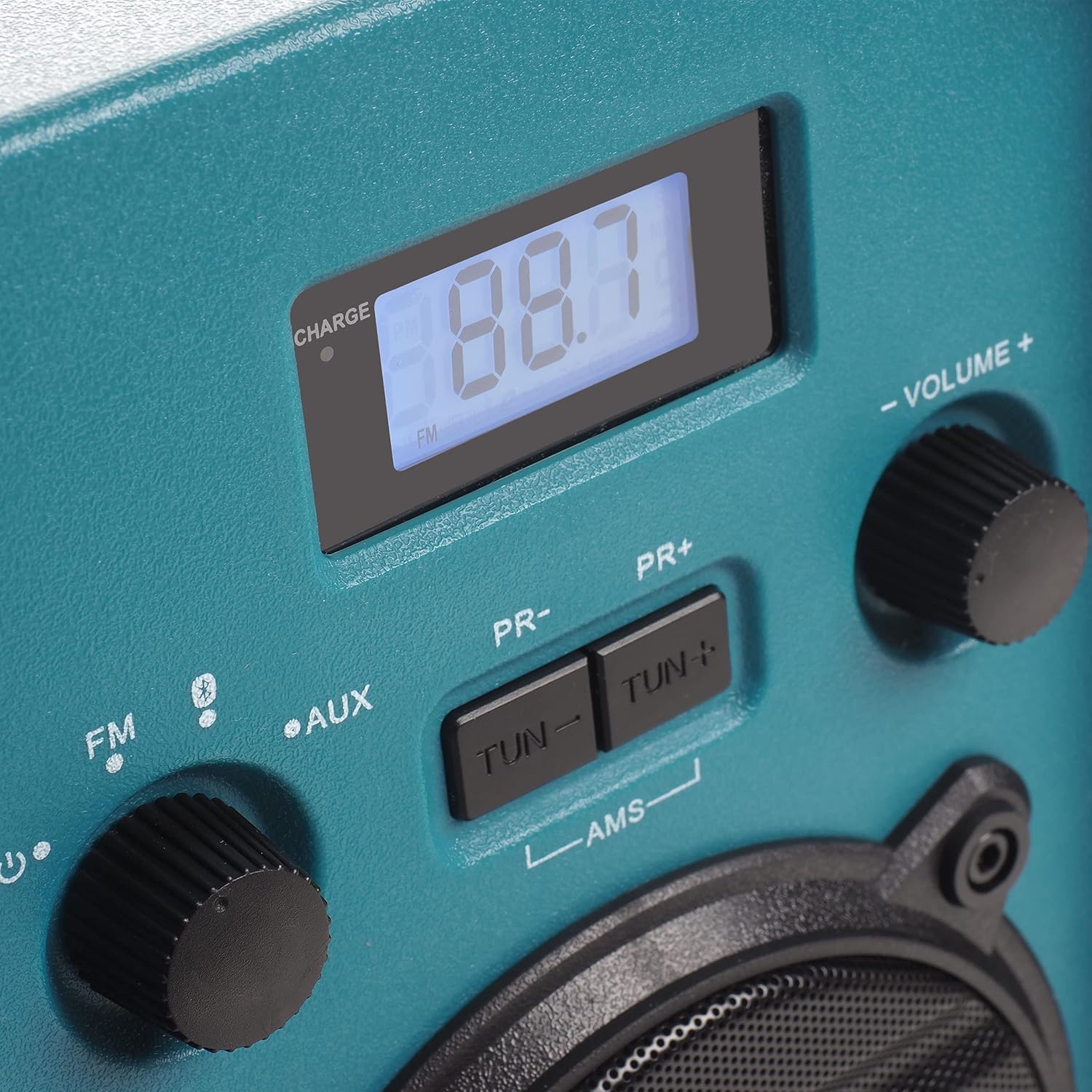 ) to turn on the radio. The display will illuminate.
5. Иштөө нускамалары
5.1 Режимди тандоо
Rotate the left knob to select between FM Radio, Bluetooth (), and AUX-IN modes.
5.2 FM радиосунун иштеши
- Тандоо FM mode using the left knob.
- Оптималдуу кабыл алуу үчүн антеннаны узартыңыз.
- колдонуу ТУН- жана TUN+ каалаган жыштыкка кол менен тууралоо үчүн баскычтар.
- To automatically scan and store stations, press and hold the AMS button. The radio will scan for available FM stations and store them as presets.
- колдонуу PR- жана PR+ buttons to navigate through stored preset stations.
5.3 Bluetooth жупташтыруу
- Тандоо Bluetooth mode using the left knob. The display will show "BT" and flash, indicating it is in pairing mode.
- Смартфонуңузда же башка Bluetooth түзмөгүңүздө Bluetooth'ту күйгүзүп, жеткиликтүү түзмөктөрдү издеңиз.
- Select "Blaupunkt BSR 20" from the list of devices.
- Once paired, the display will show a steady "BT" and you can play audio from your connected device.
5.4 AUX-IN Connection
- Тандоо AUX mode using the left knob.
- Connect one end of a 3.5mm audio cable (not included) to the AUX-IN port on the radio.
- Connect the other end of the audio cable to the headphone jack or audio output of your external device (e.g., MP3 player, smartphone).
- Тышкы түзмөгүңүздөн аудио ойнотуңуз.
5.5 Үндү башкаруу
Rotate the right knob labeled VOLUME +/- to adjust the audio output level.
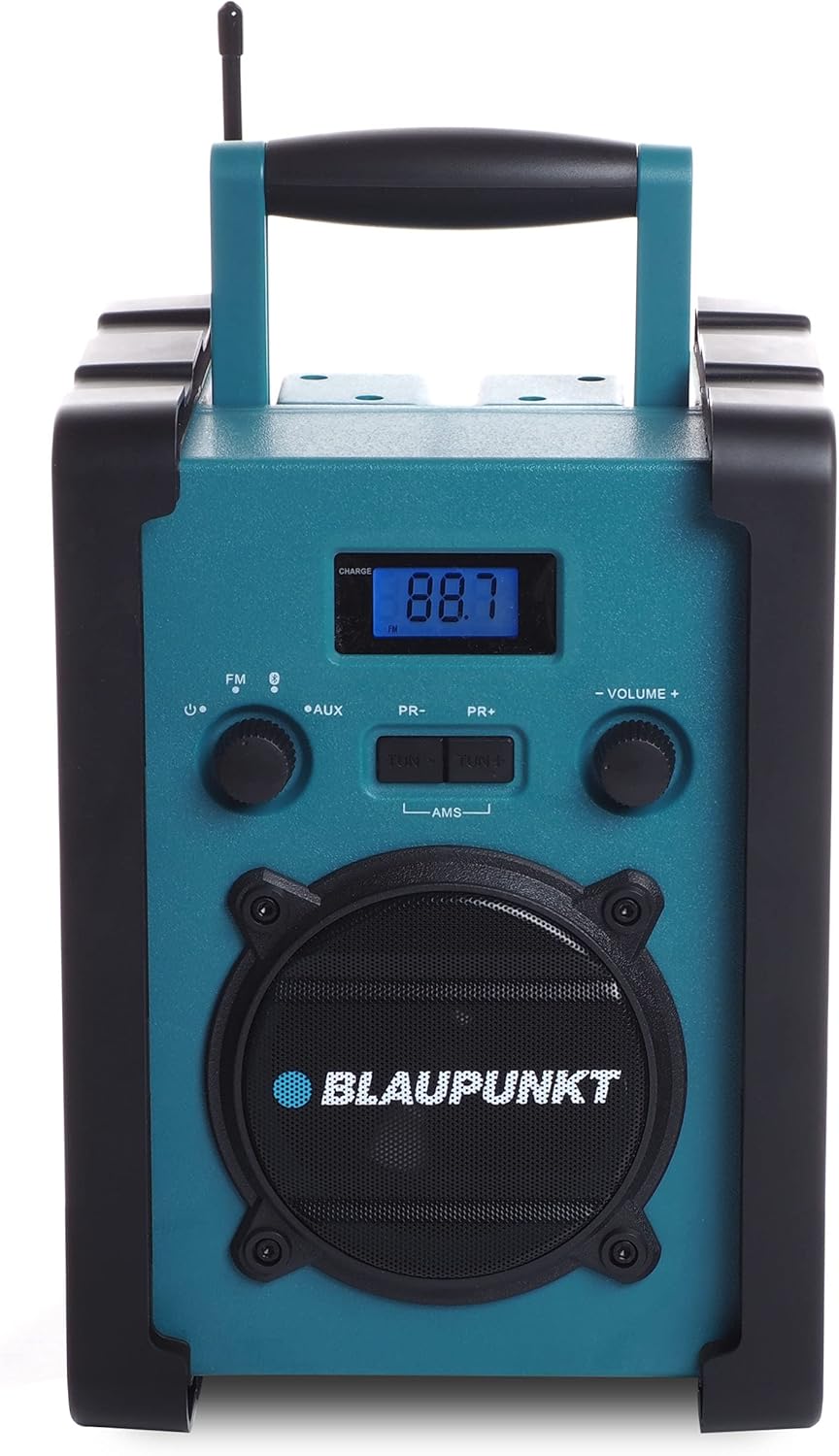
Сүрөт 1: Алдыңкы view of the Blaupunkt BSR 20 jobsite radio, showing the display, controls, and speaker.
Figure 2: Close-up of the control panel, showing the digital display, FM/AUX/Bluetooth selection, tuning buttons, and volume knob.
6. Техникалык тейлөө
6.1 Тазалоо
To clean the radio, ensure it is powered off and disconnected from the mains. Use a soft, slightly damp cloth to wipe down the exterior. Do not use abrasive cleaners, solvents, or strong chemicals, as these may damage the surface.
6.2 Сактоо
When not in use for extended periods, store the radio in a cool, dry place. If using batteries, remove them to prevent leakage and potential damage to the device.
7. Кыйынчылыктарды
| Көйгөй | Мүмкүн себеп | Чечим |
|---|---|---|
| Күч жок | Кубат адаптери туташтырылган эмес; Батареялар түгөндү же туура эмес орнотулган. | Кубат адаптеринин туташуусун текшериңиз; Батареяларды алмаштырыңыз же полярдуулуктун тууралыгын текшериңиз. |
| Үн жок | Volume too low; Incorrect mode selected; Device not paired (Bluetooth); AUX cable not connected properly. | Increase volume; Select correct mode (FM, BT, AUX); Re-pair Bluetooth device; Check AUX cable connection. |
| FM кабыл алуу начар | Антенна узартылган эмес; Алсыз сигнал аймагы. | Fully extend the antenna; Try repositioning the radio. |
| Bluetooth туташпай жатат | Radio not in pairing mode; Device too far; Bluetooth disabled on external device. | Ensure radio is in Bluetooth pairing mode; Move device closer; Enable Bluetooth on external device. |
8. Техникалык шарттар
- Бренд: BLAUPUNKT
- Модел: BSR 20
- Түсү: Көк
- Байланыш технологиясы: Bluetooth
- Өзгөчөлүктөр: Shock-resistant, Portable, IPX5 Splash-proof
- Шайкеш түзмөктөр: Smartphone, Tablet, MP3 Player
- Продукциянын өлчөмдөрү (L x W x Y): 19.8 см х 18.8 см х 27.4 см
- Тюнинг технологиясы: Санарип
- Кубат булагы: Mains / Battery powered
- Колдоого алынган радио тилкелери: FM
- Батарея түрү: 6x LR14 (1.5V) C-cell batteries (not included)
- RMS чыгаруу: 5W
9. Кепилдик жана колдоо
This product is covered by a manufacturer's warranty. Please refer to the warranty card included with your purchase for specific terms and conditions. For technical support, service, or warranty claims, please contact your retailer or the official Blaupunkt customer service. Keep your proof of purchase for warranty validation.


