1. Киришүү
Thank you for choosing the MAXXMEE Cordless Screwdriver Model 2112. This manual provides essential information for the safe and efficient operation, maintenance, and troubleshooting of your new tool. Please read these instructions carefully before first use and keep them for future reference.
2. Коопсуздук нускамалары
Өрт, электр тогуна урунуу жана жеке жаракат алуу коркунучун азайтуу үчүн электр шаймандарын колдонууда ар дайым негизги коопсуздук чараларын сактаңыз.
- Жумуш аймагынын коопсуздугу: Иштеген жериңизди таза жана жарыктандырыңыз. Башаламан же караңгы жерлер кырсыкка чакырат. Жарылуучу чөйрөдө, мисалы, күйүүчү суюктуктар, газдар же чаң бар жерде электр шаймандарын иштетпеңиз.
- Электр коопсуздугу: Түтүктөр, радиаторлор, диапазондор жана муздаткычтар сыяктуу жерге туташтырылган же жерге туташтырылган беттерге денеге тийбеңиз. Электр шаймандарын жамгырга же нымдуу шарттарга тийгизбеңиз.
- Жеке коопсуздук: Дайыма коргоочу көздү тагыныңыз. Зарыл болгон учурда чаң маскалары, тайгаланбаган коопсуздук бут кийимдери, шляпалар же угууну коргоо сыяктуу тиешелүү коопсуздук жабдууларын колдонуңуз. туура кийинүү; кенен кийимдерден же зер буюмдардан алыс болуңуз.
- Куралды колдонуу жана кам көрүү: Электр аспапты күчтөп албаңыз. Колдонмоңуз үчүн туура электр шайманын колдонуңуз. Кандайдыр бир тууралоолорду жасоодон, аксессуарларды алмаштыруудан же электр шаймандарын сактоодон мурда шнурду кубат булагынан жана/же батарейка пакетин электр шайманынан ажыратыңыз.
- Батареянын коопсуздугу: This tool contains an integrated rechargeable battery. Do not incinerate the battery even if it is severely damaged or completely worn out. Batteries can explode in a fire. Do not short-circuit the battery.
3. Пакеттин мазмуну
Сураныч, бардык буюмдар бар экенин жана жакшы абалда экендигин текшериңиз:
- 1 x MAXXMEE Cordless Screwdriver Model 2112
- 1 x 30-piece Bit Set (various screwdriver bits and drill bits)
- 1 x заряддоо кабели (USB)
- 1 x User Manual

3.1-сүрөт: The included 30-piece bit set, featuring various screwdriver and drill bits for diverse applications.
4. Продукт бүтүп калдыview
Familiarize yourself with the components of your MAXXMEE Cordless Screwdriver.
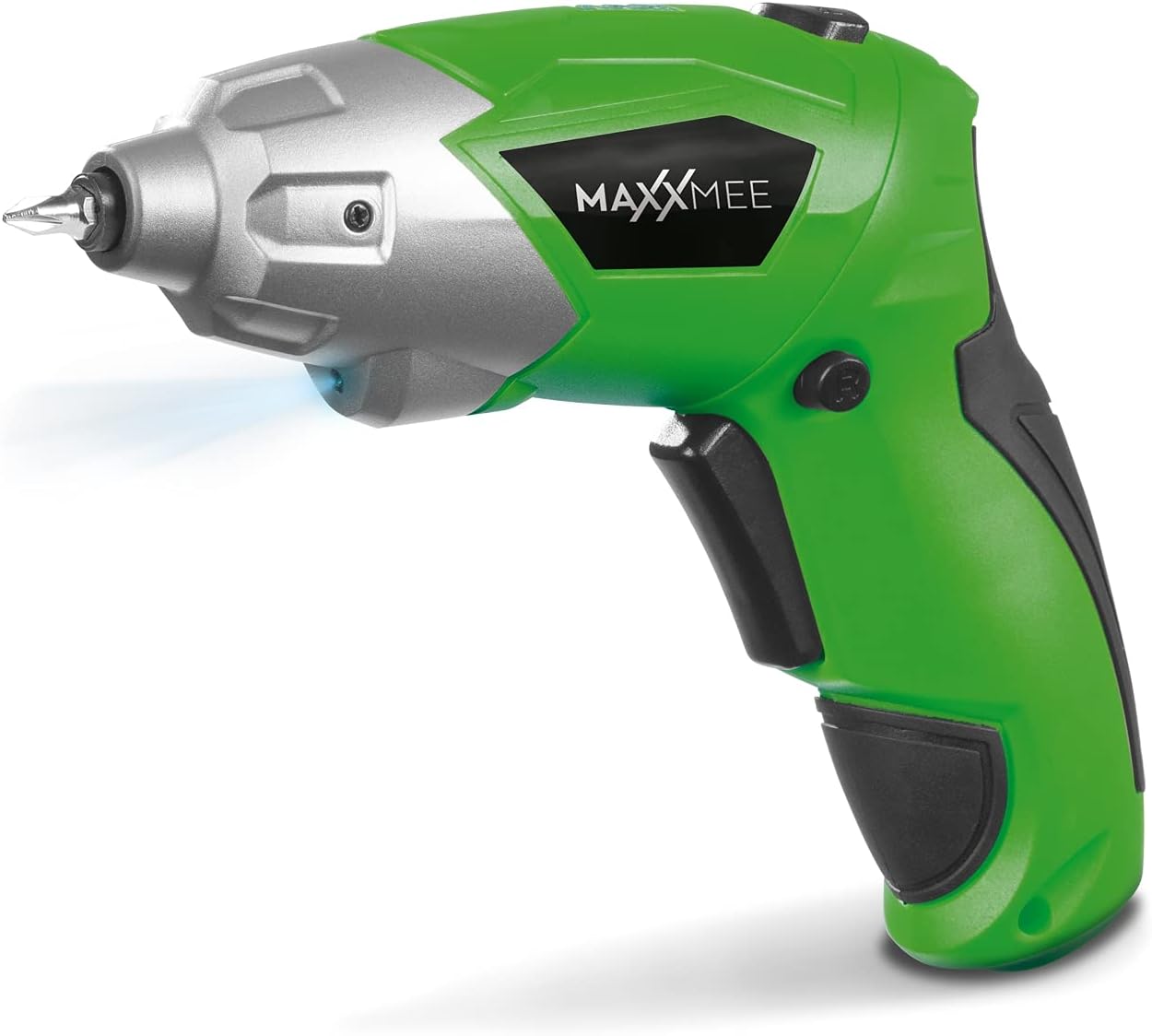
4.1-сүрөт: Фронт view of the MAXXMEE Cordless Screwdriver, highlighting its compact design.

4.2-сүрөт: The cordless screwdriver demonstrating its flexible handle position, integrated LED light, and forward/reverse rotation switch.
- Bit Holder (Magnetic)
- LED иш жарык
- Алдыга/Артка айлантуу которгучу
- Flexible Handle Release Button
- Trigger Тизмеге
- Заряддоо порту
- Батарея деңгээлинин көрсөткүчү
5. Орнотуу
5.1. Charging the Screwdriver
Before first use, fully charge the screwdriver's integrated battery. The battery is not fully charged at the time of purchase.
- Connect the provided charging cable to the charging port on the screwdriver.
- Connect the other end of the USB charging cable to a suitable USB power adapter (not included) or a powered USB port.
- The battery indicator lights will show the charging status. Allow several hours for a full charge.
- Толук заряддалгандан кийин, заряддоо кабелин ажыратыңыз.
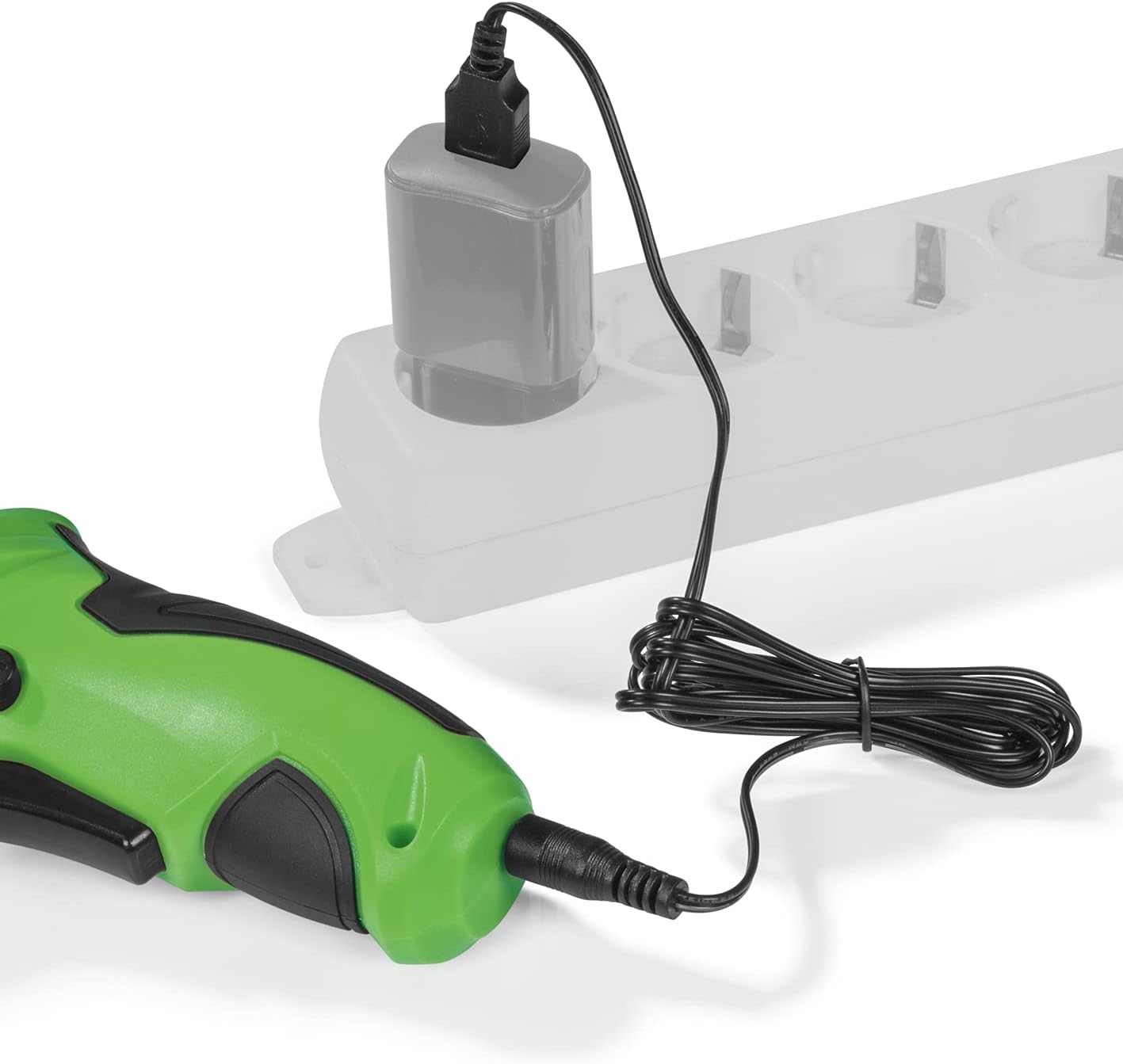
5.1-сүрөт: Connecting the charging cable to the screwdriver and a power source.
5.2. Inserting Screwdriver Bits
The screwdriver features a magnetic bit holder for quick and easy bit changes.
- Бурагыч өчүрүлгөнүн жана алдыга/артка которгуч нейтралдуу (кулпуланган) абалда экенин текшериңиз.
- Select the appropriate bit from the 30-piece set.
- Insert the bit firmly into the magnetic bit holder until it is securely seated.
- Алып салуу үчүн, жөн гана битти тартыңыз.
6. Иштөө нускамалары
6.1. Powering On/Off and Rotation Direction
The trigger switch activates the screwdriver, and the forward/reverse switch controls the rotation direction.
- To drive screws (forward rotation), push the forward/reverse switch to the left.
- To remove screws (reverse rotation), push the forward/reverse switch to the right.
- To lock the trigger and prevent accidental activation, place the switch in the center position.
- Press the trigger switch to operate the screwdriver. Release to stop.
6.2. Adjusting the Flexible Handle
The screwdriver features a variable curved handle for optimal comfort and access in different working conditions.
- Ensure the screwdriver is off.
- Press the flexible handle release button (refer to Figure 4.2 for location).
- Adjust the handle to the desired position (straight or pistol grip).
- Release the button to lock the handle in place. Ensure it is securely locked before use.
6.3. LED Work Light колдонуу
The integrated LED work light illuminates the work area for improved visibility, especially in dark or confined spaces.
- The LED light automatically activates when the trigger switch is pressed.
- It turns off when the trigger is released.
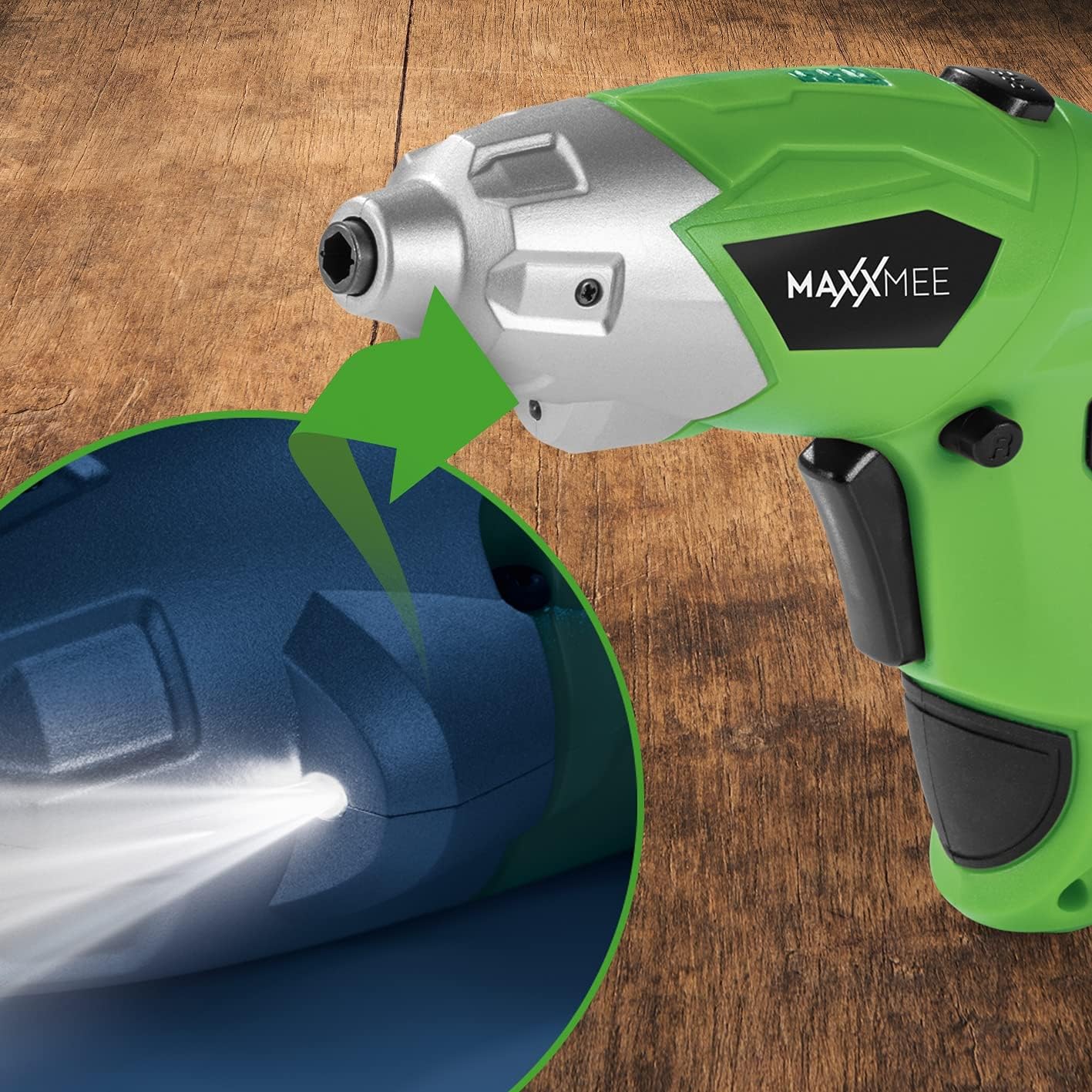
6.1-сүрөт: Жакын план view of the LED work light illuminating the work surface.
6.4. Батарея деңгээлинин көрсөткүчү
The battery level indicator provides a visual representation of the remaining battery charge.
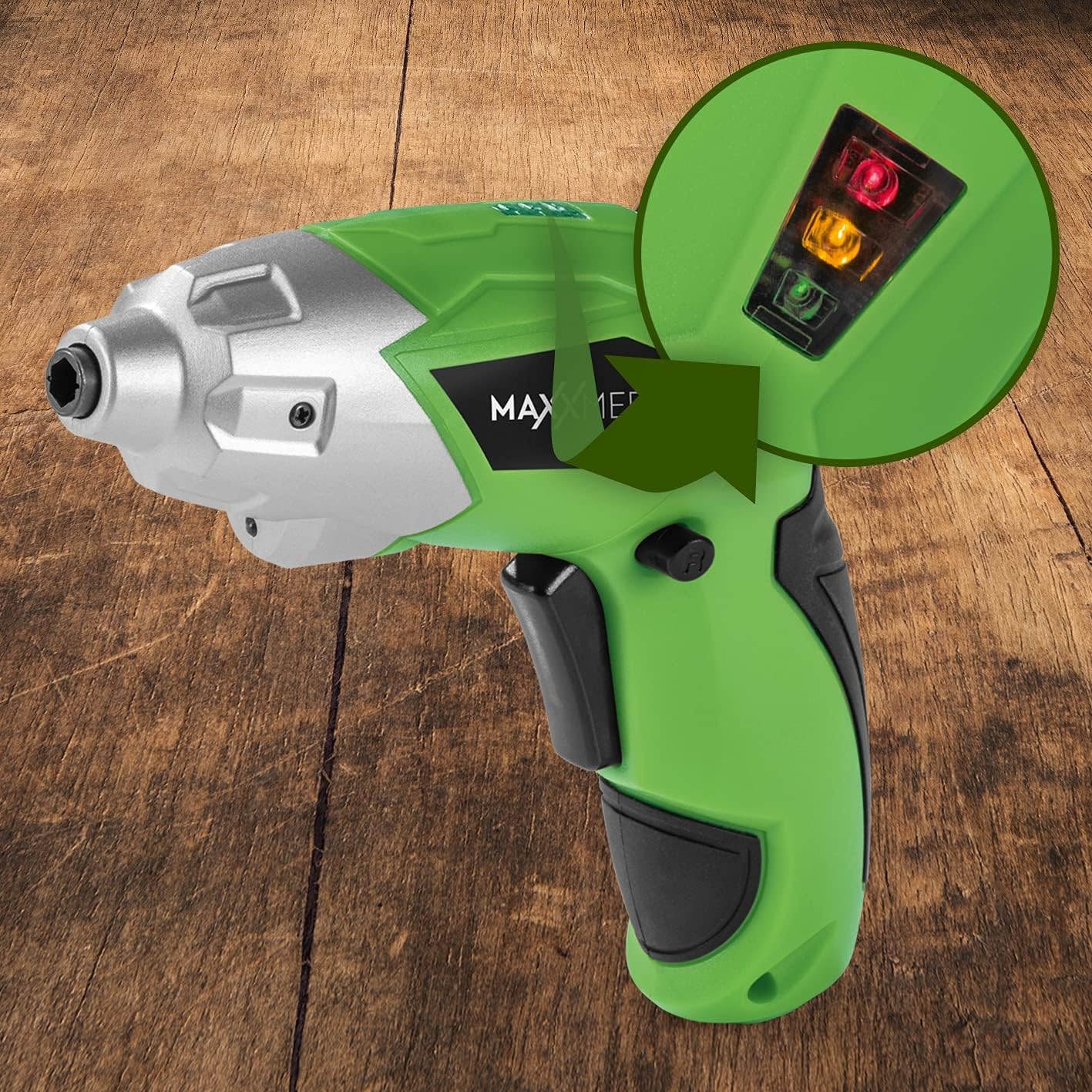
6.2-сүрөт: The battery level indicator showing the charge status with colored lights.
- Green light: High charge.
- Yellow light: Medium charge.
- Red light: Low charge, recharge soon.
For optimal performance, recharge the screwdriver when the indicator shows a low charge.
7. Техникалык тейлөө
Тийиштүү тейлөө бурагычыңыздын узак мөөнөттүү иштешин жана оптималдуу иштешин камсыз кылат.
- Тазалоо: Always disconnect the screwdriver from any power source before cleaning. Use a soft, damp cloth to wipe down the exterior. Do not use harsh chemicals or abrasive cleaners. Keep ventilation openings free from dust and debris.
- Сактагыч: Store the screwdriver and its accessories in a dry, cool place, away from direct sunlight and moisture. Keep it out of reach of children.
- Батареяга кам көрүү: For long-term storage, it is recommended to charge the battery to approximately 50% every few months to maintain battery health.
8. Кыйынчылыктарды
If you encounter issues with your screwdriver, refer to the following common problems and solutions:
| Көйгөй | Мүмкүн себеп | Чечим |
|---|---|---|
| Бурагыч күйбөйт. | Батарея заряды түгөнгөн. | Батарейканы толугу менен кубаттаңыз. |
| Бурагычтын күчү жетпейт. | Батарея заряды аз. | Батареяны кайра заряддаңыз. |
| Bit is loose or falls out. | Bit not fully inserted or incorrect bit size. | Ensure the bit is fully inserted into the magnetic holder. Use appropriate bit size. |
| Handle does not lock in place. | Release button not fully engaged or debris preventing lock. | Ensure the release button is fully pressed and released. Check for obstructions. |
Бул чечимдерди колдонуп көргөндөн кийин көйгөй чечилбесе, кардарларды колдоо менен байланышыңыз.
9. Техникалык шарттар
| Өзгөчөлүк | Спецификация |
|---|---|
| Модель номери | 2112 |
| Бренд | MAXXMEE |
| Тtage | 3.6 вольт |
| Max Torque | 4 Нм |
| Power Source | Батарея менен иштейт (кайра заряддалуучу) |
| Материал | Металл |
| Өзгөчөлүктөр | Cordless, Flexible Handle, LED Work Light |
| Камтылган компоненттер | 1 Cordless Screwdriver, 30-piece Bit Set, Charging Cable |
| Пакеттин өлчөмдөрү | 15 x 15 x 7.2 см |
| Салмагы | 800 грамм |
10. Кепилдик жана колдоо
MAXXMEE products are manufactured to high-quality standards. In the unlikely event of a defect or malfunction, please refer to your purchase documentation for warranty details. For technical support, spare parts, or service inquiries, please contact your retailer or the MAXXMEE customer service department. Please have your model number (2112) and purchase date available when contacting support.


