1. Киришүү
Сатып алганыңыз үчүн рахматasing the EARISE D61 Plus Bluetooth Speaker. This manual provides important information regarding the safe operation, setup, and maintenance of your device. Please read it thoroughly before use and retain it for future reference.

Image 1.1: The EARISE D61 Plus Bluetooth Speaker, showcasing its portable design and integrated RGB lighting.
2. Коопсуздук боюнча маанилүү маалымат
- Do not expose the speaker to water or excessive moisture, as it is not waterproof.
- Ашыкча температурадан, түз күн нурунан же жылуулук булактарынан алыс болуңуз.
- Түзмөктү бөлүктөргө бөлбөңүз, оңдобоңуз же өзгөртпөңүз. Бардык тейлөө иштерин квалификациялуу адистерге тапшырыңыз.
- Белгиленген кубаттоо кабелин жана кубат адаптерин гана колдонуңуз.
- Динамикти балдардан жана үй жаныбарларынан алыс кармаңыз.
- Do not operate the speaker at excessively high volumes for prolonged periods to prevent hearing damage.
3. Пакеттин мазмуну
Сураныч, пакетте төмөнкү нерселерди текшериңиз:
- EARISE D61 Plus Bluetooth Speaker
- USB заряддоо кабели
- Колдонуучунун Колдонмосу (бул документ)
Эгерде кандайдыр бир нерселер жок болсо же бузулса, кардарларды колдоо менен байланышыңыз.
4. Продукт бүтүп калдыview
Спикердин компоненттери жана башкаруу элементтери менен таанышыңыз.
Сүрөт 4.1: Алдыңкы view of the EARISE D61 Plus speaker, highlighting the control panel and speaker grille.
4.1 Башкаруу панели жана порттор

Image 4.2: Diagram illustrating the various input options and features of the speaker, including USB, TF card, AUX, Microphone, Bluetooth, and FM radio.
- РЕЖИМ/ЖАРЫК баскычы: Short press to switch between input modes (Bluetooth, AUX, USB, TF, FM). Long press to change light effects.
- M-/V- Button: Short press for previous track (in music modes) or previous station (in FM mode). Long press to decrease volume.
- MSCAN/TWS Button: Short press to Play/Pause (in music modes) or auto-scan FM stations (in FM mode). Long press to activate TWS pairing.
- M+/V+ Button: Short press for next track (in music modes) or next station (in FM mode). Long press to increase volume.
- USB порт: USB флэш-дискти ойнотуу үчүн.
- TF карта уячасы: TF (MicroSD) картасын ойнотуу үчүн.
- AUX киргизүү: 3.5 мм аудио кабели аркылуу тышкы аудио түзмөктөрдү туташтыруу үчүн.
- MIC киргизүү: Микрофонду туташтыруу үчүн.
- Заряддоо порту: Динамиктин ички батареясын заряддоо үчүн.
5. Орнотуу
5.1 Динамикти заряддоо
Before first use, fully charge the speaker. Connect the provided USB charging cable to the speaker's charging port and the other end to a USB power adapter (not included) or a computer's USB port. The charging indicator will illuminate during charging and turn off when fully charged.

Image 5.1: Visual representation of the speaker being charged, indicating battery status.
5.2 Күйгүзүү/өчүрүү
Press and hold the Power button (often integrated with the MODE button or a separate switch, refer to physical device for exact location) to turn the speaker ON or OFF. A sound prompt will indicate the power status.
5.3 Bluetooth жупташтыруу
- Ensure the speaker is powered on and in Bluetooth mode (indicated by a voice prompt or flashing LED). If not, short press the MODE/LIGHT button to switch to Bluetooth mode.
- Мобилдик түзмөгүңүздө Bluetooth'ду иштетиңиз (смартфон, планшет ж.б.).
- Издөө available Bluetooth devices. You should see "EARISE D61 Plus" in the list.
- Select "EARISE D61 Plus" to connect. Once paired, a confirmation sound will be heard.
- The speaker will automatically reconnect to the last paired device when in Bluetooth mode, if the device is within range and Bluetooth is enabled.
5.4 TWS (чыныгы зымсыз стерео) жупташтыруу
To achieve stereo sound, you can pair two EARISE D61 Plus speakers together.

Image 5.2: Illustration of two EARISE D61 Plus speakers connected via TWS for a stereo audio experience, controlled by a single smartphone.
- Ensure both EARISE D61 Plus speakers are powered on and in Bluetooth mode, but not yet connected to any device.
- On one of the speakers (this will be the primary speaker), long press the MSCAN/TWS button. You will hear a prompt indicating TWS pairing mode.
- The two speakers will automatically search for and connect to each other. A confirmation sound will indicate successful TWS pairing.
- Once paired, the primary speaker will be ready for Bluetooth connection to your mobile device. Follow the steps in "5.3 Bluetooth Pairing" to connect your device to the primary speaker.
- Аудио эми эки динамиктен тең стерео режиминде ойнотулат.
- To disconnect TWS, long press the MSCAN/TWS button on either speaker.
6. Иштөө нускамалары
6.1 Режимди тандоо
баскычын кыска басыңыз РЕЖИМ/ЖАРЫК button to cycle through available input modes: Bluetooth, AUX, USB, TF Card, FM Radio.
6.2 Audio Playback (Bluetooth, USB, TF Card, AUX)
- Ойнотуу/тындыруу: баскычын кыска басыңыз MSCAN/TWS баскычы.
- Кийинки трек: баскычын кыска басыңыз M+/V+ баскычы.
- Мурунку трек: баскычын кыска басыңыз M-/V- баскычы.
- Көлөмү: көпкө басыңыз M+/V+ баскычы.
- Үнүн азайтуу: көпкө басыңыз M-/V- баскычы.
6.3 FM радиосунун иштеши
- колдонуп FM режимине которулуңуз РЕЖИМ/ЖАРЫК баскычы.
- баскычын кыска басыңыз MSCAN/TWS button to automatically scan and save available FM stations. The speaker will play the first saved station.
- Кыска басуу M+/V+ or M-/V- сакталган станциялардын ортосунда чабыттоо.
6.4 RGB Light Effects
The speaker features dynamic RGB lighting. Long press the РЕЖИМ/ЖАРЫК ар кандай жарык режимдерин алмаштыруу же жарыкты өчүрүү үчүн баскычты басыңыз.
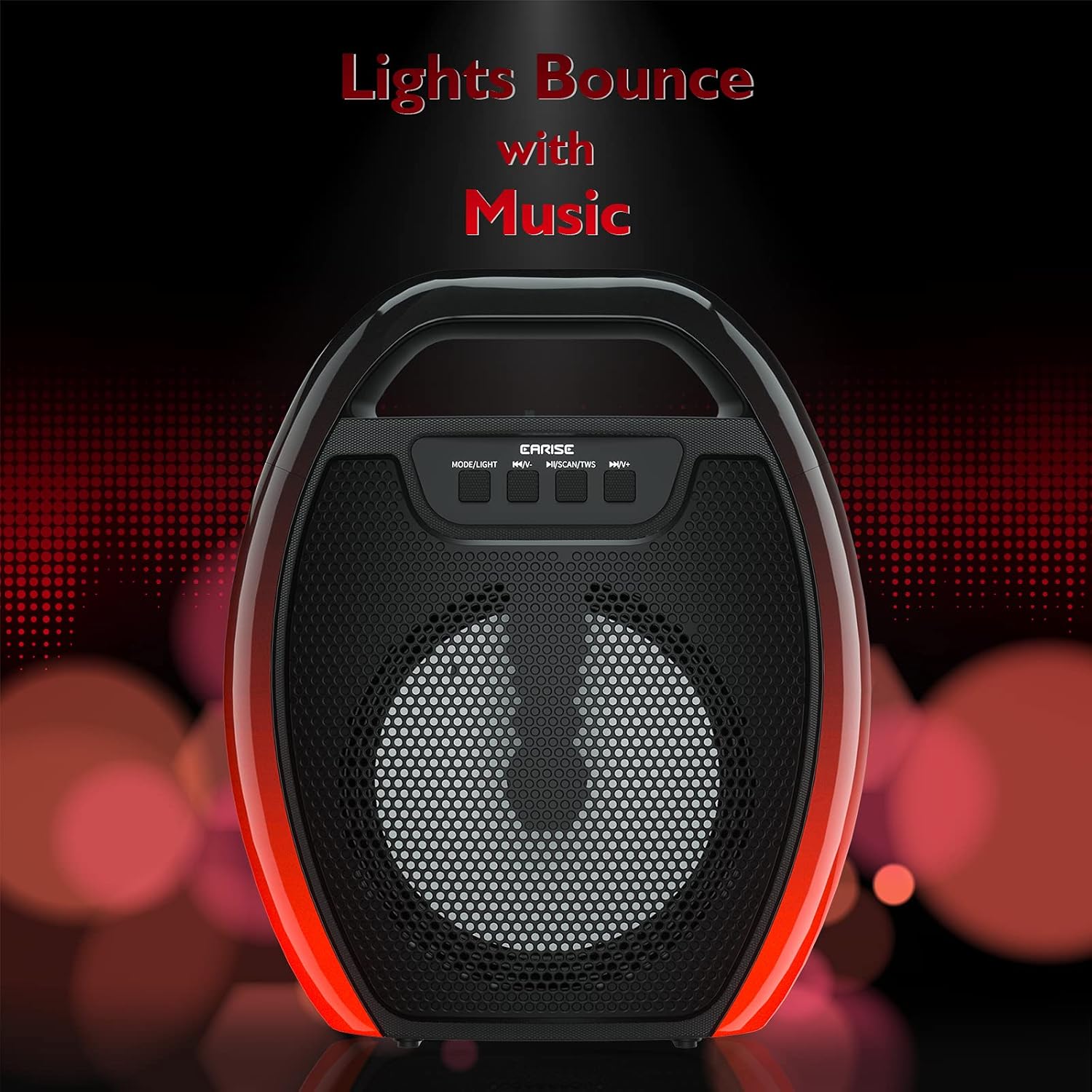
Image 6.1: The speaker displaying its light effects, which can synchronize with music playback.
6.5 Микрофон киргизүү
Connect a wired microphone (not included) to the MIC input port for karaoke or public address functions. Adjust the microphone volume using the connected microphone's controls or the speaker's main volume controls.
7. Техникалык тейлөө
- Тазалоо: Use a soft, dry cloth to clean the speaker. Do not use liquid cleaners or aerosols.
- Сактагыч: Динамикти түз күн нурунан жана өтө температурадан алыс салкын, кургак жерде сактаңыз.
- Батареяга кам көрүү: To prolong battery life, fully charge the speaker before long periods of inactivity and recharge it at least once every three months. Avoid completely draining the battery frequently.
8. Кыйынчылыктарды
| Көйгөй | Мүмкүн себеп | Чечим |
|---|---|---|
| Динамик күйбөйт. | Батареянын аздыгы; Кубат баскычы туура басылган жок. | Динамикти кубаттаңыз; Кубат баскычын бир нече секунд басып туруңуз. |
| Bluetooth аркылуу жупташтыруу мүмкүн эмес. | Динамик жупташтыруу режиминде эмес; Түзмөктүн Bluetooth өчүк; Динамик аппараттан өтө алыс; Башка түзмөккө мурунтан эле туташкан. | Ensure speaker is in Bluetooth pairing mode; Turn on Bluetooth on your device; Move device closer to speaker; Disconnect from other devices. |
| Үн жок. | Үн өтө төмөн; Туура эмес киргизүү режими; Түзмөк аудио ойнотпой жатат. | Increase speaker and device volume; Switch to correct input mode (Bluetooth, AUX, etc.); Ensure audio is playing on your device. |
| TWS жупташтыруу ишке ашпай калды. | Speakers too far apart; One speaker already paired to a device; Not in TWS pairing mode. | Ensure speakers are close; Disconnect both speakers from any devices; Long press MSCAN/TWS on one speaker to initiate TWS pairing. |
| RGB чырактары иштебей жатат. | жарык өчүрүлгөн; Бузулуу. | Long press MODE/LIGHT button to cycle through light modes; If issue persists, contact support. |
9. Техникалык шарттар
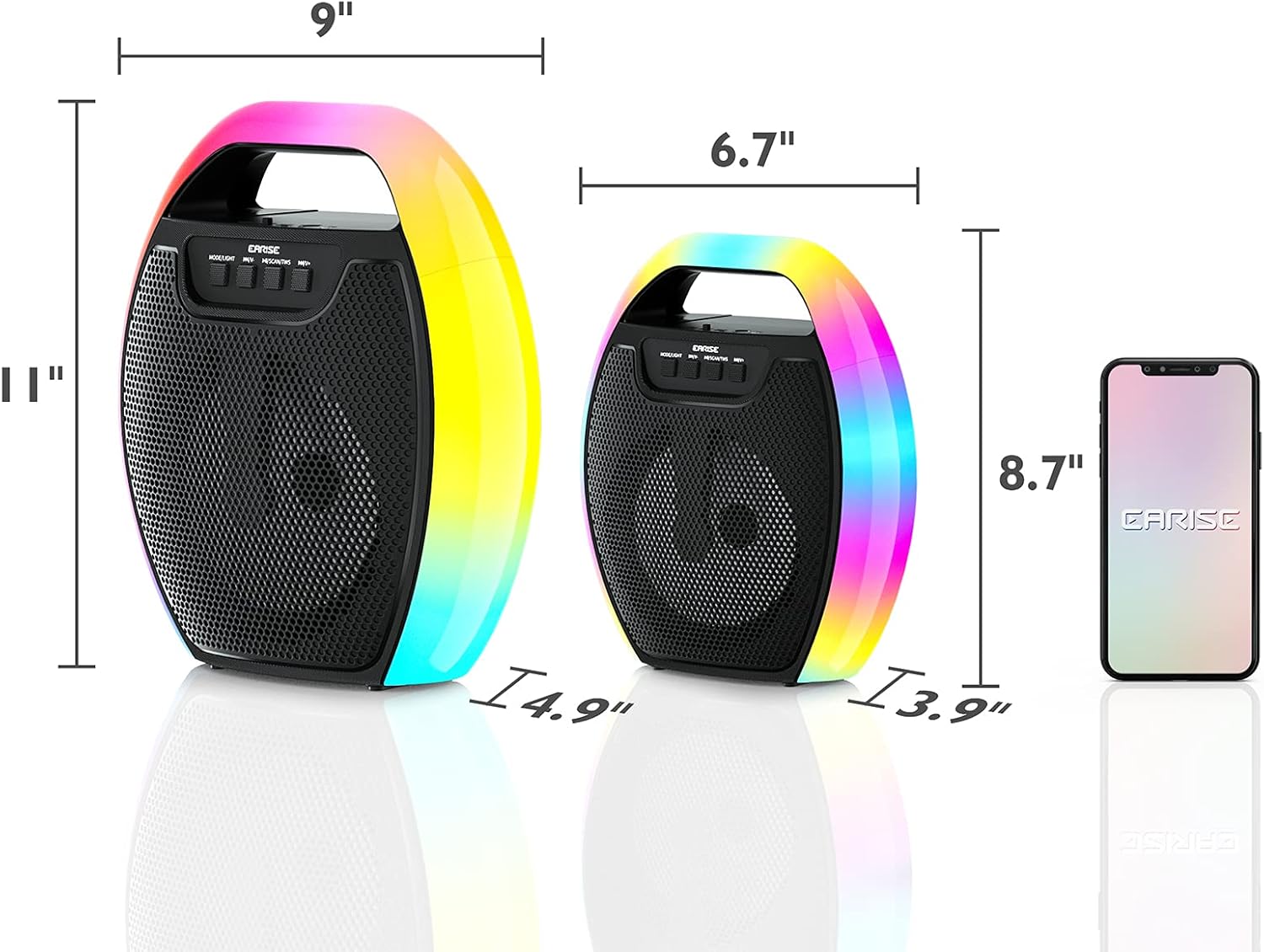
Image 9.1: Product dimensions of the EARISE D61 Plus speaker.
| Өзгөчөлүк | Деталь |
|---|---|
| Модель аты | D61 Plus |
| Бренд | ERISE |
| Байланыш технологиясы | Bluetooth, Auxiliary (3.5mm), USB, TF Card, FM Radio |
| Аудио чыгаруу режими | Стерео (TWS менен) |
| Динамик түрү | Портативдик тышкы динамик |
| Динамик өлчөмү | 4 дюйм |
| Power Source | Батарея менен иштейт |
| Батареянын иштөө мөөнөтү | Up to 12 Hours (actual playtime varies with volume and light usage) |
| Суу өткөрбөйт | Жок |
| Продукциянын өлчөмдөрү | 9 x 5 x 11 дюйм (L x W x H) |
| Элемент Салмагы | 2.28 фунт |
| Өзгөчөлүктөр | RGB Lights, TWS Pairing, Portable |
10. Кепилдик жана колдоо
EARISE products are designed and manufactured to the highest quality standards. For information regarding warranty coverage, technical support, or service inquiries, please refer to the warranty card included with your purchase or visit the official EARISE webсайт.
Кепилдик дооматтары үчүн сатып алганыңыздын далилин сактап коюңуз.


