Introduction
This user manual provides comprehensive instructions for the Altec Lansing HydraMotion Wireless Bluetooth Speaker. It covers setup, operation, maintenance, and troubleshooting to ensure optimal performance and longevity of your device. The HydraMotion speaker is designed for robust outdoor use, featuring 360-degree sound, IP67 Everything Proof rating (Waterproof, Snowproof, Dustproof, Shockproof), and up to 12 hours of playtime.
Продукт бүттүview
The Altec Lansing HydraMotion speaker delivers powerful audio in a compact, durable design. It is built to withstand various environmental conditions, making it ideal for outdoor adventures. Key features include:
- 360 градус үн: Designed with speakers on all sides for immersive audio.
- IP67 Баарын далилдейт: Waterproof, Snowproof, Dustproof, and Shockproof for reliable use in any condition.
- 12 сааттык ойноо убактысы: Extended battery life for continuous music enjoyment.
- 100ft Bluetooth Range: Connect wirelessly from a significant distance.
- Компакт жана көчмө: Lightweight design with an included carabiner clip for easy transport.
Кутуда эмне бар:
- Altec Lansing HydraMotion Wireless Bluetooth Speaker
- USB кабели
- Карабин клип
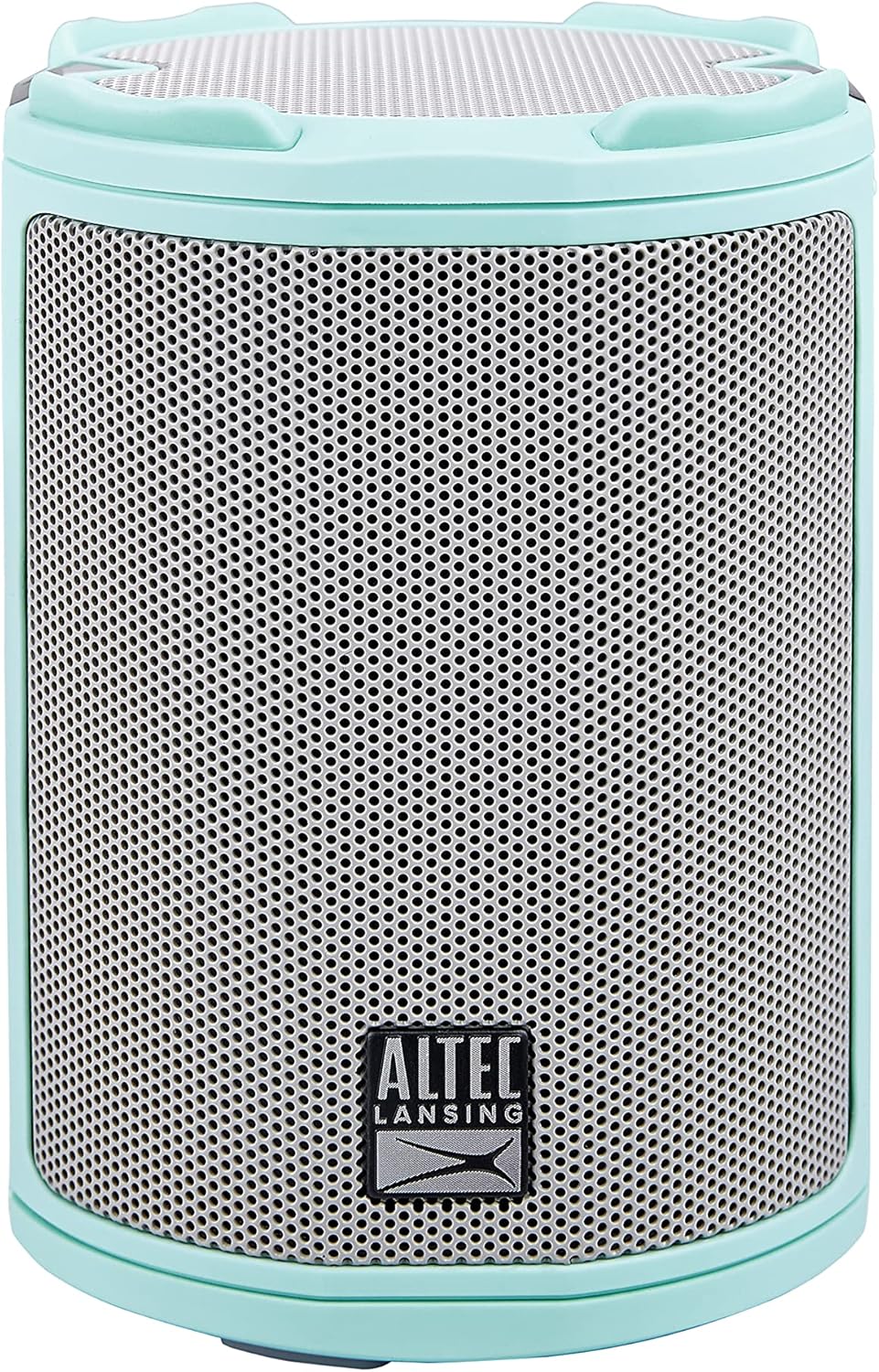
Сүрөт: алдыңкы view of the Mint Green Altec Lansing HydraMotion Wireless Bluetooth Speaker.

Image: The HydraMotion speaker highlighting its key features: 12 hours playtime, multi-light and strobe modes, true wireless pairing, and waterproof/dustproof capabilities.
Жайгашуу
1. Динамикти кубаттоо
Before first use, fully charge your HydraMotion speaker. Connect the included USB cable to the charging port on the speaker and plug the other end into a USB power adapter (not included) or a computer USB port. The charging indicator light will show the charging status and turn off when fully charged.
2. Күйгүзүү / Өчүрүү
Динамикти күйгүзүү үчүн, баскычын басып кармап туруңуз Кубат баскычы located on the top panel until you hear an audible tone and the LED lights illuminate. To power off, press and hold the Кубат баскычы кайра жарык өчүп чейин.
3. Bluetooth Жупташтыруу
- Динамиктин күйүп турганын жана Bluetooth жупташтыруу режиминде экенин текшериңиз (жаркылдаган LED жарыгы менен көрсөтүлөт).
- Түзмөгүңүздө (смартфон, планшет, ноутбук) Bluetooth жөндөөлөрүнө өтүңүз.
- Select "HydraMotion" from the list of available devices.
- Once connected, the speaker will emit a confirmation tone, and the LED light will become solid.

Image: Top panel of the HydraMotion speaker, illustrating the function of each button: Volume Up, Volume Down, Virtual Assistant, LED Light Control, True Wireless Pairing, and Power On/Off.
Video: An official product video demonstrating the features and capabilities of the Altec Lansing HydraMotion Wireless Bluetooth Speaker, including its durability and sound quality.
Иштөө нускамалары
Аудио ойнотуу
Once connected via Bluetooth, you can play audio from your paired device. Use the volume buttons on the speaker or your device to adjust the sound level. The speaker provides 360-degree sound for an immersive listening experience.
LED жарык режимдери
The HydraMotion speaker features multiple LED light modes. Press the LED Light Control button on the top panel to cycle through different light patterns and colors. This allows you to customize the ambiance for your listening environment.
Чыныгы зымсыз жупташтыруу (TWS)
You can pair two HydraMotion speakers together for a true wireless stereo experience. Follow the instructions in your speaker's quick start guide for detailed TWS pairing steps.
"Everything Proof" Features
The HydraMotion speaker boasts an IP67 rating, making it highly resistant to water, snow, dust, and impacts. This means it can be submerged in water up to 1 meter for 30 minutes, is protected from dust ingress, and can withstand drops. Always ensure the charging port cover is securely closed to maintain its waterproof integrity.

Image: The HydraMotion speaker displayed against backgrounds of water, dirt, and snow, illustrating its "Everything Proof" capabilities.

Image: The HydraMotion speaker in an outdoor setting, demonstrating its portability and suitability for travel and extended use.
Техникалык тейлөө
Тазалоо
Динамикти тазалоо үчүн жумшак, damp cloth. Avoid using harsh chemicals or abrasive cleaners, as these can damage the speaker's finish or waterproof seals. For stubborn dirt, a mild soap solution can be used, followed by wiping with a clean, damp кездеме.
Сактагыч
When not in use for extended periods, store the speaker in a cool, dry place away from direct sunlight and extreme temperatures. Ensure the charging port cover is closed to prevent dust or moisture ingress.
Проблемаларды чечүү
| Көйгөй | Мүмкүн себеп | Чечим |
|---|---|---|
| Динамик күйбөйт. | Батареянын аздыгы; Кубат баскычы жетишерлик көпкө кармалбай калды. | Динамикти толук кубаттаңыз; Кубат баскычын 3-5 секунд басып туруңуз. |
| Bluetooth аркылуу жупташтыруу мүмкүн эмес. | Динамик жупташтыруу режиминде эмес; Түзмөктүн Bluetooth функциясы өчүк; Динамиктен өтө алыс. | Ensure speaker LED is flashing; Turn on Bluetooth on your device; Move device closer to speaker (within 100ft). |
| Үн жок же үнү төмөн. | Динамикте же түзмөктө үн өтө төмөн; Динамик туташкан жок. | Increase volume on both speaker and device; Re-pair the speaker with your device. |
| Үндүн бузулушу. | Volume too high; Weak Bluetooth signal. | Lower the volume; Move closer to the speaker. |
Техникалык шарттар
| Модель аты | HydraMotion |
| Модель номери | IMW1100-MTG-STK-2 |
| Динамик түрү | Сыртта |
| Байланыш технологиясы | Bluetooth |
| Зымсыз байланыш технологиясы | Bluetooth |
| Максималдуу диапазон | 100 фут (30.48 метр) |
| Батареянын иштөө мөөнөтү | 12 саат |
| Заряддоо убактысы | 12 саат |
| Сууга туруктуулук деңгээли | IP67 суу өткөрбөйт |
| Продукциянын өлчөмдөрү | 4.4"D x 4.4"W x 8.2"H |
| Элемент Салмагы | 1.23 фунт |
| Аудио чыгаруу режими | 360-degree audio output |
| Динамиктин максималдуу чыгаруу күчү | 10 Ватт |
| UPC | 021331023612 |
Кепилдик жана колдоо
Өндүрүүчүнүн Кепилдиги
The Altec Lansing HydraMotion Wireless Bluetooth Speaker comes with a manufacturer warranty. For specific details regarding warranty coverage, duration, and claims process, please refer to the warranty card included with your product or visit the official Altec Lansing webсайт. Кепилдикти текшерүү үчүн сатып алганыңыздын далилин сактаңыз.
Кардарларды колдоо
For technical assistance, troubleshooting beyond this manual, or general inquiries, please contact Altec Lansing customer support. Contact information can typically be found on the product packaging, the official Altec Lansing webсайтында же кепилдик документтеринде.
Сиз да зыярат кылсаңыз болот Amazon'догу Altec Lansing дүкөнү көбүрөөк продукт маалымат жана колдоо ресурстар үчүн.


