Introduction
Thank you for choosing the DR-HO'S MotionCiser. This innovative foot massager combines vibration and heat functions to provide a soothing and relaxing experience. This manual provides important information on how to set up, operate, and maintain your MotionCiser for optimal performance and longevity. Please read it thoroughly before first use.

Image: The DR-HO'S MotionCiser foot massager unit with its accompanying remote control, showcasing its compact design and user-friendly interface.
Пакеттин мазмуну
Пакетте бардык буюмдар бар экенин текшериңиз:
- 1 x DR-HO'S MotionCiser Main Unit
- 1 х кубат адаптери
- 1 x Алыстан башкаруу
- 1 х Колдонуучунун колдонмосу (бул документ)

Image: A visual representation of the MotionCiser package contents, including the main unit, power adapter, and remote control.
Жайгашуу
- Пакеттен чыгаруу: Бардык компоненттерди таңгактан кылдаттык менен алып салыңыз. Таңгакты келечекте сактоо же ташуу үчүн сактаңыз.
- Жайгашкан жери: Place the MotionCiser on a flat, stable surface in a comfortable seating area. Ensure there is enough space around the unit for proper ventilation.
- Кубат туташуу: Insert the power adapter cable into the DC input port located on the side of the MotionCiser unit. Plug the other end of the power adapter into a standard electrical outlet.
- Алыстан башкаруу: Ensure the remote control has batteries installed (if not pre-installed, refer to the battery compartment on the back of the remote).
Иштөө нускамалары
Баштоо
Once the unit is plugged in, you can begin using your MotionCiser.
- Sit comfortably in a chair with your feet placed flat on the footpads of the MotionCiser.
- басыңыз КҮЙГҮЗҮҮ/ӨЧҮРҮҮ button on the remote control or the main unit to power on the device. The display will illuminate.
Алыстан башкарууну колдонуу
The remote control allows for convenient adjustment of settings:
- Дирилдөө ылдамдыгы: колдонуу + жана - buttons under "Speed" to increase or decrease the vibration intensity. There are 10 speed levels available.
- Жылуулук функциясы: колдонуу + жана - buttons under "Degree of heat" to activate and adjust the heat therapy. The heat function operates between 30°C and 50°C.
- Аппаратты өчүрүү үчүн басыңыз КҮЙГҮЗҮҮ/ӨЧҮРҮҮ кайра баскычын.

Image: A user's feet resting on the MotionCiser footpads, demonstrating the proper usage position for the device.
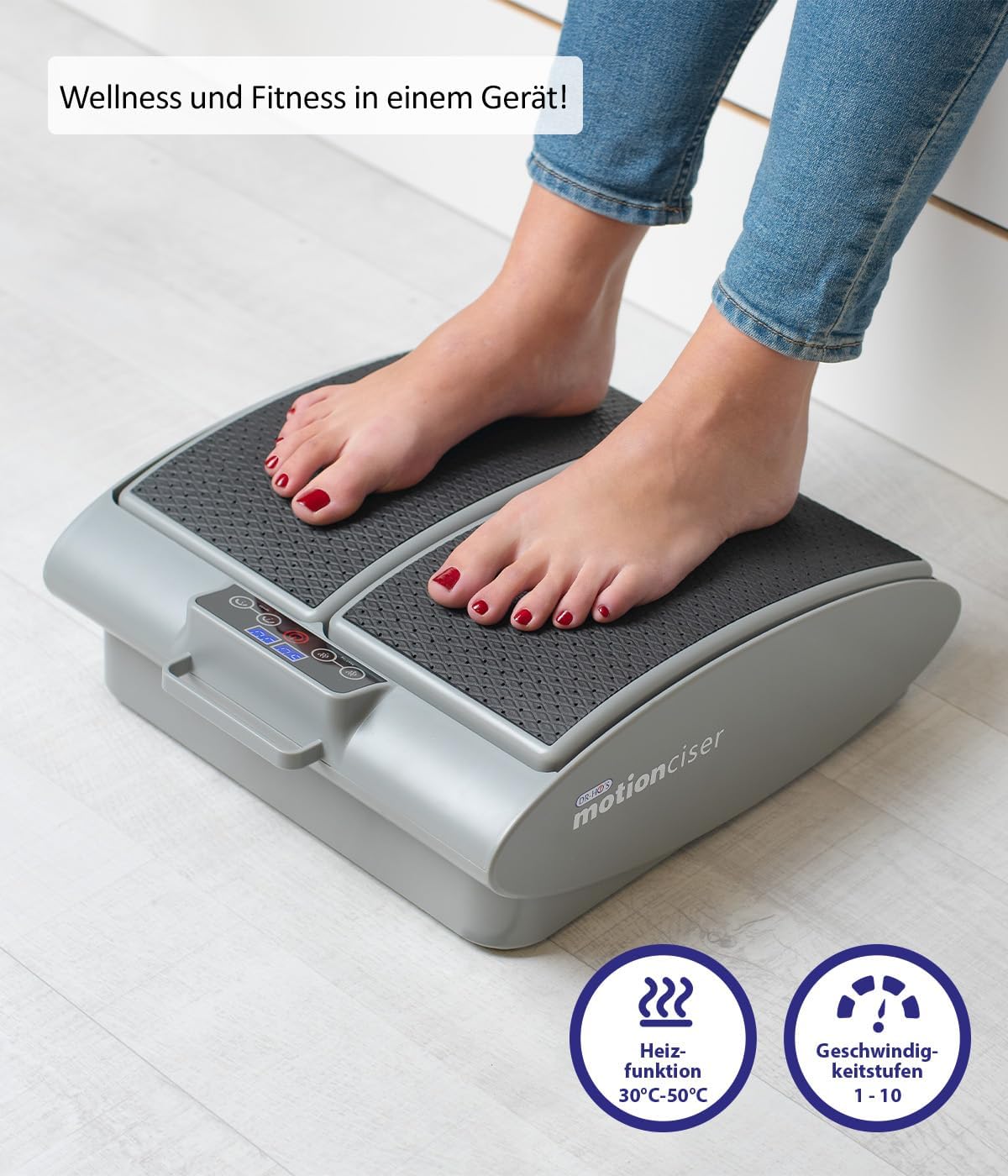
Сүрөт: жакын план view of the MotionCiser's control panel and footpads, highlighting the heat function (30°C-50°C) and speed levels (1-10).

Сүрөт: деталдуу view of the MotionCiser's control interface, showing the digital display and buttons for adjusting heat and speed settings.
Техникалык тейлөө
Тазалоо
- Always unplug the MotionCiser from the power outlet before cleaning.
- Агрегаттын бетин жумшак, г менен сүртүңүзamp кездеме. Абразивдүү тазалагычтарды же катуу химиялык заттарды колдонбоңуз.
- Агрегатты сууга же башка суюктукка батырбаңыз.
Сактагыч
- Store the MotionCiser in a cool, dry place, away from direct sunlight and extreme temperatures.
- If storing for an extended period, it is recommended to place the unit back in its original packaging to protect it from dust and damage.
Проблемаларды чечүү
| Көйгөй | Мүмкүн себеп | Чечим |
|---|---|---|
| Түзмөк күйбөй жатат. | Not plugged in correctly; Power outlet issue; Remote control batteries low. | Ensure power adapter is securely plugged into the unit and outlet. Test the outlet with another device. Replace remote control batteries. |
| Вибрация жок. | Speed setting is too low or off; Internal malfunction. | Increase the vibration speed using the remote control. If the issue persists, contact customer support. |
| Жылуулук жок. | Heat function is off; Internal malfunction. | Activate and increase the heat setting using the remote control. If the issue persists, contact customer support. |
| Алыстан башкаруу жооп бербей жатат. | Батареялар түгөнгөн же туура эмес салынган; Пульт менен блоктун ортосундагы тоскоолдук. | Батареяларды алмаштырыңыз, туура полярдуулукту камсыз кылыңыз. Бардык тоскоолдуктарды алып салыңыз. Пультту түз эле түзмөккө багыттаңыз. |
Техникалык шарттар
| Өзгөчөлүк | Деталь |
|---|---|
| Модель номери | A17179 |
| Бренд | Genius |
| Өлчөмдөрү (L x W x Y) | 41 x 18 x 38 см (16.1 x 7.1 x 15 дюйм) |
| Салмагы | 3.75 кг (8.27 фунт) |
| Power Source | Электр |
| Материал | Металл |
| Түс | White (as per product image, though spec says Blanc.) |
| Өзгөчө өзгөчөлүк | Easy to use, remote temperature adjustment |
| Heat Function Range | 30°C - 50°C |
| Vibration Speed Levels | 1-10 |

Image: Diagram illustrating the dimensions of the MotionCiser unit: 36 cm length, 33 cm width, and 12.5 cm height.
Кепилдик жана колдоо
For warranty information and customer support, please refer to the contact details provided with your purchase documentation or visit the official Genius product webсайт. Ар кандай кепилдик дооматтары үчүн сатып алганыңыздын далилин сактаңыз.
If you encounter any issues not covered in the troubleshooting section, please contact our customer service team for assistance.


