1. Киришүү
Сатып алганыңыз үчүн рахматasing the AUKEY PC-LM3 Webcam. This manual provides detailed instructions for setting up, operating, and maintaining your webcam. Please read this manual thoroughly before use and retain it for future reference.
2. Коопсуздук маалыматы
- сактаңыз webcam away from water, moisture, and extreme temperatures.
- Аппаратты өз алдынча бөлүүгө же оңдоого аракет кылбаңыз. Бардык тейлөөлөрдү квалификациялуу кызматкерлерге тапшырыңыз.
- түшүрүүдөн же тийүүдөн сактаныңыз webкатуу соккуларга чейин.
- Clean the lens with a soft, dry cloth. Do not use liquid cleaners.
3. Пакеттин мазмуну
Пакетиңизде бардык буюмдар бар экенин текшериңиз:
- AUKEY PC-LM3 Webcam
- User Manual
- USB кабели (интеграцияланган)
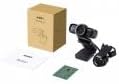
Image 1: Contents of the AUKEY PC-LM3 Webcam package, showing the webcam, manual, and packaging.
4. Продукт бүтүп калдыview
The AUKEY PC-LM3 is a 1080p USB 2.0 webcam designed for high-quality video communication and recording. It features a CMOS sensor and 5x optical zoom capability, providing clear and detailed visuals.
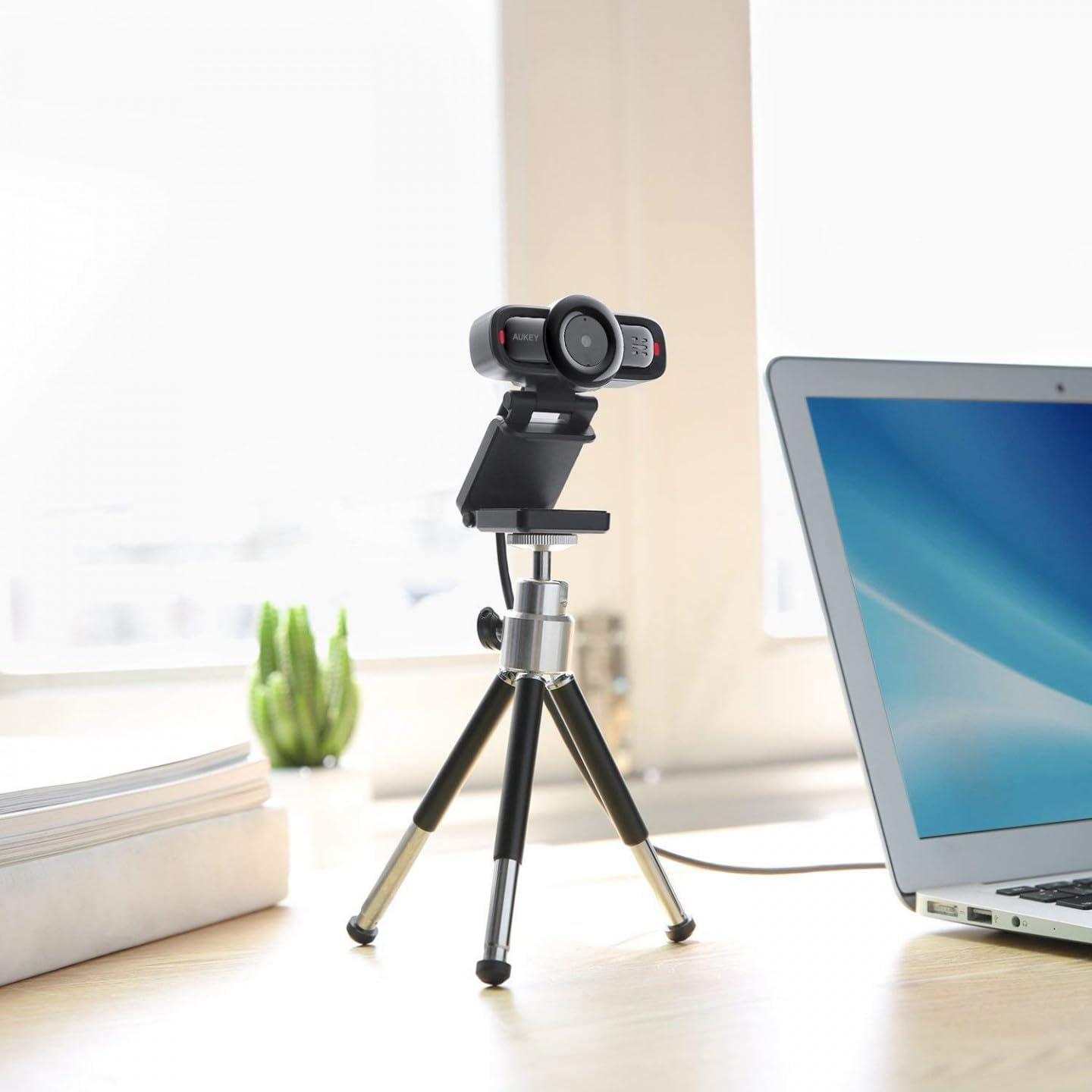
Image 2: AUKEY PC-LM3 Webcam in use, demonstrating its compact design and mounting flexibility on a tripod.
Негизги өзгөчөлүктөрү:
- Full HD 1080p video recording
- CMOS sensor for clear images
- USB 2.0 connectivity for universal compatibility
- 5x optical zoom for detailed framing
- Integrated microphone for audio capture
- Adjustable clip for versatile mounting options
5. Орнотуу
5.1 Placing the Webcam
- Монитордо: Unfold the clip and place the webcam on top of your monitor or laptop screen. Adjust the clip to secure it firmly.
- Штативде: The webcam features a standard tripod thread. Mount it onto a compatible tripod for more flexible positioning.
- Жалпак бетинде: Туруктуу стенд түзүү үчүн клипсти бүктөп, ордуна коюңуз webкамераны столдун же башка тегиз беттин үстүнө коюңуз.
5.2 Компьютериңизге туташуу
- USB туташтыргычын сайыңыз webкамераны компьютериңиздеги жеткиликтүү USB 2.0 же 3.0 портуна сайыңыз.
- Компьютериңиз керектүү драйверлерди автоматтык түрдө таап, орнотуп алышы керек. Бул процесс бир нече мүнөткө созулушу мүмкүн.
- орнотулгандан кийин, webcam will be ready for use with video conferencing software or recording applications.
Эскертүү: No additional software or drivers are typically required for Windows, macOS, or Linux operating systems.
6. иштетүү Webcam
6.1 Видеоконференция программасын колдонуу
To use the AUKEY PC-LM3 webcam with applications like Zoom, Skype, Microsoft Teams, or Google Meet:
- Өзүңүзгө жаккан видеоконференция колдонмосун ачыңыз.
- Navigate to the application's settings or preferences (usually found under "Audio & Video" or "Devices").
- Select "AUKEY PC-LM3" as your video input device.
- Select "AUKEY PC-LM3 Microphone" (or similar) as your audio input device, if applicable.
- Adjust any video settings such as resolution or brightness within the application if available.
6.2 Видеону жаздыруу
To record video using the webcam, use your computer's built-in camera application (e.g., Camera app on Windows, Photo Booth on macOS) or third-party recording software. Ensure the AUKEY PC-LM3 is selected as the video source.
6.3 Оптикалык чоңойтуу
The webcam features 5x optical zoom. This function is typically controlled via software. Check your video conferencing or recording application for zoom controls. If not available, third-party webcam control software may offer this functionality.
7. Техникалык тейлөө
7.1 Тазалоо Webcam
- камсыз кылуу webТазалоодон мурун камера компьютериңизден ажыратылган болушу керек.
- Use a soft, lint-free cloth to gently wipe the lens and body of the webкамера
- For stubborn smudges on the lens, slightly dampen the cloth with water or a lens cleaning solution, then wipe gently. Avoid excessive moisture.
- Катуу химиялык заттарды, абразивдүү тазалагычтарды же эриткичтерди колдонбоңуз.
7.2 Сактоо
Колдонулбаган учурда, дүкөндү сактаңыз webcam in a cool, dry place, away from direct sunlight and dust. Consider using a privacy cover (if included or purchased separately) to protect the lens and ensure privacy.
8. Кыйынчылыктарды
| Көйгөй | Чечим |
|---|---|
| WebКомпьютер камераны аныктай алган жок. |
|
| Видео чыгаруу жок. |
|
| Видеонун сапаты начар. |
|
9. Техникалык шарттар
| Өзгөчөлүк | Деталь |
|---|---|
| Модел | PC-LM3 |
| Video Resolution | 1920 x 1080 пиксел (1080p) |
| Sensor Technology | CMOS |
| Байланыш | USB 2.0 |
| Оптикалык масштаб | 5x |
| Видео тартуу форматы | MP4, AVI |
| Колдоого алынган аудио формат | AAC, MP3 |
| Өлчөмдөрү (L x W x Y) | 7.7 x 7.2 x 4.6 см |
| Салмагы | 130 грамм |
| Түс | Кара |
10. Кепилдик жана Кардарларды колдоо
AUKEY products are covered by a limited warranty from the date of purchase. For specific warranty terms and conditions, please refer to the warranty card included with your product or visit the official AUKEY webсайт.
If you encounter any issues or have questions regarding your AUKEY PC-LM3 Webcam, please contact AUKEY customer support for assistance. Contact information can typically be found on the official AUKEY webсайтында же кепилдик картасында.


