1. Киришүү
1.1 Продукт бүттүview
The lightmaXX Vega BAT LED is a versatile, battery-powered uplight designed for various lighting applications. It features four 12-watt RGBAWUV (Red, Green, Blue, Amber, White, UV) LEDs, providing a broad spectrum of color mixing capabilities. With an 80W power output, this fixture supports both 6 and 10 DMX channels for precise control in professional setups. Operating modes include automatic programs, sound-activated effects, master/slave configurations, and convenient control via an infrared (IR) remote.
1.2 Коопсуздук маалыматы
- Аппаратты ар дайым жерге туташтырылган розеткага туташтырыңыз.
- корпусту ачпаңыз; ичинде колдонуучу тейлей турган бөлүктөр жок. Бардык тейлөөлөрдү квалификациялуу кызматкерлерге тапшырыңыз.
- Жарык булагына түздөн-түз көз тийбеңиз.
- Ашыкча ысып кетүүнүн алдын алуу үчүн аппараттын айланасында жетиштүү желдетүүнү камсыз кылыңыз.
- Аппаратты нымдуулуктан жана экстремалдык температурадан алыс кармаңыз.
- Бул шайман жерге туташтырылышы керек.
2. Пакеттин мазмуну
Please check that all items listed below are present and in good condition upon unpacking:
- lightmaXX Vega BAT LED 4x12 W RGBAWUV unit
- IR Remote Control
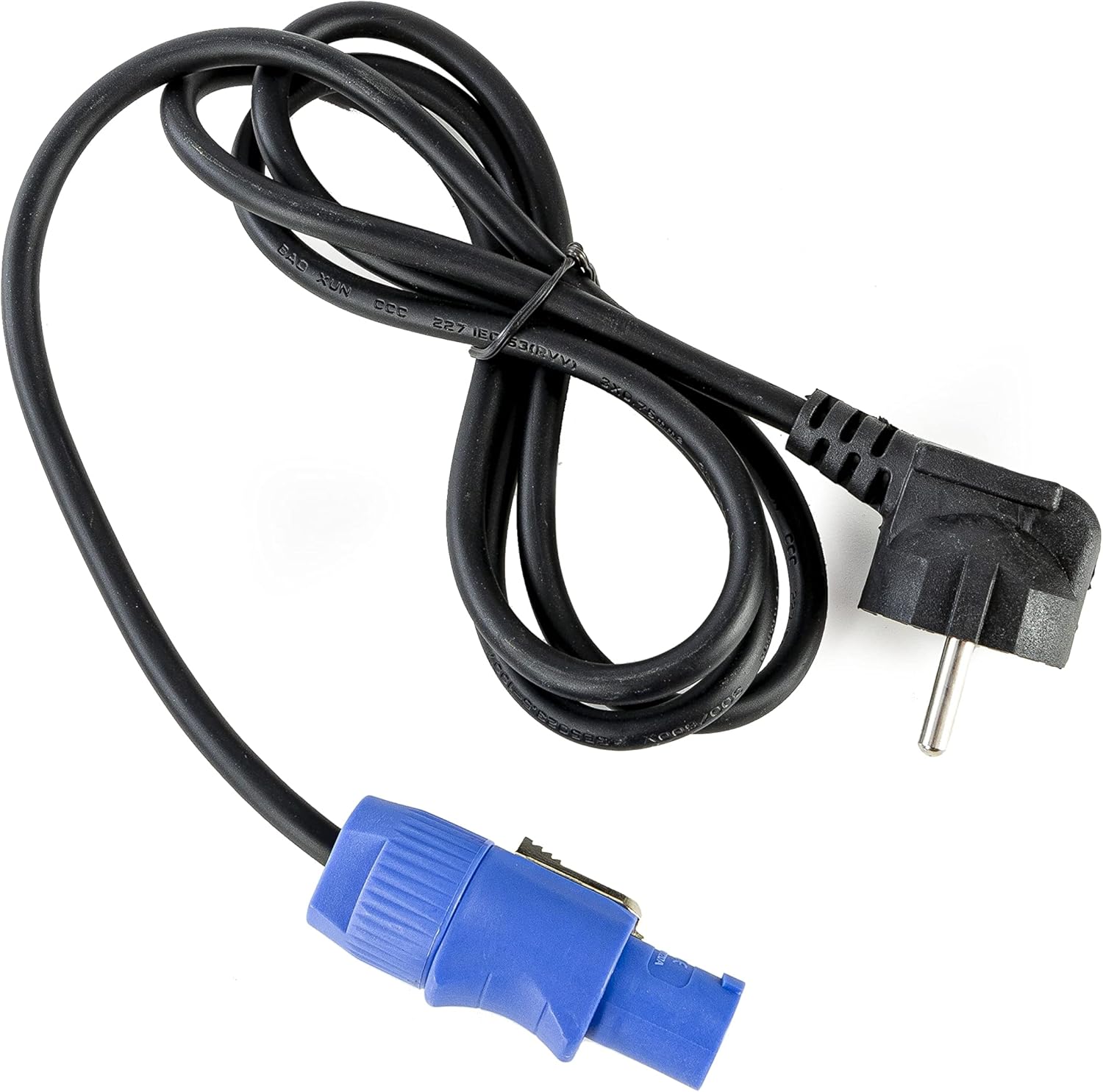
- Электр кабели
- Көрсөтмө (бул документ)

Сүрөт 2.1: Power cable with a standard European plug and a blue locking connector for the light fixture.
Сүрөт 2.2: Infrared remote control with various color, mode, and numerical buttons for operating the LED spot.
3. Орнотуу
3.1 Алгачкы заряддоо
Before first use, fully charge the internal battery. Connect the provided power cable to the unit's power input and then to a suitable 240V AC power outlet. The charging indicator (if available on the display) will show the charging status. A full charge typically takes several hours.
3.2 Орнотуу
Position the Vega BAT LED on a stable, flat surface or mount it using appropriate clamps and safety cables (not included) to a truss or stand. Ensure the unit is placed in a location with good air circulation and away from direct heat sources or flammable materials.
3.3 Байланыштар
For standalone operation, simply power on the unit after charging. For DMX control, connect a DMX cable from your DMX controller to the DMX IN port of the Vega BAT LED. If linking multiple units, connect the DMX OUT of the first unit to the DMX IN of the next, and so on.

Сүрөт 3.1: Төмөнкү view of the light fixture showing the power input, DMX ports, and regulatory labels.
4. Операция
4.1 Башкаруу панели
The unit features an onboard control panel with a display and four buttons: MENU, DOWN, UP, and ENTER. This panel allows for direct access to settings and operating modes.

Сүрөт 4.1: Фронт view of the control panel with display and navigation buttons.

Сүрөт 4.2: Жогорку view of the control panel, showing the display and button layout.
- МЕНЮ: Негизги меню параметрлери аркылуу циклдик режимде иштейт.
- ТӨМӨН: Decreases values or navigates down through menu options.
- Өйдө: Increases values or navigates up through menu options.
- КИРҮҮ: Тандоолорду ырастайт же кошумча менюга кирет.
4.2 IR алыстан башкаруу
The included IR remote control provides convenient wireless operation for various functions, including color selection, mode changes, and power on/off.
- КҮЙГҮЗҮҮ/ӨЧҮРҮҮ: Аппаратты күйгүзөт же өчүрөт.
- R, G, B, A, W, UV: Direct access to Red, Green, Blue, Amber, White, and Ultraviolet colors.
- 0-9: Numerical buttons for selecting specific programs or DMX addresses.
- АВТО: Автоматтык программалоо режимин иштетет.
- STROBE: Activates strobe effect.
- ӨЧҮП: Түстү өчүрүү режимин иштетет.
- ҮН: Үн менен иштетилген режимди иштетет.
4.3 Иштөө режимдери
The Vega BAT LED offers several operating modes:
- Автоматтык режим: The unit cycles through pre-programmed color changes and effects. Selectable via the control panel or IR remote.
- Үн режими: The light reacts to ambient sound, creating dynamic effects. Sensitivity can often be adjusted via the control panel.
- Master/Slave режими: Link multiple units where one acts as the master, controlling all connected slave units. Connect DMX cables in a daisy chain.
- DMX режими: For professional control using a DMX controller. The unit supports 6 or 10 DMX channels, allowing for granular control over color mixing, dimming, strobe, and internal programs. Set the DMX address via the control panel.

Сүрөт 4.3: The light fixture emitting ultraviolet (UV) light.

Сүрөт 4.4: The light fixture emitting amber-colored light.
5. Техникалык тейлөө
5.1 Тазалоо
Regularly clean the lens and exterior housing with a soft, lint-free cloth. For stubborn dirt, a slightly damp cloth can be used. Do not use abrasive cleaners or solvents, as they may damage the finish or optical components.
5.2 Батареяга кам көрүү
To prolong battery life, avoid fully discharging the unit frequently. If storing the unit for an extended period, ensure the battery is charged to approximately 50-70% and recharge it every 3-6 months. Store in a cool, dry place.
5.3 Сактоо
When not in use, store the Vega BAT LED in its original packaging or a suitable protective case to prevent damage from dust, moisture, and impacts.
6. Кыйынчылыктарды
- Түзмөк күйбөйт: Ensure the battery is charged or the power cable is securely connected to a live outlet. Check the power switch.
- No light output: Verify the unit is powered on and not in standby mode. Check selected operating mode and brightness settings.
- IR remote not working: Ensure there are no obstructions between the remote and the unit's IR receiver. Check the remote's battery.
- DMX control issues: Verify DMX cable connections, DMX address settings on the unit, and DMX channel mode. Ensure your DMX controller is functioning correctly.
- Battery life is short: The battery may require a full charge cycle. Over time, battery capacity can decrease; consider battery replacement if performance significantly degrades.
7. Техникалык шарттар
| Өзгөчөлүк | Спецификация |
|---|---|
| Бренд | lightmaXX |
| Модел | Vega BAT LED 4x12 W RGBAWUV |
| Жарык булагы | 4 x 12W RGBAWUV LEDs |
| Жалпы Ватtage | 80 Вт |
| DMX каналдары | 6 же 10 канал |
| Иштөө режимдери | Automatic, Sound, Master/Slave, DMX |
| Control | Onboard display/buttons, IR Remote |
| Тtage | 240 вольт |
| Продукциянын өлчөмдөрү | 24.2 x 21 x 19.6 см |
| Өндүрүүчүнүн маалымдамасы | LIG0016385-000 |
| Келип чыккан өлкө | Германия |
| Биринчи жеткиликтүү | 16-август, 2021-жыл |
8. Кепилдик жана колдоо
For warranty information and technical support, please refer to the documentation provided at the time of purchase or contact your authorized lightmaXX dealer. Keep your proof of purchase for warranty claims.


