Introduction
The AT&T CL83507 DECT 6.0 5-Handset Cordless Phone System is designed to provide reliable communication for your home or small office. This system features advanced call management capabilities, including Smart Call Blocker, and offers extended range and clear audio quality. It includes a dual keypad base with an integrated digital answering machine, ensuring you stay connected and manage calls efficiently.

Image: The AT&T CL83507 system, showing the main base unit with one handset and four additional charging cradles with handsets.
Кутуда эмне бар
Пакетиңизде төмөнкү заттар бар экенин текшериңиз:
- Негизги бирдиги
- 5 зымсыз телефон
- 4 заряддагыч
- 5 өзгөрмө ток адаптери
- Телефон линиясы
- 5 батарея топтому
- Дубалга орнотуу кронштейн
- Тез баштоо колдонмосу
Жайгашуу
1. Батареяны орнотуу жана заряддоо
Each handset requires a battery pack for operation. Carefully open the battery compartment on the back of each handset, connect the battery pack connector, and place the battery inside. Close the compartment cover securely.
Place each handset in its respective charging cradle or the main base unit. Ensure the "Charge" indicator on the handset lights up, confirming proper connection. Allow at least 10 hours for the initial charge before first use.
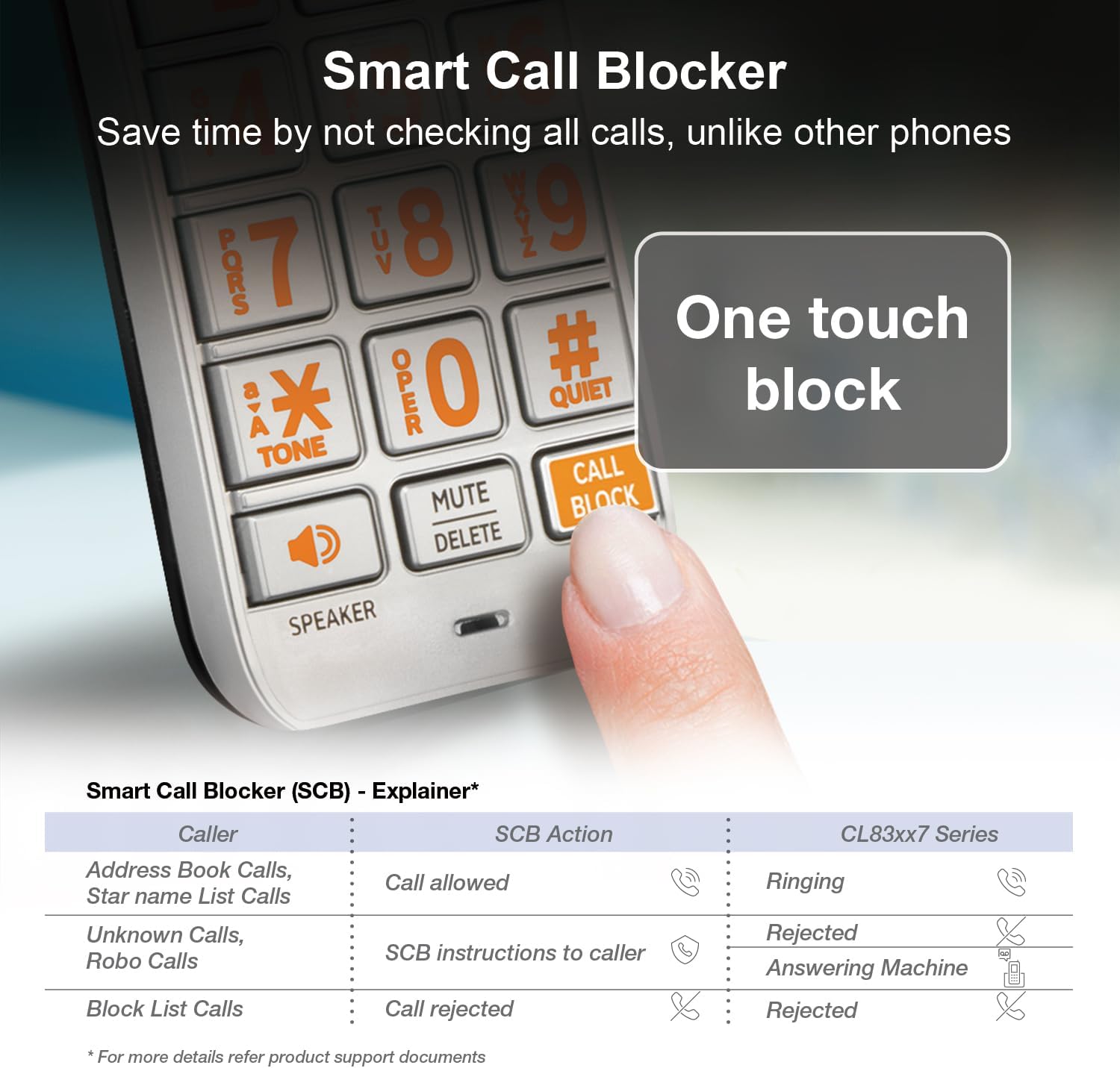
Image: A cordless handset being placed into its charging cradle, illustrating the charging process.
2. Негизги блокту туташтыруу
- Телефон линиясынын шнурунун бир учун негизги блоктун арткы жагындагы TEL LINE уячасына туташтырыңыз.
- Телефон линиясынын шнурунун экинчи учун дубалдагы телефон уячасына туташтырыңыз.
- AC адаптеринин кичинекей учун негизги блоктун арткы жагындагы POWER уячасына сайыңыз.
- AC адаптеринин чоң учун стандарттуу электр розеткасына сайыңыз.
3. Телефонду каттоо
Handsets are typically pre-registered to the base unit. If a handset displays "To register HS" or similar, you may need to manually register it. Refer to the full user manual for detailed registration instructions.
Видео: Продукт бүттүview video demonstrating the AT&T CL83507 5-Handset Cordless Phone System, including setup and key features.
Operating the Phone System
Чалууларды кабыл алуу жана кабыл алуу
- Чакыруу үчүн басыңыз ТЕЛЕФОН or СПИКЕР, андан кийин номерди териңиз.
- Чалууга жооп берүү үчүн, басыңыз ТЕЛЕФОН or СПИКЕР телефон шыңгыраганда.
- Чалууну бүтүрүү үчүн басыңыз ӨЧҮРҮҮ.
Smart Call Blocker
The Smart Call Blocker feature helps filter unwanted calls. Robocalls are automatically blocked from ringing through. You can also permanently blacklist any number with a single touch.
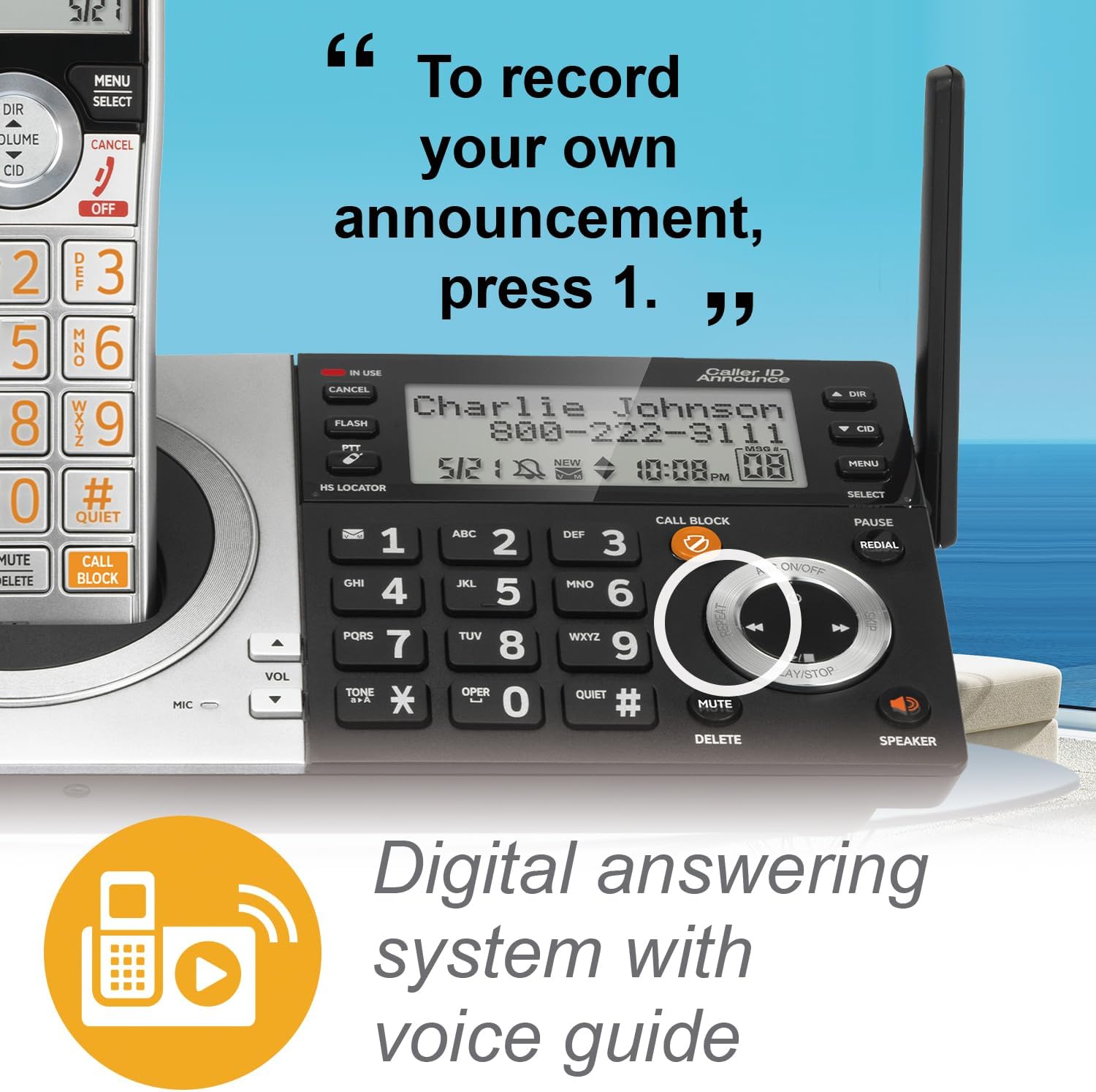
Image: Detail of the handset keypad, showing the dedicated 'CALL BLOCK' button for easy access to the call blocking feature.

Image: The base unit's keypad, with the 'CALL BLOCK' button prominently displayed, indicating its functionality.
Санариптик жооп берүү тутуму
The integrated digital answering machine can record up to 22 minutes of messages. You can access and manage messages directly from the base unit or any handset.

Image: A close-up of the base unit's controls, highlighting the digital answering system's playback and recording functions.
Чалуучуну аныктоо кызматын жарыялоо
The system announces the name of the caller, allowing you to screen calls without needing to look at the display.
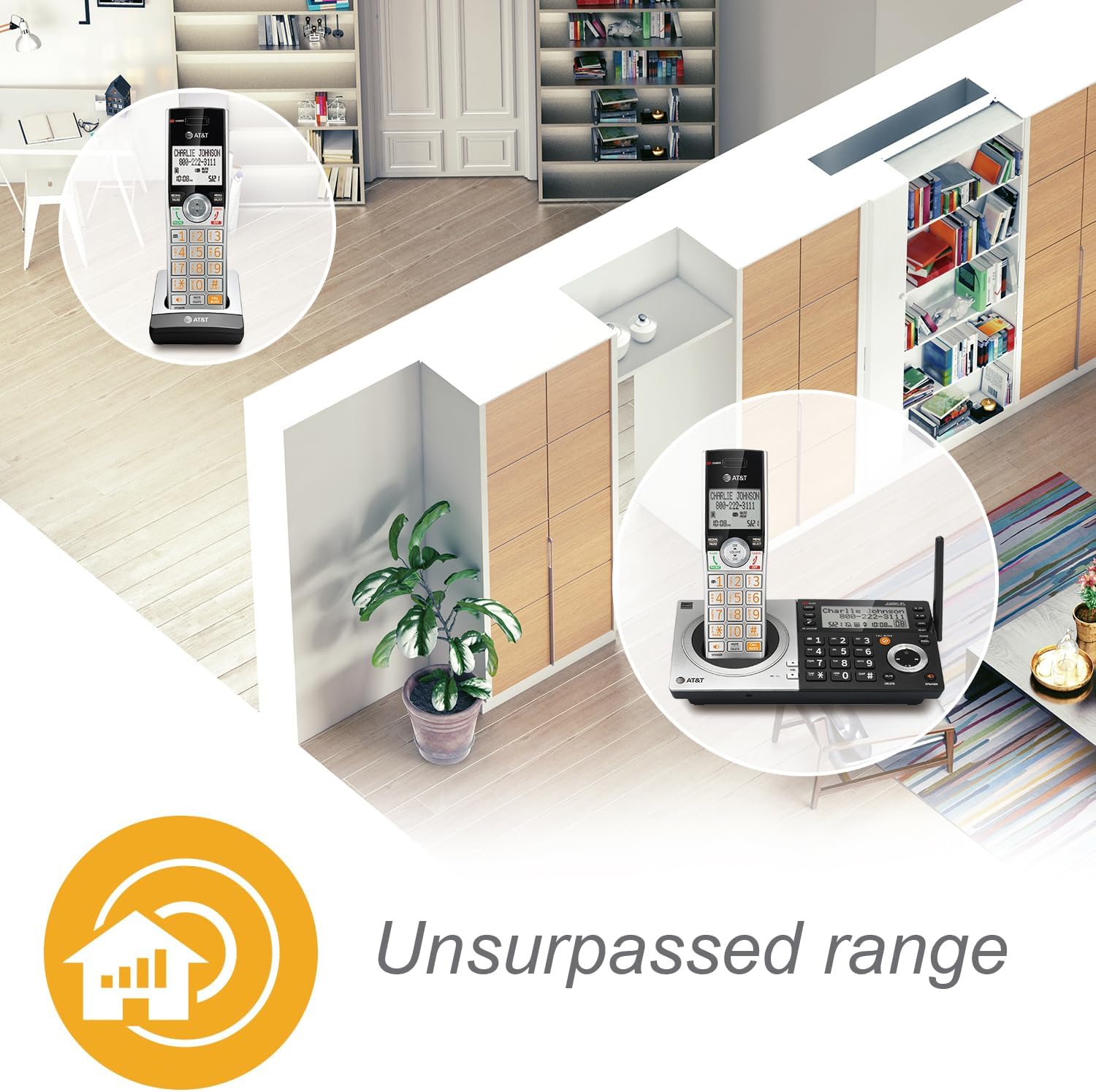
Image: A handset displaying "Mr. Johnson is calling...", illustrating the Caller ID Announce feature.
Домофон жана Push-to-Talk
Communicate instantly between handsets or between a handset and the base unit using the intercom feature. The Push-to-Talk button allows for quick, walkie-talkie style communication.

Image: A woman holding a handset, with a circle highlighting the 'PUSH TO TALK' button on the side of the phone.
Динамиктер
Both the handset and base unit feature simulated full-duplex speakerphones, allowing for clear, hands-free conversations where both parties can speak and be heard simultaneously.

Image: A woman in a kitchen chopping vegetables, with a handset on the counter emitting sound waves, demonstrating the speakerphone function.
Дисплей жана Ариптакта
The handsets feature a high-contrast backlit LCD and a lighted keypad for easy readability and dialing, even in low-light conditions. The extra-large display and big buttons enhance user experience, especially for those with visual impairments.
Image: A close-up of the handset's screen, showing clear text for caller information, demonstrating the high-contrast backlit LCD.

Image: A hand pressing a large, clearly labeled button on the phone's keypad, highlighting the "Big buttons" feature.
Эң сонун аралык
Benefit from extended range coverage and clarity, thanks to a unique antenna design and advanced noise-filtering technology.

Image: An overhead diagram of a house with phone icons indicating coverage throughout different rooms, illustrating the "Unsurpassed range" feature.
HD Audio with Equalizer
Enjoy enhanced sound quality with HD audio and a customizable equalizer, allowing you to adjust audio settings for optimal clarity.

Image: A woman holding a handset, with a graphic overlay of an audio equalizer, representing the HD audio and customizable sound features.
Тынч режим
Activate Quiet Mode to silence the ringer on all handsets and the base unit for a specified period, providing undisturbed peace.
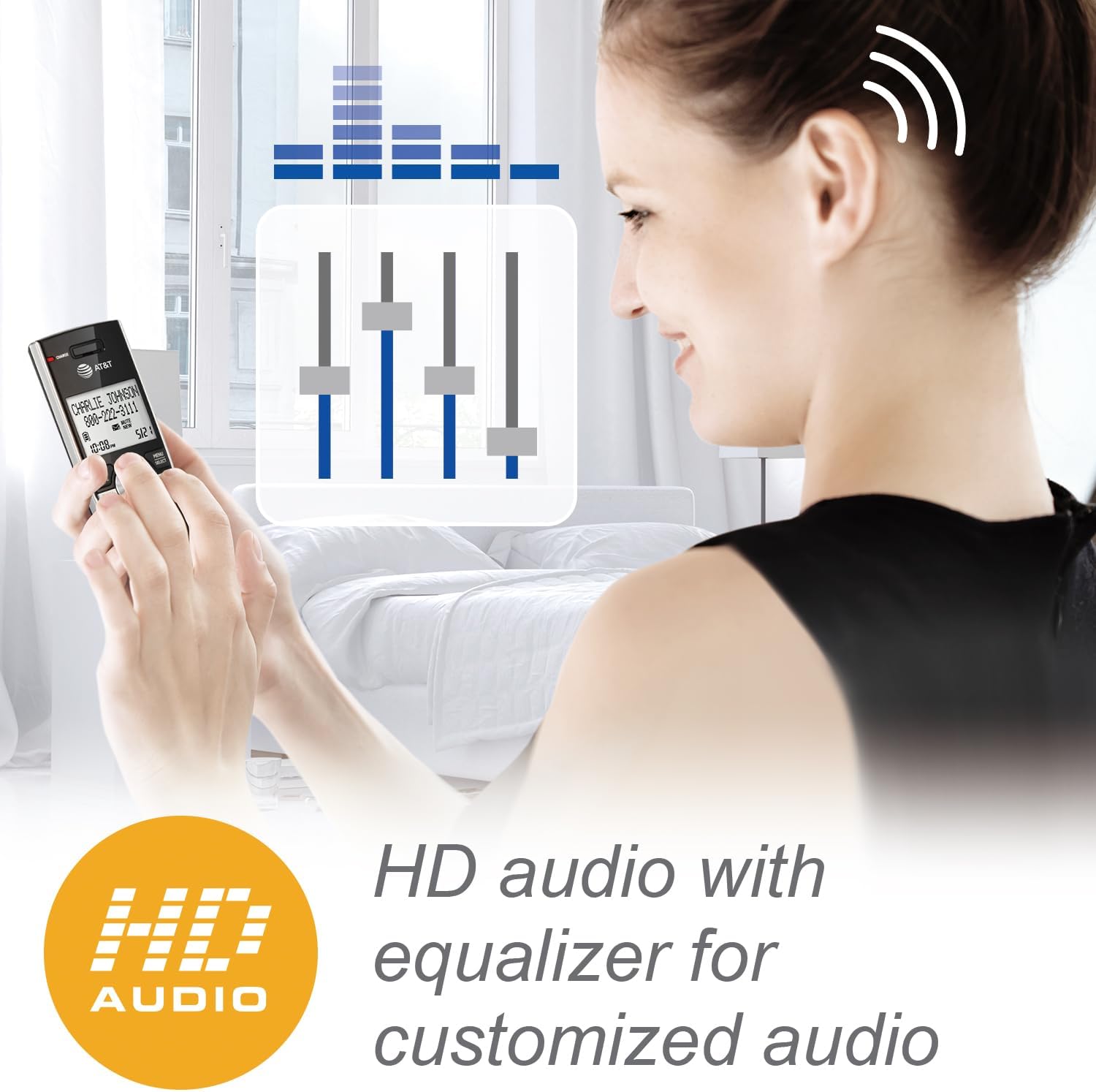
Image: A close-up of the phone's keypad, highlighting the '#QUIET' button, with a person meditating in the background, symbolizing the quiet mode feature.
Техникалык тейлөө
Телефонуңузду тазалоо
Wipe the phone and charging cradles with a soft, slightly damp кездеме. Тазалоочу чачыраткычтарды же катуу химиялык заттарды колдонбоңуз, анткени алар каптамага же электрдик компоненттерге зыян келтириши мүмкүн.
Батареяга кам көрүү
- Батареянын оптималдуу иштешин камсыз кылуу үчүн, колдонулбай турган учурда телефондорду кубаттагычтарында кармаңыз.
- If the phone will not be used for an extended period, remove the battery from the handset to prevent leakage.
- Батареялар зарядды натыйжалуу кармай албай калганда, аларды алмаштырыңыз.
Проблемаларды чечүү
If you experience issues with your AT&T CL83507 phone system, try the following basic troubleshooting steps:
- Терүү үнү жок: Телефон линиясынын шнурунун негизги блокко да, дубал уячасына да бекем туташтырылганын текшериңиз. Ошол эле линиядагы башка телефондор иштеп жатканын текшериңиз.
- Кубат жок: Verify that the AC adapter is properly connected to the base unit and a working electrical outlet.
- Телефон заряддалбай жатат: Ensure the handset is correctly seated in its charging cradle and the charge indicator light is on. Clean the charging contacts on both the handset and cradle.
- Чалууларды кабыл алуу/кабыл алуу мүмкүн эмес: Ensure the handset is registered to the base unit. Ensure there is no interference from other electronic devices.
- Call Blocker Not Working: Review your Smart Call Blocker settings. Ensure the feature is enabled and numbers are correctly added to your block list or allowed list.
For more detailed troubleshooting or complex issues, please refer to the comprehensive user manual available on the AT&T support webсайт.
Техникалык шарттар
| Өзгөчөлүк | Деталь |
|---|---|
| Модель номери | CL83507 |
| Телефон түрү | Зымсыз (DECT 6.0) |
| Телефондордун саны | 5 (Expandable to 12) |
| Жооп берүү системасынын түрү | Digital (22 minutes recording time) |
| Терүүчү түрү | Dual Keypad (Base and Handset) |
| Түс | Silver/Black Keypad Base |
| Power Source | Электр зымдары |
| Элемент Салмагы | 3.8 фунт (1.73 килограмм) |
| Өндүрүүчү | VTech |
Кепилдик жана колдоо
For warranty information and customer support, please refer to the documentation included with your product or visit the official AT&T webсайт. Сатып алуу квитанциясын кепилдик дооматтары үчүн сатып алуунун далили катары сактаңыз.


