1. Киришүү
Thank you for choosing the HOMCOM Computer Desk with Hutch. This manual provides essential information for the safe assembly, proper use, and maintenance of your new home office workstation. Please read all instructions carefully before beginning assembly and retain this manual for future reference.

Сүрөт 1.1: Алдыңкы view of the HOMCOM Computer Desk with Hutch.
2. Коопсуздук маалыматы
- Үстөлдү дайыма жумшак, таза бетке чогултуп, чийип калбаш үчүн.
- Колдонуудан мурун бардык бурамалар жана бекиткичтер бекем бекемделгенин текшериңиз. Мезгил-мезгили менен текшерип, зарыл болсо, кайра бекемдөө.
- Текчелерди же суурмаларды ашыкча жүктөбөңүз. Салмакты бирдей бөлүштүрүңүз.
- Чогуу учурунда муунуп калуу коркунучун болтурбоо үчүн кичинекей бөлүктөрүн балдардан алыс кармаңыз.
- Бул үстөл гана ички колдонуу үчүн иштелип чыккан.
- Anti-Toppling Design: For safety, it is highly recommended to attach the desk to a wall using the included anti-toppling fittings to prevent accidental tipping, especially in households with children or pets.

Image 2.1: Detail of the anti-toppling design, showing the bracket for wall attachment.
3. Пакеттин мазмуну
Before assembly, verify that all parts and hardware are present. Refer to the parts list provided in your product packaging. If any components are missing or damaged, please contact customer support.
4. Монтаждоо боюнча нускамалар
Assembly of the HOMCOM Computer Desk with Hutch requires two people and typically takes several hours. All necessary assembly tools are included. Follow the step-by-step diagrams and instructions provided in your product packaging for detailed guidance.
Ассамблея бүттүview Video
Видео 4.1: Бүттүview of the HOMCOM Computer Desk and its features, demonstrating its functionality and storage options. This video can assist in understanding the assembled product.
Негизги Ассамблея кадамдары:
- Бөлүктөрдү таңгактан чыгаруу жана аныктоо: Lay out all components and hardware. Cross-reference with the parts list.
- Assemble Base Desk: Begin with the main desk frame, attaching side panels and the tabletop.
- Шкафтарды жана суурмаларды орнотуу: Assemble drawer boxes and install drawer slides. Attach cabinet doors and hinges.
- Камырды чогултуу: Construct the hutch frame, including shelves and cabinet doors.
- Attach Hutch to Desk: Carefully place and secure the hutch onto the main desk unit.
- Акыркы түзөтүүлөр: Ensure all connections are tight and the desk is stable. Attach anti-toppling hardware to the wall.
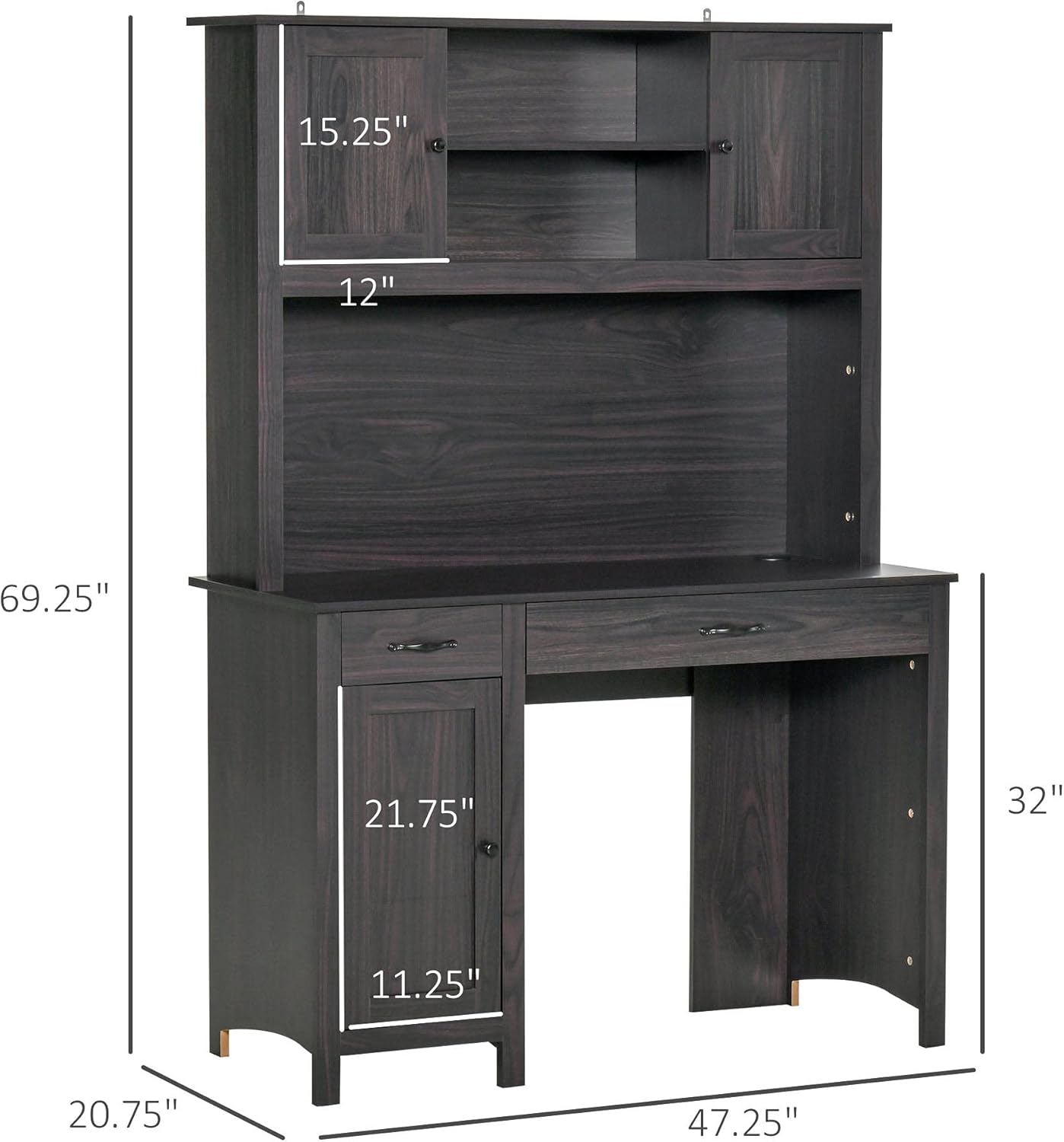
Image 4.1: Dimensional diagram of the desk, useful for planning placement.
5. Иштөө нускамалары (колдонуу)
The HOMCOM Computer Desk with Hutch is designed for efficient home office use, offering various storage solutions.
- Жумуштун бети: Utilize the spacious tabletop for your computer, monitor, keyboard, and other work essentials.
- Hutch Storage: The upper hutch features open shelves and small cabinets for books, decorative items, or office supplies.
- Тарткычтар: The desk includes multiple drawers for organizing smaller items, documents, or personal belongings.
- Астыңкы шкаф: A lower cabinet provides enclosed storage for larger items or a computer tower.
- Кабелдик башкаруу: Use the integrated cable grommet on the desktop to keep wires organized and tidy.

Сүрөт 5.1: Бүттүview of the desk's ample storage space, including shelves, cabinets, and drawers.

Image 5.2: Details of the cable grommet for wire organization and the design of the handles and knobs.

Сүрөт 5.3: View of an open drawer, illustrating its capacity.
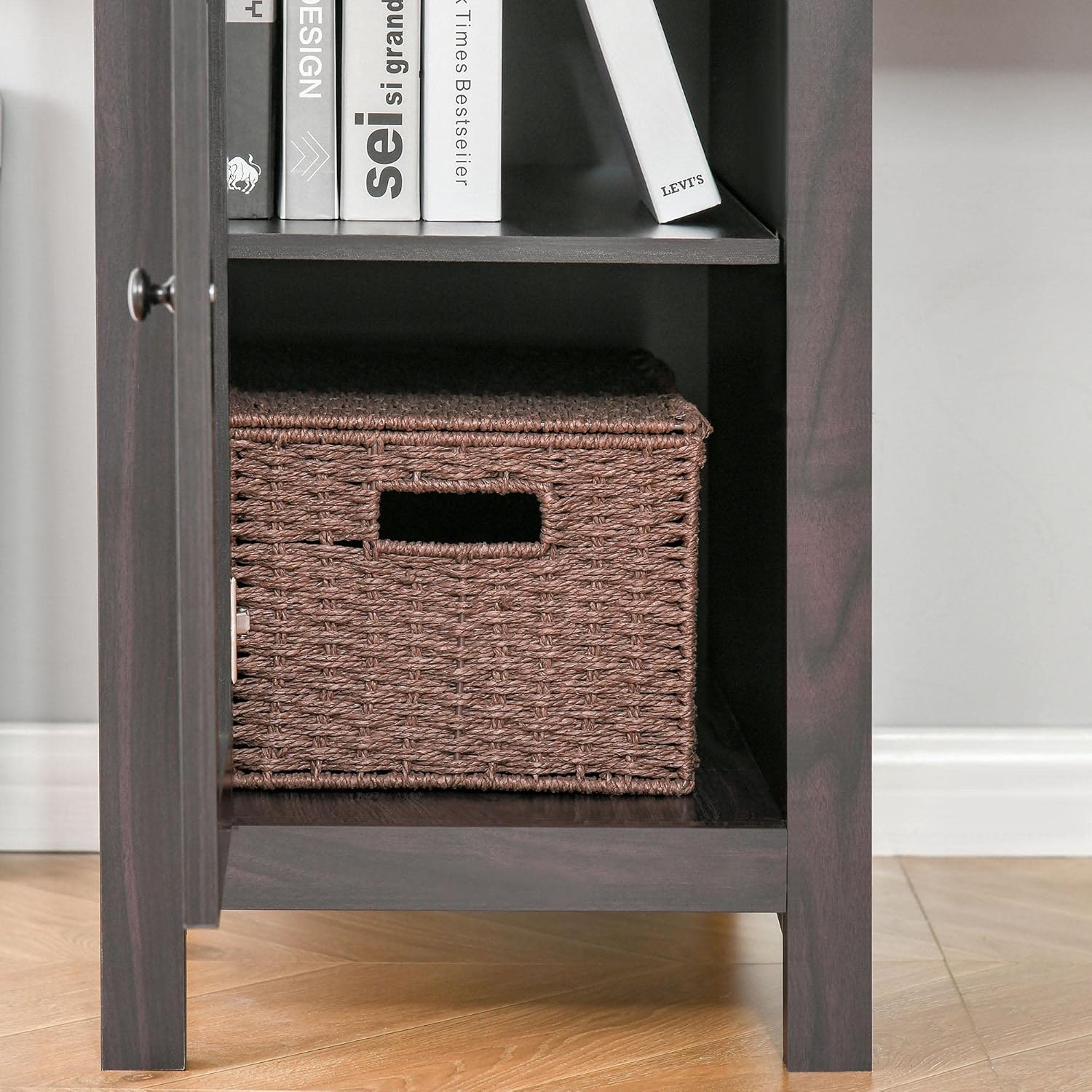
Сүрөт 5.4: View of the open bottom cabinet, showing its internal storage configuration.
6. Техникалык тейлөө
- Тазалоо: Беттерди жумшак менен сүртүңүз, гamp кездеме. Финишке зыян келтирүүчү катаал химиялык заттардан же абразивдүү тазалагычтардан алыс болуңуз.
- Чаңдандыруу: Чаңдын топтолуп калышына жол бербөө үчүн столдун үстүн үзгүлтүксүз сүртүп туруңуз.
- Төгүлүүлөр: Инженердик жыгачка боёп же зыян келтирбөө үчүн төгүлгөн жерлерди дароо тазалаңыз.
- Аппараттык камсыздоону текшерүү: Periodically inspect all screws and fasteners to ensure they remain tight. Re-tighten if necessary to maintain stability.
- Түздөн-түз күндүн нурунан качуу: Түз тийген күн нурунун узакка созулушу өңү өчүп же өңүнүн өзгөрүшүнө алып келиши мүмкүн.

Image 6.1: Detail of the wood grain finish, emphasizing the need for proper care.
7. Кыйынчылыктарды
- Үстөл солкулдап турат: Ensure all screws and bolts are fully tightened. Check that the desk is on a level surface. Adjust furniture glides if applicable.
- Тарткычтар жылмакай жылбайт: Verify that drawer slides are correctly installed and aligned. Check for any obstructions in the tracks.
- Жетишпеген бөлүктөр: If any parts are missing upon unboxing, do not proceed with assembly. Contact customer support with your product model and a description of the missing parts.
- Жеткирүү учурундагы зыян: If the product arrived damaged, document the damage with photos and contact customer support immediately.
8. Техникалык шарттар
| Өзгөчөлүк | Деталь |
|---|---|
| Бренд | HOMCOM |
| Модел | Computer Desk with Hutch B099NMN963 |
| Форма | Төрт бурчтуу |
| Үстөлдүн дизайны | Компьютердик стол |
| Продукциянын өлчөмдөрү (D x W x Y) | 20.75"D x 47.25"W x 69.25"H |
| Негизги материал | Инженердик жыгач |
| Жогорку Материал түрү | Инженердик жыгач |
| Тартмалардын саны | 3 |
| Сунушталган Колдонуулар | Иштеп жатат |
| Элемент Салмагы | 121 фунт |
| UPC | 842525155007 |
| Hutch материалы | Инженердик жыгач |
| Керектүү Ассамблея | Ооба |
| Ассамблеяга сунушталган адамдар | 2 |
| Бардык монтаждоо куралдарын камтыйт | Ооба |
| Top Color | Dark Coffee Wood Grain |
| Үстөлдүн калыңдыгы | 0.5 дюйм |
| Number Of Enclosed Shelves | 3 |
| Number Of Open Shelves | 2 |
| Монтаж түрү | Стол үстү |
| Сактагыч параметрлери | Ооба |
9. Кепилдик жана колдоо
For warranty information, product support, or to order replacement parts, please refer to the warranty card included with your purchase or visit the official HOMCOM website. Please have your model number (B099NMN963) and purchase date ready when contacting support.
Сиз да зыярат кылсаңыз болот Amazon'догу HOMCOM дүкөнү көбүрөөк маалымат алуу үчүн.


