Introduction
The Amazon Echo Show 5 (3rd Gen) is a smart display designed to enhance your daily life with visual and audio interactions. It features a 5.5-inch touch screen, improved audio with deeper bass and clearer vocals, and a 2 MP camera with a built-in shutter for privacy. This manual provides essential information for setting up, operating, maintaining, and troubleshooting your device.
With Alexa built-in, you can use voice commands to check the weather, make video calls, view compatible cameras, stream music and shows, manage your smart home devices, and much more.
Орнотуу колдонмосу
Follow these steps to set up your Echo Show 5 (3rd Gen) for the first time.
- Аппаратты таңгактан чыгаруу: Carefully remove the Echo Show 5 and its power adapter from the packaging.
- Туташуу кубаты: Plug the included 22W power adapter into the power port on the back of your Echo Show 5, then plug the adapter into a wall outlet. The device will power on automatically.
- Экрандагы нускамаларды аткарыңыз: The Echo Show 5 display will guide you through the initial setup process. This includes:
- Тилиңизди тандоо.
- Connecting to a Wi-Fi network (supports dual-band 802.11a/b/g/n/ac).
- Logging in with your Amazon account.
- Confirming your time zone and address.
- Функцияларды изилдөө: Once setup is complete, the device will display a tutorial on its features. You can say "Alexa, what can you do?" to learn more.

Image: The Echo Show 5 (3rd Gen) displaying a music interface. This illustrates the device's compact size and screen capabilities.
Эхо Шоуңузду иштетүү 5
The Echo Show 5 can be operated using voice commands with Alexa or by interacting directly with its touch screen.
Үн буйруктары
To activate Alexa, simply say the wake word "Alexa" followed by your command. Examples камтыйт:
- "Alexa, what's the weather today?"
- "Алекса, музыка ойно."
- "Алекса, мага календарымды көрсөтчү."
- "Алекса, апама чал."
- "Алекса, конок бөлмөнүн жарыгын күйгүз."

Image: A white Echo Show 5 (3rd Gen) on a desk, demonstrating its use for audiobooks and general voice control.
Сенсордук экран навигациясы
Swipe down from the top of the screen to access quick settings and notifications. Swipe left from the right edge to view home screen cards and shortcuts. Tap on icons and content to interact.
Купуялык көзөмөлү
The Echo Show 5 is designed with multiple privacy layers:
- Микрофонду/Камераны өчүрүү баскычы: Press this button on the top of the device to electronically disconnect the microphones and camera. A red light indicator will appear.
- Камерага орнотулган жапкыч: Slide the physical shutter to cover the camera lens for complete visual privacy.
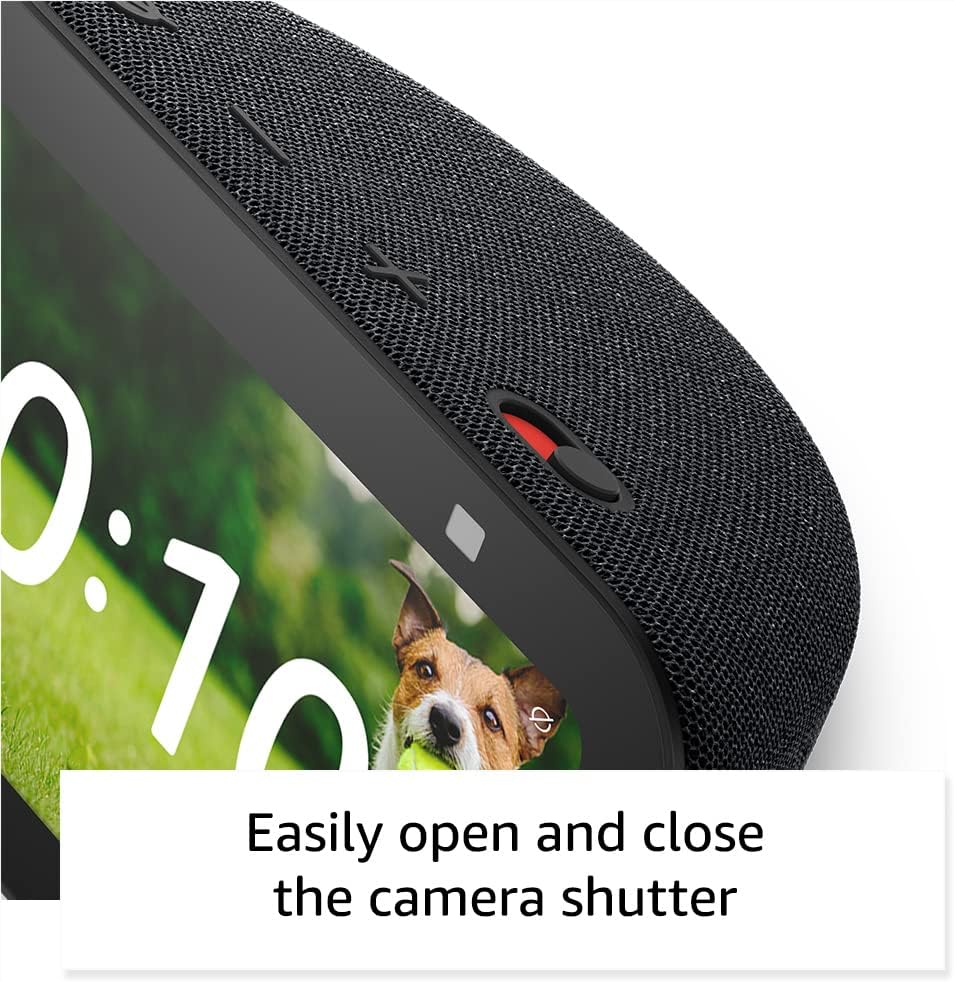
Сүрөт: жакын план view of the Echo Show 5's camera shutter, highlighting the ease of controlling camera privacy.
Техникалык тейлөө жана кам көрүү
Proper care ensures the longevity and optimal performance of your Echo Show 5.
- Тазалоо: Use a soft, lint-free cloth to clean the screen and exterior. Do not use abrasive cleaners or sprays directly on the device.
- Жайгашкан жери: Place the device on a stable, flat surface away from direct sunlight, heat sources, and liquids. Ensure adequate ventilation around the device.
- Программалык камсыздоо жаңыртуулары: Your Echo Show 5 automatically receives software security updates. Ensure it is connected to Wi-Fi for these updates to download and install.
Проблемаларды чечүү
Эгерде сиз Echo Show 5 менен көйгөйлөргө туш болсоңуз, төмөнкү чечимдерди колдонуп көрүңүз:
| Көйгөй | Чечим |
|---|---|
| Device not responding to voice commands. |
|
| Wi-Fi байланышы жок. |
|
| Экран кара же жооп бербей жатат. |
|
| Камера иштебей жатат. |
|
Техникалык мүнөздөмөлөр
- Өлчөмү: 5.8 "W x 3.6" D x 3.2 "H (147mm x 91mm x 82mm)
- Салмагы: 16.1 унция (456 грамм)
- Дисплей: 5.5 ”сенсордук экран
- Камера: Орнотулган жапкыч менен 2 МП камера
- WiFi байланышы: Dual-band wifi (802.11a/b/g/n/ac)
- Bluetooth байланышы: A2DP support for audio streaming, AVRCP for voice control
- Аудио: Толук диапазондогу 1.75 дюймдук орнотулган динамик
- Процессор: MediaTek MT 8169 B
- Кутуга камтылган: Echo Show 5 (3rd Gen), power adapter, Quick Start Guide
- Тил: Алекса англис жана испан тилдеринде сүйлөйт
Кепилдик жана колдоо
Your Echo Show 5 (3rd Gen) comes with a 1-year limited warranty and service. Optional extended warranties (1-year, 2-year, and 3-year) are available for U.S. customers and sold separately.
For customer support, visit the official Amazon support website or contact Amazon Customer Service directly. For information specific to your device, visit Мазмунуңузду жана Түзмөктөрүңүздү башкарыңыз.
Программалык камсыздоонун коопсуздугун жаңыртуулар түзмөк Amazon'до жаңы түзмөк катары акыркы жолу сатып алууга мүмкүн болгондон кийин кеминде төрт жылга кепилденет. webсайттар.


