Introduction
Thank you for choosing the Baseus S1 Pro Active Noise Cancelling Wireless Earbuds. This manual provides detailed instructions on how to set up, operate, maintain, and troubleshoot your earbuds to ensure optimal performance and longevity. Please read this manual carefully before using the product.

Image: The Baseus S1 Pro earbuds in their open charging case, showcasing their sleek blue design.
1. Орнотуу
1.1 Таңгактоо тизмеси
Пакетти ачкандан кийин, төмөнкү нерселердин бардыгы камтылганын текшериңиз:
- Earphones (L&R) * 1 pair
- Charging Case * 1
- Eartips * 4 pieces (various sizes)
- Колдонуучунун колдонмосу * 1
- Кепилдик картасы * 1
- Charging Cable (Type-C) * 1
- Quick Guide * 1
1.2 Choosing Ear Tips
Selecting the correct ear tip size is crucial for comfort, sound quality, and effective noise cancellation. Experiment with the provided silicone ear tips to find the best fit for your ears.

Image: Diagram illustrating the ergonomic design of the earbuds and how they fit securely in the ear canal.
1.3 Wearing Earbuds Correctly
Insert the earphones into your ears and gently adjust them until they are in a comfortable and secure position. A proper fit ensures optimal audio performance and noise isolation.

Image: An illustration demonstrating the correct way to insert and position the earbud for a secure and comfortable fit.
1.4 Жупташуу
The Baseus S1 Pro earbuds feature one-step pairing for convenience.
- Заряддоо кутусунун капкагын ачыңыз. Кулакчындар автоматтык түрдө күйөт.
- Смартфонуңузда же түзмөгүңүздө Bluetooth'ду иштетиңиз.
- Издөө "Baseus SIMU S1 Pro" in the list of available Bluetooth devices and select it to pair.
- Туташкандан кийин, сиз аудио билдирүүнү угасыз жана түзмөк "Туташкан" дегенди көрсөтөт.
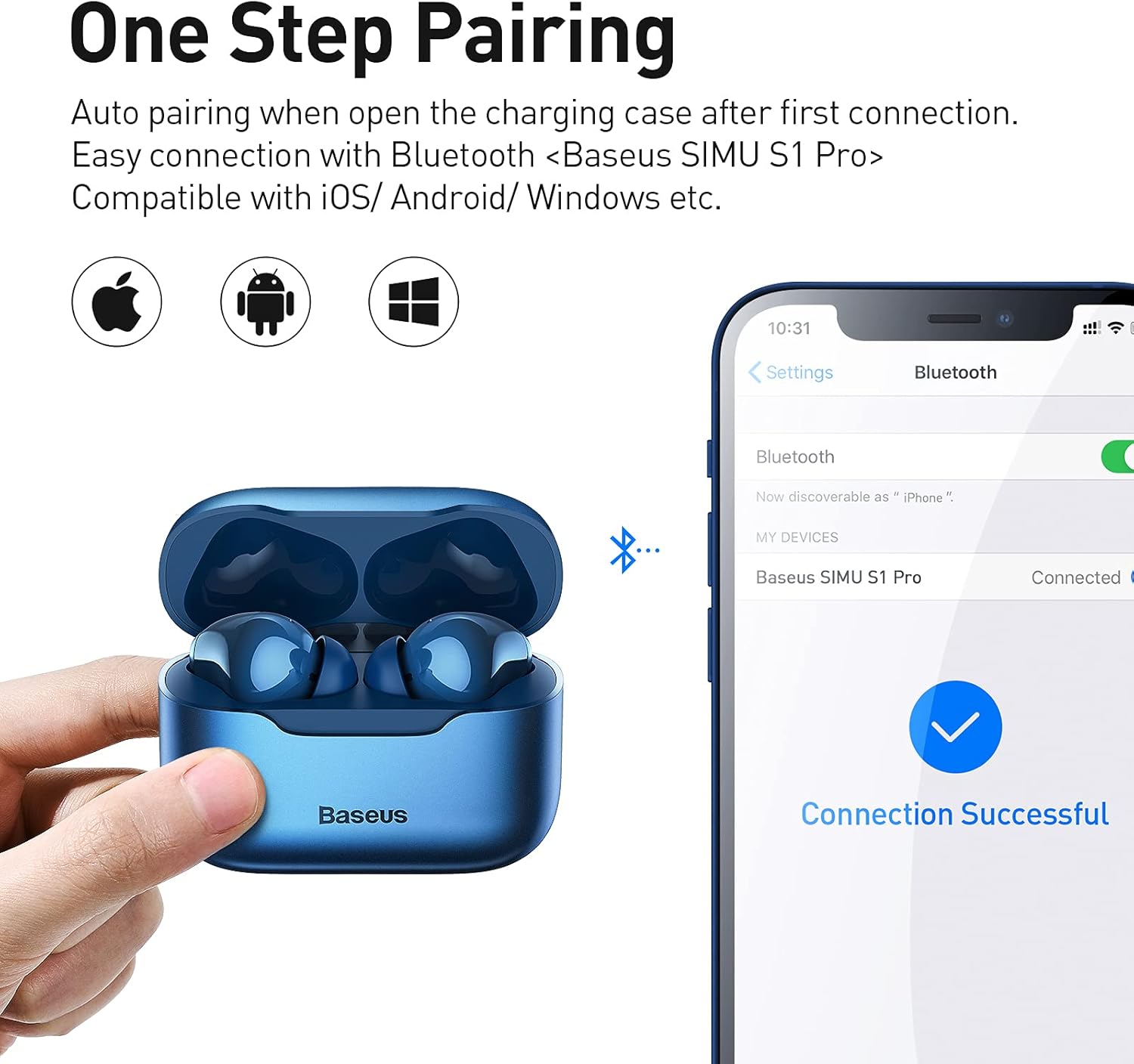
Image: A visual guide showing the earbuds in their case next to a smartphone displaying the Bluetooth pairing screen, indicating a successful connection.
2. Иштөө нускамалары
2.1 Музыка режимин башкаруу элементтери
Control your music playback using the touch-sensitive areas on the earbuds:
- Ойнотуу/тындыруу: Double-tap the left (L) or right (R) earbud.
- Кийинки ыр: Triple-tap the left (L) earbud for 1.5 seconds.
- Мурунку ыр: Triple-tap the right (R) earbud for 1.5 seconds.
2.2 Чакыруу режимин башкаруу элементтери
Жөнөкөй тийүү жаңсоолору менен чалууларыңызды башкарыңыз:
- Жооп / Hang Up: Double-tap the left (L) or right (R) earbud.
- Кирүүчү чалууну четке кагуу: Press and hold the left (L) or right (R) earbud for 1.5 seconds.
2.3 ANC/Ambient Sound Mode Switch
Switch between Active Noise Cancellation (ANC) and Ambient Sound Mode:
- Которуу режимдери: Press and hold the left (L) or right (R) earbud for 1.2 seconds. The modes cycle through: Disable ANC > Enable Ambient Sound Mode > Enable ANC.

Image: A diagram illustrating the smart touch controls for music playback, call management, and ANC/Ambient Sound mode switching.
2.4 Расмий продукт Videos
Baseus S1 Pro ANC Wireless Earbuds "How to Use"
Video: A comprehensive guide demonstrating how to use the Baseus S1 Pro ANC Wireless Earbuds, covering various functions and features.
Baseus Active Noise Cancelling S1 Pro Overview
Видео: Бүттүview of the Baseus S1 Pro Active Noise Cancelling Earbuds, highlighting key features like ANC, call noise cancellation, and design.
3. Техникалык тейлөө
3.1 Тазалоо
Regular cleaning of your earbuds and charging case is essential for optimal performance and hygiene. Use a soft, dry cloth or a cotton swab lightly dampened with alcohol to clean the earbud surfaces and charging contacts. Avoid excessive moisture.

Image: The earbuds shown with water splashes, indicating their water-resistant design for daily use and light exercise.
3.2 Заряддоо
The Baseus S1 Pro earbuds support both Type-C cable charging and wireless charging.
- Type-C кабелин заряддоо: Connect the provided Type-C cable to the charging port on the case and a power source.
- Зымсыз кубаттоо: Place the charging case on a Qi-compatible wireless charging pad. The case features magnetic alignment for automatic charging.
A 10-minute charge can provide significant playtime, extending usage for up to 90 minutes.

Image: The charging case on a wireless charging pad, illustrating its compatibility with wireless charging and fast charging capabilities.
4. Кыйынчылыктарды
If you encounter any issues with your Baseus S1 Pro earbuds, please refer to the following common solutions:
- Үн/Туташуу маселеси жок: Ensure the earbuds are charged and properly paired with your device. Try resetting the earbuds by placing them back in the case, leaving the lid open, and pressing and holding the button on the case for 5 seconds until the indicator light flashes.
- Үн сапаты начар: Check ear tip fit and ensure earbuds are clean.
- Заряддоо көйгөйлөрү: Verify the charging cable is securely connected or the wireless charging pad is functioning correctly. Clean the charging contacts on both the earbuds and the case.
- ANC иштебейт: Ensure ANC mode is enabled via the touch controls. Check for proper earbud fit.
For persistent issues, please contact Baseus customer support.
5. Техникалык шарттар
| Өзгөчөлүк | Спецификация |
|---|---|
| Бренд | Baseus |
| Модель аты | S1 Pro (NGS1P-03) |
| Байланыш технологиясы | Зымсыз (Bluetooth 5.2) |
| Noise Control | Активдүү Шумду Жоюу (ANC) |
| Микрофондор | 4-Mics ENC Call Noise Cancelling |
| Айдоочунун өлчөмү | 10мм динамикалык драйвер |
| Заряддоо | Type-C, Wireless Charging Compatible |
| Батареянын иштөө мөөнөтү (бир кубаттоо) | Болжол менен 5 саат |
| Жалпы ойноо убактысы (Кеп менен) | 24 саатка чейин |
| Материал | Силикон, Пластик |
| Сууга туруктуулук деңгээли | Суу өткөрбөйт |
| Элемент Салмагы | 5.6 унция |
6. Кепилдик жана колдоо
Baseus products come with a standard manufacturer's warranty. Please refer to the included Warranty Card for specific terms and conditions regarding your Baseus S1 Pro earbuds.
For technical support, warranty claims, or any product-related inquiries, please visit the official Baseus webсайтка же түздөн-түз кардарларды тейлөөгө кайрылыңыз. Кепилдикти текшерүү үчүн сатып алганыңыздын далилин сактаңыз.


