1. Киришүү
Welcome to the Hubble Connected Touch Twin 5-inch Smart Baby Monitor. This device is designed to provide reliable monitoring of your child with advanced features including a 5-inch interactive touchscreen viewer, two portable camera units, Wi-Fi connectivity for smartphone access, remote pan, tilt, and zoom, two-way talk, room temperature display, infrared night vision, and preloaded lullabies. This manual will guide you through the setup, operation, and maintenance of your new baby monitor system.
2. Коопсуздук боюнча маанилүү маалымат
- муунтуу коркунучу: Keep all cords out of reach of children. Never place camera or cords within 3 feet (1 meter) of the crib or playpen. Secure cords to a wall or floor using cable clips.
- Мункунуп калуу коркунучу: Бул продукт кичинекей бөлүктөрдү камтыйт. Балдар жетпеген жерде сактаңыз.
- Ашыкча ысып кетүү: Do not cover the monitor or camera with blankets or towels. Ensure proper ventilation.
- Суу жана ным: Продукцияны сууга же нымдуулукка тийгизбеңиз. Кургак имараттын ичинде гана колдонуңуз.
- Кубат булагы: Берилген кубат адаптерлерин гана колдонуңуз. Уруксат берилбеген адаптерлерди колдонуу продуктуга зыян келтирип, кепилдикти жокко чыгарышы мүмкүн.
- Интерференция: Мониторду тоскоолдуктарды жаратышы мүмкүн болгон башка электрондук түзүлүштөрдөн алыс кармаңыз.
- Чоңдордун көзөмөлү: This product is intended to assist in monitoring your child and should not be used as a substitute for responsible adult supervision.
3. Пакеттин мазмуну
Your Hubble Connect Touch Twin 5-inch Smart Baby Monitor package includes:
- 2 x Ымыркай камерасы
- 1 x Parent Monitor (5-inch Interactive Touchscreen Viewз)
- 2 х Power адаптерлери
- 1 x Quick Start Guide
- 2 x Hubble Grip flexible mounts

4. Орнотуу
4.1 Charging the Parent Unit and Camera Units
Before initial use, fully charge the Parent Monitor and both Camera Units using the provided power adapters. A full charge ensures optimal performance and portability.
4.2 Камераны жайгаштыруу
Position the camera units in locations that provide a clear view of your child. Ensure the camera is at least 3 feet (1 meter) away from the crib or playpen to prevent strangulation hazards from the power cord. The flexible Hubble Grip mounts allow for versatile placement on crib rails or other surfaces.

The camera features remote pan, tilt, and zoom capabilities, allowing you to adjust the viewing angle from the parent unit or smartphone app.
4.3 Pairing the Camera Units (if not pre-paired)
Your camera units should be pre-paired with the parent unit. If re-pairing is needed, consult the Quick Start Guide for specific instructions. Generally, this involves accessing the pairing menu on the parent unit and pressing a pairing button on the camera unit.
4.4 Connecting to Wi-Fi and Smartphone App
For advanced features and remote viewing, download the HubbleClub app on your smartphone or tablet. Follow the in-app instructions to connect your monitor system to your home Wi-Fi network.

5. Мониторуңузду иштетүү
5.1 Негизги Viewокуу жана навигация
Turn on the Parent Monitor. The screen will display the live video feed from one of your camera units. Use the directional buttons on the parent unit to pan and tilt the camera remotely. Pinch-to-zoom functionality may be available on the touchscreen for closer views.

5.2 Эки тараптуу сүйлөшүү
Press and hold the microphone button on the parent unit to speak to your child through the camera's speaker. Release the button to listen.
5.3 Түнкү көрүнүш
The camera automatically switches to infrared night vision in low-light conditions, providing a clear black-and-white image of your child.

5.4 Lullabies and Soothing Sounds
Access the menu on the parent unit to select and play preloaded lullabies, audiobooks, or soothing sounds to help your child relax.
5.5 Бөлмөнүн температурасын көзөмөлдөө
The parent unit displays the room temperature detected by the camera unit, allowing you to ensure a comfortable environment for your child.
5.6 Купуялык режими
For enhanced privacy, manually close the camera lens cover. This physically blocks the camera's view.

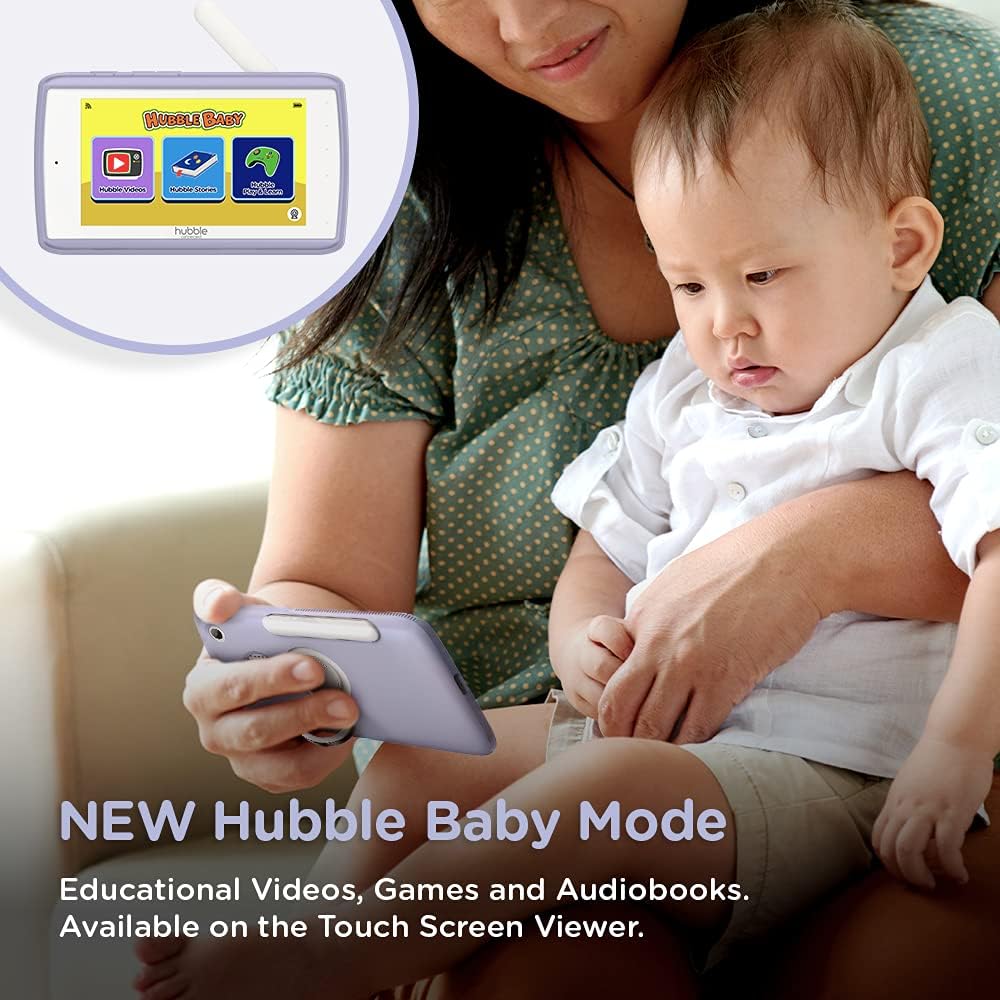
5.7 Hubble Baby Mode
The 5-inch interactive touchscreen viewer can switch to "Hubble Baby Mode," offering educational videos, games, and audiobooks for your child's entertainment and learning as they grow.
6. Техникалык тейлөө
- Тазалоо: Use a soft, dry cloth to clean the monitor and camera units. Do not use abrasive cleaners or solvents.
- Батареяга кам көрүү: Батареянын иштөө мөөнөтүн узартуу үчүн, өтө жогорку температурадан алыс болуп, мезгил-мезгили менен толугу менен заряддан чыгарып, кайра заряддап туруңуз.
- Сактагыч: If storing the product for an extended period, ensure it is fully charged and stored in a cool, dry place.
7. Кыйынчылыктарды
| Көйгөй | Чечим |
|---|---|
| No video/audio on parent unit. | Ensure both parent unit and camera are powered on and charged. Check if they are within range. Re-pair the units if necessary (refer to Quick Start Guide). |
| Poor video quality or interference. | Move the camera or parent unit closer. Ensure no large metal objects or other electronic devices are causing interference. Check Wi-Fi signal strength if using the app. |
| Ата-эне бөлүгүнүн батареясы бат эле түгөнөт. | Reduce screen brightness. Enable ECO mode (if available). Ensure the unit is fully charged before use. Battery life can vary with usage. |
| Cannot connect to HubbleClub app. | Ensure your home Wi-Fi is active and the camera is within range. Restart the camera and your router. Verify correct Wi-Fi password in the app. |
| Camera not responding to pan/tilt/zoom. | Check connection between parent unit/app and camera. Restart both devices. Ensure no physical obstructions are blocking camera movement. |
8. Техникалык шарттар
| Өзгөчөлүк | Деталь |
|---|---|
| Screen Size | 5 дюйм |
| Видео тартуунун резолюциясы | 720p |
| Байланыш технологиясы | Зымсыз, Wi-Fi |
| Power Source | Батарея менен иштейт |
| Өзгөчө өзгөчөлүк | Түнкү көрүнүш |
| Ички/тышкы колдонуу | Indoor |
| Камтылган компоненттер | 2 x Baby Camera Units, Parent Monitor, 2 x Power Adapters, Quick Start Guide |
| Элемент Салмагы | 3.25 фунт |
| Продукциянын өлчөмдөрү | 13 x 13 x 13 дюйм |
| Батареялар | 3 литий-иондук батарейкалар талап кылынат (кошулган) |
9. Кепилдик жана колдоо
For warranty information and technical support, please refer to the official Hubble Connected webсайтка же түздөн-түз кардарларды тейлөөгө кайрылыңыз. Кепилдик дооматтар үчүн сатып алганыңыздын далилин сактаңыз.
зыярат кылыңыз HUBBLE CONNECTED Store көбүрөөк маалымат жана продуктулар үчүн.


