Introduction
The Amazon Echo Dot (5th Generation) is a compact smart speaker with Alexa, designed to provide vibrant sound, smart home control, and hands-free assistance. This manual provides essential information for setting up, operating, and maintaining your device.

The Amazon Echo Dot (5th Gen) in Deep Sea Blue, a compact spherical smart speaker with a glowing light ring at its base.
Кутуда эмне бар
- Echo Dot (5-муундагы) түзмөгү
- Glacier white кубат адаптери (15W)
- Quick Start Guide
Жайгашуу
- Күйгүзүү: Plug the included power adapter into your Echo Dot and then into a wall outlet. The light ring will turn blue, then orange.
- Alexa тиркемесин жүктөп алыңыз: Download the Amazon Alexa app on your smartphone or tablet from your device's app store.
- Wi-Fi'га туташуу: Open the Alexa app and follow the on-screen instructions to connect your Echo Dot to your Wi-Fi network. The device supports dual-band Wi-Fi (2.4 and 5 GHz).
- Жекелештирүү жөндөөлөрү: Complete the setup by personalizing your device settings, including your location, preferred language, and linking music services.
For more details on Wi-Fi simple setup, visit the Amazon Wi-Fi simple setup page.
Эхо чекитин иштетүү
Alexa менен үн башкаруу
To activate Alexa, simply say the wake word "Alexa". The light ring will turn blue, indicating Alexa is listening. You can then issue commands or ask questions.

The Echo Dot ready to respond to a voice command, asking about the weather.
Музыка жана аудио ойнотуу
Play music, audiobooks, and podcasts from various services like Amazon Music, Apple Music, Spotify, and more. You can also stream audio via Bluetooth from your mobile device.

The Echo Dot supports various music streaming services and Bluetooth connectivity for audio playback.
Smart Home Control
Control compatible smart home devices using your voice. The Echo Dot supports Wi-Fi, Bluetooth Low Energy Mesh, and Matter for smart home connectivity. You can also create routines triggered by built-in motion or indoor temperature sensors.
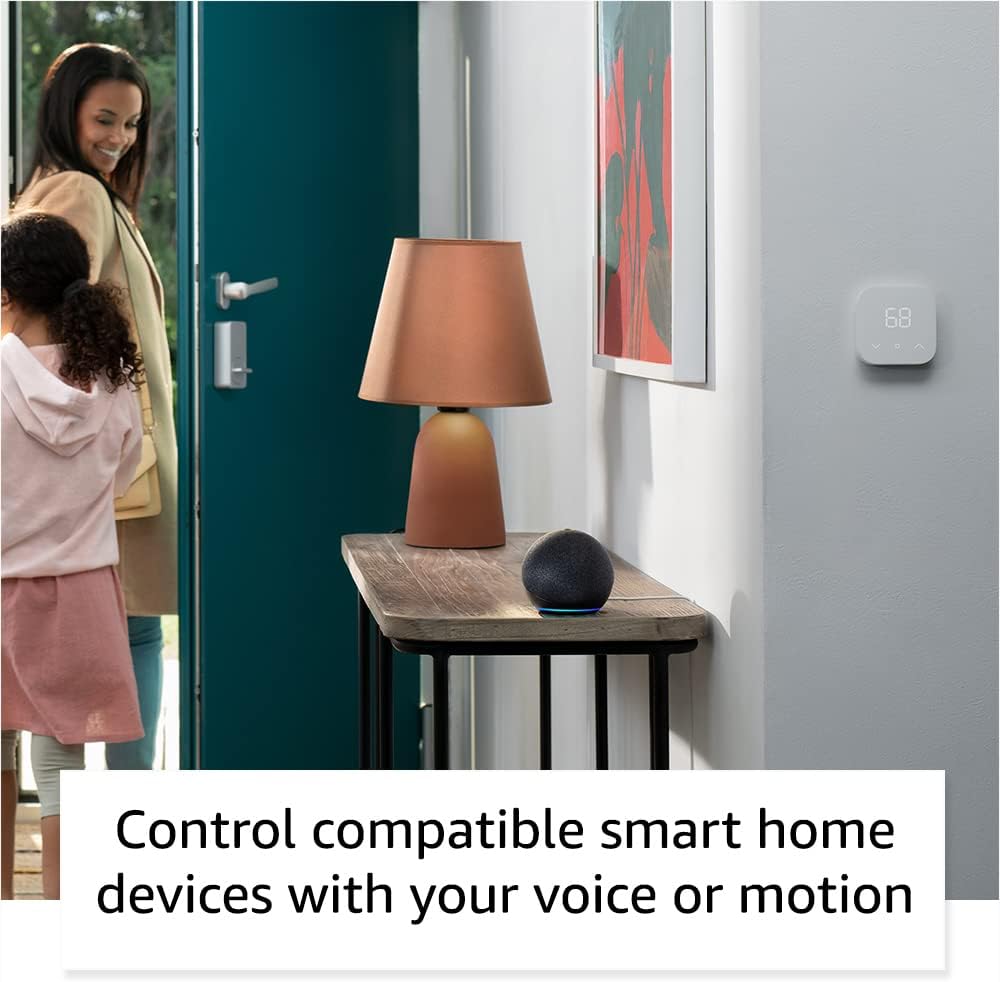
The Echo Dot can control compatible smart home devices, such as thermostats and lights, using voice commands or motion detection.
Физикалык башкаруу
- Үн баскычтары: Use the '+' and '-' buttons on top to adjust volume.
- Аракет баскычы: Press to wake Alexa or snooze an alarm.
- Микрофонду өчүрүү баскычы: Press to disconnect the microphones for privacy. The light ring will turn red.

Tapping the top of the Echo Dot can pause music or snooze an alarm.
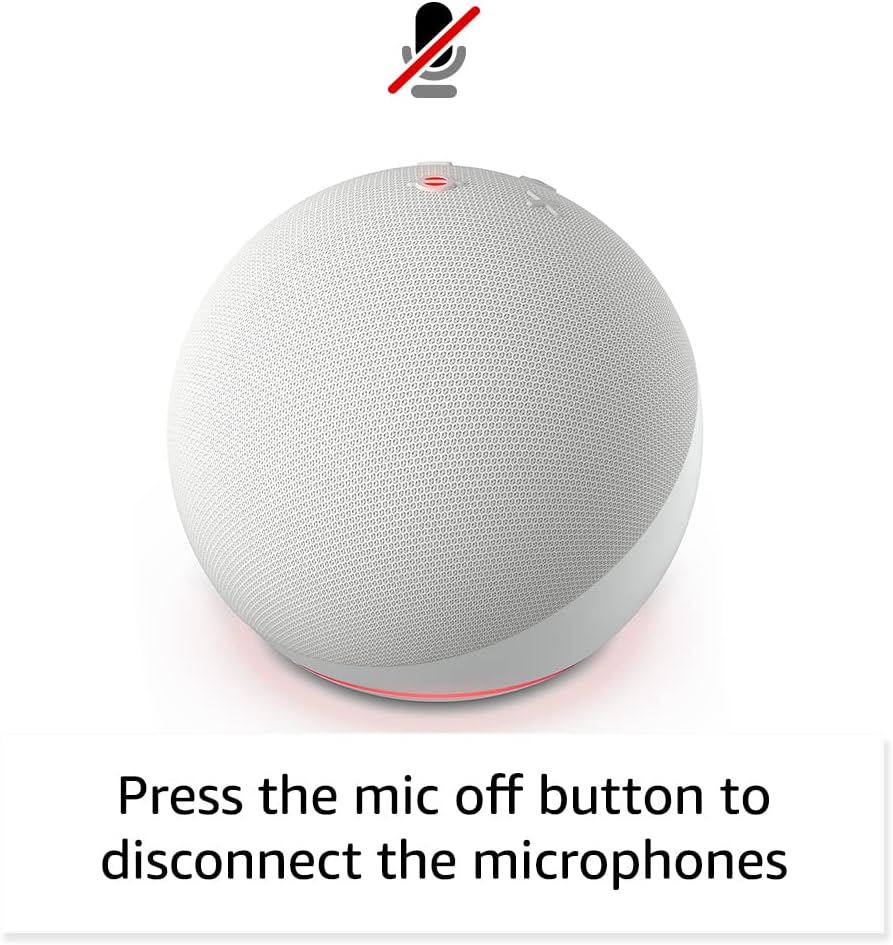
Pressing the microphone off button disconnects the microphones for enhanced privacy.
Техникалык тейлөө
The Echo Dot requires minimal maintenance. Keep the device clean by wiping it with a soft, dry cloth. Avoid using abrasive cleaners or submerging the device in water.
Ensure the device is placed in a well-ventilated area and not covered to prevent overheating.
Проблемаларды чечүү
| Көйгөй | Чечим |
|---|---|
| Echo Dot not responding: | Ensure the microphone is not muted (red light ring). Check power connection. Restart the device by unplugging and plugging it back in. |
| Wi-Fi'га туташпай жатат: | Verify your Wi-Fi password. Ensure your router is working. Try moving the Echo Dot closer to the router. Re-run Wi-Fi setup in the Alexa app. |
| Аудио сапаты начар: | Check device placement; avoid corners or enclosed spaces. Ensure no obstructions are blocking the speaker. Adjust volume. |
| Alexa not understanding commands: | Speak clearly and at a normal volume. Reduce background noise. Ensure you are within listening range. |
Кошумча жардам алуу үчүн, караңыз Amazon Echo Dot Help pages же Amazon кардарларды тейлөө кызматына кайрылыңыз.
Техникалык шарттар
- Өлчөмү: 3.9” x 3.9” x 3.5” (100мм x 100мм x 89 мм)
- Салмагы: 10.7 унция (304g)
- Аудио: 1.73 дюймдук (44 мм) алдыңкы динамик, Lossless High Definition
- Wi-Fi туташуусу: Dual-band Wi-Fi (802.11a/b/g/n/ac, 2.4 and 5 GHz)
- Bluetooth байланышы: Аудио агымы үчүн A2DP колдоосу, туташкан мобилдик түзмөктөрдү үн менен башкаруу үчүн AVRCP.
- Smart Home шайкештиги: Wi-Fi, Bluetooth аз энергиялуу тор, зат
- Муун: Echo Dot (5-муундагы) - 2022-жылы чыгарылган
- Тил: Алекса англис жана испан тилдеринде сүйлөйт
Купуялык өзгөчөлүктөрү
The Echo Dot is designed with multiple layers of privacy controls:
- Wake Word технологиясы: Алекса ойготкуч сөздү тапкандан кийин гана уга баштайт.
- Микрофонду өчүрүү баскычы: Electronically disconnects the microphones.
- Агым индикаторлору: Alexa аудиону булутка агылтып жатканда визуалдык индикаторлор көрсөтөт.
- Үн жаздырууну башкаруу: жөндөмдүүлүгү view and delete your voice recordings via the Alexa app.
Көбүрөөк маалымат алуу үчүн, киргиле Alexa Privacy Hub.
Атайын мүмкүнчүлүктөр
The Alexa app provides various accessibility settings:
- Адаптивдүү угуу: Алекса жооп бергенге чейин сүйлөп бүтүрүүгө көбүрөөк убакыт берет.
- Сүйлөөнүн артыкчылыктуу ылдамдыгы: Алексанын канчалык тез же жай сүйлөгөнүн көзөмөлдөңүз.
- Үн суроо: Plays an audible tone when you speak to Alexa.
- Kindle үн чыгарып окуу: Alexa сиздин Kindle китептериңизди үн чыгарып окуй алат.
- Жакын жерде болгондо кабарлаңыз: Түзмөктүн жанында аныкталганда эскертме үндөрүн ойнотот.
Access these features in the Alexa App: Орнотуулар → Жеткиликтүүлүк.
Amazon тротуары
Amazon Sidewalk uses Echo and Ring devices to securely keep other devices connected and help find lost items. It uses a small portion of your internet bandwidth to provide these benefits. Sidewalk is turned on by default but can be turned off at any time via the Alexa app.
Learn more about Amazon Sidewalk бул жерде.
eero орнотулган
Your Echo Dot can extend Wi-Fi coverage with a compatible eero router. This feature requires linking your eero and Amazon accounts and managing it from the eero mobile application. eero Built-in compatible Echo devices support up to 1,000 sq. ft. of additional coverage, speeds up to 100 Mbps, and 10 or fewer connected devices.
Көбүрөөк маалымат алуу үчүн, баш багыңыз eero Built-in information page.
Кепилдик жана тейлөө
The Echo Dot comes with a 90-day limited warranty and service. Optional 1-year, 2-year, and 3-year extended warranties are available for U.S. customers, sold separately.
Бул түзмөк Amazon'до жаңы түзмөк катары акыркы жолу сатып алууга мүмкүн болгондон кийин кеминде төрт жылга чейин программалык камсыздоонун коопсуздук жаңыртууларын кепилденет webсайттар.
For warranty claims or service, please contact Amazon Customer Service or visit the Amazon түзмөгүн колдоо барагы.


