1. Орнотуу жана туташуу
The CHONCHOW G112 Wireless TKL Gaming Keyboard and Mouse Combo utilizes a 2.4GHz USB receiver for wireless connectivity. Both devices connect via a single USB-A dongle, ensuring a streamlined setup process.
Баштапкы заряддоо
- Before first use, ensure both the keyboard and mouse are fully charged. The keyboard features a 2500mAh rechargeable battery, and the mouse has a 500mAh high-performance battery.
- Connect the provided charging cables to the respective charging ports on the keyboard and mouse, then plug them into a USB power source.
Түзмөктөрдү туташтыруу
- USB кабыл алгычты табыңыз, ал адатта чычкандын батарея бөлүмүнө же атайын уячага сакталат.
- Insert the USB receiver into an available USB-A port on your computer or gaming console.
- Ensure the power switches on both the keyboard and mouse are set to the 'ON' position. The devices are designed for plug-and-play functionality, requiring no additional drivers for basic operation.
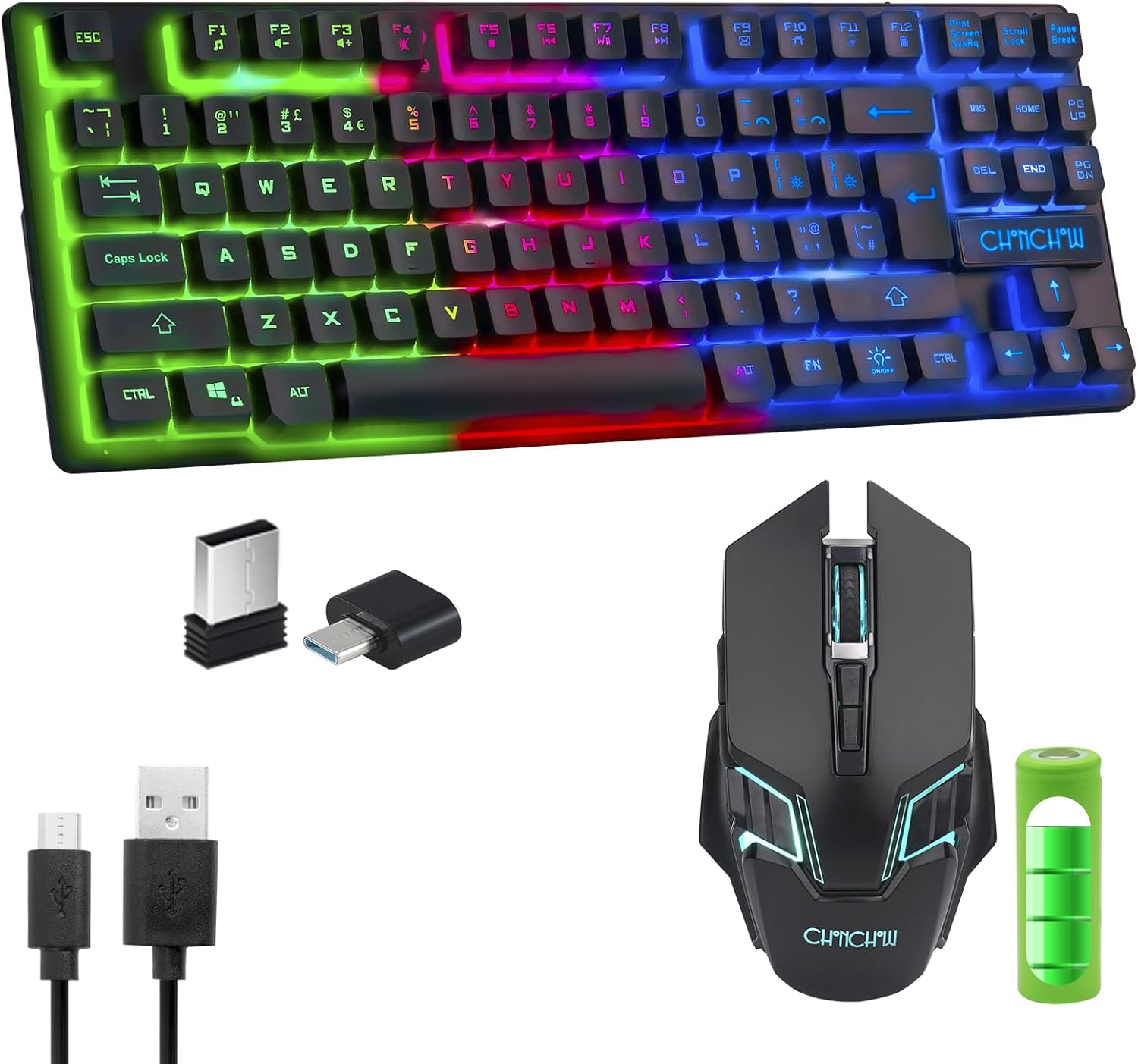
Image: The CHONCHOW G112 keyboard and mouse, along with the USB receiver and charging cables.

Image: A visual representation of how one USB receiver establishes a wireless connection for both the keyboard and mouse.
2. Иштөө нускамалары
Баскычтоптун функциялары
- LED арткы жарыкты башкаруу: The keyboard offers breathing mode, static light, and light-off options. Adjust brightness with 3 levels. Use the FN key in combination with specific keys (refer to keyboard markings for exact combinations, typically FN + light icon key or arrow keys for brightness/mode).
- Мультимедиа ачкычтары: Access multimedia functions by pressing the FN key simultaneously with the F1-F12 function keys. These include volume control, media playback, and more.
- Ачкычсыз дизайн: The compact 87-key layout provides more desk space for mouse movement.

Image: The keyboard layout with F-keys indicating their secondary multimedia functions when used with the FN key.

Сүрөт: деталдуу view of the keyboard's keys illuminated with colorful RGB backlighting.
Чычкан функциялары
- DPI жөндөө: The mouse supports multiple DPI settings (1000 default, 1600, 2400, 3200) for customizable cursor sensitivity. Use the dedicated DPI button, usually located near the scroll wheel, to cycle through settings.
- LED Emitting: The mouse features LED lighting. This can often be controlled via a switch on the underside or through DPI button presses.
- 6 баскычтуу дизайн: In addition to standard left/right clicks and scroll wheel, the mouse includes additional programmable buttons for enhanced gaming or productivity.

Сүрөт: An overview of the mouse's key features, such as adjustable DPI and button durability.

Image: The bottom of the mouse, indicating the location of the USB receiver and the power switch.
3. Техникалык тейлөө
Батарея башкаруу
- Баскычтоптун батареясы: The 2500mAh rechargeable battery provides over 30 hours of playtime. The keyboard includes an auto-sleep function and a power switch to conserve battery life.
- Чычкандын батареясы: The 500mAh rechargeable battery can last several months on a full charge, depending on usage.
- Regularly charge both devices to ensure uninterrupted performance.

Image: An illustration showing the keyboard's 2500mAh battery capacity and its estimated 30+ hours of usage.

Image: An illustration detailing the mouse's 500mAh battery capacity.
4. Кыйынчылыктарды
- Connectivity Issues (Stuttering/Disconnection): If experiencing stuttering or intermittent disconnections, ensure the USB receiver is plugged into a standard USB 2.0 port. Some USB 3.0 ports may cause interference with 2.4GHz wireless devices.
- Түзмөктөр жооп бербей жатат: Verify that both the keyboard and mouse are fully charged and their power switches are in the 'ON' position. Re-insert the USB receiver into a different USB port.
- LED жарыктары иштебейт: For the keyboard, ensure the backlight is enabled using the appropriate FN key combination. Check the mouse's power switch for an LED-specific setting if available.
- Lag or Input Delay: Ensure the devices are within the effective transmission range (up to 10 meters) of the USB receiver and there are no significant obstructions or sources of interference.
5. Техникалык шарттар
- Модел: G112
- Байланыш: 2.4GHz Wireless (via single USB receiver)
- Баскычтоптун жайгашуусу: Tenkeyless (87 Keys)
- Баскычтоптун батареясы: 2500 XNUMX мАч кайра заряддалуучу литий-ион
- Чычкан баскычтары: 6 баскычтар
- Чычкандын батареясы: 500mAh кайра заряддалуучу
- Чычкандын DPI жөндөөлөрү: 1000 (default), 1600, 2400, 3200
- Арткы жарык: LED Backlit (Breathing, Static, Off modes; 3 brightness levels)
- Шайкештик: Windows XP/7/8/10, iMac, MacBook (MacOS supports FN multimedia keys), PS4, PS5, Switch, Xbox One X, Google Raspberry Pi.
- Элемент Салмагы: 1.81 фунт
- Пакеттин өлчөмдөрү: 17.4 x 6.61 x 2.01 дюйм
6. Кепилдик жана колдоо
For warranty information or technical support, please refer to the documentation included with your purchase or contact CHONCHOW customer service directly. Ensure you retain your proof of purchase for any warranty claims.
This product is compatible with a wide range of operating systems and gaming consoles, including Windows, macOS, PlayStation 4, PlayStation 5, Nintendo Switch, and Xbox One X, offering versatile use across various platforms.


