Introduction
Thank you for choosing the Bytech BYMSWR104BK 3 Button Gaming Mouse. This manual provides essential information for setting up, operating, and maintaining your new gaming mouse. Please read this manual thoroughly before use to ensure optimal performance and longevity of your device.
Өзгөчөлүктөрү
- Precision Mouse: Designed for accurate tracking and responsive control.
- Жөнгө салынуучу DPI: Customize sensitivity for various gaming and productivity needs.
- Three Responsive Buttons: Includes left-click, right-click, and scroll wheel/middle-click for efficient operation.
- Түстүү арткы жарык: Features multi-color LED lighting with 7 distinct color modes for an enhanced aesthetic experience.
- Эргономикалык дизайн: Shaped to fit comfortably in your palm, reducing fatigue during extended use.
Техникалык шарттар
| Бренд | Bytech |
| Модель номери | BYMSWR104BK |
| баскычтардын саны | 3 |
| Movement Resolution | 1,000 DPI |
| Түс режимдери | 7 Colors (Multi-color Backlight) |
| Кабелдин узундугу | 5 фут |
| Которуу рейтинги | 1 миллион чыкылдатуу |
| Элемент Салмагы | 4.9 унция |
| Пакеттин өлчөмдөрү | 7.17 x 4.06 x 2.68 дюйм |
| Түс | Кара |
| Power Source | Электр зымдары (USB) |
| Аппараттык платформа | PC |
Пакеттин мазмуну
- 1 x Bytech BYMSWR104BK Wired Gaming Mouse
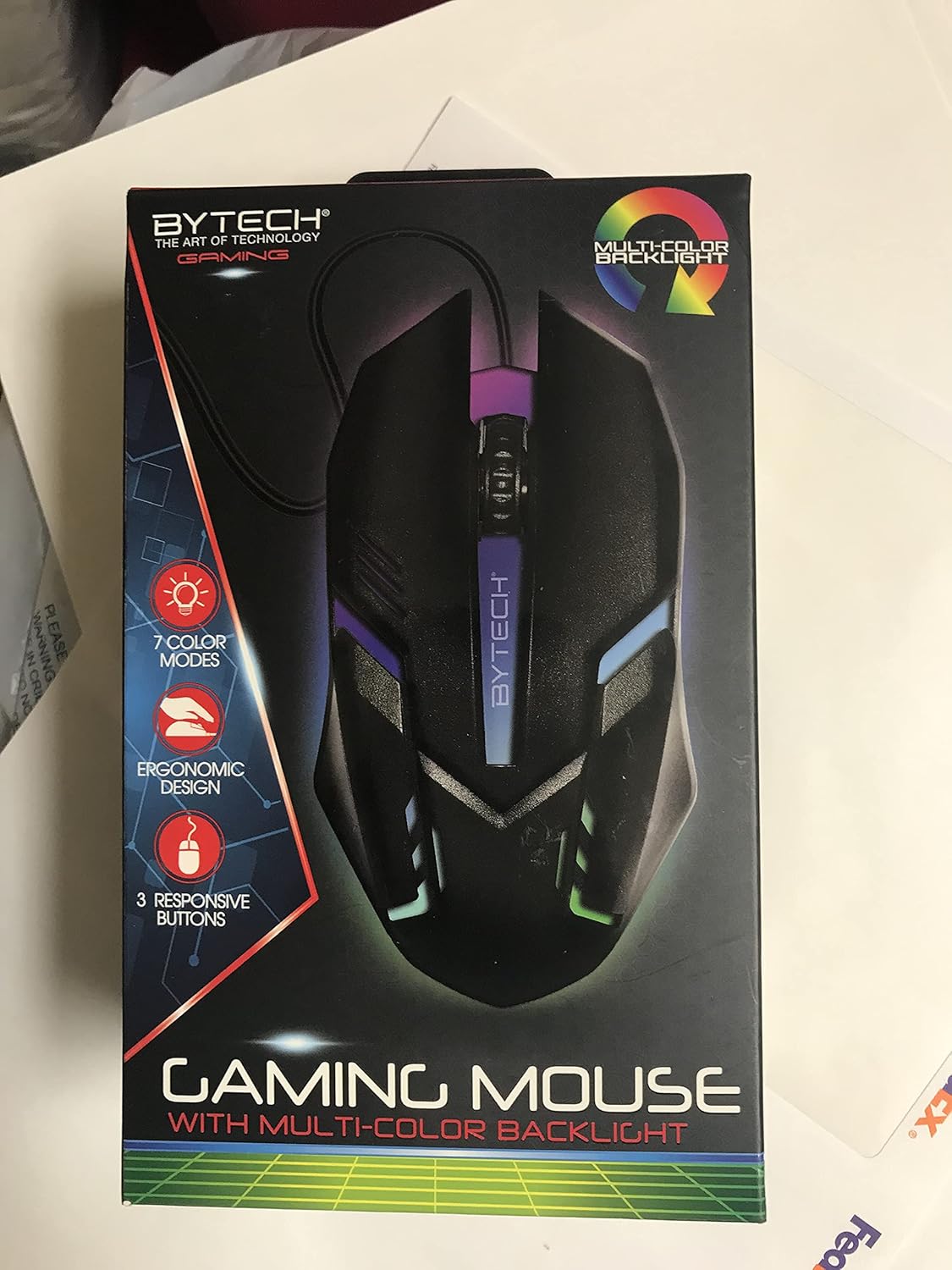
Сүрөт: алдыңкы view of the Bytech BYMSWR104BK Gaming Mouse in its retail packaging, highlighting its multi-color backlight and ergonomic design.
Жайгашуу
- Таңылганын ачуу: Carefully remove the gaming mouse from its packaging.
- Туташуу: Locate an available USB port on your computer (PC, laptop, etc.). Insert the USB connector of the Bytech BYMSWR104BK Gaming Mouse firmly into the USB port.
- Драйверди орнотуу: The mouse is plug-and-play. Your operating system should automatically detect and install the necessary drivers. This process may take a few moments.
- Колдонууга даяр: Once the drivers are installed, the mouse will be ready for immediate use. The multi-color backlight will illuminate.

Сүрөт: Арткы view of the Bytech BYMSWR104BK Gaming Mouse retail packaging, detailing features, specifications, and universal compatibility.
Иштөө нускамалары
Негизги операция
- Сол баскыч: Primary click function, typically used for selecting items, opening files, or interacting with software.
- Оң баскыч: Secondary click function, usually opens context menus or provides additional options.
- Жылдыруу дөңгөлөгү (ортоңку баскыч): Scroll up or down to navigate documents and web pages. Pressing the scroll wheel acts as a middle-click button, often used for opening links in new tabs or auto-scrolling.
DPI тууралоо
The Bytech BYMSWR104BK Gaming Mouse features adjustable DPI settings. While specific buttons for DPI adjustment are not explicitly listed on the packaging, many gaming mice allow DPI changes through a dedicated button (often located near the scroll wheel) or through software. Refer to your computer's mouse settings or Bytech's official website for advanced customization options if available.
LED жарыгы
The mouse features a dynamic multi-color LED backlight with 7 different color modes. These lights will automatically cycle through the modes once the mouse is connected and powered on. There is no manual control for changing modes on the mouse itself.
Техникалык тейлөө
- Тазалоо: Чычкандын бетин сүртүү үчүн жумшак, кургак чүпүрөктү колдонуңуз. өжөр кир үчүн, бир аз гampчүпүрөктү суу же жумшак тазалоо эритмеси менен жууп салыңыз. Катуу химиялык заттарды же абразивдүү материалдарды колдонуудан алыс болуңуз.
- Сенсорго кам көрүү: Так көз салуу үчүн чычкандын түбүндөгү оптикалык сенсорду чаңдан же таштандыдан таза кармаңыз.
- Кабелдик башкаруу: Зыяндын алдын алуу үчүн USB кабелин курч ийилүүдөн же ашыкча тартуудан алыс болуңуз.
- Сактагыч: Колдонулбаганда, чычканды экстремалдык температурадан алыс, таза, кургак чөйрөдө сактаңыз.

Сүрөт: каптал view of the Bytech BYMSWR104BK Gaming Mouse retail packaging, showcasing the multi-color backlight effect.
Проблемаларды чечүү
| Көйгөй | Мүмкүн чечим |
|---|---|
| Чычкан жооп бербей жатат |
|
| Курсор туруксуз же жылмакай кыймылдабайт |
|
| LED арткы жарыгы иштебейт |
|
Кепилдик жана колдоо
Кепилдик: This Bytech product comes with a 12-month warranty from the date of purchase. Please retain your proof of purchase for warranty claims.
Байланыш маалыматы:
- Дарек: 2585 West 13th Street, Brooklyn, NY 11223, USA
- Webсайт: www.bytechintl.com
⚠ ЭСКЕРТҮҮ: Бул продукт сизди химиялык заттарга, анын ичинде Калифорния штатына рак, тубаса кемтик же башка репродуктивдүү зыян алып келгени белгилүү болгон DEHP менен таасир этиши мүмкүн. Көбүрөөк маалымат алуу үчүн өтүңүз www.P65Warnings.ca.gov.

Сүрөт: Төмөнкү view of the Bytech BYMSWR104BK Gaming Mouse retail packaging, showing contact information, warranty details, and California Proposition 65 warning.


