1. Киришүү
Сатып алганыңыз үчүн рахматasing the BYTECH BYMCLB116BK Projector Decor Light-Rainbow. This device is designed to project vibrant rainbow light effects, enhancing room ambiance and providing unique lighting for creative photography. Please read this manual thoroughly before use to ensure proper operation and maintenance.

Image 1.1: The BYTECH BYMCLB116BK Projector Decor Light-Rainbow packaging, highlighting its key features including rainbow glow, secure stabilization, 360-degree rotation and tilt, and USB connectivity.
2. Коопсуздук маалыматы
- Аппаратты суудан жана нымдан алыс кармаңыз.
- Аппаратты экстремалдык температурага же тике күн нуруна калтырбаңыз.
- Аппаратты түшүрүүдөн же катуу таасирлерден сактаныңыз.
- Аппаратты өз алдынча бөлүүгө же оңдоого аракет кылбаңыз. Бардык тейлөөлөрдү квалификациялуу кызматкерлерге тапшырыңыз.
- Use only the provided USB cable or a certified equivalent for power.
- Аппараттын кыйрабашы үчүн туруктуу, жалпак бетке коюлганын текшериңиз.
- Балдар жана үй жаныбарлары жетпеген жерде сактаңыз.
3. Пакеттин мазмуну
Пакеттин мазмунун кылдат текшериңиз. Эгерде кандайдыр бир буюмдар жок же бузулуп калса, сатуучуга кайрылыңыз.
- 1 x BYTECH BYMCLB116BK Projector Decor Light-Rainbow
- 1 x USB Power Cable (with wired remote control)
- 1 x User Manual
4. Орнотуу
- Таңылганын ачуу: Carefully remove the Projector Decor Light from its packaging.
- Жайгашкан жери: Place the projector on a stable, flat surface. Consider the desired projection area and distance from the wall or ceiling for optimal effect. The device features 360-degree rotation and tilt for flexible positioning.
- Туташуу кубаты: Insert the small end of the USB power cable into the USB port on the projector. Connect the larger end of the USB cable to a standard USB power adapter (not included) or a powered USB port (e.g., on a computer or power bank).
- Secure Stabilization: Ensure the base is firmly placed to prevent accidental movement, utilizing its secure stabilization feature.
5. Иштөө нускамалары
The BYTECH Projector Decor Light is designed for simple operation.
- Күйгүзүү/өчүрүү: Once connected to a power source, locate the wired remote control on the USB cable. Press the power button on the remote to turn the light on or off.
- Adjust Brightness/Mode: Use the other buttons on the wired remote control to cycle through different brightness levels or projection modes, if available. Refer to the remote's markings for specific functions.
- Проекциялык бурчту тууралоо: кол менен тууралоо lamp head to rotate and tilt 360 degrees to direct the rainbow light projection to your desired area.
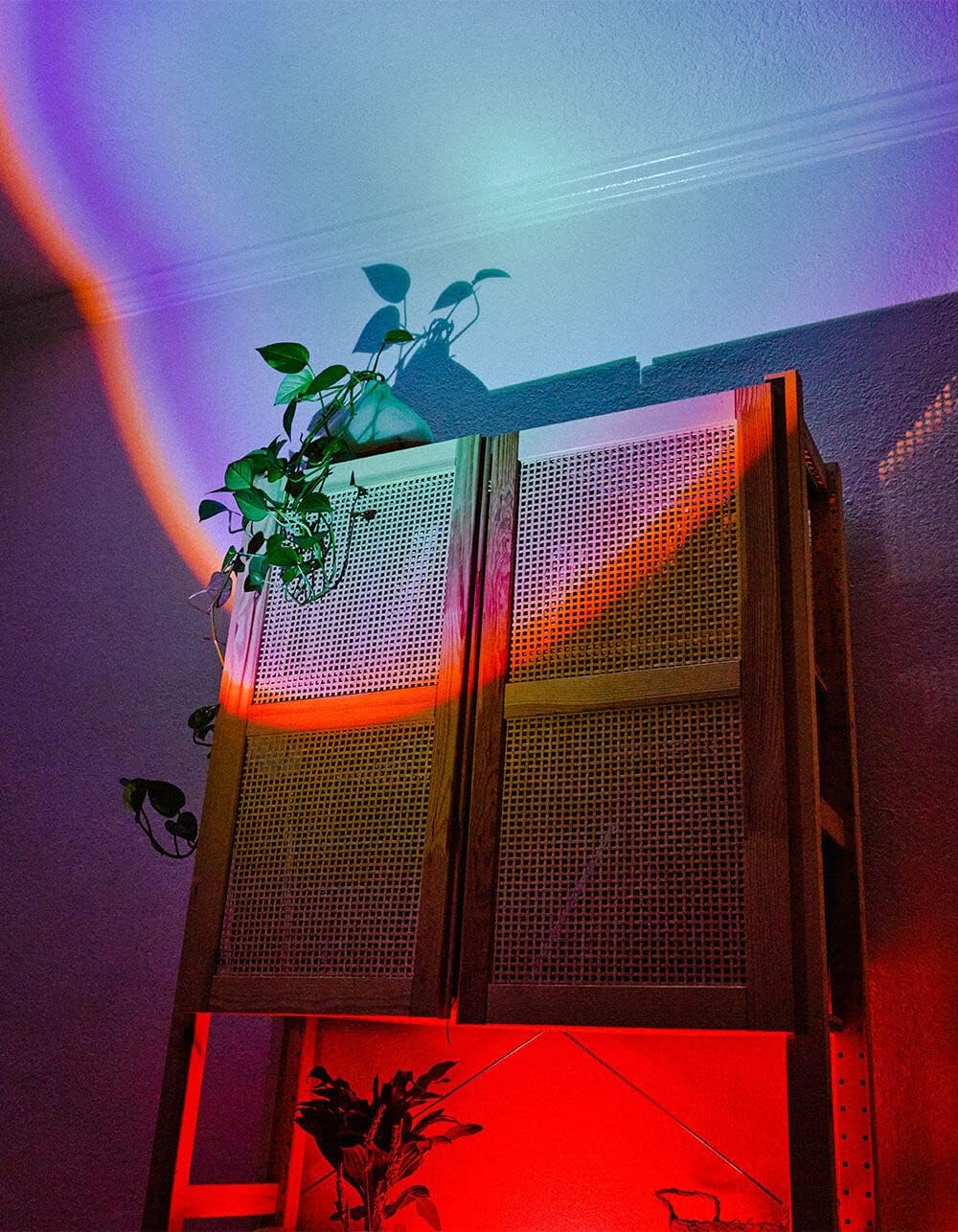
Image 5.1: The BYTECH Projector Decor Light-Rainbow in operation, casting vibrant rainbow light patterns onto a room's wall and furniture, demonstrating its ambient effect.
6. Техникалык тейлөө
- Тазалоо: Disconnect the power before cleaning. Use a soft, dry cloth to wipe the surface of the projector. Do not use abrasive cleaners or solvents.
- Сактагыч: When not in use for extended periods, store the device in a cool, dry place, away from direct sunlight and moisture.
- Колдонуу: Handle the device with care to avoid damage to the lens or internal components.
7. Кыйынчылыктарды
| Көйгөй | Мүмкүн себеп | Чечим |
|---|---|---|
| Түзмөк күйбөй жатат. | Электр байланышы жок же кабели бузулган. | Ensure the USB cable is securely connected to both the projector and a powered USB port/adapter. Try a different USB port or adapter. |
| Жарык күңүрт же бүлбүлдөп турат. | Insufficient power supply or dirty lens. | Ensure the power source provides adequate power. Clean the projector lens gently with a soft, dry cloth. |
| Проекция бүдөмүк. | Линза кир. | Gently clean the projector lens with a soft, dry cloth. |
8. Техникалык шарттар
- Модел: BYMCLB116BK
- Бренд: Bytech
- Кубат киргизүү: USB Powered (5V DC, current not specified, typical for USB)
- Жарык булагы: LED
- Проекциянын түрү: Rainbow Glow
- Жөнгө салуу: 360° Rotation & Tilt
- Пакеттин өлчөмдөрү: 5 x 5 x 5 дюйм
- Элемент Салмагы: 1 фунт
- Өндүрүүчү: BYTECH
9. Кепилдик жана колдоо
This product is covered by a limited warranty provided by BYTECH. For specific warranty terms and conditions, please refer to the warranty card included with your purchase or visit the official BYTECH website. For technical support, troubleshooting assistance, or to inquire about replacement parts, please contact BYTECH customer service through their official channels.
Кепилдик дооматтары үчүн сатып алганыңыздын далилин сактап коюңуз.


