User Manual: ANBERNIC RG351M Retro Game Handheld Console
Model: RG351M
Introduction
The ANBERNIC RG351M is a portable retro game handheld console designed for an immersive gaming experience. Featuring a 3.5-inch IPS screen and powered by an RK3326 quad-core processor, it supports a wide range of classic game formats. This manual provides essential information for setting up, operating, maintaining, and troubleshooting your device.
Коопсуздук маалыматы
- Аппаратты экстремалдык температурага, түз күндүн нуруна же жогорку нымдуулукка дуушар кылбаңыз.
- Аппаратты түшүрүүдөн же катуу таасирлерден сактаныңыз.
- Use only the provided USB charging cable and a compatible power adapter (maximum load 2A) for charging.
- Аппаратты өз алдынча бөлүүгө же оңдоого аракет кылбаңыз. Квалификациялуу тейлөө кызматкерлерине кайрылыңыз.
- Аппаратты суудан жана башка суюктуктардан алыс кармаңыз.
- Колдонуу жана кубаттоо учурунда туура желдетүүнү камсыз кылыңыз.
Пакеттин мазмуну

Image: The ANBERNIC RG351M console, its retail packaging, and the included USB charging cable.
Сураныч, кутудан чыгарганда пакеттин мазмунун текшерип, бардык буюмдар бар экенин текшериңиз:
- 1 x RG351M Game Console
- 1 x USB кабели
- 1 х Колдонуучунун колдонмосу (бул документ)
- 1 x 64GB TF Card (pre-installed with games)
Продукт бүттүview
Фронт View

Сүрөт: алдыңкы view of the RG351M console, highlighting the 3.5-inch IPS screen, D-pad, dual analog joysticks, and action buttons (A, B, X, Y), along with SELECT and START buttons.
- 3.5 дюймдук IPS экран: High-definition display for clear visuals.
- D-Pad: Directional pad for navigation and game control.
- Аналогдук джойстиктер: Dual 3D rocker sticks for precise movement.
- Аракет баскычтары (A, B, X, Y): Стандарттуу оюн киргизүү баскычтары.
- ТАНДОО баскычы: Used for various in-game functions and menu navigation.
- START баскычы: Used for pausing games, confirming selections, and menu navigation.
Жогорку жана төмөнкү Views (Порттор жана башкаруу элементтери)

Image: Top edge of the console, displaying the L1, L2, R1, R2 shoulder buttons, a Type-C OTG port, a 3.5mm earphone jack, and another Type-C port labeled OTG/DC for data transfer and charging.

Image: Bottom edge of the console, showing the TF card slot for expandable storage and the recessed Reset button.
- L1/L2/R1/R2 баскычтары: Shoulder buttons for additional in-game controls.
- OTG 1 (Type-C): USB Type-C port for data transfer.
- 3.5 мм наушник уячасы: Наушниктерди туташтыруу үчүн.
- OTG 2 (Type-C / Charging Port): USB Type-C port for data transfer and charging.
- TF карта уячасы: For inserting the game TF card (supports up to 256GB).
- Калыбына келтирүү баскычы: A small, recessed button to restart the device if it becomes unresponsive.
- Баяндамачылар: High-quality double horn stereo speakers.
Артка View

Сүрөт: Артка view of the RG351M console, displaying the ANBERNIC logo, model number (RG351M), and battery specifications (Li-Po 3500mAh).
Жайгашуу
1. Баштапкы заряддоо
Before first use, fully charge the console. Connect the provided USB Type-C cable to the OTG 2 (charging) port on the top of the device and the other end to a compatible USB power adapter (not included, recommended 5V/1.3A to 2A). The charging indicator light will illuminate. A full charge typically takes about 4 hours.
2. TF картасын салуу
The console comes with a 64GB TF card pre-installed with games. If you need to remove or insert the TF card, gently push it into the TF card slot on the bottom of the device until it clicks into place. To remove, push it again until it springs out.
Иштөө нускамалары
Күйгүзүү/өчүрүү
- Күйгүзүү үчүн: Press and hold the Power button (located on the left side) for a few seconds until the screen illuminates.
- Өчүрүү үчүн: Press and hold the Power button until a power-off menu appears on the screen. Select "Power Off" or "Shutdown". Alternatively, a quick press of the power button will put the device into sleep mode.
Системада навигация
The RG351M runs on an open-source Linux system. Use the D-pad or analog joysticks to navigate through menus and game lists. The 'A' button typically confirms selections, and the 'B' button typically goes back.
Оюндарды ойноо
Select a game from the main menu. The console supports various game formats including PSP, N64, NDS, PS1, CPS1, CPS2, FBA, NEOGEO, GBA, GBC, GB, SFC, FC, MD, SMS, GG, MSX, PCE, WSC, and transplant games. Refer to specific emulator controls within the system for optimal gameplay.
Wi-Fi туташуусу

Image: The RG351M console showing a game in progress, with an overlay graphic indicating fast Wi-Fi connectivity (2.4GHz 802.11b/g/n).
The RG351M supports 2.4GHz Wi-Fi (802.11b/g/n) for online features, such as game updates or online multiplayer (where supported by the game/emulator).
- Система жөндөөлөрү менюсуна өтүңүз.
- Select "Network" or "Wi-Fi settings".
- Wi-Fi иштетиңиз жана тизмеден каалаган тармакты тандаңыз.
- Эгер суралса, сырсөздү киргизиңиз.
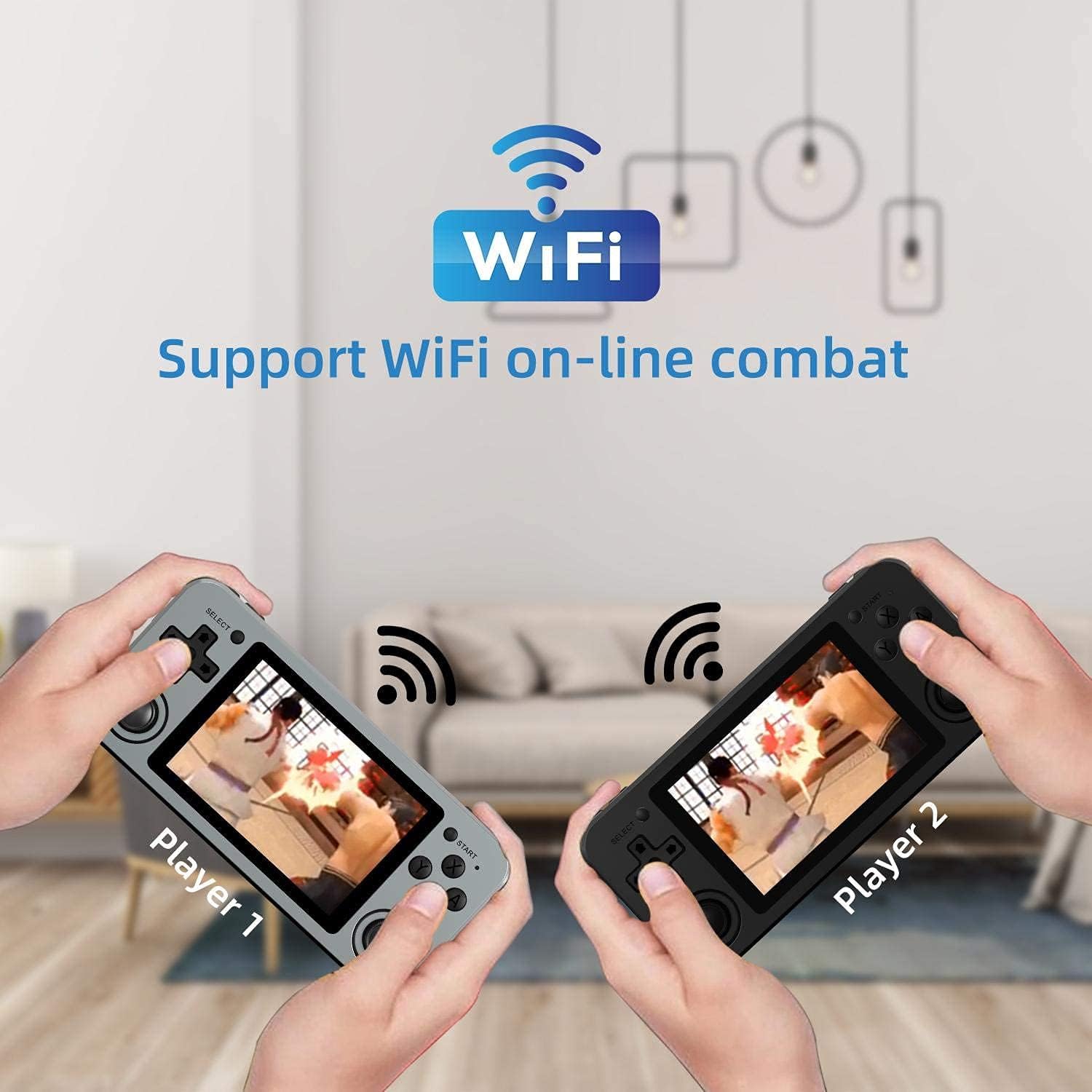
Image: Two RG351M consoles held by hands, illustrating the capability for Wi-Fi online combat between players.
Техникалык тейлөө
- Тазалоо: Use a soft, dry cloth to clean the console's exterior. For the screen, use a microfiber cloth specifically designed for electronics. Do not use liquid cleaners directly on the screen.
- Сактагыч: When not in use for extended periods, store the console in a cool, dry place, away from direct sunlight.
- Батареяга кам көрүү: Батареянын иштөө мөөнөтүн узартуу үчүн, бат-баттан батарейканы толук зарядсыздандырбаңыз. Батареянын ден соолугун сактоо үчүн, колдонбосо дагы, аппаратты дайыма заряддап туруңуз.
- Программалык камсыздоо жаңыртуулары: Periodically check for system updates (if available through the open-source community) to ensure optimal performance and compatibility.
Проблемаларды чечүү
| Көйгөй | Мүмкүн чечим |
|---|---|
| Түзмөк күйбөйт. | Батарея заряддалганын текшериңиз. Заряддагычты туташтырыңыз жана кайра күйгүзүү аракетинен мурун бир нече мүнөт күтүңүз. |
| Экран катып калган же жооп бербей жатат. | Locate the recessed Reset button on the bottom of the device and press it gently with a thin, non-metallic object (e.g., a paperclip) to restart the console. |
| Оюндар жүктөлбөй жатат же жай иштеп жатат. | Ensure the TF card is properly inserted. Some games may require specific emulator settings or may be too demanding for the hardware. Check online communities for compatibility lists or optimization tips. |
| Динамиктерден же наушниктерден үн чыкпайт. | Check the volume level using the volume buttons on the right side of the console. Ensure headphones are fully plugged in. Restart the device. |
| Wi-Fi туташуу маселелери. | Ensure you are within range of a 2.4GHz Wi-Fi network. Double-check the Wi-Fi password. Restart the console and your Wi-Fi router. |
Техникалык шарттар
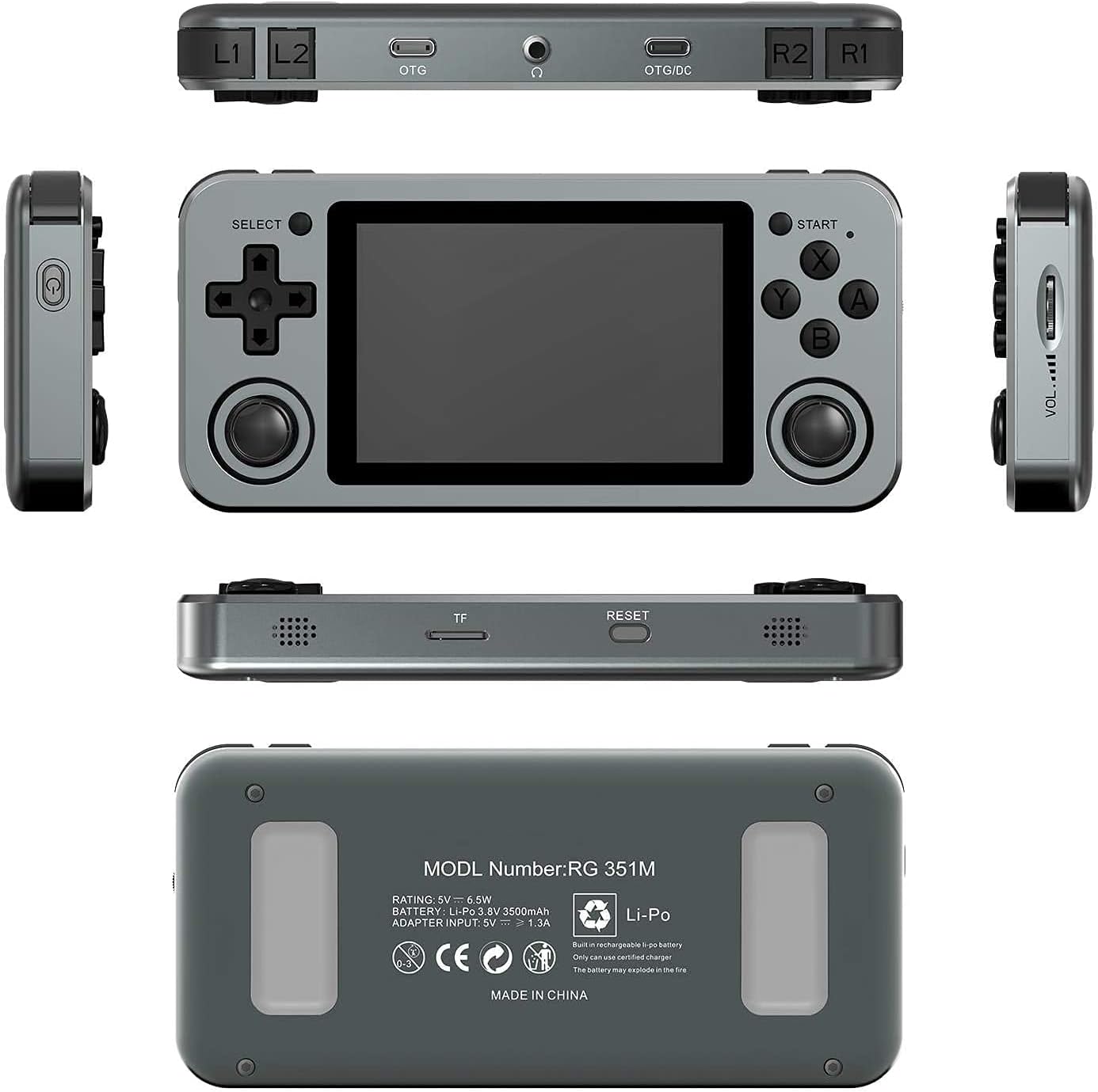
Image: A composite image showing the ANBERNIC RG351M from various angles, including front, top, bottom, sides, and back, providing a comprehensive view of its design and ports.
| Өзгөчөлүк | Деталь |
|---|---|
| Модел | RG351M |
| CPU | RK3326 quad core 1.5 GHz |
| GPU | Мали-G31 MP2 |
| RAM | DDR3L 1GB |
| Эс | 64 ГБ (TF картасы) |
| Экран | 3.5 inch IPS, OCA full lamination, 320*480 resolution |
| Система | Open source Linux system |
| Батарея | Li-polymer 3500 mAh, up to 8 hours battery life |
| Заряддоо | 1.3A charging, max 2A, USB Type-C, 4 hours full charge |
| TF картасын колдоо | Макс 256 ГБ |
| Интерфейс | TF Card Slot, 3.5mm Earphone, OTG 1 (Type-C), OTG 2 (Type-C Data/Charging) |
| Өлчөмдөрү (консол) | 15.2см (L) x 7.1cm (W) x 1.8cm (H) |
| Салмагы (консол) | 0.19kg (approx. 6.7 oz) |
Кепилдик жана колдоо
For warranty information and technical support, please refer to the retailer or the official ANBERNIC website. Keep your proof of purchase for warranty claims. This manual provides general guidance; specific software-related issues may require consulting community forums or official support channels.


