1. Киришүү
Thank you for choosing the ELEHOT-Store HZ-9457F Portable Bluetooth Speaker. This speaker combines high-quality audio with dynamic LED lighting, offering a versatile listening experience. It features Bluetooth connectivity, True Wireless Stereo (TWS) pairing, and multiple playback options including TF/SD card, USB drive, and AUX input. This manual provides detailed instructions for setup, operation, and maintenance to ensure optimal performance.

Image 1.1: ELEHOT-Store HZ-9457F Portable Bluetooth Speaker
The ELEHOT-Store HZ-9457F is designed for portability and ease of use, making it suitable for various environments, from home use to outdoor gatherings. Its robust design and multi-functional capabilities ensure your music is always with you.

Image 1.2: Speaker demonstrating portability
2. Пакеттин мазмуну
Сураныч, пакетте төмөнкү нерселерди текшериңиз:
- ELEHOT-Store HZ-9457F Portable Bluetooth Speaker
- USB заряддоо кабели
- User Manual
3. Продукт бүтүп калдыview
Динамиктин компоненттери жана башкаруу элементтери менен таанышып алыңыз:

Image 3.1: Speaker Ports and Controls
3.1. Башкаруу баскычтары жана порттору
- Power Button (M): Long press to power on/off. Short press to switch modes (Bluetooth, TF/SD, USB, AUX).
- Play/Pause Button (►||): Play or pause music. Answer/end calls.
- Үндү азайтуу (-) / Мурунку трекМурунку трек үчүн кыска басыңыз. Үндү азайтуу үчүн көпкө басыңыз.
- Үнүн жогорулатуу (+) / Кийинки трекКийинки трек үчүн кыска басыңыз. Үнүн жогорулатуу үчүн көпкө басыңыз.
- Light Mode Button (☀): Short press to cycle through LED light modes.
- USB порту: For USB drive playback.
- Микро USB порт: Динамикти кубаттоо үчүн.
- TF/SD карта уячасы: For TF/SD card playback.
- AUX-ин порту: Зымдуу аудио туташуу үчүн.
4. Орнотуу
4.1. Динамикти кубаттоо
Before first use, fully charge the speaker. Connect the supplied USB charging cable to the Micro USB port on the speaker and the other end to a USB power adapter (not included) or a computer's USB port. The LED indicator will show charging status (specific indicator behavior may vary by unit, refer to product packaging if available).
4.2. Күйгүзүү/өчүрүү
- Күйгүзүү: Long press the Power button (M) until you hear an audible prompt or the LED lights illuminate.
- Өчүрүү үчүн: Long press the Power button (M) again until the speaker powers down.
5. Иштөө нускамалары
5.1. Bluetooth Жупташтыруу
- Ensure the speaker is powered on and in Bluetooth mode. If not, short press the Power button (M) to cycle modes until you hear a Bluetooth pairing prompt.
- Түзмөгүңүздө Bluetooth'ду иштетүү (смартфон, планшет, компьютер).
- Издөө available Bluetooth devices and select "HZ-9457F" from the list.
- Once paired, you will hear a confirmation sound, and the speaker's LED indicator will typically show a steady blue light.
- Динамик күйгүзүлгөндө автоматтык түрдө акыркы жупташтырылган түзмөккө кайра туташуу аракетин көрөт.
5.2. Чыныгы зымсыз стерео (TWS) жупташтыруу
To achieve a more immersive stereo sound, you can pair two HZ-9457F speakers together:
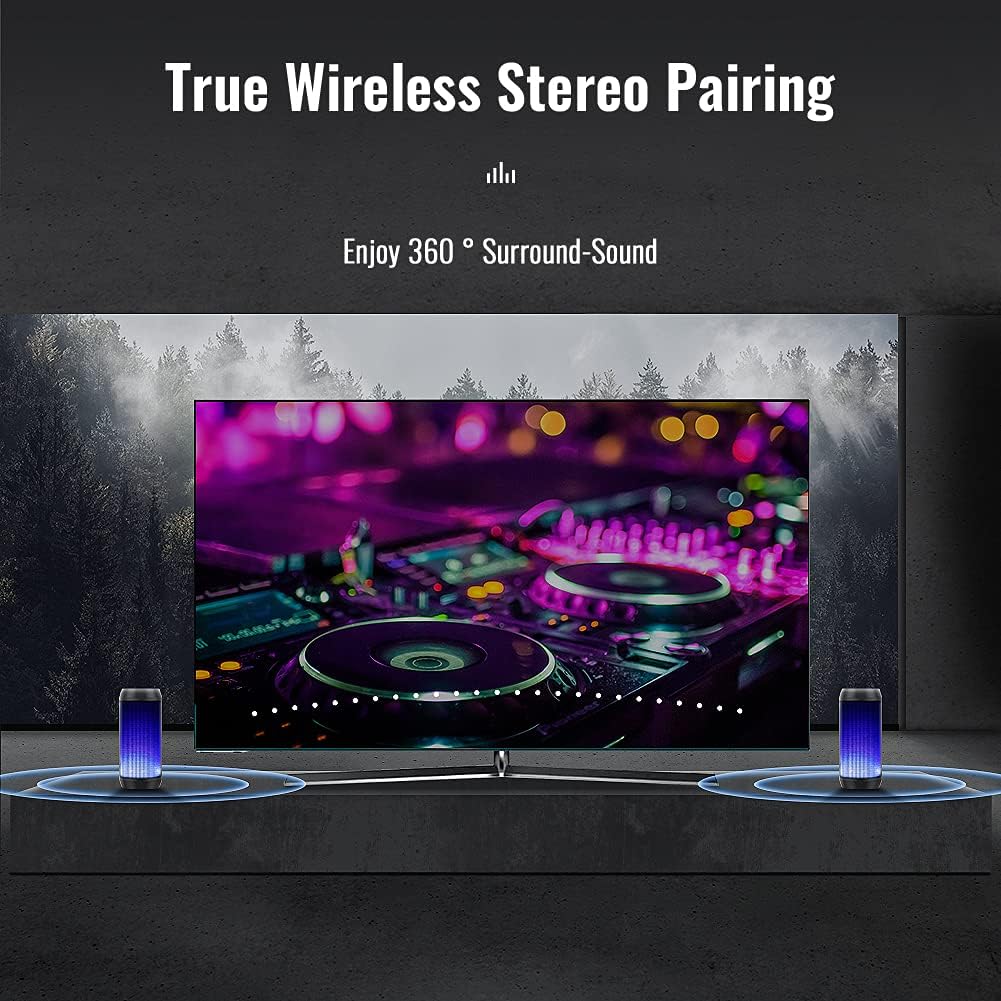
Image 5.1: True Wireless Stereo Pairing
- Ensure both HZ-9457F speakers are powered on and in Bluetooth pairing mode (not yet connected to any device).
- On one of the speakers (this will become the master speaker), long press the Play/Pause button (►||) for approximately 3-5 seconds until you hear a pairing tone.
- Эки динамик автоматтык түрдө бири-бирине туташат. TWS жупташуусу ийгиликтүү болгондон кийин ырастоо үнүн угасыз.
- Now, connect your device to the master speaker via Bluetooth as described in section 5.1. The device will only show one "HZ-9457F" to connect to.
- Эми эки динамик тең аудиону стерео режиминде ойнотот.
5.3. Музыканы ойнотуу
- Bluetooth режими: After successful pairing, play music from your connected device.
- TF/SD карта режими: Insert a TF/SD card (up to 32GB, FAT32 format) into the TF/SD card slot. The speaker will automatically switch to TF/SD card mode and begin playback. (Note: Insert the card after powering on the speaker for proper recognition).
- USB диск режими: Insert a USB drive (up to 32GB, FAT32 format) into the USB port. The speaker will automatically switch to USB mode and begin playback. (Note: Insert the drive after powering on the speaker for proper recognition).
- AUX-режиминде: Connect an audio device to the AUX-in port using a 3.5mm audio cable (not included). Short press the Power button (M) to switch to AUX mode.
5.4. Hands Free Чалуу
When connected via Bluetooth to your smartphone, the speaker can be used for hands-free calls:
- Чакырууга жооп бер: Short press the Play/Pause button (►||).
- Чакырууну аяктоо: Short press the Play/Pause button (►||) during a call.
- Чакырууну четке кагуу: Long press the Play/Pause button (►||) when an incoming call rings.
5.5. LED жарык режимдери
The speaker features dynamic LED lighting with multiple modes:

Image 5.2: Various LED Light Modes
- Short press the Light Mode button (☀) to cycle through the available light modes.
- Modes include various single colors (e.g., blue, red, green, orange), multi-color gradients, and a mode where lights react to the rhythm of the music.
- To turn off the lights, continue pressing the Light Mode button until the lights are off.

Image 5.3: Lights reacting to music rhythm
5.6. Үндү жана тректи башкаруу
- Үндү көтөрүү: Long press the Volume Up (+) button.
- Үндү төмөндөтүү: Long press the Volume Down (-) button.
- Кийинки трек: Short press the Volume Up (+) button.
- Мурунку трек: Short press the Volume Down (-) button.
6. Техникалык тейлөө
- Тазалоо: Use a soft, dry cloth to clean the speaker's surface. Do not use abrasive cleaners or solvents.
- Сактагыч: Store the speaker in a cool, dry place away from direct sunlight and extreme temperatures.
- Батареяга кам көрүү: To prolong battery life, charge the speaker regularly, even if not in use for extended periods. Avoid fully discharging the battery frequently.
- Суу каршылык: While the product may offer some resistance to splashes, it is not fully waterproof. Avoid submerging the speaker in water or exposing it to heavy rain.
7. Кыйынчылыктарды
| Көйгөй | Мүмкүн себеп | Чечим |
|---|---|---|
| Динамик күйбөйт. | Батарея аз. | Динамикти толук заряддаңыз. |
| Bluetooth аркылуу жупташтыруу мүмкүн эмес. | Динамик жупташтыруу режиминде эмес; түзмөктө Bluetooth өчүрүлгөн; түзмөк өтө алыс. | Ensure speaker is in Bluetooth mode. Enable Bluetooth on your device. Move device closer to speaker (within 10 meters). |
| Үн жок. | Volume too low; incorrect mode; device not playing. | Increase speaker and device volume. Ensure correct playback mode (Bluetooth, TF/SD, USB, AUX). Check if music is playing on the source device. |
| TF/SD card or USB drive not recognized. | Card/drive inserted before power on; incorrect format; corrupted files. | Power on speaker first, then insert card/drive. Ensure card/drive is FAT32 format. Try with another card/drive. |
| TWS жупташтыруу ишке ашпай калды. | Динамиктер түзмөккө мурунтан эле туташкан; жупташтыруу процедурасы туура эмес. | Ensure both speakers are disconnected from any device. Follow TWS pairing steps carefully (Section 5.2). |
8. Техникалык шарттар
| Өзгөчөлүк | Деталь |
|---|---|
| Бренд | ELEHOT-дүкөн |
| Модель аты | HZ-9457F |
| Байланыш технологиясы | Bluetooth |
| Зымсыз байланыш технологиясы | Bluetooth |
| Өзгөчөлүктөр | Bluetooth, LED Lights |
| Сунушталган колдонуу | For computer, portable audio devices |
| Шайкеш түзмөктөр | Desktop computer, smartphones, tablets |
| Көлөмдүү үн каналынын конфигурациясы | 2.0 |
| Түс | Жашыл |
| Камтылган компоненттер | Speaker, USB cable, manual |
| Продукциянын өлчөмдөрү (L x W x Y) | 9 x 9 x 18 см |
| Элемент Салмагы | 510 грамм |
| Импеданс | 4 Ом |
| Суу өткөрбөйт | False (Not fully waterproof) |
| Максималдуу диапазон | 10 метр |
| Башкаруу ыкмасы | тийүү |
| Динамик өлчөмү | 52 миллиметр |
| Power Source | Батарея менен иштейт (1 А батарейка камтылган) |
| Power Output | 10 Ватт |
| Спикердин максималдуу чыгаруу күчү | 10 Ватт |
| Frequency Response | 200 Гц |
| Аудио чыгаруу режими | Стерео |
| Киргизүү көлөмүtage | 3.7 вольт |
| Монтаж түрү | Стол үстү |
| Материал | Пластик |
9. Коопсуздук маалыматы
- Динамикти экстремалдык температурага, түз күндүн нуруна же жогорку нымдуулукка дуушар кылбаңыз.
- Спикерди түшүрүүдөн же катуу таасирлерге дуушар кылуудан качыңыз.
- Do not disassemble, repair, or modify the speaker yourself. Contact qualified service personnel if needed.
- Keep the speaker away from medical devices (e.g., pacemakers) as it contains magnets.
- Dispose of the battery and speaker according to local regulations. Do not dispose of in household waste.
- Do not use the speaker while driving or cycling, as it may distract you and cause an accident.
- Үндүн катуу деңгээлинде узак убакыт бою угуу угуунун бузулушуна алып келиши мүмкүн.
10. Кепилдик жана колдоо
For warranty information and customer support, please refer to the documentation provided with your purchase or contact the ELEHOT-Store customer service directly. Please retain your proof of purchase for any warranty claims.


