Introduction
The FreedConn T-COMVB Bluetooth Helmet Headset is designed to provide wireless communication for motorcyclists. This system allows for hands-free phone calls, music listening, FM radio, GPS voice prompts, and intercom communication between riders. It features Bluetooth 5.0 technology, noise cancellation, and a waterproof design for various riding conditions.
Кутуда эмне бар
Сиздин пакетте бардык компоненттер бар экенин текшериңиз:
- FreedConn T-COMVB Bluetooth Headset Unit (x2 for 2-pack)
- Стерео динамиктер
- Boom Microphone (for open-face/modular helmets)
- Soft-Wire Microphone (for full-face helmets)
- Helmet Mount Bracket (clip-on and adhesive options)
- USB заряддоо кабели
- User Manual
- Динамиктер жана микрофондор үчүн Velcro төшөмөлөрү
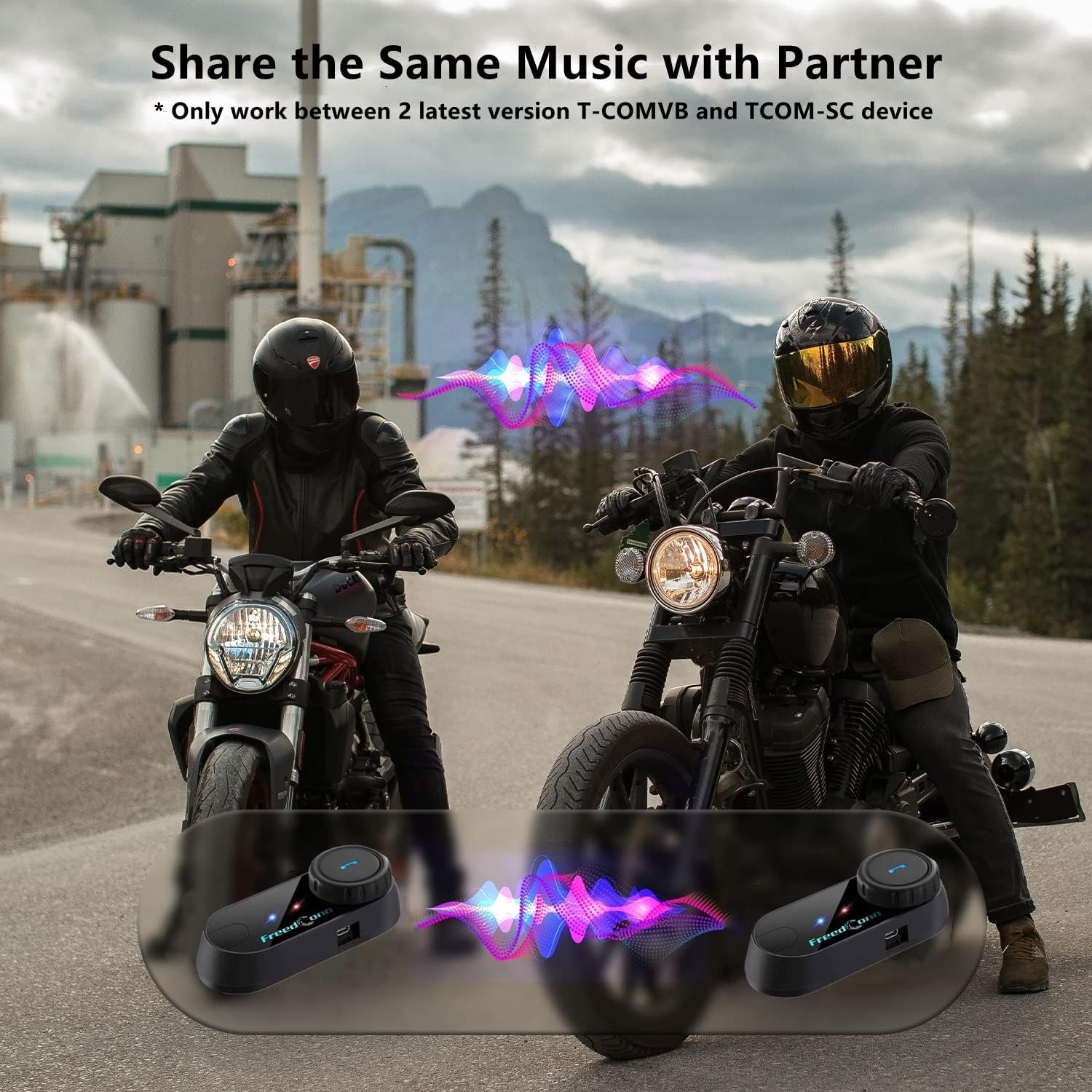
Image: Package contents for the FreedConn T-COMVB Bluetooth Helmet Headset 2-pack, showing all included accessories.
Жайгашуу
1. Аппаратты заряддоо
Before first use, fully charge the T-COMVB unit. Connect the USB charging cable to the headset's charging port and a USB power source. The indicator light will show charging status.
- Заряддоо убактысы: Болжол менен 3-4 саат.
- Батареянын иштөө мөөнөтү: Up to 7-8 hours of intercom, 10 hours of phone calls/music, 300 hours standby.

Image: Visual representation of the 400mAh battery capacity and estimated usage times for intercom, phone calls, and standby.
2. Microphone Selection
Туулгаңыздын түрүнө ылайыктуу микрофонду тандаңыз:
- Бум микрофону: Recommended for open-face, half, and modular flip-up helmets.
- Жумшак зымдуу микрофон: Recommended for full-face and off-road helmets.
Connect the chosen microphone and speakers to the corresponding ports on the headset unit.
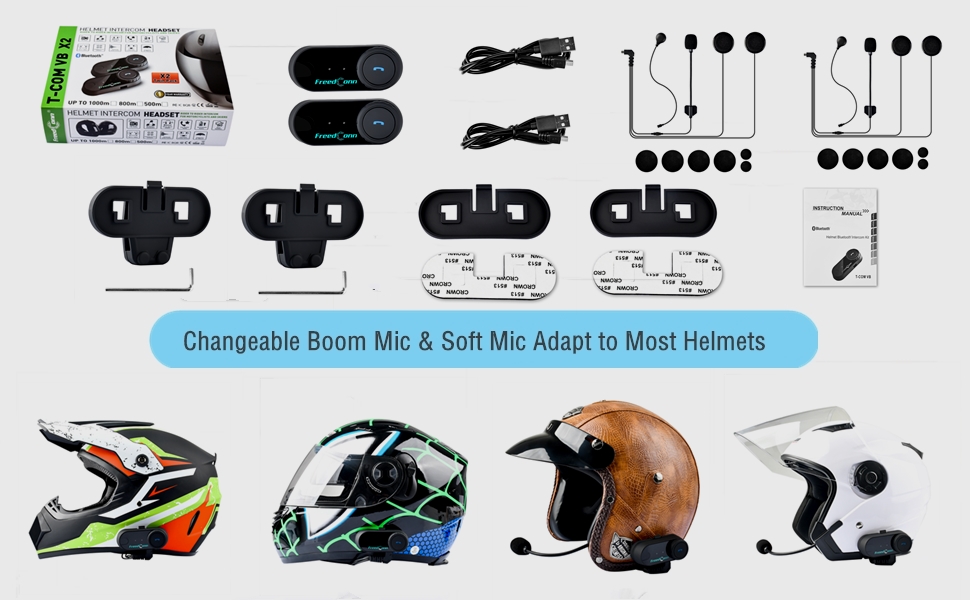
Image: Illustration demonstrating the compatibility of boom and soft-wire microphones with various helmet styles.
3. Туулга орнотуу
Mount the T-COMVB unit to the side of your helmet using either the clip-on bracket or the adhesive bracket. Ensure the unit is securely attached and the speakers are positioned correctly inside the helmet for optimal audio.

Image: A FreedConn T-COMVB unit securely installed on the exterior of a motorcycle helmet.
Иштөө нускамалары
1. Күйгүзүү/өчүрүү
- Күйгүзүү: Индикатор жарыгы күйүп-өчкөнгө чейин Кубат баскычын басып, кармап туруңуз.
- Өчүрүү: Индикатор жарыгы өчкөнчө Кубат баскычын басып, кармап туруңуз.
2. Bluetooth жупташтыруу (телефон/GPS менен)
To connect your T-COMVB to a Bluetooth-enabled device (phone, GPS):
- Ensure the T-COMVB is off.
- Күйгүзүү баскычын болжол менен 5-7 секунд басып, индикатор жарыгы кызыл жана көк түстөр менен кезектешип күйүп-өчкөнгө чейин, жупташтыруу режимин көрсөткөнгө чейин кармап туруңуз.
- On your phone or GPS, enable Bluetooth and search for available devices.
- Select "FreedConn T-COMVB" from the list. If prompted, enter "0000" as the PIN.
- Жупташтырылгандан кийин, индикатор жарыгы жай көк түстө күйүп-өчөт.

Image: The T-COMVB headset demonstrating its Bluetooth 5.0 and universal connectivity with different devices and helmet types.
3. Intercom Communication (Rider to Rider)
The T-COMVB supports intercom communication with other T-COMVB or TCOM-SC units.
- Ensure both units are powered on and not connected to other Bluetooth devices.
- On one unit, press and hold the Intercom button until the indicator light flashes red and blue alternately.
- On the second unit, press the Intercom button once.
- Түзмөктөр автоматтык түрдө изделип, жупташат. Туташтырылгандан кийин, индикатор жарыктары жай көк түстө күйүп-өчөт.
- To initiate intercom, press the Intercom button once. To end, press it again.
4. Музыка ойнотуу жана бөлүшүү
Once paired with your phone, you can play music. Music sharing is supported between two latest version T-COMVB and TCOM-SC devices.
- Ойнотуу/тындыруу: Көп функциялуу баскычты бир жолу басыңыз.
- Кийинки трек: Rotate the Multi-function button clockwise.
- Мурунку трек: Rotate the Multi-function button counter-clockwise.
- Музыка бөлүшүү: While music is playing, press and hold the Intercom button on both units to initiate music sharing.

Image: Two riders sharing music through their FreedConn T-COMVB headsets, highlighting the music sharing feature.
5. FM радиосу
To activate the built-in FM radio:
- FMди күйгүзүңүз: FM баскычын бир жолу басыңыз.
- Каналдарды сканерлөө: Rotate the Multi-function button to scan for stations.
- FMди өчүрүү: Press the FM button again.
6. Телефон чалуулар
When paired with your phone, the T-COMVB allows for hands-free calls.
- Чакырууга жооп берүү: Көп функциялуу баскычты бир жолу басыңыз.
- Чакырууну аяктоо: Чалуу учурунда Көп функциялуу баскычты бир жолу басыңыз.
- Чакырууну четке кагуу: Көп функциялуу баскычты 2 секунд басып туруңуз.
- Акыркы номерди кайра терүү: Көп функциялуу баскычты эки жолу басыңыз.
- Voice Assistant (Siri/Google Voice): Press the Voice Assistant button to activate your phone's voice assistant.

Image: Icons representing voice assistant activation (Siri, Google Voice) for hands-free calling functionality.
Техникалык тейлөө
- Тазалоо: жумшак колдонуу, damp cloth to clean the unit. Do not use harsh chemicals or solvents.
- Суу каршылык: The unit is waterproof, but avoid submerging it in water. Ensure all ports are securely closed when exposed to rain.
- Батареяга кам көрүү: If the device is not used for an extended period, charge it at least once a month to preserve battery life.

Image: The FreedConn T-COMVB headset on a helmet, illustrating its waterproof feature in rainy conditions.
Проблемаларды чечүү
- Кубат жок: Аппараттын толук заряддалганын текшериңиз. Кубат булагына туташып, заряддоо индикаторун текшериңиз.
- Bluetooth жупташтыруу мүмкүн эмес: Ensure the unit is in pairing mode (red and blue flashing light). Make sure other Bluetooth devices are disconnected. Try restarting both the headset and your phone/GPS.
- Динамиктерден үн жок: Check that the speakers are securely plugged into the headset unit. Ensure volume is not set to minimum.
- Домофон байланышпай жатат: Ensure both units are T-COMVB or TCOM-SC models and are in intercom pairing mode. Keep units within range (up to 800 meters).
- Начар үн сапаты/ызы-чуу: Ensure the microphone is positioned correctly, close to your mouth. The T-COMVB features advanced noise cancellation technology.

Image: A visual representation of the advanced noise cancellation technology, demonstrating its effect on sound quality.
Техникалык шарттар
| Модел | T-COMVB |
| Bluetooth версиясы | 5.0 + EDR |
| Домофон диапазону | Up to 800 meters (2-3 riders) |
| Батарея сыйымдуулугу | 400mAh |
| Заряддоо убактысы | 3-4 саат |
| Домофон убактысы | 7-8 саат |
| Phone Call/Music Time | 10 саат |
| Күтүү убактысы | 300 саат |
| Суу каршылык | Суу өткөрбөйт |
| Башкаруу ыкмасы | Voice, Manual Buttons |
| Өзгөчөлүктөр | Microphone Included, Noise Cancellation, FM Radio |
| Материал | Полимер |
| Элемент Салмагы | Approximately 1.15 pounds (for 2 units) |
Кепилдик жана колдоо
For warranty information, technical support, or service inquiries, please refer to the contact details provided with your purchase or visit the official FreedConn webсайт. Кепилдик дооматтар үчүн сатып алганыңыздын далилин сактаңыз.


