
Introduction
The TrolMaster HS-1 Humidistat Station is designed to integrate with the Hydro-X control system, providing precise control over dehumidification systems. This module allows for the automated management of humidity levels by turning dehumidifiers on and off based on user-defined setpoints. It is compatible with dehumidifiers utilizing a 24V terminal for control.
This manual provides essential information for the proper installation, operation, and maintenance of your HS-1 Humidistat Station to ensure optimal performance and longevity.
Пакеттин мазмуну
- TrolMaster HS-1 Humidistat Station Module
- Connection Cables (if included)
- Монтаждоочу жабдык (эгер камтылган болсо)
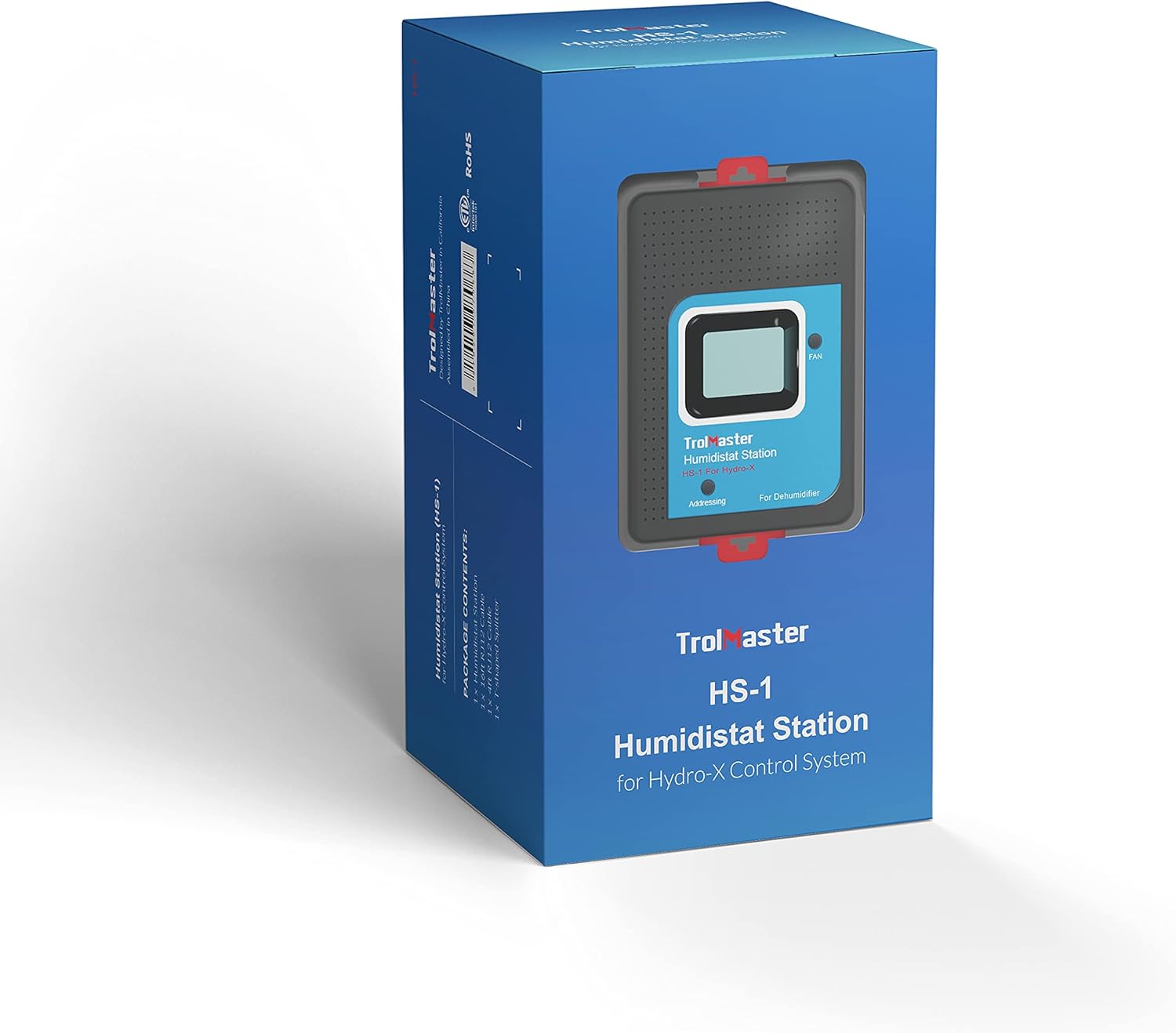
Image: The HS-1 Humidistat Station packaging, showing the device and branding.
Продукт бүттүview

Сүрөт: алдыңкы view of the HS-1 Humidistat Station, displaying the current humidity (67%) and setpoint (56%), along with a 'FAN' button and 'Addressing' indicator.
The HS-1 features a clear display for monitoring current humidity and setpoint. It includes a 'FAN' button for manual control and an 'Addressing' indicator for system integration. The unit is designed for easy connection to the Hydro-X control system.

Сүрөт: каптал view of the HS-1 Humidistat Station, showing its compact profile жана монтаждоо пункттары.
Орнотуу жана орнотуу
- Mounting the HS-1: Select a suitable location for the HS-1 station, ensuring it is away from direct airflow from the dehumidifier or other environmental controls to obtain accurate humidity readings. Mount the unit securely using appropriate hardware.
- Connecting to Hydro-X System: Connect the HS-1 module to your existing Hydro-X control system using the provided RJ12 cable. The HS-1 connects to a DEVICE port on the Hydro-X controller.

Image: Diagram illustrating the connection of the Humidistat Station to the Hydro-X Control System via an RJ12 cable, showing the DC power, Internet, Sensors, Devices, Line 1, Line 2, and Micro SD ports on the Hydro-X controller.
- Wiring to Dehumidifier (24V Terminal): The HS-1 is designed to control dehumidifiers that accept a 24V control signal. Refer to the wiring diagrams below for specific connections. Ensure all power is disconnected before making any wiring connections.
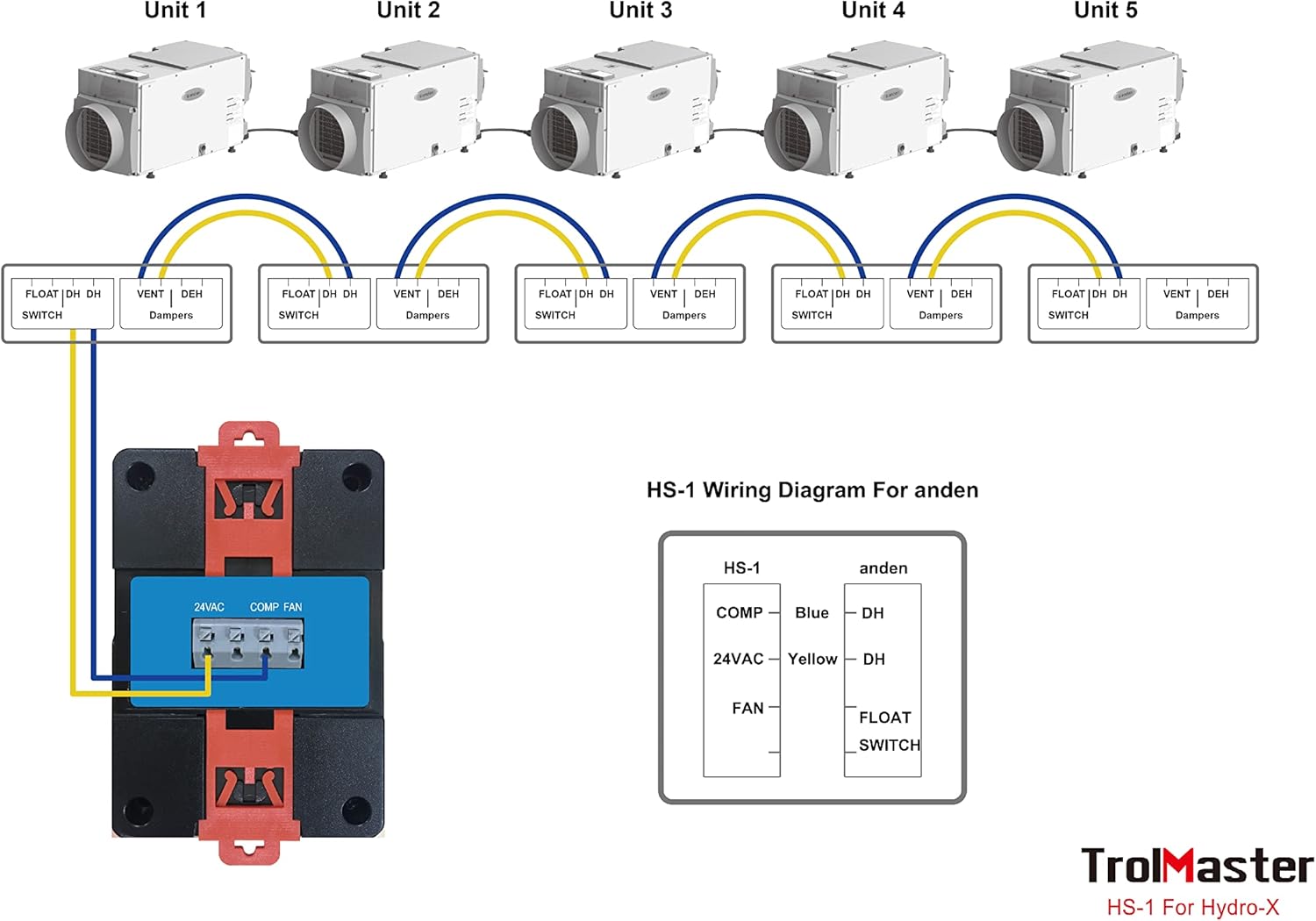
Image: Wiring diagram for connecting the HS-1 to multiple Anden dehumidifiers. It shows connections for COMP (compressor), 24VAC, and FAN, along with a FLOAT SWITCH input, controlling multiple dehumidifier units (Unit 1 to Unit 5) with their respective FLOAT SWITCH, DH (dehumidifier), and VENT Dampers terminals.
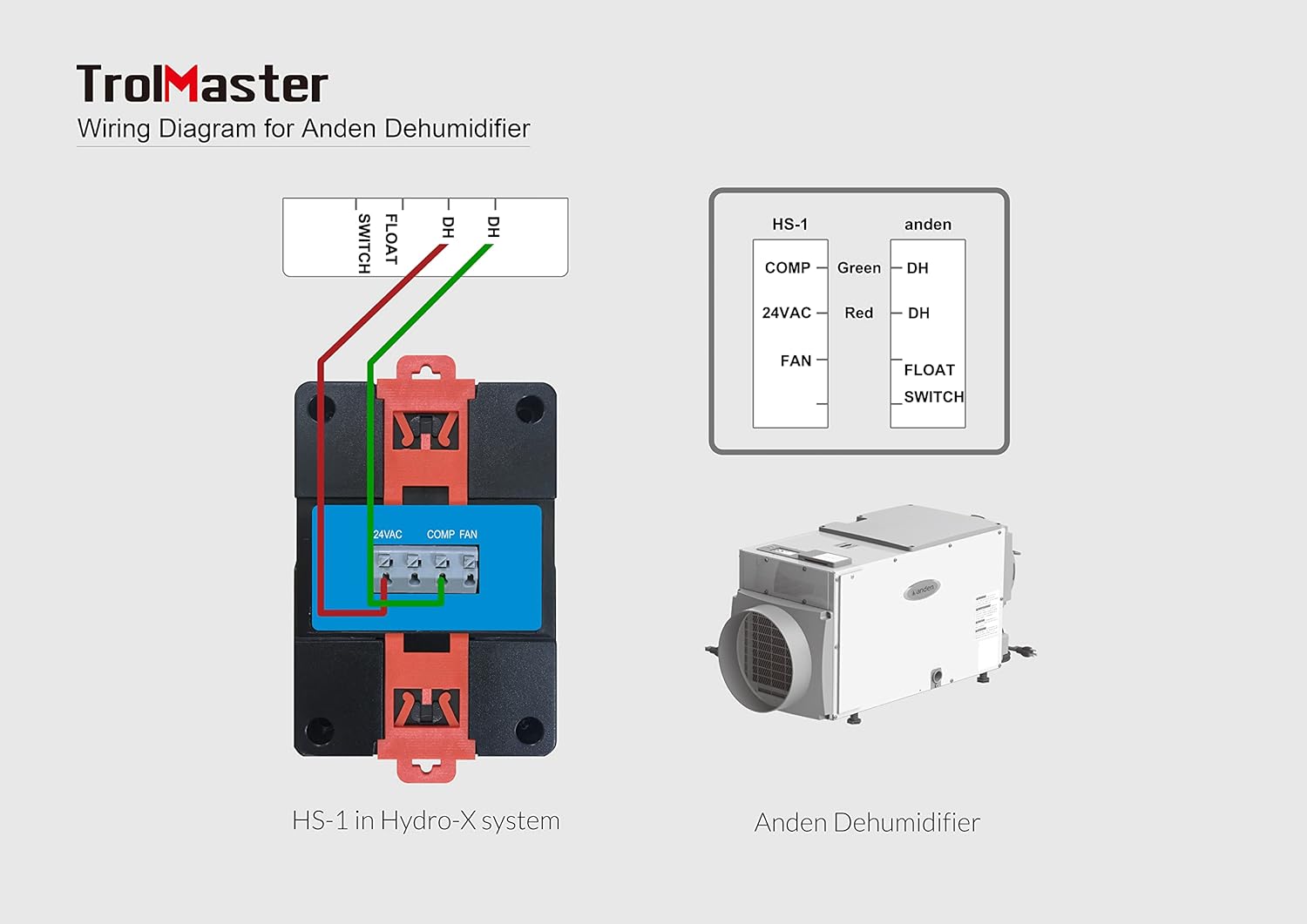
Image: Detailed wiring diagram for connecting the HS-1 to a single Anden Dehumidifier. It illustrates the connections for COMP (green wire to DH), 24VAC (red wire to DH), and FAN, including the FLOAT SWITCH input, showing the HS-1 in a Hydro-X system and the Anden Dehumidifier unit.
Зымдар ачкычы:
- КОМП: Connects to the compressor control terminal of the dehumidifier.
- 24VAC: Provides 24V AC power for the dehumidifier's control circuit.
- Күйөрман: Connects to the fan control terminal of the dehumidifier.
- FLOAT SWIITCH: Input for a float switch, typically used for condensate overflow protection.
- Күйгүзүү: Once all connections are secure, power on your Hydro-X system and the dehumidifier. The HS-1 will initialize and display current humidity readings.
Иштөө нускамалары
- Нымдуулуктун орнотуу чекити: The humidity setpoint is configured through your main Hydro-X controller. Navigate to the device settings for the HS-1 module and adjust the desired humidity level. The HS-1 will then automatically activate or deactivate the connected dehumidifier to maintain this setpoint.
- Нымдуулукту көзөмөлдөө: The HS-1's integrated display shows the current humidity percentage and the active setpoint. This allows for quick visual confirmation of environmental conditions.
- FAN баскычы: The 'FAN' button on the HS-1 can be used for manual control of the dehumidifier's fan, if supported by the dehumidifier and configured within the Hydro-X system. Consult your Hydro-X controller manual for specific fan control options.
- Дарек: The 'Addressing' indicator confirms that the HS-1 is properly recognized and communicating with the Hydro-X system. If this indicator is not active, check your RJ12 cable connection and Hydro-X system settings.
Техникалык тейлөө
- Тазалоо: Periodically wipe the exterior of the HS-1 module with a soft, dry cloth. Do not use abrasive cleaners or solvents. Ensure no moisture enters the unit.
- Сенсорго кам көрүү: Keep the humidity sensor area (typically small vents on the unit) clear of dust and debris to ensure accurate readings. Do not obstruct these vents.
- Кабелдик текшерүү: Regularly inspect all connected cables for any signs of wear or damage. Replace damaged cables immediately to prevent system malfunctions.
Проблемаларды чечүү
| Көйгөй | Мүмкүн себеп | Чечим |
|---|---|---|
| HS-1 display is blank or unit is unresponsive. | No power to Hydro-X system or HS-1 module. Faulty RJ12 cable connection. | Ensure Hydro-X system is powered on. Check RJ12 cable connection between HS-1 and Hydro-X controller. Try a different port or cable. |
| Dehumidifier not turning on/off as expected. | Incorrect humidity setpoint. Incorrect wiring to dehumidifier. Dehumidifier malfunction. Float switch activated. | Verify setpoint on Hydro-X controller. Re-check wiring according to diagrams. Test dehumidifier independently. Check if the dehumidifier's float switch is engaged due to a full condensate tank or blockage. |
| Нымдуулуктун так эмес көрсөткүчтөрү. | Сенсор тосулган же кир. HS-1 placed in an area with poor air circulation or direct airflow. | Clean sensor vents. Relocate HS-1 to a more representative area for humidity measurement. |
| HS-1 not recognized by Hydro-X system. | RJ12 cable issue. Hydro-X system configuration error. | Ensure RJ12 cable is securely connected. Try a different cable or port. Refer to your Hydro-X controller manual for adding or re-scanning devices. |
Техникалык шарттар

Image: Diagram showing the dimensions of the HS-1 Humidistat Station: 3 inches (D) x 2 inches (W) x 4 inches (H).
| Өзгөчөлүк | Деталь |
|---|---|
| Модель аты | HS-1 |
| Продукциянын өлчөмдөрү | 3"D x 2"W x 4"H |
| Элемент Салмагы | 11.2 унция (0.7 фунт) |
| Материал | Пластик |
| Иштөө режими | Автоматтык |
| Өзгөчө өзгөчөлүк | Plug and Play (with Hydro-X system) |
| Сунушталган Колдонуулар | Commercial (Horticultural) |
| Камтылган компоненттер | Модуль |
Кепилдик жана колдоо
TrolMaster products are designed for reliability and performance. For specific warranty information, please refer to the warranty card included with your product or visit the official TrolMaster webсайт. Сатып алганыңыздын далили катары сатып алуу дүмүрчөгүңүздү сактаңыз.
For technical support, troubleshooting assistance beyond this manual, or to inquire about replacement parts, please contact TrolMaster customer service. Contact details can typically be found on the official TrolMaster webсайтында же продуктунун таңгагында.
Официалдуу Webсайт: www.tromaster.com


