1. Киришүү
Thank you for choosing Baseus W11 True Wireless Earbuds. This manual provides detailed instructions for the proper use and maintenance of your device. Please read it carefully before use.

Image: Baseus W11 True Wireless Earbuds and Charging Case.
2. Кутуда эмне бар
Пакет төмөнкү нерселерди камтыйт:
- Baseus W11 True Wireless Earbuds (Left and Right)
- Зымсыз кубаттоо кутусу
- USB-C заряддоо кабели
- Multiple sizes of silicone ear tips (XS, S, M, L)
- User Manual
Video: TWS W11 Operation Guide Video, demonstrating unboxing and initial setup steps.
3. Продукт бүтүп калдыview
Кулакчындар
- Touch Control аймагы
- Микрофон
- Байланыштарды заряддоо
- Силикон кулак учу
Заряддоо кутусу
- Кулакчын кубаттоочу уячалар
- Батарея индикаторунун жарыгы
- USB-C заряддоо порту
- Функция баскычы

Image: Baseus W11 Earbuds inside their charging case, showing the earbuds and charging contacts.
4. Орнотуу
4.1 Алгачкы заряддоо
Before first use, ensure the charging case and earbuds are fully charged. Remove any insulation stickers from the earbud charging contacts.
- USB-C кабелин кубаттоочу кутуга жана кубат булагына туташтырыңыз.
- Же болбосо, кубаттоочу кутучаны шайкеш келген зымсыз кубаттоочу тактага коюңуз.
- Корпустагы индикатор кубаттоо абалын көрсөтөт.

Image: Baseus W11 charging case on a wireless charging pad, illustrating wireless charging capability.

Image: Baseus W11 charging case connected via USB-C cable, showing fast charging feature.
4.2 Түзмөк менен жупташтыруу
- Заряддоо кутучасын ачыңыз. Кулакчындар жупташтыруу режимине автоматтык түрдө кирет.
- Түзмөгүңүздө (смартфон, планшет ж.б.) Bluetooth иштетиңиз.
- Издөө "Baseus Encok W11" in the list of available Bluetooth devices and select it to connect.
- Туташкандан кийин аудио сигналын угасыз жана кулакчындар колдонууга даяр болот.
4.3 Baseus тиркемесин орнотуу
For enhanced features like anti-lost function, gesture customization, and firmware updates, download the official Baseus app from your device's app store.

Image: Baseus app interface showing anti-lost function, low latency, and button customization options.
5. Иштөө нускамалары
5.1 Кулакчындарды тагынуу
Choose the ear tips that provide the most comfortable and secure fit for your ears. Insert the earbuds into your ear canal and gently twist them to lock them in place.

Image: Man wearing Baseus W11 earbuds while running, demonstrating the secure and comfortable fit for active use.
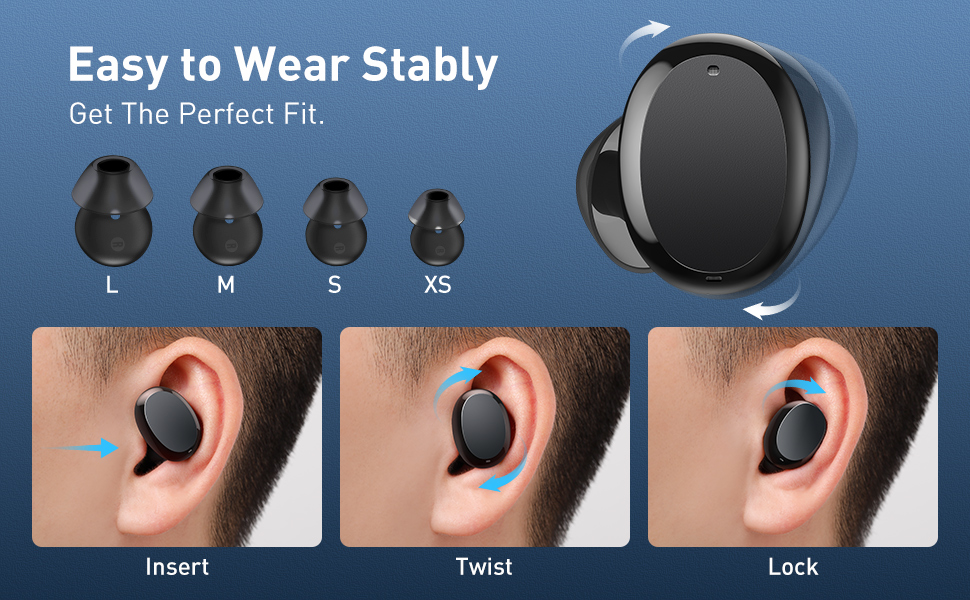
Image: Diagram illustrating the three steps to achieve a secure fit for the Baseus W11 earbuds: insert, twist, and lock.
5.2 Сенсордук башкаруу
The earbuds feature smart touch controls. Functions can be customized via the Baseus app.
- Ойнотуу/тындыруу: Double-tap Left/Right earbud.
- Кийинки трек: Long press Right earbud.
- Мурунку трек: Long press Left earbud.
- Үн Жардамчысын жандыруу: Triple-tap Left/Right earbud.
- Чалууга жооп берүү/түп коюу: Double-tap Left/Right earbud.
- Чакырууну четке кагуу: Long press Left/Right earbud.
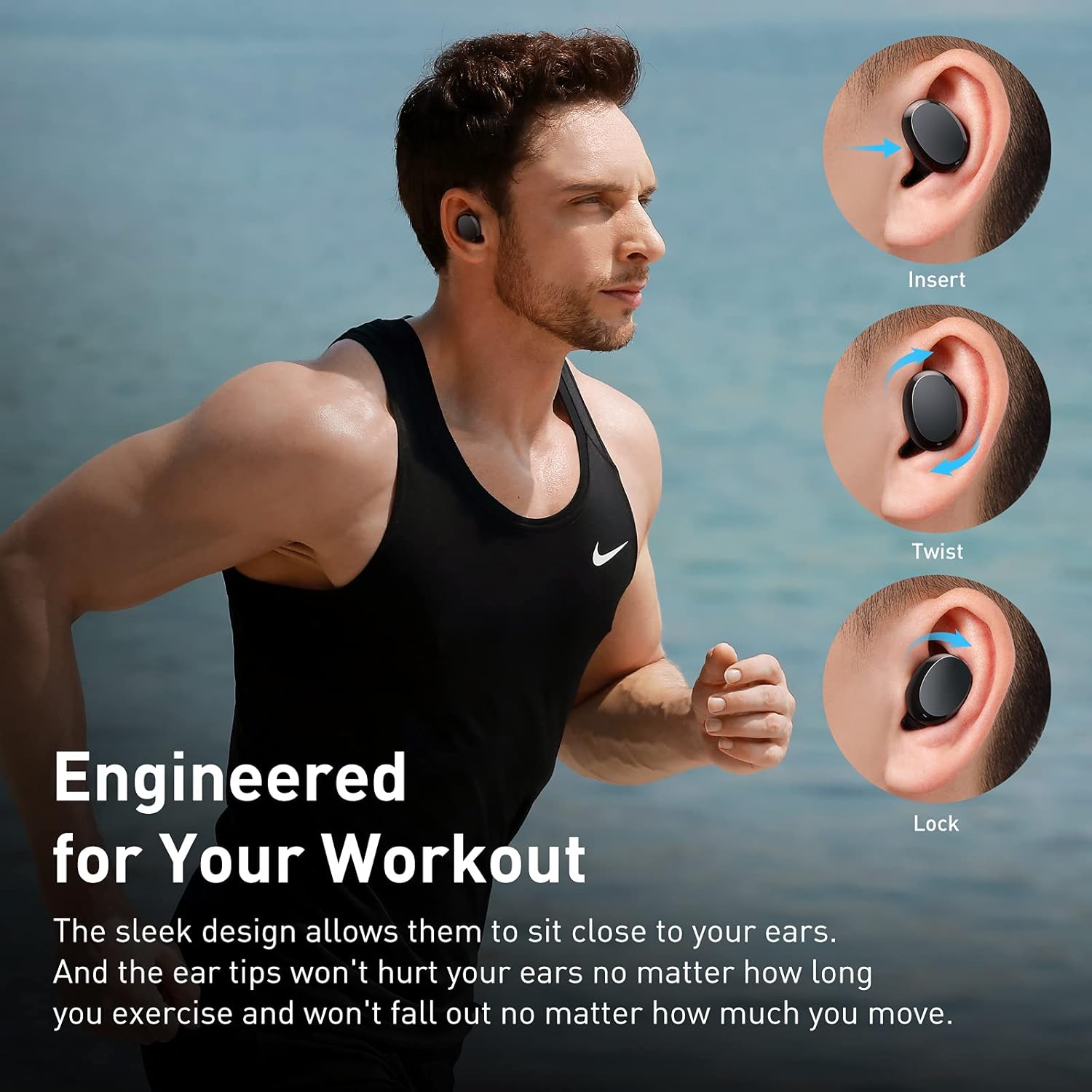
Image: Diagram illustrating the various touch control functions for the Baseus W11 earbuds, including play/pause, track skipping, voice assistant, and call management.
5.3 Бир гана кулакчын колдонуу
The Baseus W11 earbuds support independent use. You can use either the left or right earbud individually while the other is charging or stored.
6. Заряддоо
6.1 Кулакчындарды заряддоо
Place the earbuds into the charging case. They will automatically begin charging. The case's indicator light will show the charging status.
6.2 Корпусун заряддоо
The charging case can be charged via the included USB-C cable or wirelessly using a compatible Qi-certified wireless charger.
6.3 Тез кубаттоо
The earbuds feature fast charging. A 10-minute charge can provide up to 4 hours of playback time.
7. Техникалык тейлөө
7.1 Суу өткөрбөөчүлүк рейтинги (IPX8)
The Baseus W11 earbuds are IPX8 waterproof, providing protection against sweat and rain. This makes them suitable for sports and outdoor activities. Avoid prolonged submersion in water.
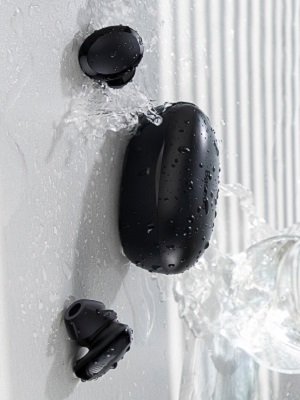
Image: Baseus W11 earbuds and case with water splashing, demonstrating IPX8 waterproof rating.
7.2 Тазалоо
Regularly clean the earbuds and charging case with a soft, dry cloth. Ensure charging contacts are free from dust and debris to maintain optimal charging performance.
8. Кыйынчылыктарды
- Кулакчындар жупташкан жок: Ensure both earbuds are fully charged and removed from the case. Check your device's Bluetooth settings and try reconnecting. If issues persist, try resetting the earbuds (refer to the app or full user manual for specific reset instructions).
- Бир кулакчын иштебей жатат: Ensure both earbuds are charged. Try placing them back in the case and taking them out again. If only one earbud connects, try re-pairing them as a pair.
- Үн сапаты көйгөйлөрү: Ensure ear tips are properly fitted to create a good seal. Check the audio source and volume levels on both your device and the earbuds.
- Lost Earbuds: Use the anti-lost function in the Baseus app to locate misplaced earbuds by making them emit a sound.
Video: Great Waterproof Wireless Earbuds with Locator App, demonstrating the app's anti-lost feature.
9. Техникалык шарттар
| Өзгөчөлүк | Спецификация |
|---|---|
| Модель аты | NGTW060001 (W11) |
| Байланыш технологиясы | Зымсыз (Bluetooth) |
| Зымсыз байланыш технологиясы | Bluetooth V5.0 |
| Кулакчындын батареянын кубаттуулугу | 40mAh (0.148Wh) |
| Заряддоо кутучасынын батарейканын сыйымдуулугу | 300mAh (1.11Wh) |
| Frequency Response Range | 20Гц-20кГц |
| Заряддоо интерфейси | Type-C |
| Сууга туруктуулук деңгээли | IPX8 суу өткөрбөйт |
| Аудио драйвер түрү | 10мм динамикалык драйвер |
| Башкаруу ыкмасы | Колдонмо, тийүү |
| Салмагы | 5.1 унция (жалпы салмагы) |
| Материал | Бышык пластик же резина |
10. Кепилдик жана колдоо
Baseus products come with a standard manufacturer's warranty. For warranty claims, technical support, or any product-related inquiries, please contact Baseus customer service through their official webсайт же продукт таңгагында көрсөтүлгөн байланыш маалыматы.
Көбүрөөк жардам алуу үчүн төмөнкүгө кириңиз: www.baseus.com/support