1. Киришүү
Thank you for choosing the Retevis RA79 Two Way Radio. This manual provides essential information for the safe and efficient operation of your device. The RA79 is a high-power, dual-band ham radio featuring 128 channels, designed for reliable long-range communication. Please read this manual thoroughly before use.
Пакеттин мазмуну:
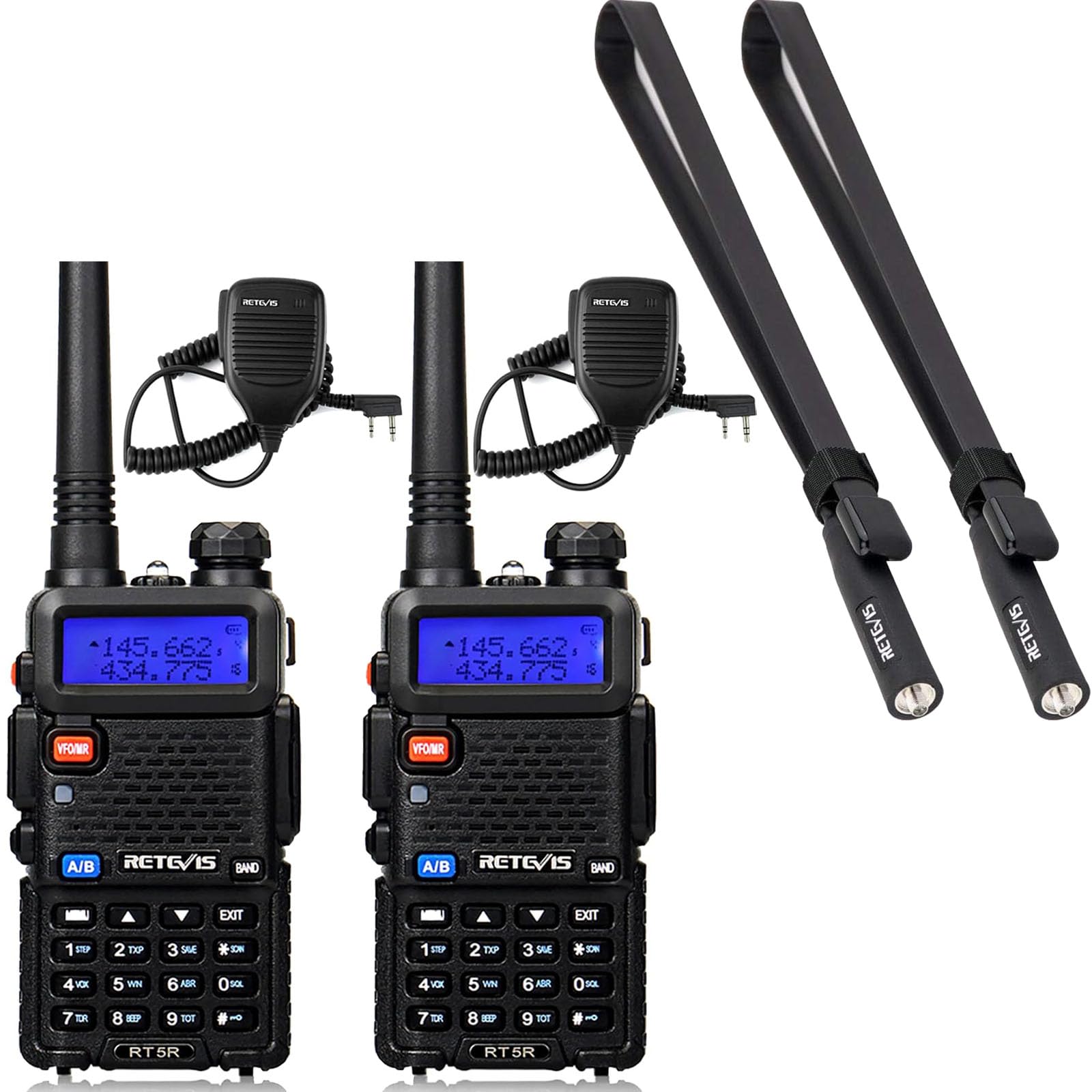
- 2 x Retevis RA79 Two Way Radio
- 2 x Standard Antenna
- 2 x Foldable Tactical Antenna
- 2 x Наушник
- 2 x Li-ion батарея топтому
- 2 х заряддагыч
- 2 x Belt Clip
- 2 x Sling
- 2 х адаптер
- 2 x Динамик микрофон
2. Орнотуу
2.1 Батареяны орнотуу
- Батарея блогун радионун арткы жагындагы оюктар менен тегиздеңиз.
- Батарея блогун ордуна чыкылдаган үн чыкканча өйдө жылдырыңыз.
- Чыгаруу үчүн, батареяны бошотуучу илгичти басып, батареяны ылдый жылдырыңыз.
2.2 Антеннаны бекитүү
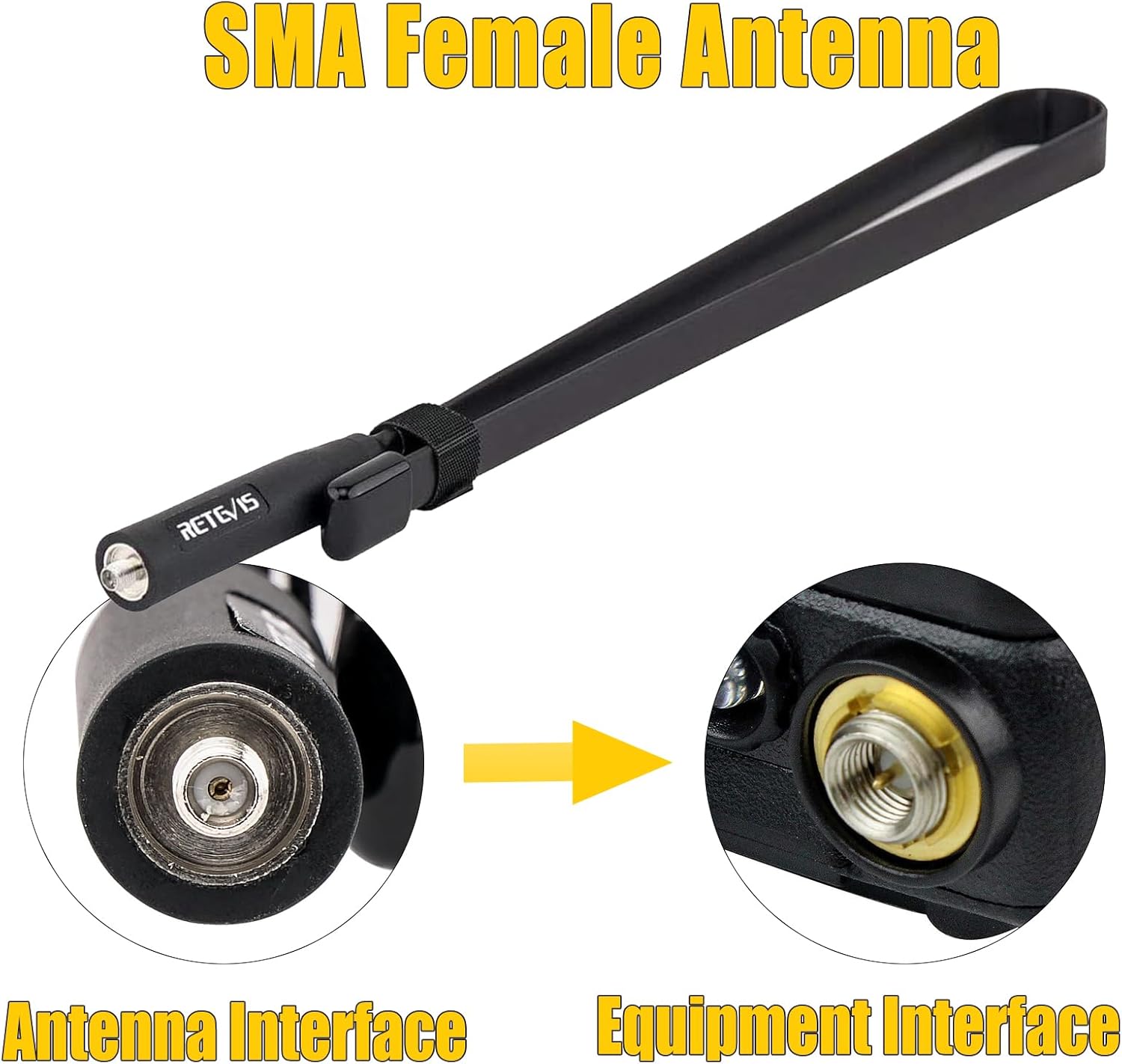
The RA79 uses an SMA female antenna interface. You can choose between the standard antenna or the foldable tactical antenna for enhanced signal strength.
- Screw the desired antenna clockwise into the antenna connector on top of the radio until it is finger-tight. Do not overtighten.
- Оптималдуу аткаруу үчүн коопсуз туташууну камсыз кылыңыз.

2.3 Батареяны заряддоо
- Connect the adapter to the charger base.
- Адаптерди электр розеткасына сайыңыз.
- Place the radio with the battery attached (or just the battery pack) into the charger base.
- The charger indicator light will show charging status (typically red for charging, green for fully charged).
2.4 Аксессуарларды тиркөө
- Кур клип: Secure the belt clip to the back of the radio using the provided screws.
- Earpiece/Speaker Mic: Plug the earpiece or speaker mic into the accessory jack on the side of the radio.
3. Иштөө нускамалары
3.1 Күйгүзүү/өчүрүү
- Күйгүзүү: Rotate the power/volume knob clockwise until you hear a click.
- Өчүрүү: Rotate the power/volume knob counter-clockwise until you hear a click.
3.2 Үндү тууралоо
Rotate the power/volume knob clockwise to increase volume and counter-clockwise to decrease volume.
3.3 Channel Selection and Dual-Band Display
The RA79 supports 128 channels and features a dual-band display, allowing you to monitor two different frequencies simultaneously. Use the keypad to directly input frequencies or navigate through programmed channels.


3.4 Берүү жана кабыл алуу
- Кабыл алуу: When the radio is on and tuned to an active channel, it will automatically receive incoming transmissions.
- Өткөрүп берүү: Press and hold the Push-to-Talk (PTT) button on the side of the radio. Speak clearly into the microphone. Release the PTT button to stop transmitting and return to receive mode.
3.5 CHIRP Software Support
The Retevis RA79 supports CHIRP software, allowing for personalized programming of channels, frequencies, and other settings. This enables users to customize the radio's functionality to meet specific operational needs. Refer to the CHIRP software documentation for detailed programming instructions.

4. Техникалык тейлөө
4.1 Батареяга кам көрүү
- Биринчи жолу колдонуудан мурун батарейканы толук кубаттаңыз.
- Батареянын иштөө мөөнөтүн узартуу үчүн аны ашыкча заряддоодон же толугу менен жарактан чыгаруудан качыңыз.
- Батареяларды колдонбогондо салкын, кургак жерде сактаңыз.
4.2 Радиону тазалоо
Радионун бетин жумшак, гamp cloth. Do not use harsh chemicals or abrasive cleaners. Ensure the radio is powered off and dry before cleaning.
4.3 Антеннага кам көрүү
The foldable tactical antenna is designed for durability and flexibility. While it can bend easily, avoid excessive force or sharp angles that could damage the internal wiring. Ensure the antenna connection remains tight.
4.4 Жалпы иштетүү
The RA79 is built with an anti-falling design for enhanced durability. However, avoid dropping the radio from significant heights or subjecting it to severe impacts to prevent damage.

5. Кыйынчылыктарды
If you encounter issues with your Retevis RA79 radio, please refer to the following common problems and solutions:
- Radio does not power on:
- Батарея туура орнотулганын жана заряддалганын текшериңиз.
- Check that the power/volume knob is rotated clockwise past the 'off' position.
- Жөнөтүү же кабыл алуу мүмкүн эмес:
- Verify the antenna is securely attached.
- Confirm you are on the correct frequency/channel.
- Батареянын деңгээли жетиштүү экендигин текшериңиз.
- Ensure no squelch settings are too high, blocking weak signals.
- Аудио сапаты начар:
- Үн деңгээлин тууралаңыз.
- Антенна туташуусун текшериңиз.
- Ensure you are within range of the other radio or repeater.
- If using an earpiece/speaker mic, ensure it is fully plugged in and functional.
If these steps do not resolve the issue, please contact Retevis customer support.
6. Техникалык шарттар
| Өзгөчөлүк | Спецификация |
|---|---|
| Бренд | Retevis |
| Модел | RA79 |
| Каналдардын саны | 128 |
| Жыштык тилкелери | Dual Band (VHF & UHF) |
| Power Output | High Power (5W) |
| Антенна түрү | SMA аял |
| Antenna Gain (Tactical) | 5dBi |
| Antenna Length (Tactical) | 73.5см / 28.9 дюйм |
| Антенна импедансы | 50Ω |
| Дисплей өзгөчөлүктөрү | LCD, Dual-band Display |
| Программалоо | Supports CHIRP |
| Туруктуу | Anti-falling design |

7. Кепилдик жана колдоо
For warranty information, please refer to the documentation included with your product or visit the official Retevis website. Retevis provides customer support for product inquiries, technical assistance, and warranty claims.
Көбүрөөк маалымат жана байланыш маалыматтарын даректен таба аласыз Retevis Store on Amazon.


