Xtreme Magnetic Smartphone Mount User Manual
Model: XPM5-0108-BLK
Introduction
Сатып алганыңыз үчүн рахматasing the Xtreme Magnetic Smartphone Mount. This manual provides essential information for the proper installation, operation, and maintenance of your new device. Please read this manual thoroughly before use to ensure optimal performance and safety.
This mount is designed to securely hold your smartphone on a dashboard, providing convenient access to your device while driving.
Коопсуздук маалыматы
- Сизге тоскоолдук кылбаңыз view of the road or any vehicle controls when installing the mount.
- Ensure the mount is securely attached before placing your smartphone.
- Do not attempt to adjust the mount or your smartphone while driving. Always pull over to a safe location if adjustments are necessary.
- Keep the magnetic mount away from sensitive electronic devices that may be affected by magnetic fields.
- Avoid exposing the mount to extreme temperatures or direct sunlight for prolonged periods, as this may affect its material integrity.
Пакеттин мазмуну
Пакетте бардык буюмдар бар экенин текшериңиз:
- 1 x Xtreme Magnetic Smartphone Mount
- (Additional magnetic plates for phone/case may be included, check packaging)

Image: The Xtreme Magnetic Smartphone Mount shown alongside a smartphone, illustrating the two main components involved in its use.
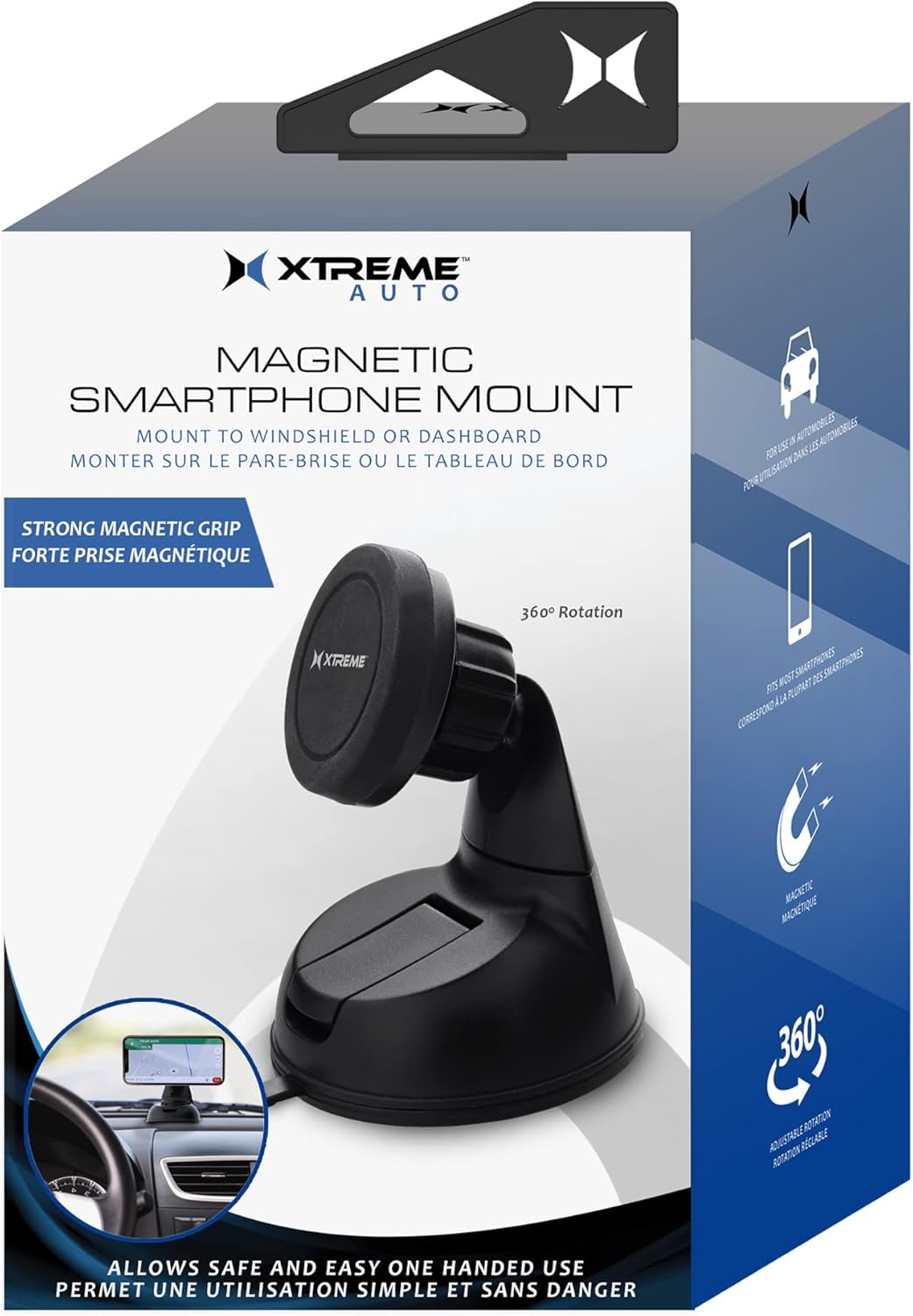
Image: The retail packaging for the Xtreme Magnetic Smartphone Mount, displaying product features and branding.
Орнотуу жана орнотуу
Follow these steps to properly install your magnetic smartphone mount:
- Монтаждоо ордун тандаңыз: Куралдар тактаңызда же алдыңкы айнектен иштөөңүзгө тоскоол болбогон жалпак, таза жерди тандаңыз view же коопсуздук жаздыкчаларына тоскоол болот.
- Бетти тазалоо: Wipe the chosen mounting surface with a clean cloth to remove any dust or debris. Allow it to dry completely.
- Тоону тиркөө:
- Peel off the protective film from the suction cup base of the mount.
- Press the suction cup firmly onto the cleaned surface.
- Engage the locking lever (if present) on the base to create a strong vacuum seal.
- Смартфонуңузду даярдаңыз:
- Attach the included metal plate to the back of your smartphone or inside its case. Ensure the plate is centered for optimal magnetic connection.
- Clean the back of your phone or case before applying the adhesive metal plate.
- Бурчту тууралоо: Loosen the adjustment knob on the mount to position the magnetic head to your desired viewing angle. Tighten the knob to secure the angle.

Сүрөт: фронт view of the Xtreme Magnetic Smartphone Mount, highlighting its suction cup base and adjustable magnetic head.

Сүрөт: жакын план view of the adjustable ball joint mechanism on the mount, showing the tightening knob for angle adjustment.
Иштөө нускамалары
Once the mount is installed and your smartphone is prepared, using the mount is simple:
- Смартфонду туташтыруу: Gently bring your smartphone (with the metal plate attached) close to the magnetic head of the mount. The strong magnets will automatically align and secure your phone.
- Тууралоо Viewбурч: If needed, slightly loosen the adjustment knob, reposition your phone to the desired viewing angle, and then tighten the knob to lock it in place. The mount supports 360-degree rotation.
- Remove Smartphone: To remove your smartphone, simply pull it away from the magnetic head.

Image: A smartphone securely mounted on a vehicle's dashboard using the Xtreme Magnetic Smartphone Mount, displaying a navigation application.
Техникалык тейлөө
- Тазалоо: монтажды жумшак менен сүртүңүз, гamp кездеме. Катуу химиялык заттарды же абразивдүү тазалагычтарды колдонбоңуз.
- Сорох чөйчөктү багуу: If the suction cup loses its grip, rinse it with warm water and let it air dry. This can help restore its adhesive properties.
- Сактагыч: Узак мөөнөткө колдонулбаганда, монтажды күн тийбеген, салкын, кургак жерде сактаңыз.
Проблемаларды чечүү
| Көйгөй | Мүмкүн себеп | Чечим |
|---|---|---|
| Mount does not stick to surface. | Surface is dirty or uneven; suction cup is dirty or damaged. | Clean the mounting surface and the suction cup. Ensure the surface is flat. Re-apply firmly and engage the lock. |
| Smartphone falls off mount. | Metal plate not properly attached or misaligned; magnetic head dirty; phone too heavy. | Ensure metal plate is centered and securely attached. Clean magnetic head. Verify phone weight is within reasonable limits for magnetic mounts. |
| Mount angle won't stay. | Adjustment knob is loose. | Каалаган бурчту койгондон кийин, жөндөө баскычын бекем бураңыз. |
Техникалык шарттар
| Өзгөчөлүк | Деталь |
|---|---|
| Модель номери | XPM5-0108-BLK |
| Бренд | XTREME САНАРИПТИК ЖАШОО ТАРЗЫ АКСЕССУАРЛАРЫ |
| Монтаж түрү | Куралдар тактасы |
| Шайкеш түзмөктөр | Смартфондор |
| Шайкеш телефон моделдери | All Smartphones |
| Түс | Кара |
| Элемент Салмагы | 5.6 унция |
| Пакеттин өлчөмдөрү | 7.32 x 4.37 x 3.5 дюйм |
Кепилдик жана колдоо
For warranty information or technical support, please refer to the contact details provided on the product packaging or visit the official Xtreme Digital Lifestyle Accessories webсайт.
Сураныч, кепилдик дооматтар үчүн сатып алуу далилиңизди сактап коюңуз.


