1. Киришүү
This manual provides comprehensive instructions for the setup, operation, and maintenance of your i-box Epoca Portable Radio. Please read this manual thoroughly before using the device to ensure proper functionality and to maximize your listening experience.

Figure 1: i-box Epoca Portable Radio
2. Негизги өзгөчөлүктөрү
- DAB/DAB+ жана FM радиосу: Санариптик жана аналогдук радиостанциялардын кеңири чөйрөсүнө кириңиз.
- Bluetooth 5.0 туташуусу: Wirelessly stream audio from compatible devices.
- Кайра заряддалуучу батарея: Provides up to 15 hours of portable playback.
- USB заряддоо: Convenient charging via a standard USB connection.
- Стерео динамиктер: Equipped with a bass reflex port for enhanced sound performance.
- Премиум дизайн: Features a retro-inspired leather effect finish, wooden housing, and anodised aluminium speaker grille.
- Көмөкчү киргизүү: 3.5mm AUX-IN port for wired audio connections.
- Гарнитуранын чыгышы: 3.5mm headphone socket for private listening.

Figure 2: ашыкview Негизги өзгөчөлүктөрү
3. Пакеттин мазмуну
Please ensure all items are present and in good condition upon unboxing:
- i-box Epoca Portable Radio
- USB заряддоо кабели
- Кубаттуу адаптер
- Колдонуучунун колдонмосу (бул колдонмо)

Figure 3: Product Components and Ports
4. Орнотуу
4.1 Батареяны заряддоо
The i-box Epoca radio includes a built-in rechargeable Lithium Ion battery. Before first use, it is recommended to fully charge the battery.
- Connect the supplied USB charging cable to the Micro USB port on the back of the radio.
- Connect the other end of the USB cable to the supplied power adapter.
- Кубат адаптерин стандарттуу розеткага сайыңыз.
- The charging indicator on the radio's display will show charging status. A full charge may take several hours.
Once fully charged, the radio provides up to 15 hours of playback, depending on usage and volume levels.
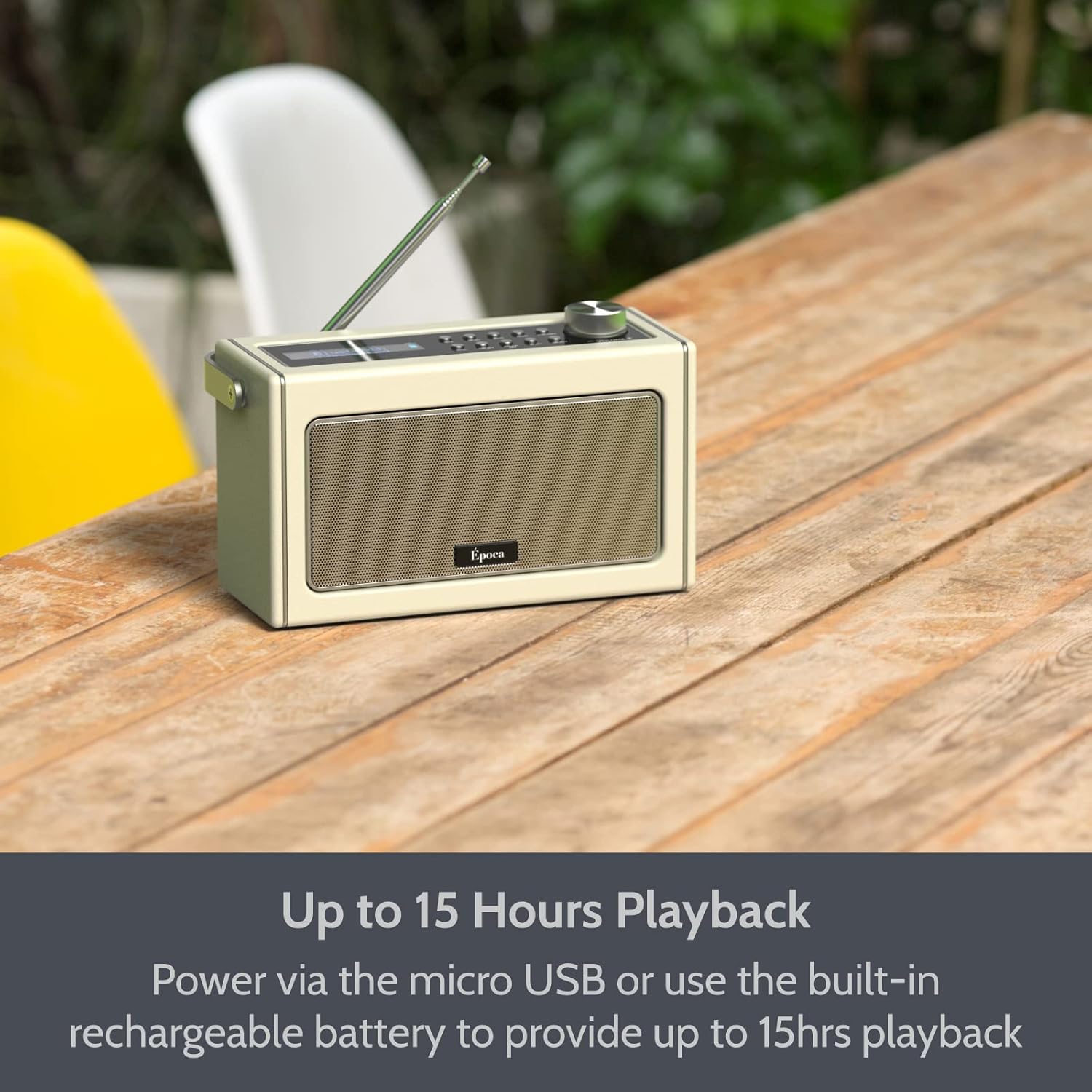
Figure 4: Portable Playback with Rechargeable Battery
4.2 Күйгүзүү/өчүрүү
- Радиону күйгүзүү үчүн, баскычын басып кармап туруңуз Күч башкаруу панелинде жайгашкан баскыч.
- To power off the radio, press and hold the Күч кайра баскычын.
5. Иштөө режимдери
5.1 FM радиосунун иштеши
- Оптималдуу кабыл алуу үчүн телескоптук антеннаны узартыңыз.
- басыңыз Mode FM радио режимин тандоо үчүн баскыч.
- To automatically scan and save available FM stations, press the Скандоо button. The radio will scan and store stations in presets.
- Кол менен тууралоо үчүн, колдонуңуз Түзүү +/- buttons or the rotary dial.
- To recall a saved preset, press the Алдын ала коюлган баскычын жана колдонуңуз Түзүү +/- buttons to navigate through presets.

Figure 5: FM Tuner in Use
5.2 Bluetooth операциясы
- басыңыз Mode button to select Bluetooth mode. The display will show "BT" and the Bluetooth indicator will flash, indicating it's ready for pairing.
- Bluetooth иштетилген түзмөгүңүздө (мисалы, смартфон, планшет) Bluetooth'ду иштетиңиз жана жеткиликтүү түзмөктөрдү издеңиз.
- Select "i-box Epoca" from the list of devices.
- Once paired, the Bluetooth indicator on the radio will stop flashing and remain solid. You can now play audio from your device through the radio.
- Use the radio's volume control or your device's volume control to adjust the audio level.

Figure 6: Bluetooth Setup Steps
Видео: Бүттүview of i-box Epoca Portable Radio features, including DAB/DAB+ and FM tuners, Bluetooth 5.0 connectivity, built-in rechargeable battery, AUX-IN port, 3.5mm headphone socket, and included accessories.
5.3 AUX-IN иштеши
- Connect one end of a 3.5mm audio cable (not supplied) to the AUX-IN port on the back of the radio.
- Connect the other end of the audio cable to the headphone jack or audio output of your external audio device (e.g., MP3 player, CD player).
- басыңыз Mode AUX-IN режимин тандоо үчүн баскыч.
- Play audio from your external device. The sound will be output through the radio's speakers.
- Adjust the volume using the radio's volume control or your external device's volume control.
6. Техникалык тейлөө
- Тазалоо: Use a soft, dry cloth to clean the surface of the radio. Do not use abrasive cleaners or solvents.
- Сактагыч: Узак мөөнөткө пайдаланылбаганда, радиону түз күн нурунан жана өтө температурадан алыс салкын, кургак жерде сактаңыз.
- Батареяга кам көрүү: Батареянын иштөө мөөнөтүн узартуу үчүн, батареянын тез-тез толук зарядын жоготуп албаңыз. Радиону үзгүлтүксүз кубаттап туруңуз, ал тургай тынымсыз колдонулбаса да.
- Антенна: Handle the telescopic antenna carefully to prevent damage.
7. Кыйынчылыктарды
| Көйгөй | Мүмкүн себеп | Чечим |
|---|---|---|
| Радио күйбөйт. | Батарея түгөндү же кубат адаптери туташтырылган эмес. | Connect the radio to the power adapter and allow it to charge. Ensure the power adapter is securely plugged into a working outlet. |
| FM радиосун кабыл алуу начар. | Antenna not fully extended or weak signal area. | Fully extend the telescopic antenna. Try repositioning the radio to improve signal reception. |
| Bluetooth түзмөгү жупташа албайт. | Радио жупташтыруу режиминде эмес, түзмөк өтө алыс же башка түзмөк менен мурунтан эле жупташып турат. | Ensure the radio is in Bluetooth mode and the indicator is flashing. Move your device closer to the radio. Disconnect from any other Bluetooth devices. |
| Динамиктерден үн жок. | Volume too low, muted, or incorrect mode selected. | Increase the volume on the radio and your connected device. Check if the radio is muted. Ensure the correct operating mode (FM, Bluetooth, AUX-IN) is selected. |
8. Техникалык шарттар
- Модел: 79272PI/17
- Кубат булагы: Battery Powered (1 Lithium Ion battery included) / USB (5V-1A)
- Ойнотуу убактысы: Up to 15 hours (battery)
- Тюнер технологиясы: FM
- Байланыш: Bluetooth 5.0, USB, AUX-IN
- Аудио чыгаруу: 3.5 мм гарнитура розеткасы
- Динамиктин чыгышы: 2x 5W Speakers (10W Stereo Sound)
- Өлчөмдөрү: Болжол менен 10.12 x 6.18 x 5.12 дюйм
- Салмагы: Болжол менен 3.34 фунт
- Өндүрүүчү: Philex Electronic Ltd.
- Келип чыккан өлкө: Кытай
9. Кепилдик жана колдоо
The i-box Epoca Portable Radio comes with a 3 жылдык кепилдик сатып алынган күндөн тартып. Бул кепилдик өндүрүш кемчиликтерин жана нормалдуу колдонууда бузулган материалдарды камтыйт.
For technical support, warranty claims, or further assistance, please contact Philex Electronic Ltd. customer service. Contact details can typically be found on the product packaging or the manufacturer's official webсайт.
Сураныч, кепилдик максаттары үчүн сатып алганыңыздын далилин сактап коюңуз.


