1. Introduction and Overview
The Liectroux M7S Pro Hybrid Robot Vacuum Cleaner is designed to provide efficient and thorough cleaning for your home, combining powerful vacuuming with intelligent mopping capabilities. Featuring smart dynamic navigation and a robust 4000Pa suction, it effectively removes dirt, dust, and pet hair from various floor types. Its slim design allows it to navigate under furniture, while advanced sensors ensure comprehensive coverage and obstacle avoidance. This manual provides essential information for setting up, operating, and maintaining your robot vacuum cleaner.
2. Кутуда эмне бар
Баштоодон мурун, бардык компоненттердин бар экенин текшериңиз:
- Liectroux M7S Pro Robot Vacuum Cleaner
- Заряддоо док
- Кубаттуу адаптер
- Таштанды челек (600 мл сыйымдуулукта)
- Суу багы (200мл көлөмү)
- Side Brushes
- HEPA Filter (Cloth type)
- Тазалоо куралы
- Колдонуучунун Колдонмосу (бул документ)
3. Орнотуу
Follow these steps to prepare your robot vacuum for its first use:
- Пакеттен чыгаруу жана жайгаштыруу: Remove all packaging materials. Place the charging dock against a wall in an open area, ensuring there are no obstacles within 1 meter (3 feet) to the sides and 2 meters (6 feet) in front.
- Кубат туташуу: Кубат адаптерин кубаттоочу докко туташтырыңыз жана аны розеткага сайыңыз.
- Баштапкы төлөм: Place the robot vacuum onto the charging dock. Ensure the charging contacts align. The indicator light will show charging status. Fully charge the robot before first use (approximately 4-5 hours).
- App Download and Setup: Download the 'Doodle App' (or generic 'Liectroux App') from your mobile app store. Follow the in-app instructions to connect your robot vacuum to your home Wi-Fi network. This enables remote control and advanced features.

Image: The Liectroux M7S Pro Robot Vacuum Cleaner with its accompanying mobile app interface.

Image: The mobile application for controlling the robot vacuum, showing real-time map updates and scheduling options.
4. Иштөө нускамалары
The Liectroux M7S Pro offers multiple ways to initiate and manage cleaning tasks, ensuring a clean home with minimal effort.
Starting/Pausing Cleaning
Press the power button on the robot or use the mobile app to start or pause a cleaning cycle.
Тазалоо режимдери
The robot supports various cleaning modes to suit different needs:
- Автоматтык тазалоо: The robot intelligently maps and cleans your home.
- Тазалоо: Интенсивдүү тазалоо үчүн белгилүү бир кир аймакка басым жасайт.
- Четтерин тазалоо: Cleans along walls and furniture edges to ensure no corner is missed.
- Timed Cleaning: Schedule cleaning times via the app for automated cleaning sessions.
- Wet and Dry Mopping: Utilizes the water tank for mopping hard floors after vacuuming.

Image: Illustration of the robot vacuum's 4000Pa powerful suction, effective on different types of debris like sand, melon seeds, and steel balls.
Колдонмо башкаруу
The mobile app provides comprehensive control and monitoring, allowing you to manage your robot vacuum from anywhere:
- Real-time mapping and cleaning progress visualization.
- Selection of cleaning modes.
- Scheduling cleaning tasks.
- Adjusting suction power and water flow.
- Viewing cleaning history.

Image: The convenience of WiFi APP control and scheduling for a clean living environment.
Үн менен башкаруу
The robot is compatible with Amazon Alexa and Google Home. Link your Liectroux account in the respective smart home app to enable voice commands such as "Alexa, start cleaning" or "Hey Google, tell the robot to go back to charge."
Навигация жана тоскоолдуктардан качуу
Equipped with intelligent sensors, the robot navigates efficiently, avoiding obstacles and drops. Its 7.8cm thin body allows it to clean under most furniture. It can also climb obstacles up to 1.5cm in height, such as low-pile carpets and door thresholds.

Image: Visual representation of the robot vacuum's slim 7.8cm design, automatic recharging function, and 15mm height obstacle crossing ability.
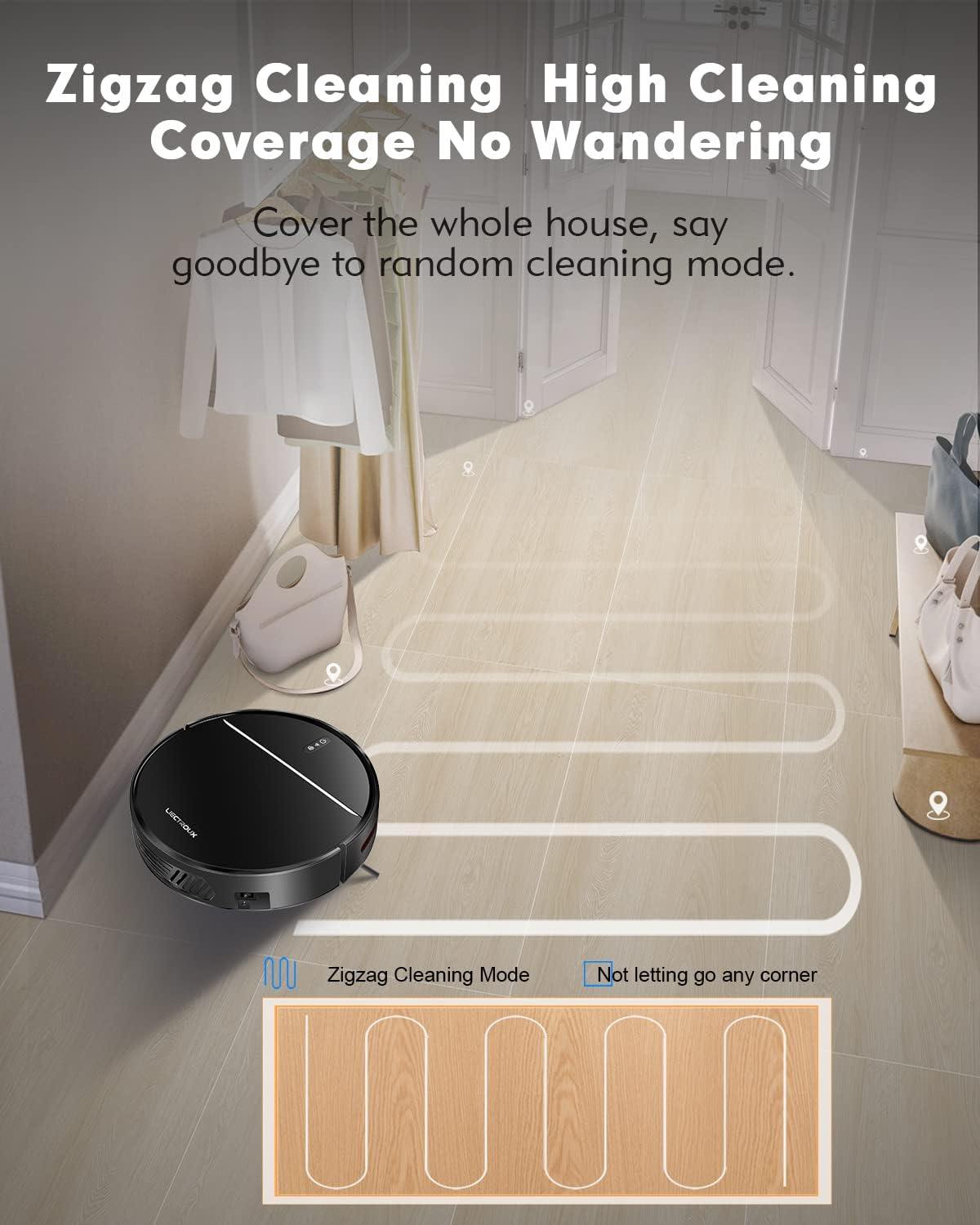
Image: The robot vacuum executing a zigzag cleaning pattern for high coverage without wandering.

Image: The robot vacuum's resilient wheels allow it to easily climb thresholds less than 15mm in height.
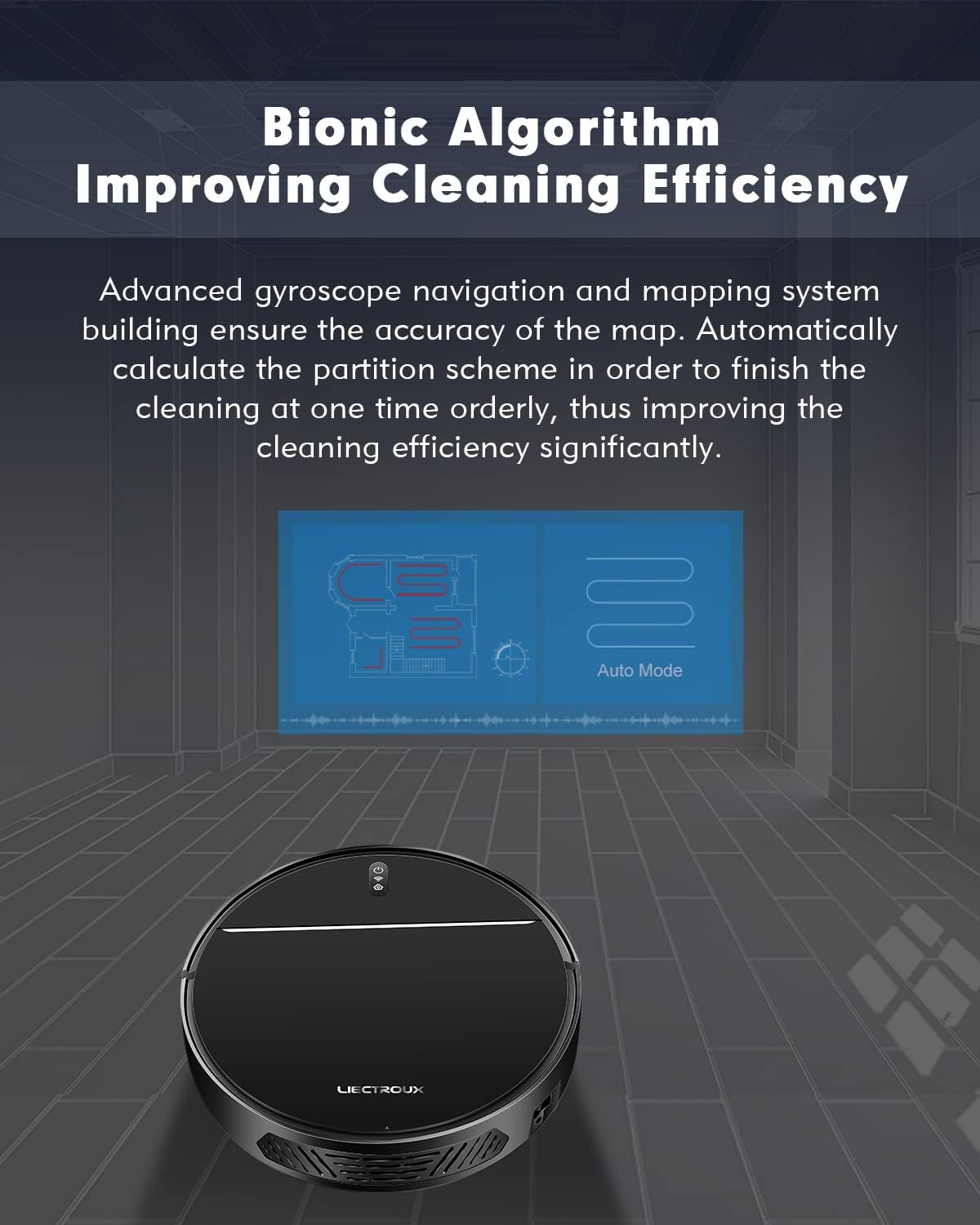
Сүрөт: Диаграмма көрсөтүүcasing the bionic algorithm that improves cleaning efficiency through advanced gyroscope navigation and mapping.
Video: An official demonstration of the Liectroux M7S Pro's dry and wet mopping capabilities, showcasing its smart features like app control, navigation, obstacle avoidance, and automatic recharging.
5. Техникалык тейлөө
Үзгүлтүксүз техникалык тейлөө оптималдуу иштешин камсыздайт жана робот чаң соргучуңуздун иштөө мөөнөтүн узартат.
Таштанды челектерин тейлөө
The 600ml dustbin should be emptied after each cleaning cycle or when full. Open the top cover of the robot, remove the dustbin, and dispose of collected debris. Regularly clean the HEPA filter and pre-filter with the provided cleaning tool or a soft brush. Do not wash the HEPA filter with water unless specified in the full manual.
Суу резервуарды тейлөө
For mopping functions, fill the 200ml water tank with clean water. After mopping, empty any remaining water and allow the tank and mop pad to air dry to prevent mildew and odors.

Сүрөт: деталдуу view of the robot vacuum's dimensions (32cm diameter, 7.8cm height) and its pet and baby-friendly HEPA triple filter system, including the garbage collector, Hypha, bacteria, dust, filter cotton, and seal ring.
6. Кыйынчылыктарды
If you encounter issues with your Liectroux M7S Pro, please refer to the following common solutions:
- Робот заряддалбай жатат: Кубаттоочу доктун күйгүзүлгөнүн жана роботтун кубаттоочу контакттары таза жана докко туура тегизделгенин текшериңиз.
- Робот кыймылдабай же тыгылып калган жок: Check for obstacles around the robot. Ensure wheels are not tangled with hair or debris. The robot's intelligent sensors help prevent it from getting stuck, but occasional intervention may be needed.
- Начар соргуч: Empty the dustbin and clean the filters. Check for blockages in the suction inlet.
- Wi-Fi туташуу көйгөйлөрү: Ensure your Wi-Fi network is 2.4GHz. Restart your router and the robot. Follow the app's connection guide carefully.
- Ашыкча ызы-чуу: Check for any foreign objects caught in the brushes or wheels. Ensure the dustbin and filters are correctly installed.
7. Техникалык шарттар
| Өзгөчөлүк | Деталь |
|---|---|
| Бренд | Лиектру |
| Модел | M7S Pro |
| Соруу күчү | 4000Па |
| Таштанды кутусунун сыйымдуулугу | 600мл |
| Суу резервуарынын сыйымдуулугу | 200мл |
| Батарея сыйымдуулугу | 4400 мАч литий-ион |
| Run Time | 120 мүнөткө чейин |
| Заряддоо убактысы | Approx. 4-5 hours (initial charge) |
| Чыпка түрү | HEPA (Cloth) |
| Байланыш | Wi-Fi (App Control), Amazon Alexa, Google Home |
| Өлчөмдөрү (L x W x Y) | 12.6 x 12.6 x 3.07 дюйм |
| Салмагы | 5 фунт |
| Тоскоолдуктарга чыгуу жөндөмү | 1.5 см чейин |
| Ызы-чуу деңгээли | 45 dB (Quiet cleaning mode) |
8. Кепилдик жана колдоо
For warranty information, technical support, or replacement parts, please contact Liectroux customer service or visit the official Liectroux webсайт. Кепилдик дооматтары үчүн сатып алуу дүмүрчөгүңүздү сактаңыз.


