1. Продукт бүтүп калдыview
The Espressif ESP32-WROVER-E is a powerful and versatile SMD module designed for a wide range of applications requiring Wi-Fi, Bluetooth, and BLE connectivity. It integrates an ESP32-D0WD-V3 chip, 4MB SPI flash, 8MB PSRAM, and an on-board PCB antenna, making it suitable for IoT, automation, and prototyping projects. This module operates at 3.3V and provides robust performance for complex tasks.
Негизги өзгөчөлүктөрү:
- Generic Wi-Fi, Bluetooth, and BLE MCU module.
- Integrated 4 MB flash and 8MB PSRAM for enhanced memory capacity.
- On-board PCB antenna for reliable wireless communication.
- Operates at 3.3 Volts.
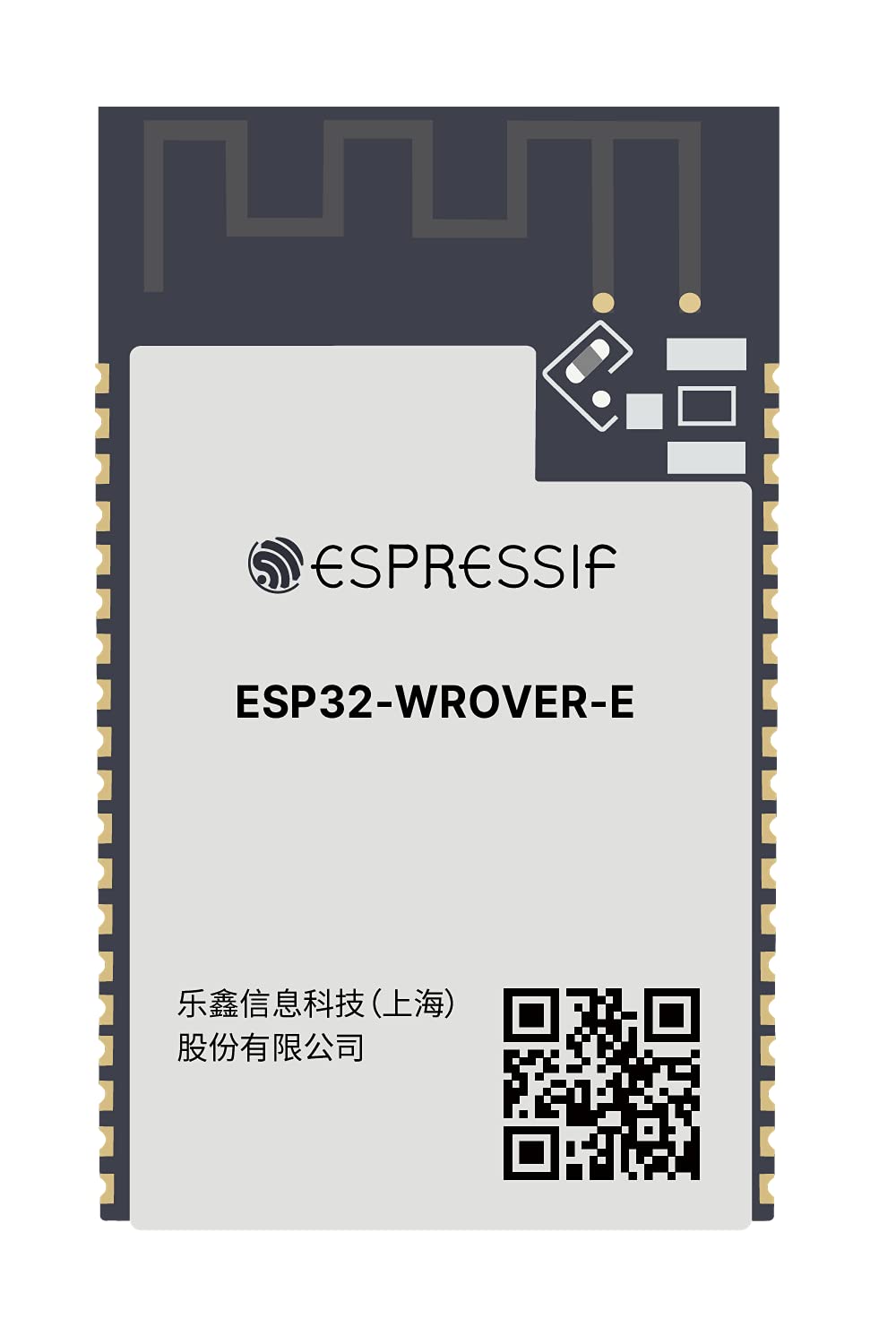
Figure 1: Espressif ESP32-WROVER-E Module with integrated PCB antenna. This image displays the compact design and key components of the module.
2. Орнотуу
To begin using your ESP32-WROVER-E module, follow these general setup guidelines. Specific steps may vary based on your development board and project requirements.
- Электр камсыздоо: Connect the module to a stable 3.3V power source. Ensure correct polarity to prevent damage.
- USB туташуу: If using a development board with a USB-to-UART converter, connect it to your computer using a compatible USB cable (e.g., USB-C or Micro-USB, depending on the board). This connection typically provides power and enables serial communication for programming and debugging.
- Антенна: The ESP32-WROVER-E features an on-board PCB antenna. No external antenna connection is required for basic operation.
- Драйверди орнотуу: Install necessary USB-to-UART bridge drivers (e.g., CP210x or FTDI) if your operating system does not automatically recognize the device.
- Өнүктүрүү чөйрөсү: Set up your preferred development environment, such as Arduino IDE or Espressif IoT Development Framework (ESP-IDF). Configure the board settings to match the ESP32-WROVER-E module.
Video 1: This video demonstrates the unboxing and initial connection of an ESP32-S3 module, which shares similar setup principles with the ESP32-WROVER-E. It shows how to connect an external antenna (if applicable to your specific board variant) and power up the module.
Видео 2: Бул видео жалпы маалымат беретview of an ESP32S module, highlighting its physical characteristics and pin layout. This can be helpful for understanding the general form factor and pin functions of ESP32 modules.
Video 3: This video showcases an ESP32-DevKitC core board, demonstrating how the module is typically integrated into a development board for easier prototyping. It illustrates the connection points and overall structure of a common ESP32 development setup.
3. Иштөө нускамалары
The ESP32-WROVER-E module is designed for flexible operation across various programming paradigms. Once set up, you can program it to perform a multitude of tasks.
- Программалоо: Upload your code using the Arduino IDE or ESP-IDF. Ensure the correct board and port are selected in your development environment.
- Wi-Fi туташуусу: Utilize the integrated 802.11b Wi-Fi to connect to local networks, access cloud services, or create a soft access point.
- Bluetooth/BLE: Leverage Bluetooth 4.2 (LE) for short-range wireless communication with other Bluetooth-enabled devices, enabling applications like sensor data collection or device control.
- GPIO башкаруусу: Use the General Purpose Input/Output (GPIO) pins to interface with external sensors, actuators, displays, and other peripherals. Refer to the ESP32 datasheet for detailed pinout information.
- Энергияны башкаруу: Implement power-saving modes in your code to optimize energy consumption for battery-powered applications.
4. Техникалык тейлөө
Proper handling and maintenance will ensure the longevity and reliable performance of your ESP32-WROVER-E module.
- Сактагыч: Store the module in an anti-static bag in a dry, cool environment when not in use.
- Колдонуу: Avoid touching the pins or sensitive components directly. Use anti-static precautions (e.g., anti-static wrist strap) when handling the module.
- Тазалоо: If necessary, gently clean the module with a soft, dry brush or compressed air. Do not use liquids or abrasive materials.
- Программалык камсыздоонун жаңыртуулары: Regularly check the Espressif website for firmware updates and security patches to ensure optimal performance and security.
5. Кыйынчылыктарды
If you encounter issues with your ESP32-WROVER-E module, consider the following troubleshooting steps:
- Кубат/LED индикатору өчүк:
- Кубат менен камсыздоону текшериңизtage is 3.3V and connections are secure.
- Check the USB cable and port for proper function.
- Failed to Upload Code:
- Ensure correct board and serial port are selected in your IDE.
- Check if the necessary drivers are installed.
- Try pressing the 'BOOT' button while connecting or uploading, then release.
- Verify that the module is receiving sufficient power.
- Wi-Fi/Bluetooth туташуу маселелери:
- Confirm your code correctly initializes and uses the Wi-Fi/Bluetooth functions.
- Check for interference from other 2.4 GHz devices.
- Ensure the Wi-Fi network credentials are correct.
- Модуль жооп бербейт:
- Perform a hard reset by disconnecting and reconnecting power.
- Check for short circuits or incorrect wiring on your breadboard or PCB.
6. Техникалык шарттар
| Өзгөчөлүк | Деталь |
|---|---|
| Бренд | Эспрессива |
| Модел | ESP32-WROVER-E |
| Процессор | Espressif (ESP32-D0WD-V3) |
| Процессорлордун саны | 1 (Эки ядролуу) |
| Flash Memory | 4 MB SPI Flash |
| PSRAM | 8 MB |
| RAM түрү | LPDDR |
| Зымсыз байланыш | Wi-Fi (802.11b), Bluetooth 4.2 (LE) |
| Operating Voltage | 3.3 вольт |
| Антенна | Борттогу PCB антеннасы |
| Операция системасы | FreeRTOS |
| Элемент Салмагы | 0.16 унция |
| Пакеттин өлчөмдөрү | 6 x 5 x 0.4 дюйм |
7. Кепилдик жана колдоо
The Espressif ESP32-WROVER-E Module is manufactured by Espressif. For specific warranty information, please refer to the official Espressif website or contact their customer support directly. General support and technical documentation can be found on the Espressif official documentation portal.
Кошумча жардам алуу үчүн, баш багыңыз Espressif Support Page.


