1. Киришүү
Thank you for choosing the FLEXISPOT EB2 Electric Standing Desk. This manual provides essential information for the safe and efficient operation of your new height-adjustable desk. The EB2 is designed to enhance your workspace with its dual-motor lifting system, smart memory panel, and robust construction, promoting a healthier and more productive work environment.
2. Коопсуздук маалыматы
2.1 Жалпы коопсуздук эрежелери
- Үстөлдү иштетүүдөн мурун бардык туташуулар коопсуз экенин текшериңиз.
- Боюңузду тууралоо учурунда балдарды жана үй жаныбарларын столдон алыс кармаңыз.
- Үстөлдү анын максималдуу салмагы 100 кг ашпашы керек.
- Суюктуктарды түздөн-түз башкаруу панелине же электрдик тетиктердин жанына коюудан алыс болуңуз.
- Үстөлдү жумуш станциясы катары өз максаты боюнча гана колдонуңуз.
2.2 Anti-Collision Technology
The EB2 desk is equipped with an integrated anti-collision system. If the desk encounters an obstacle (soft or hard) during height adjustment, it will automatically stop and reverse slightly to prevent damage to the desk or objects. This feature enhances user safety and protects your belongings.

FLEXISPOT EB2 standing desk with a dark desktop, laptop, and plant in a modern office setting, demonstrating a typical setup.

An illustration comparing the desk's behavior with and without the anti-collision system, clearly showing how the integrated technology prevents damage by stopping and reversing upon contact with an obstacle.
3. Орнотуу жана чогултуу
The FLEXISPOT EB2 desk frame is designed for straightforward assembly, typically taking less than one hour. A detailed instruction manual is included to guide you through each step. Ensure all components are present before beginning assembly. Refer to the included diagram for part identification.

An overview of the FLEXISPOT EB2 electric standing desk frame, showcasing its dual-leg design, integrated control panel, and included casters for mobility.
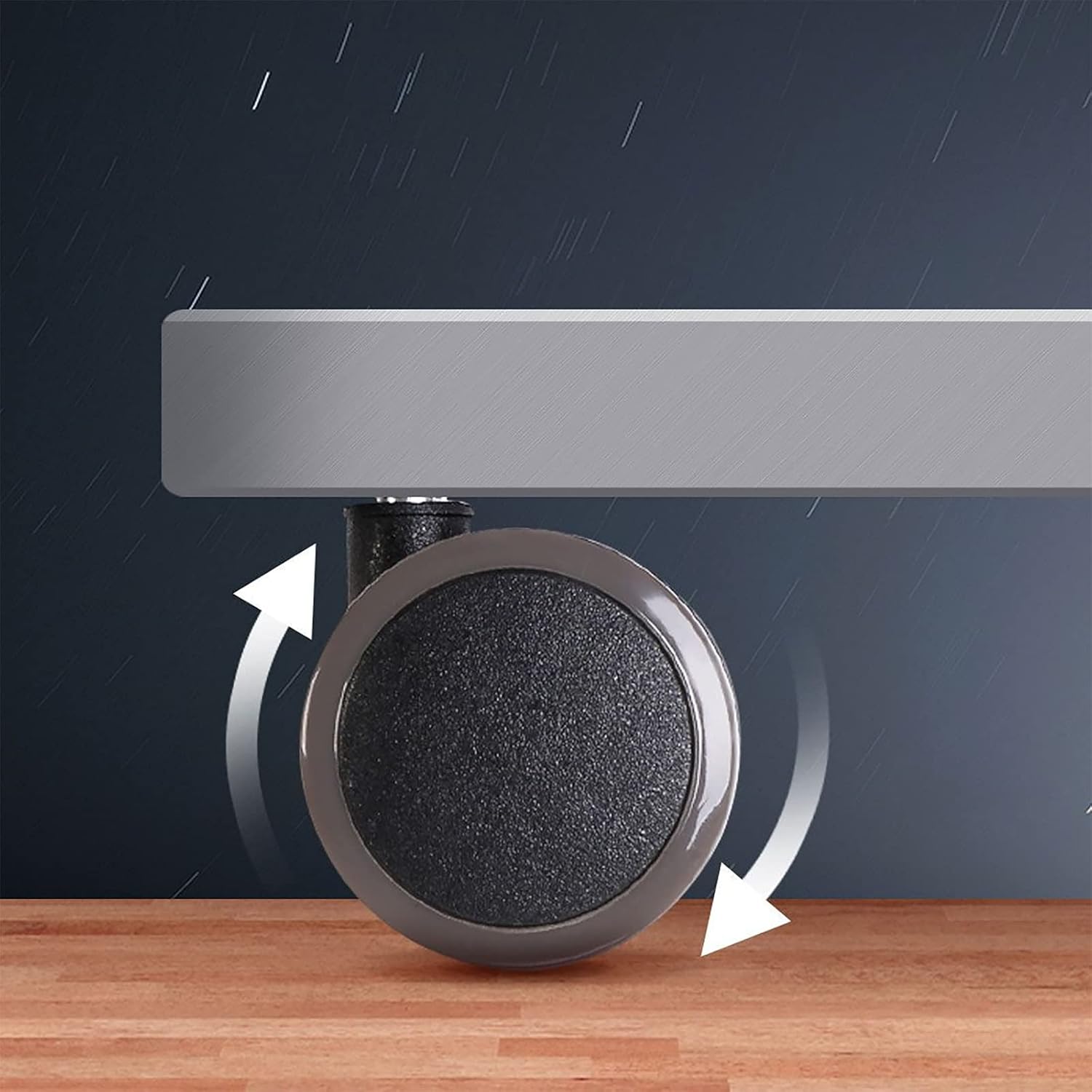
А деталдуу view of one of the desk's casters, highlighting its design for easy movement and stability.

An illustrative diagram detailing the adjustable dimensions of the FLEXISPOT EB2 desk frame, including its height range and the compatible desktop sizes it can accommodate.
4. Иштөө нускамалары
4.1 Бийиктигин тууралоо
The electric lifting system allows for smooth height adjustments from 70 cm to 119 cm (without casters). Use the up (^) and down (v) buttons on the control panel to adjust the desk to your desired height. The desk operates with a low noise level of less than 50 dB during movement.
4.2 Smart Memory Panel
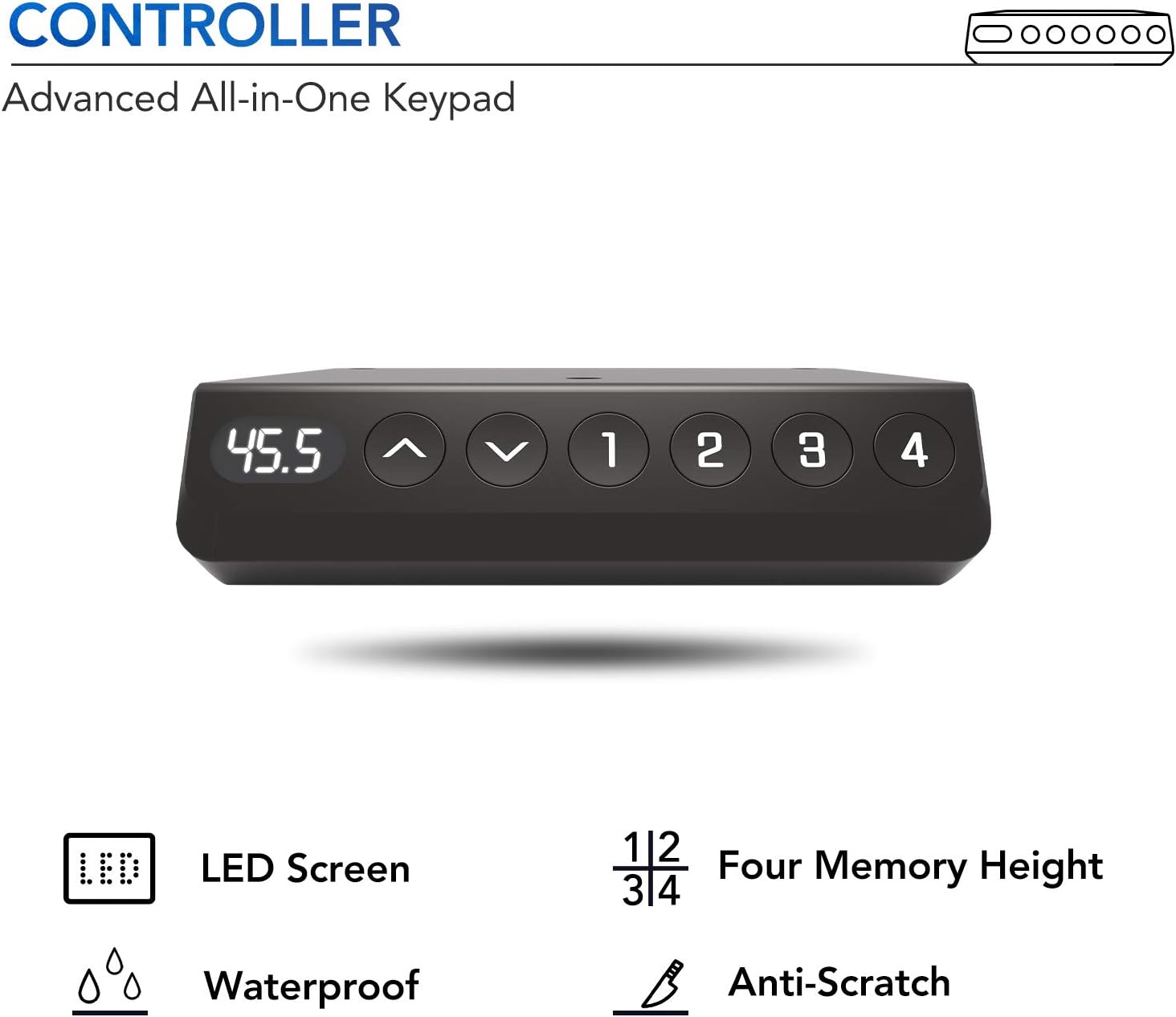
The advanced all-in-one keypad features an LED screen and four programmable memory presets (1, 2, 3, 4). To save a preferred height:
- Өйдө/төмөн баскычтары менен үстөлдү каалаган бийиктикке тууралаңыз.
- Press and hold one of the memory buttons (1, 2, 3, or 4) until you hear a beep or see the display confirm the setting. The height is now saved.
- Сакталган бийиктикти кайра чакырып алуу үчүн, жөн гана тиешелүү эстутум баскычын басыңыз.

A detailed image of the desk's control panel, featuring an LED display, up and down adjustment buttons, and four programmable memory settings for personalized height preferences.

A visual representation of the desk's dual-motor system, explaining how it provides enhanced stability, balance, and a robust 100 kg weight capacity for your workspace.
5. Техникалык тейлөө
To maintain your FLEXISPOT EB2 desk, regularly wipe surfaces with a soft, damp cloth. Avoid abrasive cleaners or harsh chemicals that could damage the finish. Periodically check all screws and bolts to ensure they are tight. Do not overtighten. Keep the electrical components dry and free from dust.
6. Кыйынчылыктарды
- Стол кыймылдабай жатат: Check all power connections. Ensure the power cord is securely plugged into both the desk and the wall outlet.
- Кыймыл бирдей эмес: If the desk moves unevenly, check for any obstructions beneath the desk or ensure the weight is evenly distributed on the desktop.
- Дисплейдеги ката коддору: Refer to the full instruction manual for specific error code meanings and solutions. Often, unplugging the desk for 10 seconds and plugging it back in can reset minor issues.
- Anti-collision system activating unexpectedly: Ensure there are no objects near the desk's path during adjustment. If the issue persists, contact customer support.
7. Техникалык шарттар
| Бренд | FLEXISPOT |
| Модел | EB2 |
| Үстөлдүн дизайны | Компьютердик стол |
| Форма | Төрт бурчтуу |
| Бийиктигин тууралоо диапазону | 70 cm to 119 cm (without casters) |
| Шайкеш иш тактасынын өлчөмдөрү | 120-180 cm (length) x 60-80 cm (width) |
| Максималдуу жүктөө жөндөмдүүлүгү | 100 кг |
| Негизги материал | Эритме болот |
| Түс | Grey (frame) + Casters |
| Өзгөчөлүктөр | Ergonomic, Height Adjustable, Robust, Casters, Adjustable, Stable, Electric, Anti-collision Technology, Smart Memory Panel |
| Ызы-чуу деңгээли | < 50 дБ |

The FLEXISPOT EB2 desk in a functional setup, featuring a dark desktop, a laptop, and a small plant, demonstrating its use as a complete workstation.
Башка view of the FLEXISPOT EB2 desk with a dark desktop, showcasinанын жарашыктуу дизайны жана ample жумушчу мейкиндиги.
A technical diagram providing precise measurements for the desk's casters, including their diameter and stem dimensions, useful for understanding compatibility and replacement.
8. Кепилдик жана колдоо
FLEXISPOT stands behind the quality of its products. The EB2 desk frame is covered by a 5 жылдык кепилдик for the frame, motor, and other mechanical components. The controller, switch, and electronics are covered by a 2 жылдык кепилдик.
For technical assistance, warranty claims, or further inquiries, please contact FLEXISPOT customer support. FLEXISPOT has over 20 years of expertise in height-adjustable technology, ensuring reliable product support.
A certificate from the IGR Institute, verifying that FLEXISPOT height-adjustable desks meet ergonomic standards and have passed usability tests, ensuring a high-quality and comfortable user experience.


