1. Киришүү
Сатып алганыңыз үчүн рахматasing the Rosewill BLITZ K50 RGB BR Wired Gaming Mechanical Keyboard. This manual provides detailed instructions on how to set up, operate, maintain, and troubleshoot your new keyboard. Please read this manual thoroughly before use to ensure optimal performance and longevity of your device.
2. Пакеттин мазмуну
Сураныч, пакеттин мазмунун текшерип, бардык буюмдар бар экенин текшериңиз:
- Rosewill BLITZ K50 RGB BR Mechanical Gaming Keyboard
- Алынуучу алакан таяныч
- Клавиатураны алып салуу комплекти
- Колдонуучунун Колдонмосу (бул документ)
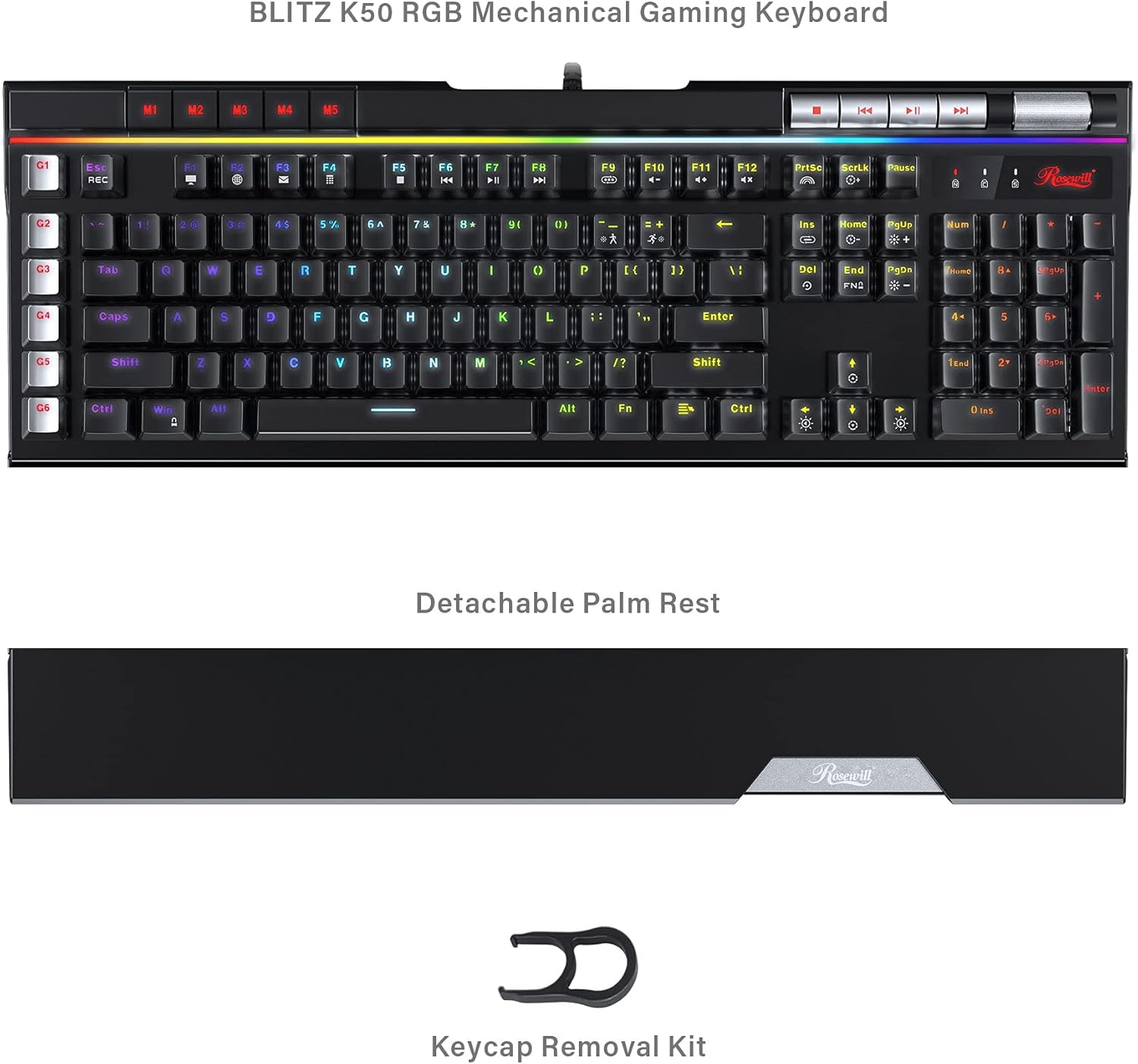
Image: The Rosewill BLITZ K50 RGB BR keyboard shown with its detachable palm rest and the included keycap removal kit, illustrating the complete package contents.
3. Продукт бүтүп калдыview
The Rosewill BLITZ K50 RGB BR is a full-sized wired gaming mechanical keyboard designed for performance and customization. It features durable Outemu brown tactile mechanical switches, N-Key rollover, and anti-ghosting for precise input during intense gaming sessions. The keyboard also includes dedicated macro keys, customizable RGB backlighting, and convenient media controls.

Сүрөт: комплекстүү view of the Rosewill BLITZ K50 RGB BR keyboard, showcasing its full layout, RGB backlighting, and dedicated function keys.
Негизги компоненттер:
- Механикалык өчүргүчтөр: Equipped with genuine Outemu brown tactile mechanical switches for a responsive typing and gaming experience.
- Macro Keys (G1-G6): Six dedicated, programmable macro keys on the left side for custom command chains.
- RGB жарыктандыруу: Individual key backlighting with multiple customizable modes and effects.
- Атайын медиа башкаруу элементтери: Buttons for play/pause, skip, and a volume roller for quick audio adjustments.
- USB Passthrough Ports: Two built-in USB 2.0 ports for connecting additional peripherals.
- Алынуучу алакан таянычы: Узак убакыт колдонуу учурунда эргономикалык колдоо көрсөтөт.
4. Орнотуу
Follow these steps to set up your Rosewill BLITZ K50 RGB BR keyboard:
- Баскычтопту туташтыруу: Plug the USB connector of the keyboard cable into an available USB port on your computer. The keyboard is plug-and-play and does not require additional drivers for basic functionality.
- Алакан таянычын бекитүү (милдеттүү эмес): Align the detachable palm rest with the bottom edge of the keyboard and gently push to secure it in place.
- Программаны орнотуу (кошумча): For advanced customization, including macro programming and RGB lighting effects, download the BLITZ K50 RGB BR software suite from the official Rosewill webсайт. Орнотуу үчүн экрандагы нускамаларды аткарыңыз.

Image: A user operating the Rosewill BLITZ K50 RGB BR keyboard, demonstrating its typical setup on a desk with a computer monitor.
5. Иштөө нускамалары
5.1. Негизги баскычтоп функциялары
The keyboard functions as a standard QWERTY keyboard. All standard keys (letters, numbers, symbols, function keys) operate as expected upon connection.
5.2. RGB жарыгын башкаруу
The BLITZ K50 RGB BR features 5 customizable RGB modes and 14 pre-programmed backlighting effects. Use the dedicated lighting control keys to cycle through modes and adjust brightness.
- Fn + Ins: Cycle through pre-programmed lighting effects.
- Fn + Башкы: Жарыктын жарыктыгын тууралаңыз (5 деңгээл).
- Fn + PgUp: Change lighting speed/direction for certain effects.
- Fn + Del: Cycle through custom RGB modes.
- Fn + Аягы: Adjust individual key color in custom modes.
- Fn + PgDn: Reset lighting to default.
5.3. Macro Key Programming (G1-G6)
The six dedicated macro keys (G1-G6) can be programmed to execute complex command chains with a single press. Programming can be done via the keyboard's on-board recording function or through the software suite.
Бортто жаздыруу:
- басыңыз REC key (above G1). The REC indicator will flash.
- Press the desired macro key (G1-G6) you wish to program. The REC indicator will continue to flash.
- Жаздыргыңыз келген баскычтардын ырааттуулугун териңиз.
- басыңыз REC key again to save the macro. The REC indicator will turn off.
For more advanced macro programming, including delays and specific key combinations, use the BLITZ K50 RGB BR software.
5.4. Dedicated Media Controls & USB Passthrough
The keyboard features dedicated media control buttons and a volume roller for convenient audio management. Two USB 2.0 passthrough ports are also available for connecting other devices.

Сүрөт: деталдуу view of the multimedia control buttons and the metallic volume roller located on the top right of the keyboard, highlighting their accessibility.
- Медиа баскычтары: Use the dedicated buttons for Play/Pause, Previous Track, and Next Track.
- Көлөмдү өлчөөчү ролик: Roll up to increase volume, roll down to decrease volume. Press to mute/unmute.
- USB аркылуу өтүү: Connect your mouse, headset, or other USB devices to the two USB 2.0 ports located on the keyboard for easy access.
5.5. Программалык камсыздоону ыңгайлаштыруу
The BLITZ K50 RGB BR software suite allows for comprehensive customization of your keyboard. You can customize lighting effects, program macros, reassign keys, and save up to 3 profiles.
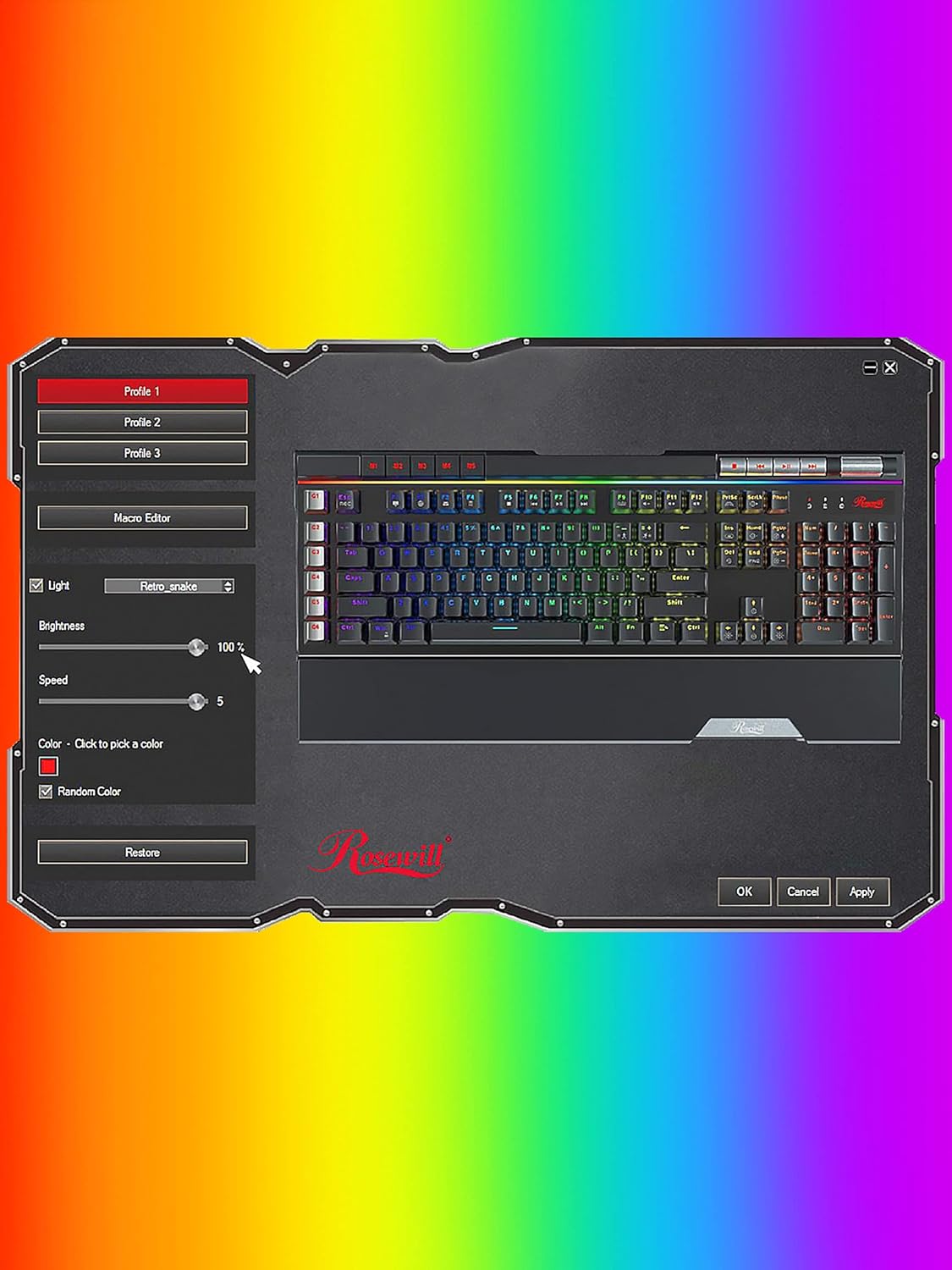
Image: A screenshot of the Rosewill BLITZ K50 RGB BR software interface, showing options for lighting control, macro editing, and profile башкаруу.
Refer to the software's built-in help or the Rosewill website for detailed instructions on using the software suite.
6. Техникалык тейлөө жана кам көрүү
Клавиатураңыздын узак иштөөсүн жана оптималдуу иштешин камсыз кылуу үчүн төмөнкү тейлөө көрсөтмөлөрүн аткарыңыз:
- Тазалоо: Use a soft, dry cloth to wipe down the keyboard surface. For dust and debris between keycaps, use compressed air. The included keycap removal tool can be used to carefully remove keycaps for deeper cleaning.
- Суюктуктардан алыс болуңуз: Клавиатураны суюктуктарга тийгизбеңиз. Төгүлүп кетсе, клавиатураны дароо сууруп, кайра туташтыруудан мурун толугу менен кургатыңыз.
- Сактагыч: Клавиатураны күн нурунан жана экстремалдык температурадан алыс, салкын, кургак жерде сактаңыз.

Сүрөт: жакын план view of the Outemu brown mechanical switches beneath removed keycaps, illustrating the internal components for maintenance and customization.
7. Кыйынчылыктарды
Эгерде сиз клавиатураңызда көйгөйлөргө туш болсоңуз, анда төмөнкү көйгөйлөрдү чечүү кадамдарын караңыз:
- Баскычтоп жооп бербей жатат:
- USB кабели компьютериңизге коопсуз туташканын текшериңиз.
- Баскычтопту башка USB портуна туташтырууга аракет кылыңыз.
- Компьютериңизди өчүрүп күйгүзүңүз.
- Backlighting not working or incorrect:
- Check if the brightness is set to maximum using Fn + Home.
- Cycle through lighting modes using Fn + Ins or Fn + Del.
- If using the software, ensure settings are applied and the software is running correctly.
- Try resetting the lighting to default (Fn + PgDn).
- Макро баскычтар иштебей жатат:
- Ensure macros are correctly recorded or programmed via the software.
- Check if the macro profile is active if using software.
- USB Passthrough ports not working:
- Ensure the keyboard's main USB cable is connected to a powered USB port on your computer.
- Try connecting a different device to the passthrough port to confirm the issue is with the port or the device.
8. Техникалык шарттар
Detailed technical specifications for the Rosewill BLITZ K50 RGB BR keyboard:
| Өзгөчөлүк | Спецификация |
|---|---|
| Модель номери | BLITZ K50 RGB BR |
| Баскычтоптун түрү | Зымдуу оюн механикалык клавиатурасы |
| Которуу түрү | Outemu Brown Tactile Mechanical Switches |
| Ачкычтардын саны | 104 |
| Anti-Ghosting | N-Key Rollover |
| Арткы жарыктандыруу | RGB (14 pre-programmed effects, 5 customizable modes) |
| Макро баскычтары | 6 Dedicated (G1-G6) |
| Медиа башкаруу элементтери | Dedicated buttons + Volume Roller |
| USB өткөргүч | 2 x USB 2.0 порттору |
| Байланыш | USB 2.0 |
| Операциялык системанын шайкештиги | Windows XP / Vista / 7 / 8 / 10 and above |
| Өлчөмдөрү (L x W x Y) | 47.6 x 22.8 x 3.9 см (18.74 x 8.97 x 1.53 дюйм) |
| Салмагы | 1.17 кг (2.58 фунт) |

Image: A technical diagram illustrating the length, width, and height measurements of the Rosewill BLITZ K50 RGB BR keyboard.
9. Кепилдик жана колдоо
Rosewill products are designed for reliability and performance. For warranty information, technical support, or service inquiries, please visit the official Rosewill webсайтына кириңиз же алардын кардарларды колдоо кызматына түз кайрылыңыз. Кепилдик боюнча дооматтар үчүн сатып алууну тастыктаган документти сактап коюңуз.


