Crosscall CORE-M5 User Manual
Модель: 1001011101114
Introduction
This manual provides comprehensive instructions for the setup, operation, maintenance, and troubleshooting of your Crosscall CORE-M5 rugged smartphone. Designed for durability and performance in challenging environments, the CORE-M5 is built to withstand various conditions while providing essential communication and smart device functionalities.
Сураныч, аппаратыңыздын туура иштешин камсыз кылуу жана анын иштөө мөөнөтүн көбөйтүү үчүн колдонуудан мурун бул колдонмону кылдат окуп чыгыңыз.
Пакеттин мазмуну
Пакетти ачканда, бардык буюмдар бар экенин текшериңиз:
- Crosscall CORE-M5 Device
- USB заряддоо кабели
- Quick Start Guide
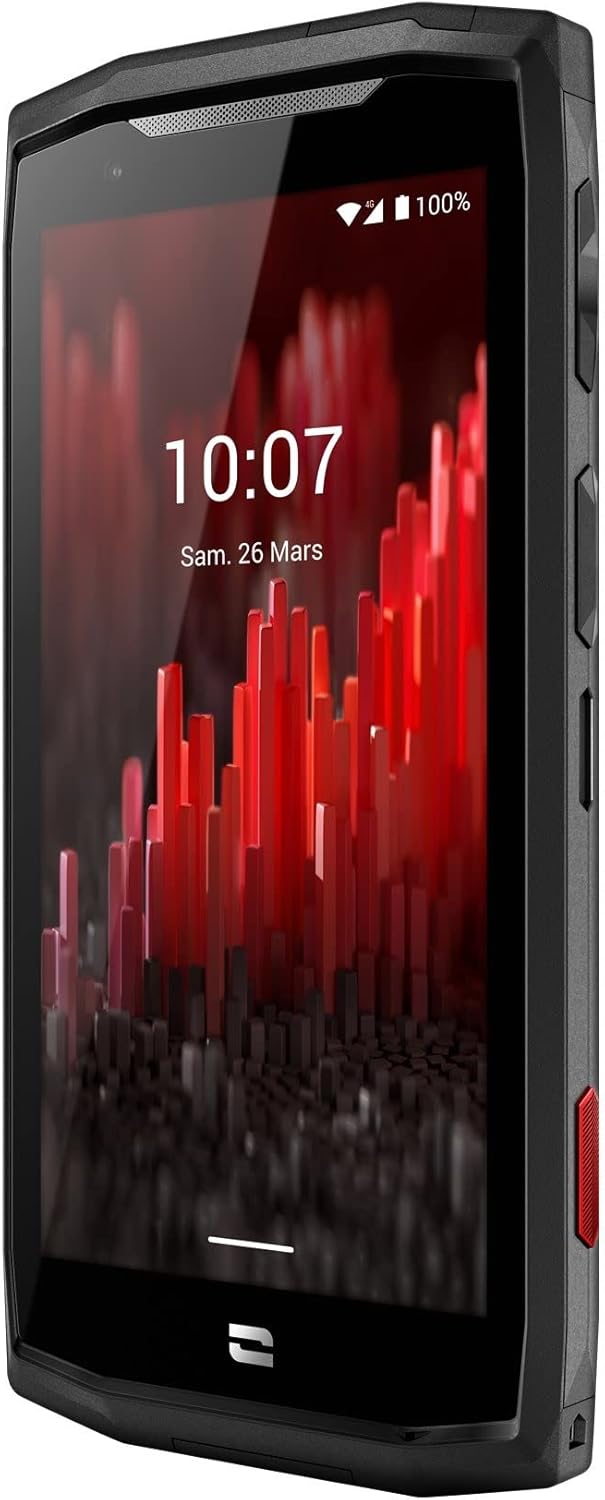
Сүрөт: алдыңкы бурчтуу view of the Crosscall CORE-M5 device, highlighting its robust design and display.
Жайгашуу
1. SIM картаны жана эстутум картасын салуу
The CORE-M5 supports SIM cards for cellular connectivity and an optional memory card for expanded storage. Locate the SIM/memory card tray on the side of the device.
- Power off the device completely.
- Use the provided SIM ejector tool (or a small paperclip) to open the SIM/memory card tray.
- Carefully place your SIM card(s) and/or memory card into the designated slots on the tray, ensuring correct orientation as indicated on the tray.
- Аспапты акырын ордунан чыккыча кайра түртүңүз.

Image: A user demonstrating the insertion of a SIM card into the device's slot.
2. Баштапкы заряддоо
Before first use, it is recommended to fully charge your CORE-M5.
- Connect the USB charging cable to the device's charging port.
- Кабелдин экинчи учун шайкеш келген USB кубат адаптерине же компьютердин USB портуна туташтырыңыз.
- The charging indicator on the screen will show the charging status. Allow the device to charge until the battery icon indicates a full charge.
3. Күйгүзүү жана баштапкы конфигурация
- Press and hold the Power button (usually located on the side) until the Crosscall logo appears.
- Тил тандоо, Wi-Fi туташуусу, Google каттоо эсебин орнотуу жана коопсуздук жөндөөлөрү сыяктуу баштапкы орнотууну аяктоо үчүн экрандагы көрсөтмөлөрдү аткарыңыз.
Operating the CORE-M5
Негизги навигация
- Сенсордук экран: Navigate the device using taps, swipes, and pinch gestures on the 4.95-inch touchscreen display.
- Кубат баскычы: Press to turn the screen on/off, or press and hold to power off/restart the device.
- Үн баскычтары: Медиа үнүн, чалуунун үнүн же рингтондун үнүн тууралаңыз.
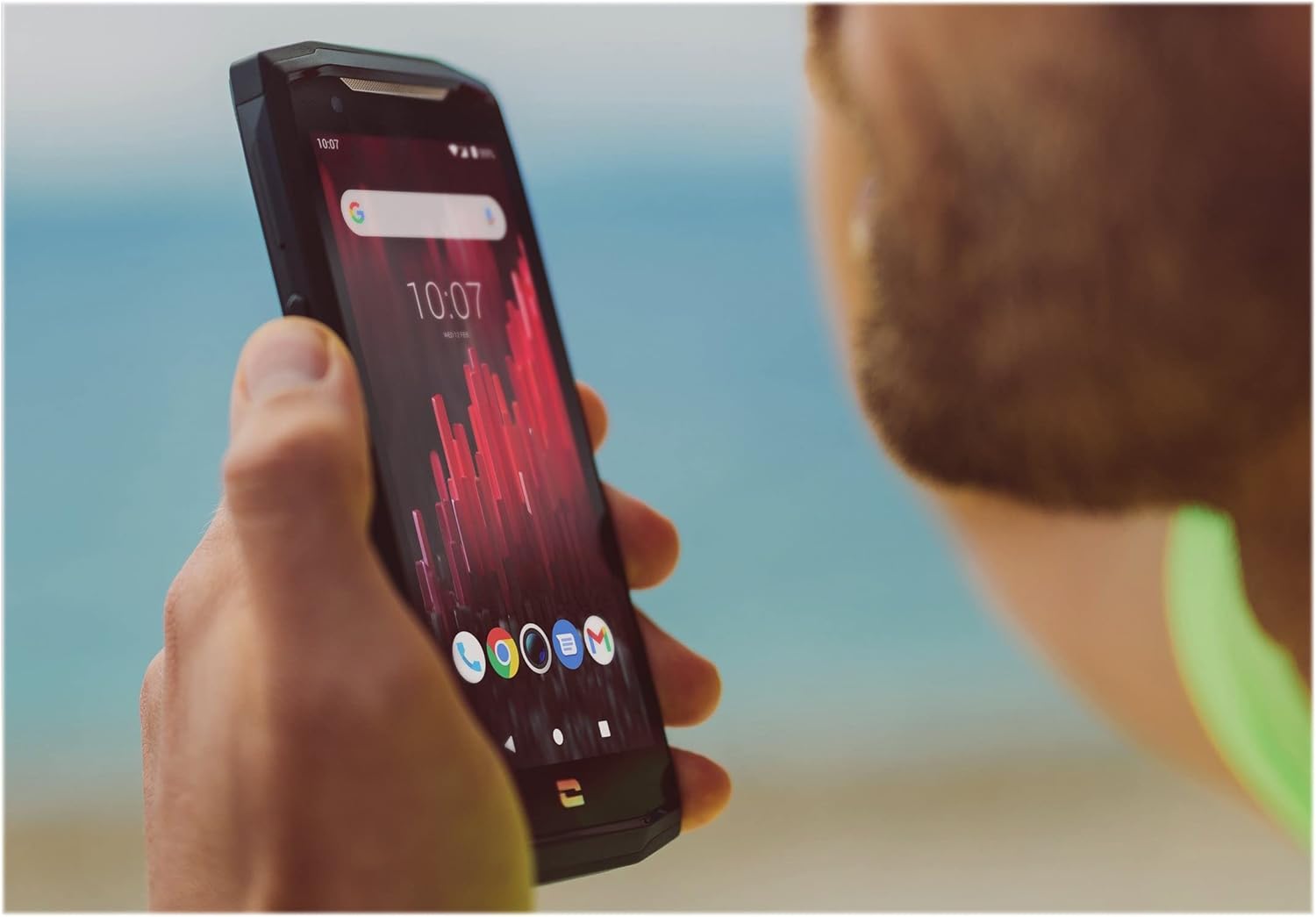
Image: The CORE-M5 in use, demonstrating its compact size and clear display for outdoor visibility.
Байланыш
- Wi-Fi: Зымсыз тармактарга туташуу үчүн Wi-Fi жөндөөлөрүнө Тез жөндөөлөр панелинен же Орнотуулар колдонмосунан кириңиз.
- Bluetooth: Pair with Bluetooth devices such as headphones, speakers, or other smartphones via the Bluetooth settings.
- USB: Connect the device to a computer using the USB cable for data transfer or charging.
- Мобилдик дайындар: Enable or disable mobile data from the Quick Settings or Network & Internet settings. Supports 2G and 3G cellular technologies.
Камеранын иштеши
The CORE-M5 features both front and rear cameras for capturing photos and videos.
- Үй экранынан же колдонмо суурмасынан Камера тиркемесин ачыңыз.
- Tap the shutter button to take a photo or switch to video mode to record.
- Алдыңкы жана арткы камералардын ортосунда которулуу, масштабдоону тууралоо же чыпкаларды колдонуу үчүн экрандагы башкаруу элементтерин колдонуңуз.
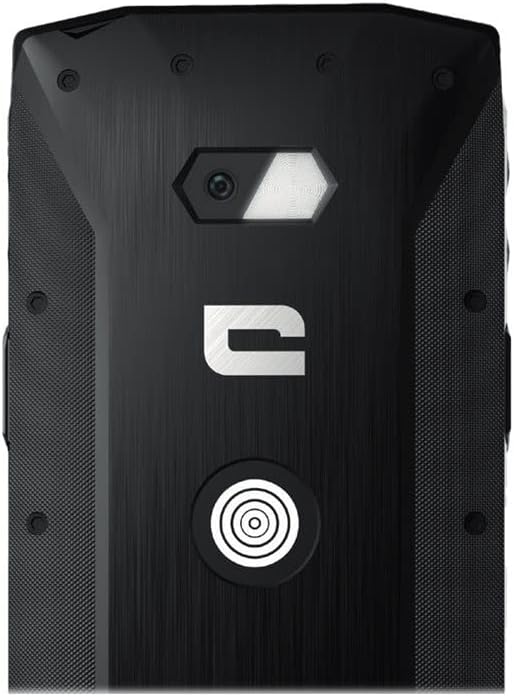
Сүрөт: деталдуу view of the CORE-M5's rear, highlighting the camera module and the X-Link magnetic connection system.
X-Link System
The CORE-M5 is equipped with Crosscall's X-Link magnetic connection system on the back, allowing for easy attachment of compatible accessories such as chargers, mounts, and external batteries.
- Align the X-Link accessory with the magnetic connector on the back of your CORE-M5.
- The magnets will guide the accessory into place, ensuring a secure connection.

Image: The CORE-M5 securely mounted in a vehicle, demonstrating the utility of the X-Link system for hands-free use.
Техникалык тейлөө
- Тазалоо: жумшак колдонуу, damp cloth to clean the device. Avoid harsh chemicals or abrasive materials. Ensure all ports are closed before cleaning if exposed to water.
- Суу жана чаңга туруктуулугу: The CORE-M5 is designed to be rugged. However, ensure all port covers are securely closed to maintain water and dust resistance. Avoid prolonged submersion beyond specified limits.
- Батареяга кам көрүү: To prolong battery life, avoid extreme temperatures. Do not allow the battery to fully discharge frequently.
- Программалык камсыздоо жаңыртуулары: Оптималдуу аткарууну жана коопсуздукту камсыз кылуу үчүн системанын жаңыртууларын дайыма текшерип, орнотуңуз.
Проблемаларды чечүү
| Көйгөй | Мүмкүн себеп | Чечим |
|---|---|---|
| Түзмөк күйгүзүлбөйт | Батареянын аздыгы; программалык камсыздоонун бузулушу | Аппаратты жок эле дегенде 30 мүнөткө кубаттаңыз. Кубат баскычын 10-15 секунд кармап туруу менен мажбурлап өчүрүп күйгүзүңүз. |
| Экран жооп бербей жатат | Убактылуу программалык ката | Restart the device. If unresponsive, perform a forced restart. |
| Poor call quality / No network | Weak signal; incorrect SIM insertion; network issue | Move to an area with better signal. Reinsert the SIM card. Contact your network provider. |
| Колдонмолор бузулуп же катып калууда | Insufficient memory; app conflict; outdated software | Close background apps. Clear app cache/data. Update apps and system software. Free up storage space. |
Техникалык шарттар
| Өзгөчөлүк | Деталь |
|---|---|
| Модель аты | 1001011101114 |
| Бренд | Crosscall |
| Операция системасы | Android |
| CPU модели | Кортекс |
| Screen Size | 4.95 дюйм |
| Резолюция | 1026 x 513 |
| RAM | 3 ГБ |
| Эстутум сактоо сыйымдуулугу | 32 ГБ |
| Батарея сыйымдуулугу | 4000 мАч |
| Телефон менен сүйлөшүү убактысы | 24 саат |
| Байланыш | Bluetooth, Wi-Fi, USB |
| Уюлдук технология | 2G, 3G |
| Зымсыз оператор | Кулпусу ачылган |
| Камералар | Арткы, алдыңкы |
| Түс | Кара |
| Продукциянын өлчөмдөрү | 4.25 x 0.79 x 4.25 дюйм |
| Элемент Салмагы | 8 унция (226.6 грамм) |
| Биринчи жеткиликтүү | 21-сентябрь, 2021-жыл |
Кепилдик жана колдоо
Crosscall products are known for their durability and come with a manufacturer's warranty. For specific warranty terms and conditions, please refer to the warranty card included with your product or visit the official Crosscall webсайт.
For technical support, troubleshooting assistance, or service requests, please contact Crosscall Customer Service through their official channels. Have your product model number (1001011101114) and purchase information ready when contacting support.
Official Crosscall Webсайт: www.crosscall.com


