Introduction
The Roborock E5 Mop is a self-charging robotic vacuum cleaner designed for efficient floor cleaning. It combines vacuuming and mopping functionalities, featuring strong suction, Wi-Fi connectivity, and control via a mobile application, remote control, or voice commands. This manual provides detailed instructions for setting up, operating, maintaining, and troubleshooting your Roborock E5 Mop.
Жайгашуу
1. Пакеттен чыгаруу жана компоненттерди текшерүү
Carefully remove all components from the packaging. Verify that all items listed in the product's packing list are present and undamaged. Keep the packaging for future storage or transport.
2. Заряддоо докунун жайгашуусу
Place the charging dock against a wall on a hard, level surface. Ensure there is at least 0.5 meters (1.6 feet) of clear space on both sides and 1.5 meters (4.9 feet) in front of the dock. Connect the power adapter to the dock and plug it into a power outlet. Ensure the cable is neatly arranged to prevent entanglement.

Image: The Roborock E5 Mop robot vacuum returning to its charging dock, illustrating the recommended clear space around the dock for optimal navigation.
3. Баштапкы заряддоо
Place the robot onto the charging dock. The robot will automatically align and begin charging. For first-time use, ensure the robot is fully charged before starting a cleaning cycle. The battery indicator light will show the charging status.
4. Connecting to the Mi Home App
- Түзмөгүңүздүн колдонмолор дүкөнүнөн Mi Home колдонмосун жүктөп алыңыз.
- Колдонмону ачып, каттоо эсебин түзүңүз же кириңиз.
- Tap '+' to add a new device and follow the in-app instructions to connect your Roborock E5 Mop to your home Wi-Fi network.
- Жупташтыруу процессинде телефонуңуз 2.4 ГГц Wi-Fi тармагына туташып турганын текшериңиз.
5. Алыстан башкарууну орнотуу
The remote control is pre-paired with the robot. Simply insert the batteries (if not already installed) and it is ready for use. The remote can be attached to magnetic surfaces for convenient access.

Image: The Roborock E5 Mop robot vacuum alongside its dedicated remote control, showing the primary components.
Операция
1. Starting and Pausing Cleaning
- Баштоо: Press the power button on the robot, the 'Clean' button on the remote, or initiate cleaning via the Mi Home app.
- Тыныгуу: Press the power button on the robot or the 'Pause' button on the remote/app during a cleaning cycle.
- Докко кайтуу: Press the 'Dock' button on the remote or app to send the robot back to its charging station.
2. Тазалоо режимдери
The Roborock E5 Mop offers various cleaning modes:
- Чаң соргуч: The robot vacuums and mops simultaneously. Attach the mop cloth and fill the water tank before selecting this mode.
- Вакуум гана: The robot performs dry vacuuming. Remove the mop module for this mode.
- Таза так: The robot cleans a small area intensively. Activate this mode via the remote or app.

Image: The Roborock E5 Mop robot vacuum cleaning a hard floor, demonstrating its simultaneous vacuuming and mopping capability with a visible water tank.
3. Навигация жана картага түшүрүү
The E5 Mop utilizes OpticEye and dual gyroscopes for navigation, creating a Z-shape cleaning path for systematic coverage. It tracks its location to ensure thorough cleaning and avoid missed spots.

Image: The Roborock E5 Mop robot vacuum following a Z-shaped cleaning path on a hard floor, illustrating its methodical navigation system.
4. Башкаруу ыкмалары
The robot can be controlled using multiple methods:
- Mobile App (Mi Home): Provides comprehensive control including starting/stopping, scheduling, adjusting suction power, viewing cleaning routes, and setting No-Go Zones.
- Алыстан башкаруу: Allows basic functions like starting/stopping, directional control, spot cleaning, and sending the robot back to the dock.
- Үн менен башкаруу: Compatible with Amazon Alexa and Google Assistant for hands-free operation. Link your Roborock account in the respective voice assistant app.
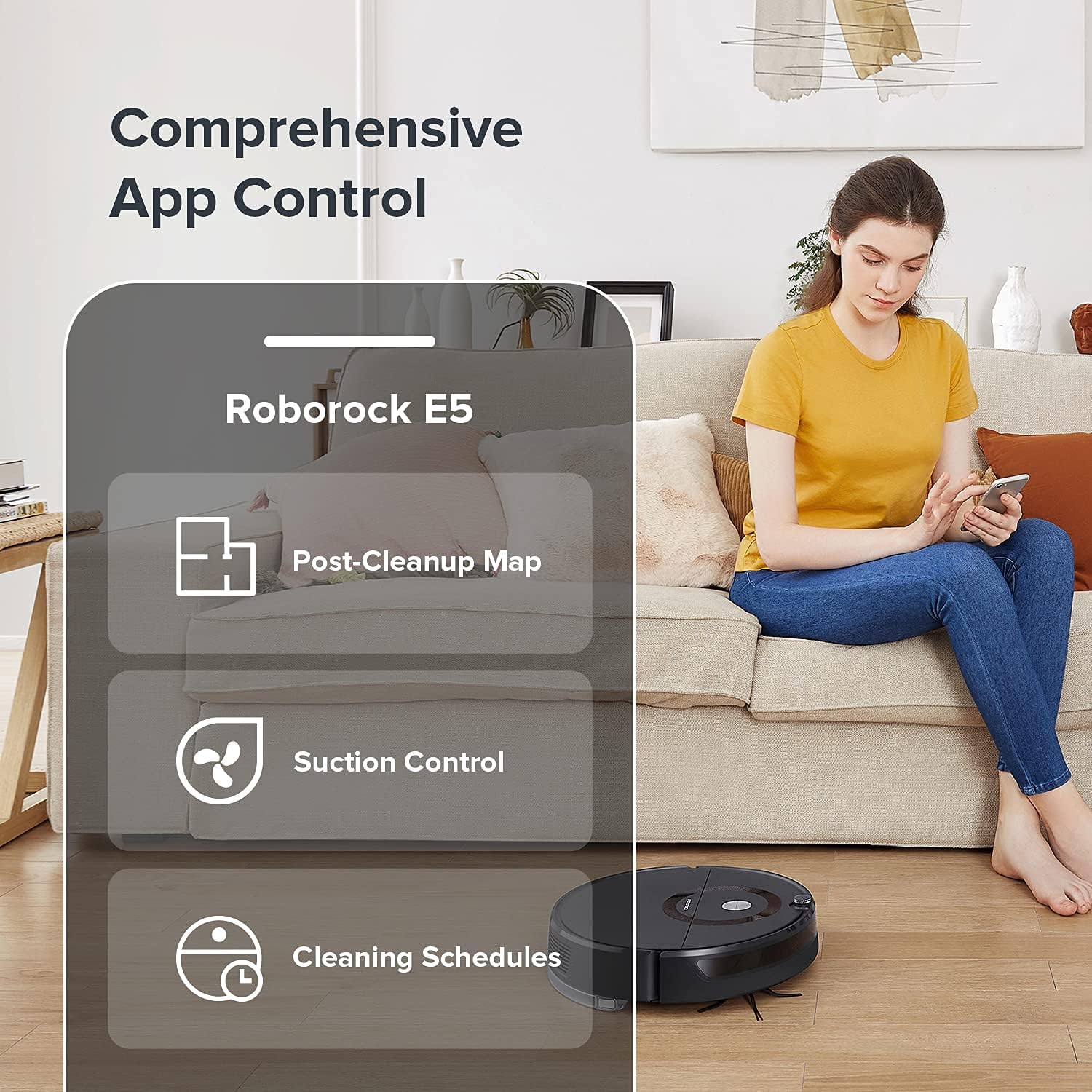
Image: A person interacting with the Mi Home app on a smartphone, displaying options for post-cleanup map, suction control, and cleaning schedules for the Roborock E5 Mop.

Image: A person using the Roborock E5 Mop remote control while the robot vacuum cleans the floor, demonstrating convenient manual operation.
Техникалык тейлөө
Regular maintenance ensures optimal performance and extends the lifespan of your Roborock E5 Mop.
1. Emptying and Cleaning the Dustbin
Open the robot's top cover, remove the dustbin, and empty its contents into a trash receptacle. Rinse the dustbin with water if necessary and allow it to air dry completely before reinserting.
2. Негизги щетканы тазалоо
Remove the main brush cover and then the main brush. Use the cleaning tool provided to remove hair and debris tangled around the brush. Reinstall the brush and cover securely.
3. Каптал щетканы тазалоо
Periodically check the side brush for tangled hair or debris. Remove any obstructions to ensure effective edge cleaning.
4. Фильтрди жуу
Remove the filter from the dustbin. Rinse it under running water until clean. Shake off excess water and allow it to air dry for at least 24 hours before reinserting. Do not use a dryer or direct sunlight.
5. Cleaning the Mop Cloth and Water Tank
After mopping, remove the mop cloth and wash it thoroughly. Allow it to air dry. Empty any remaining water from the water tank and rinse it. Ensure the tank is dry before storage.

Сүрөт: жакын план view of the Roborock E5 Mop's water tank and mop pad assembly, highlighting the components used for wet cleaning.
6. Сенсорлорду жана заряддоо контакттарын тазалоо
Use a soft, dry cloth to wipe the cliff sensors, wall sensors, and charging contacts on both the robot and the charging dock. This prevents dust buildup from affecting performance.

Image: An illustration showing the Roborock E5 Mop's cliff sensor detecting an edge, indicating its function to prevent falls.
7. Wheel Maintenance
Inspect the drive wheels and omnidirectional wheel for any trapped hair or debris. Clean them as needed to ensure smooth movement.
Проблемаларды чечүү
If you encounter issues with your Roborock E5 Mop, refer to the following common problems and solutions:
| Көйгөй | Мүмкүн себеп | Чечим |
|---|---|---|
| Робот башталбайт же жооп бербейт. | Low battery; power button not pressed; robot stuck. | Charge the robot; press the power button; clear obstructions. |
| Начар тазалоо көрсөткүчү. | Толук таштанды челек; бүтөлгөн чыпка; чаташкан щеткалар. | Empty dustbin; clean/replace filter; clean main/side brushes. |
| Робот кубаттагычты таба албайт. | Dock obstructed; robot too far from dock; dirty charging contacts. | Ensure clear space around dock; manually place robot near dock; clean charging contacts. |
| Колдонмонун туташуу маселелери. | Incorrect Wi-Fi password; 5GHz Wi-Fi network; robot offline. | Verify Wi-Fi password; ensure 2.4GHz network; restart robot and router. |
| Робот бат-баттан тыгылып калат. | Cables, rugs, or small objects on floor; dirty sensors. | Clear floor area; clean all sensors. |
Техникалык шарттар
- Бренд: Roborock
- Модель аты: E5 Mop
- Өзгөчөлүктөр: 2500Pa Suction, Edge Cleaning, Logical Navigation, Smart Mapping, Washable Filter
- Түсү: Кара
- Камтылган компоненттер: Моп Pad
- Чыпка түрү: Жууга болот
- Батареянын иштөө мөөнөтү: 200 мүнөт
- Кубат булагы: Батарея менен иштейт
- Батареялар камтылган: Ооба (1 литий-иондук батарейка талап кылынат)
- Башкаруу ыкмасы: Пульт, Колдонмо, Үн
- Шайкеш түзмөктөр: Amazon Echo, Google Home, Смартфондор
- Форма фактору: Робот
- UPC: 656942345534
- Элемент Салмагы: 12.13 фунт
- Өндүрүүчү: Roborock
- ASIN: B09F9ZX5HN
- Биринчи жеткиликтүү болгон күнү: 2-сентябрь, 2021-жыл
Кепилдик маалымат
Specific warranty details for the Roborock E5 Mop are typically provided with the product packaging or available on the official Roborock webсайт. Кепилдиктин толук шарттары жана шарттары үчүн бул булактарга кайрылыңыз.
Кардарларды колдоо
For further assistance, technical support, or inquiries regarding your Roborock E5 Mop, please visit the official Roborock support webсайтына кириңиз же алардын кардарларды тейлөө бөлүмүнө кайрылыңыз. Байланыш маалыматын, адатта, продуктунун таңгагынан же расмий брендинен тапса болот webсайт.


