Introduction
Thank you for choosing the Keychron K1 Ultra-Slim Mechanical Keyboard. This manual provides detailed instructions on setting up, operating, and maintaining your keyboard to ensure optimal performance and longevity. The Keychron K1 is a versatile 87-key tenkeyless layout keyboard designed for both wireless (Bluetooth) and wired (USB) connectivity, featuring low-profile Gateron mechanical switches and white LED backlighting.

Image: Keychron K1 Ultra-Slim Tenkeyless Layout Mechanical Keyboard overview.
Пакеттин мазмуну
Баштоодон мурун, пакетиңизде бардык элементтер бар экенин текшериңиз:
- Keychron K1 Mechanical Keyboard
- USB Type-C кабели
- Баскыч капкагын тарткыч
- Коммутаторду тартуучу (эгерде ысык алмаштырылуучу версиясы болсо)
- Extra Keycaps for Windows and Mac operating systems

Сүрөт: жогорудан төмөнгө view of the Keychron K1 mechanical keyboard, showing the 87-key tenkeyless layout.
Жайгашуу
1. Баштапкы заряддоо
For optimal performance, it is recommended to fully charge the keyboard before first use. Connect the provided USB Type-C cable to the keyboard's USB-C port and the other end to a USB power source (e.g., computer USB port, wall adapter). The battery indicator LED will show charging status.
2. Байланыш режимдери
The Keychron K1 supports both Bluetooth wireless and USB wired connections.
Bluetooth байланыш:
- Ensure the keyboard's mode switch (located on the side/back) is set to "BT" (Bluetooth).
- Жупташтыруу режимине өтүү үчүн басып, кармап туруңуз fn+1 (for Device 1), fn+2 (for Device 2), or fn+3 (for Device 3) for 4 seconds until the corresponding key (1, 2, or 3) flashes rapidly.
- On your device (computer, tablet, smartphone), enable Bluetooth and search for "Keychron K1".
- Select the keyboard from the list of available devices to complete pairing. The flashing light will become solid once connected.
- Жупташтырылган түзмөктөр арасында которулуу үчүн жөн гана басыңыз fn+1, fn+2, же fn+3.

Image: Diagram illustrating how the Keychron K1 keyboard connects to up to three Bluetooth devices (e.g., desktop, laptop, tablet) using Fn+1, Fn+2, and Fn+3.
Зымдуу туташуу:
- Set the keyboard's mode switch to "Cable" (or "USB").
- Connect the USB Type-C cable from the keyboard to your computer's USB port. The keyboard will be recognized automatically.
3. Операциялык системанын шайкештиги
The Keychron K1 is compatible with both Mac and Windows operating systems. Use the OS switch (located on the side/back) to select the appropriate layout for your system. Extra keycaps for both operating systems are included for customization.
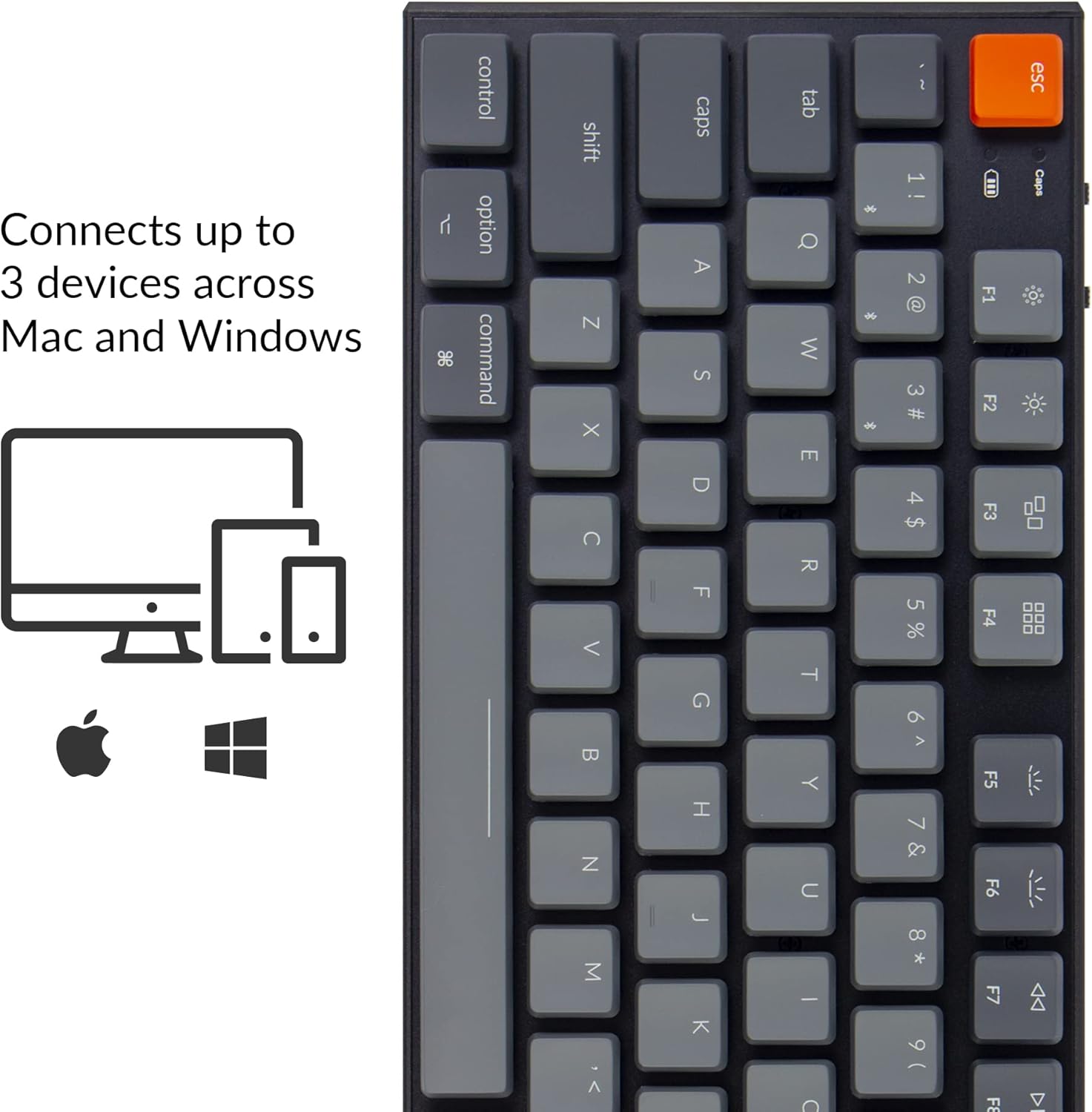
Image: Visual representation of the Keychron K1's compatibility with Mac and Windows operating systems, connecting to up to 3 devices.
Иштөө нускамалары
1. Негизги функциялар
The K1 features an 87-key tenkeyless layout. Many keys have dual functions accessible via the Fn ачкыч.
- Мультимедиа ачкычтары: Access media controls (play/pause, volume up/down, mute) using Fn + F7 чейин Fn + F12.
- Жарыкты башкаруу: Adjust backlight brightness and effects using Fn + F5 (decrease brightness), Fn + F6 (increase brightness), and Fn + Light Bulb key (change backlight effect).
- N-Key Rollover (NKRO): In wired mode, the keyboard supports N-Key Rollover, allowing all keys to be registered simultaneously. In wireless mode, it supports 6-Key Rollover (6KRO).

Image: The Keychron K1 keyboard with its white LED backlight illuminated, showcasing the key layout.
2. Батарея индикатору
The battery indicator LED (located near the Esc key) provides information on battery status:
- Кызыл (жарк эткен): Low battery. Please charge the keyboard.
- Жашыл (катуу): Толугу менен заряддалган.
- Orange (solid): Заряддоо.

Сүрөт: Жакын план view of the top-left corner of the Keychron K1 keyboard, highlighting the orange Esc key and the battery indicator light.
Техникалык тейлөө
1. Тазалоо
Клавиатураңызды тазалоо үчүн, аны өчүрүп, башка түзмөктөрдөн ажыратыңыз. Жумшак, түксүз чүпүрөктү бир аз сүртүңүз.ampened with water or a mild cleaning solution. For dust and debris between keycaps, use compressed air or the provided keycap puller to remove keycaps and clean underneath. Avoid excessive moisture.
2. Батареяга кам көрүү
The Keychron K1 is equipped with a 2000 mAh Lithium Polymer battery. To prolong battery life:
- Батареяны дайыма толугу менен зарядсыздандырбаңыз.
- Клавиатураны узак убакыт бою колдонбосо, салкын, кургак жерде сактаңыз.
- Charge the keyboard using a standard 5V USB power source.
Проблемаларды чечүү
| Көйгөй | Мүмкүн себеп | Чечим |
|---|---|---|
| Bluetooth аркылуу клавиатура туташпай жатат | Keyboard not in pairing mode; device Bluetooth off; interference; already connected to 3 devices. | Ensure keyboard is in BT mode and pairing mode (Fn+1/2/3 held for 4s). Check device Bluetooth. Try forgetting and re-pairing the device. Ensure no more than 3 devices are paired. |
| Keys not responding in wired mode | Keyboard not in Cable mode; faulty USB cable; loose connection. | Set keyboard to "Cable" mode. Try a different USB port or cable. Ensure cable is securely connected. |
| Арткы жарык иштебей жатат же күңүрт эмес | Backlight turned off or set to lowest brightness; low battery. | Increase brightness using Fn+F6. Change backlight effect using Fn+Light Bulb key. Charge the keyboard. |
| Keyboard randomly disconnects | Low battery; Bluetooth interference; distance from device. | Charge the keyboard. Reduce distance to device. Minimize other wireless interference. |
Техникалык шарттар
| Өзгөчөлүк | Деталь |
|---|---|
| Модел | K1-A2 |
| Макет | Ачкычсыз (87 ачкыч) |
| Которуу түрү | Low-Profile Gateron Mechanical Blue Switch |
| Жашоо мөөнөтүн которуу | 50 миллионго чейин баскычтарды басуу |
| Байланыш | Bluetooth 5.1 (Broadcom chipset) & USB Type-C Wired |
| Батарея сыйымдуулугу | 2000 мАч литий полимери |
| Батареянын иштөө мөөнөтү | Up to 110 hours (with backlight off) |
| Арткы жарык | Ак LED |
| Өлчөмдөрү (L x W x Y) | 13.98 x 5.31 x 1.02 дюйм (355 x 135 x 26 мм) |
| Салмагы | 2.27 фунт (1.03 кг) |
| OS шайкештиги | Mac, Windows, iOS, Android |

Image: Diagram showing the ultra-slim profile and dimensions of the Keychron K1 keyboard.

Сүрөт: Жакын план view of the Keychron K1 keyboard with several keycaps removed, revealing the low-profile Gateron Mechanical Blue switches and their specifications.
Кепилдик жана колдоо
Keychron products are manufactured with high-quality standards. For warranty information, technical support, or service inquiries, please visit the official Keychron webсайтка же түздөн-түз кардарларды колдоо менен байланышыңыз. Сатып алуу квитанциясын кепилдик дооматтары үчүн сатып алуунун далили катары сактаңыз.
Расмий Keychron Webсайт: www.keychron.com


