1. Продукт бүтүп калдыview
The nooie Baby Monitor is a 1080P Full HD camera designed for monitoring babies, children, the elderly, or pets. It features advanced detection capabilities, two-way audio, and night vision to provide comprehensive surveillance. This manual provides instructions for setup, operation, and maintenance of your nooie Baby Monitor.

Image: The nooie Baby Monitor camera shown alongside a smartphone displaying a live feed of a baby.
2. Пакеттин мазмуну
Орнотууну улантуудан мурун, пакетиңизде бардык элементтер бар экенин текшериңиз:
- nooie Baby Cam
- Электр кабели
- 3M Sticker (for mounting)
- Кубаттуу адаптер
- Faceplate (decorative cover)
- Cable Concealer x 6
- Quick Start Guide
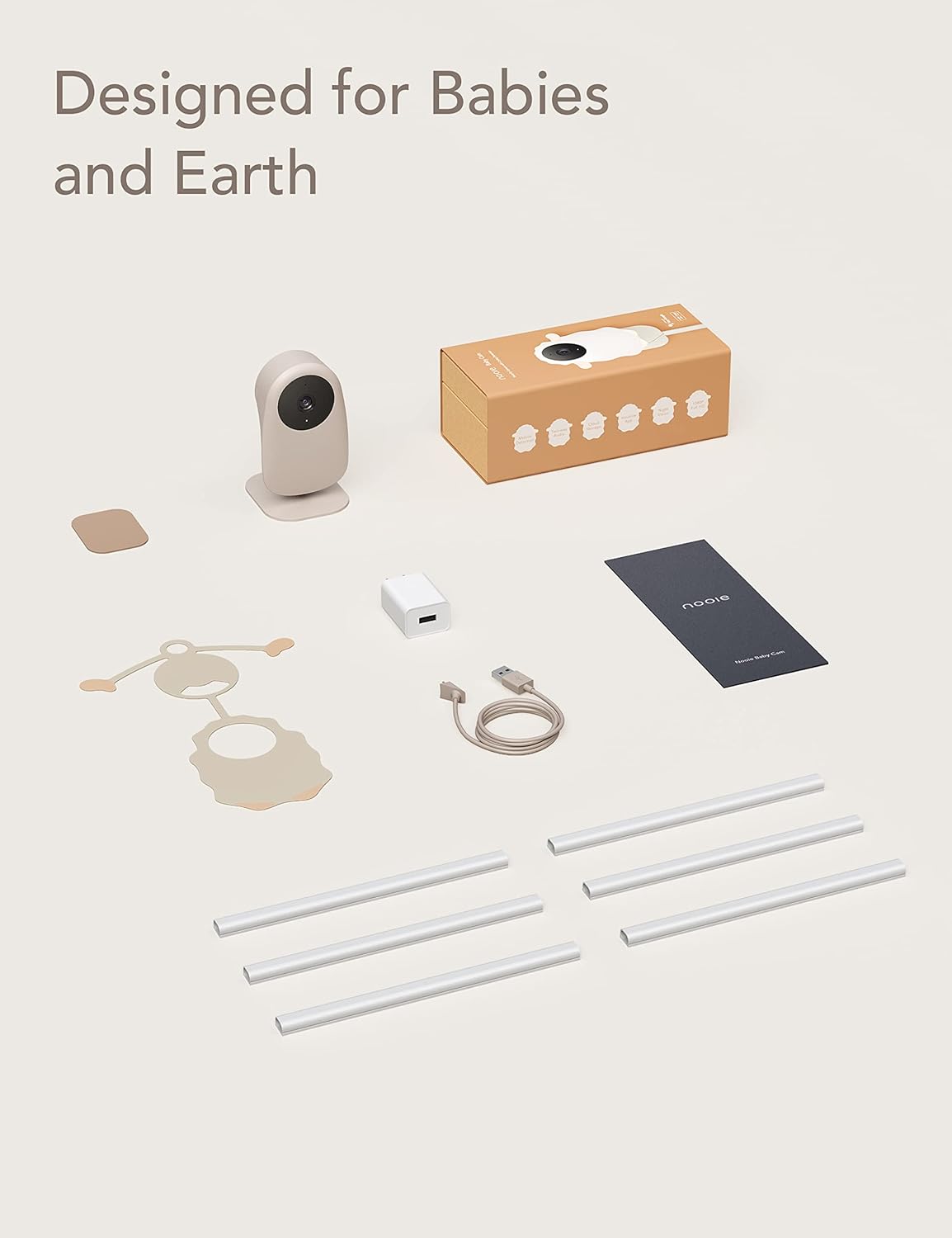
Image: All included components of the nooie Baby Monitor, including the camera, power accessories, mounting sticker, cable concealers, and quick start guide.
3. Орнотуу колдонмосу
3.1 Физикалык орнотуу
- Жайгашкан жерди тандаңыз: так камсыз кылуучу жерди тандоо view of the area you wish to monitor. Ensure the camera is within range of your 2.4GHz Wi-Fi network.
- Монтаждоо параметрлери: The camera can be placed on a flat surface or mounted to a wall using the provided 3M sticker. Ensure the mounting surface is clean and dry.
- Камеранын бурчун тууралоо: The camera features an adjustable base, allowing you to tilt it to achieve the desired viewбурч.

Image: The nooie Baby Monitor, adorned with a sheep-shaped faceplate, demonstrating its 90-degree adjustable tilt for optimal positioning.
3.2 Кабелди башкаруу
To ensure safety and a tidy installation, use the included cable concealers to secure the power cable along the wall or furniture, keeping it out of reach of children and pets.

Image: The nooie Baby Monitor mounted on a wall, with its power cable neatly hidden by a cable concealer, illustrating safe placement away from curious children.
3.3 Колдонмону орнотуу жана жупташтыруу
- Колдонмону жүктөп алыңыз: Download the nooie app from your smartphone's app store (iOS or Android).
- Эсеп түзүү: Колдонмону ачып, жаңы колдонуучу каттоо эсебин түзүү үчүн экрандагы нускамаларды аткарыңыз же сизде мурунтан эле бар болсо кириңиз.
- Түзмөк кошуу: Tap the '+' icon to add a new device. Select the nooie Baby Monitor from the list of available devices.
- Wi-Fi'га туташуу: Follow the app's instructions to connect the camera to your 2.4GHz Wi-Fi network. Эскертүү: Камера 2.4 ГГц Wi-Fiны гана колдойт.
- Жупташтыруу: The app will guide you through the pairing process, which typically involves scanning a QR code displayed on your phone with the camera lens.
4. Иштөө нускамалары
4.1 Live View
Once paired, open the nooie app to access the live video feed from your camera. You can view your baby, elderly family member, or pet in 1080P Full HD resolution at any time.
4.2 Эки тараптуу аудио
The monitor features two-way audio, allowing you to hear sounds from the camera's location and speak through the camera's speaker using the app. This is useful for comforting a baby or communicating with family members.

Image: A person holding a smartphone, viewing a live feed of a smiling child through the nooie app, demonstrating the remote viewing and communication feature.
4.3 Crying and Sound Detection
The nooie Baby Monitor is equipped with advanced crying and sound detection. When a cry or significant sound is detected, you will receive real-time notifications on your smartphone, allowing you to respond promptly.

Image: A smartphone screen showing a notification from the nooie app indicating "Device baby room sound detected," with a child in the background, highlighting the sound detection feature.
4.4 Кыймылды аныктоо
Камера өзүнүн аймагындагы кыймылды аныктай алат view. You can customize motion detection zones within the app to focus on specific areas and reduce unnecessary alerts. Real-time notifications will be sent upon detection.

Image: A smartphone screen displaying the nooie app interface, showing how to set a customizable motion detection zone around a baby's crib.
4.5 Түнкү көрүнүш
Equipped with two 940nm Infrared LEDs, the camera provides clear night vision up to 32 feet (10 meters) in complete darkness without emitting visible red lights, ensuring undisturbed monitoring.

Image: A grayscale night vision image captured by the nooie Baby Monitor, showing a child peacefully sleeping in bed, demonstrating its low-light capabilities.
4.6 Жазуу жана сактоо
You can record video footage and store it either on a MicroSD card (not included) inserted into the camera or via the nooie Cloud service (subscription may be required). This allows you to review past events and capture important moments.
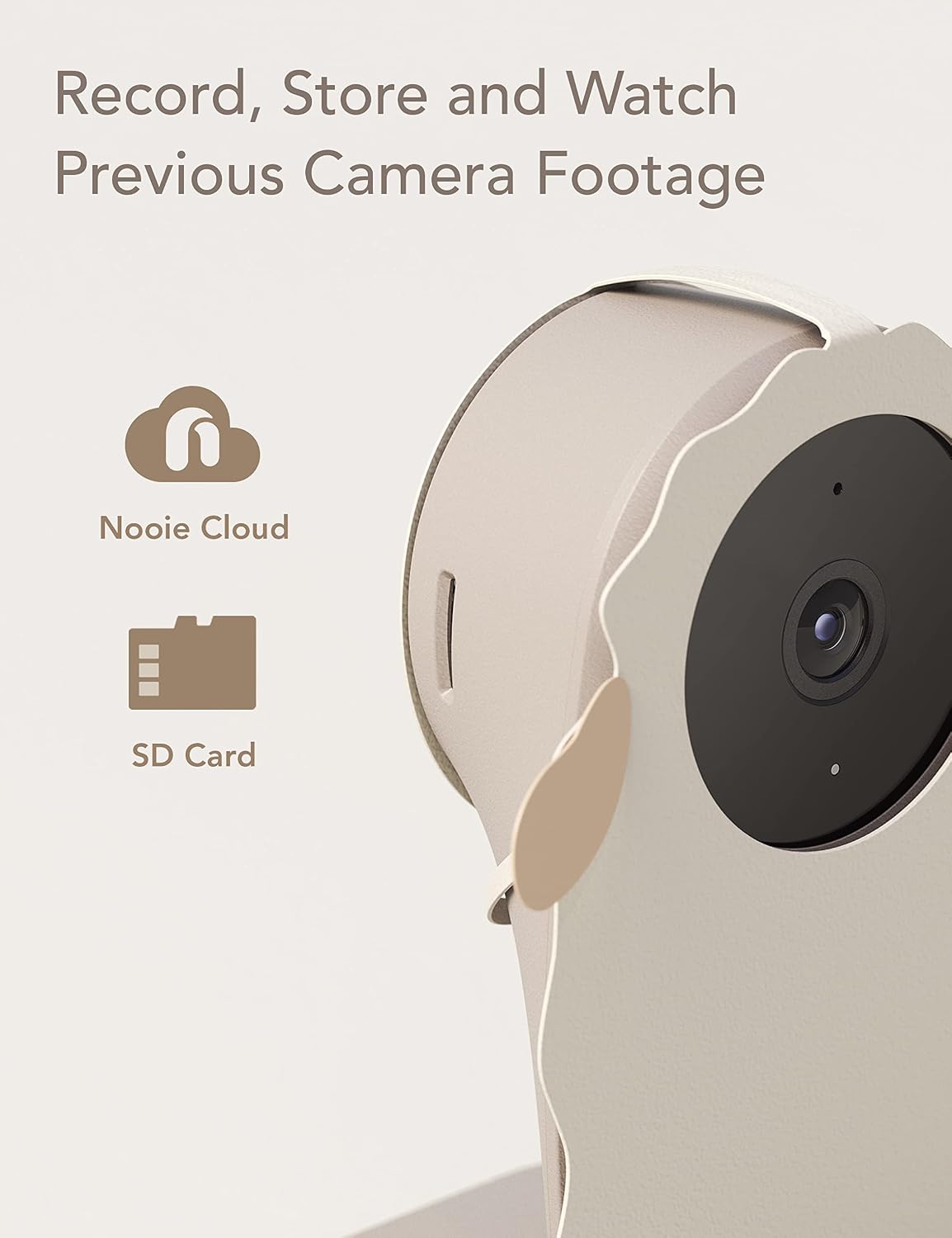
Image: A close-up of the nooie Baby Monitor camera, accompanied by graphical icons representing Nooie Cloud storage and MicroSD card storage options.
4.7 Бөлүшүү мүмкүнчүлүгү
The nooie app allows you to securely share camera access with family members, enabling multiple users to monitor the feed simultaneously.
4.8 Smart Home интеграциясы
The nooie Baby Monitor is compatible with Amazon Alexa, allowing for voice control and integration into your smart home ecosystem.
5. Техникалык шарттар
| Өзгөчөлүк | Деталь |
|---|---|
| Ички/тышкы колдонуу | Indoor |
| Видео тартуунун резолюциясы | 1080p |
| Connectivity Protocol | Wi-Fi (2.4 ГГц гана) |
| Түнкү көрүү диапазону | 32 Фут (10 метр) чейин |
| Field Of View | 90 градус |
| Эскертүү түрү | Audio and Motion, Cry Detection |
| Сактагыч параметрлери | Cloud, MicroSD Card |
| Шайкеш түзмөктөр | Smartphone, Amazon Alexa/Google Home |
| Power Source | Электр зымдары (5V, 5W) |
| Өлчөмдөрү (L x W x Y) | 3.11 x 2.6 x 4.59 дюйм |
| Элемент Салмагы | 8.8 унция |
| Материал | Акрилонитрил бутадиен стирол (ABS) |
| Эл аралык коргоо рейтинги | IP67 (Суу өткөрбөйт) |
6. Кыйынчылыктарды
6.1 Камера Wi-Fiга туташпай жатат
- Wi-Fi тармагыңыз 2.4 ГГц экенин текшериңиз. Камера 5 ГГц тармактарды колдоого албайт.
- Камеранын Wi-Fi роутериңиздин диапазонунда экенин текшериңиз.
- Verify your Wi-Fi password is entered correctly in the nooie app.
- Wi-Fi роутериңизди жана камераңызды өчүрүп-күйгүзүп, андан кийин кайра туташтырууга аракет кылыңыз.
6.2 No Notifications Received
- Check your smartphone's notification settings to ensure the nooie app has permission to send notifications.
- Verify that motion, sound, or crying detection is enabled in the camera settings within the nooie app.
- Adjust the sensitivity settings for detection if alerts are too frequent or too infrequent.
6.3 Видеонун сапаты начар
- Интернет байланышыңыздын туруктуу экенин жана жетиштүү өткөрүү жөндөмдүүлүгүнө ээ экенин текшериңиз.
- Clean the camera lens with a soft, dry cloth to remove any dust or smudges.
- Check the camera's position to ensure there are no obstructions blocking the view.
7. Кароо жана тейлөө
- Тазалоо: Use a soft, dry cloth to clean the camera lens and exterior. Avoid using harsh chemicals or abrasive materials.
- Жайгашкан жери: Keep the camera in a dry environment and avoid direct exposure to water or extreme temperatures.
- Кабель коопсуздугу: Regularly check the power cable and connections for any signs of damage.
8. Кепилдик жана колдоо
For warranty information, technical support, or further assistance, please refer to the official nooie website or contact nooie customer service directly. Details can typically be found in the Quick Start Guide or on the product packaging.


