Introduction
Thank you for choosing the SJOYBRING Double Din Car Stereo. This manual provides detailed instructions for installation, operation, maintenance, and troubleshooting to ensure optimal performance and user experience. Please read this manual thoroughly before using the product.

Figure 1: SJOYBRING Double Din Car Stereo with included accessories.
Кутуда эмне бар
Пакетти ачкандан кийин, төмөнкү нерселердин бардыгы камтылганын текшериңиз:
- Унаа стерео
- Алыстан башкаруу
- Камера
- Кронштейн орнотуу
- Manual

2-сүрөт: Продукт пакетинин мазмуну.
Негизги өзгөчөлүктөрү
- CarPlay жана Android Auto: Compatible with Apple CarPlay and Android Auto for voice control access to phone functions including calls, map navigation, music, and messages.
- HD Full Touch Screen: 7-inch universal size display with 1024*600 resolution, supporting 1080P video playback. Features mirror link for smartphone screen mirroring.
- Clear Call Sound-HD MIC: Built-in noise-cancelling microphone and 3.5mm external mic jack for clear calls in noisy environments.
- Front & Rear Camera Support: Displays rear view camera feed automatically when reversing. Includes a 170-degree ultra-wide angle, waterproof rear camera. (Front camera not included).
- Орнотуу оңой: Standard size (173*98mm) designed to fit most car dash kits.
Орнотуу жана орнотуу
Before installation, please confirm that your dash size, factory wiring harness, and radio antenna adapter are suitable. If not, you may need to purchase additional accessories for your specific car model. The unit is not an Android system.
Dash Compatibility and Wiring
The stereo is designed for a standard 173x98mm opening, commonly found in many dash kits. Refer to the wiring diagram for proper connections.

Figure 3: Dash size compatibility and wiring harness details.
Орнотуу процесси
For a visual guide on the installation process, including removal of the factory stereo and wiring connections, please refer to the video below. Ensure all connections are secure and correctly matched according to color and function.
Video 1: Unit Installation Guide. This video demonstrates the steps for removing an existing car stereo and installing the new unit, including wiring harness connections.
Иштөө нускамалары
CarPlay жана Android Auto
Connect your smartphone via USB cable to enable Apple CarPlay or Android Auto. This allows for voice control (Siri/Google Assistant) to manage calls, navigation, music, and messages, keeping your focus on the road.

4-сүрөт: CarPlay жана Android Auto функциялары.
Video 2: SJOYBRING JOY-D009 CarPlay & Android Auto Function Demo. This video showcases the user interface and features of CarPlay and Android Auto on the stereo.
Bluetooth 5.1 туташуу
The stereo features Bluetooth 5.1 for stable and fast wireless connections. Pair your smartphone to stream music and make hands-free calls.
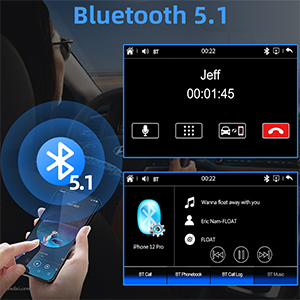
Figure 5: Bluetooth 5.1 for calls and music streaming.
Mirror Link функциясы
Sync your smartphone screen to the 7-inch HD display via mirror link. This allows you to view content from your phone, such as navigation or videos, directly on the stereo screen.
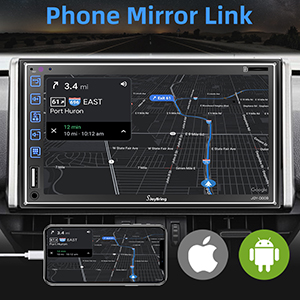
Figure 6: Phone Mirror Link in action.
Аудио өзгөчөлүктөрү
Experience superior sound quality with upgraded 2.1-channel output, including left, right, and subwoofer outputs, powered by a 60W x 4 amplifier. Utilize the built-in 16-band EQ for customized audio settings.

Figure 7: Audio output connections and EQ settings.
Камеранын иштеши
The stereo supports both front and rear cameras. The included rear camera provides a 170-degree ultra-wide angle view and is waterproof. It automatically displays the feed on the touch screen when the vehicle is shifted into reverse.
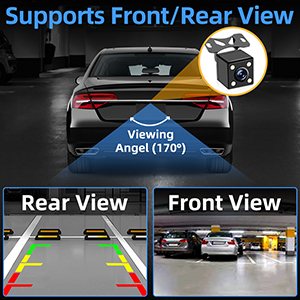
Figure 8: Front and Rear Camera support.
AM/FM радиосу
Access your favorite radio stations with the built-in AM/FM tuner. FM frequencies range from 87.5-107.9 MHz, and AM from 530-1710 KHz.
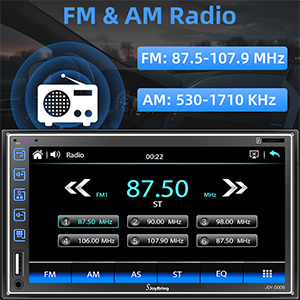
9-сүрөт: AM/FM радио интерфейси.
Руль башкаруу
The stereo supports steering wheel controls, allowing you to manage audio playback and calls without taking your hands off the wheel.
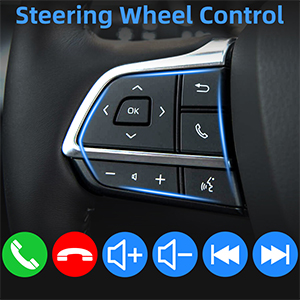
Figure 10: Steering Wheel Control compatibility.
Мультимедиа ойнотуу
Enjoy 1080P HD video and audio playback via USB port, AUX input, or SD card slot. The unit also supports USB charging for your devices.

Figure 11: Multimedia playback options.
Ызы-чууну жок кылуучу микрофон
The built-in noise-cancelling microphone and external mic jack ensure clear call quality, even in noisy environments, allowing for accurate voice control while driving.
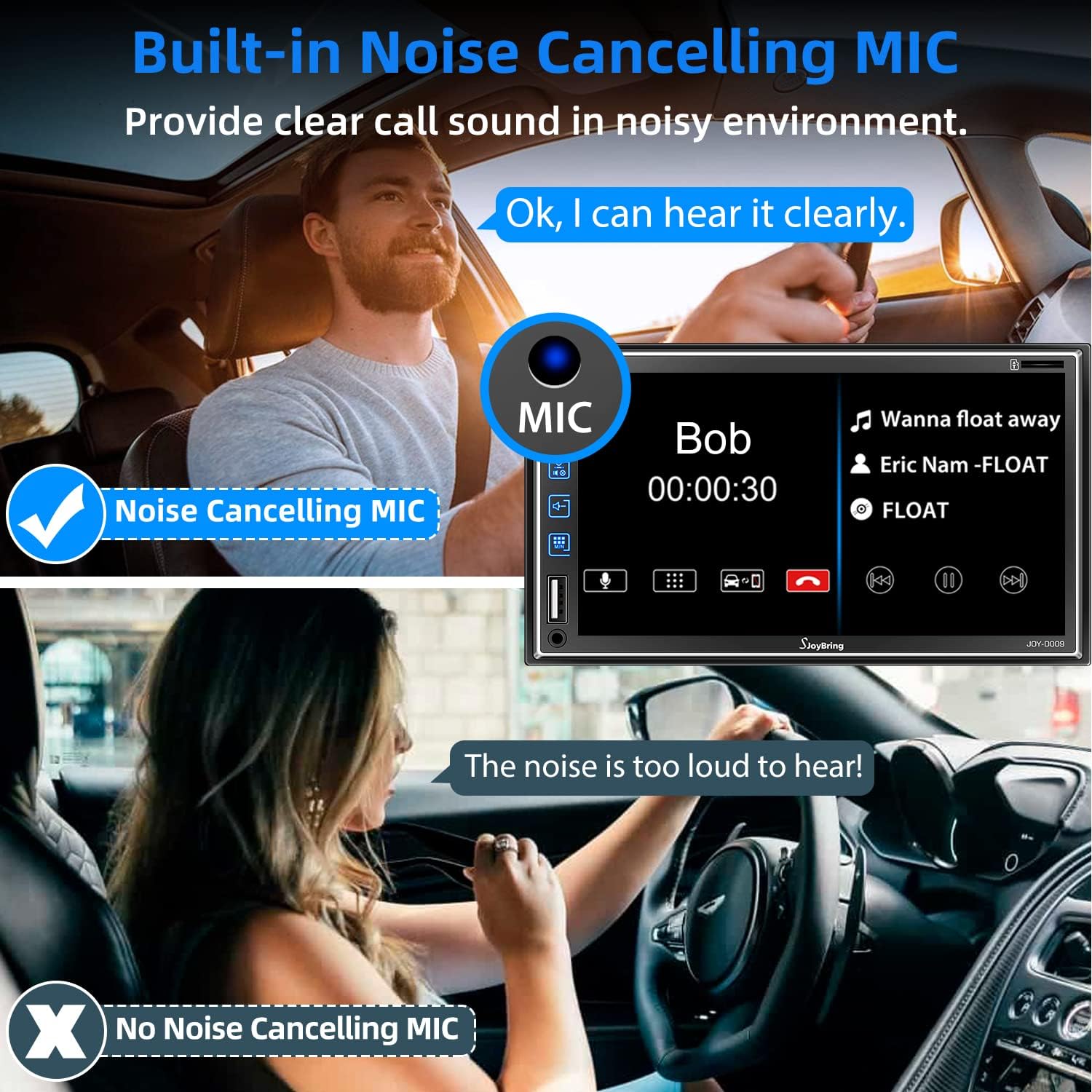
Figure 12: Noise-cancelling microphone feature.
7-Color Backlight
Customize the button backlight color to match your vehicle's interior or your personal preference with 7 available color options.
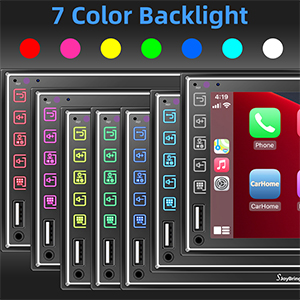
Figure 13: Customizable 7-color backlight.
Техникалык тейлөө
SJOYBRING автоунаа стереоңуздун узак мөөнөттүү иштешин жана оптималдуу иштешин камсыз кылуу үчүн, төмөнкү техникалык тейлөө көрсөтмөлөрүн аткарыңыз:
- Тазалоо: Экранды жана сыртын тазалоо үчүн жумшак, кургак чүпүрөктү колдонуңуз. Бетке зыян келтириши мүмкүн болгон абразивдүү тазалоочу каражаттарды же эриткичтерди колдонбоңуз.
- Температура: Түзмөктү өтө ысык жана муздак температурага дуушар кылбаңыз, анткени бул электрондук компоненттерге таасир этиши мүмкүн.
- Нымдуулук: Түзмөктү кургак кармаңыз. Нымдуулук ички түзүлүшкө зыян келтириши мүмкүн.
- Программалык камсыздоонун жаңыртуулары: Өндүрүүчүнү текшериңиз webиштин натыйжалуулугун жогорулатуу жана жаңы функцияларды кошуу үчүн мезгил-мезгили менен сайттагы микропрограммалык камсыздоонун жаңыртууларын карап туруңуз.
Проблемаларды чечүү
Эгерде сиз унааңыздын стереосу менен көйгөйлөргө туш болсоңуз, төмөнкү жалпы көйгөйлөрдү чечүү кадамдарын караңыз:
- Кубат жок:
- Check the power connections and fuses.
- Ensure the car's ignition is on.
- Үн жок:
- Динамиктердин туташууларынын коопсуз экенин текшериңиз.
- Үн деңгээлин жана үнсүз кылуу жөндөөлөрүн текшериңиз.
- Туура аудио булагы тандалганын текшериңиз.
- Bluetooth туташуу маселелери:
- Телефонуңузда да, стерео системаңызда да Bluetooth күйгүзүлгөнүн текшериңиз.
- Мурунку жупташтырууларды жок кылып, түзмөктөрдү кайра жупташтырыңыз.
- Move closer to the stereo to ensure signal strength.
- CarPlay/Android Auto туташпай жатат:
- Use the original or a certified USB cable.
- Телефонуңуздун операциялык системасы жаңыртылганын текшериңиз.
- Телефонду да, унаанын стереосун да өчүрүп күйгүзүңүз.
- Арткы камера көрүнбөйт:
- Камеранын кубат жана видео сигнал туташууларын текшериңиз.
- Унаанын артка берүүчү ылдамдыкта экенине ынаныңыз.
If problems persist after attempting these steps, please contact SJOYBRING customer support for further assistance.
Техникалык шарттар
| Өзгөчөлүк | Спецификация |
|---|---|
| Бренд | SJOYBRING |
| Модель номери | JOY-D009 |
| Screen Size | 7 дюйм |
| Screen Resolution | 1024*600 |
| Video ойнотуу | 1080P колдоо |
| Bluetooth версиясы | 5.1 |
| Аудио чыгаруу режими | Стерео (2.1 Айланадагы үн каналынын конфигурациясы) |
| EQ | 16-топ |
| Байланыш технологиясы | Bluetooth, 3.5 мм уя |
| Элемент Салмагы | 2.51 фунт |
| Пакеттин өлчөмдөрү | 9.17 x 6.02 x 5.87 дюйм |
Кепилдик жана колдоо
SJOYBRING products typically come with a manufacturer's warranty. Please refer to the warranty card included in your package or visit the official SJOYBRING website for detailed warranty information and terms. For technical support, troubleshooting assistance, or inquiries regarding your product, please contact SJOYBRING customer service through the contact information provided in your product documentation or on the brand's official channels.
Сиз да зыярат кылсаңыз болот SJOYBRING Store on Amazon көбүрөөк маалымат жана колдоо булактары үчүн.


